
Selecting the correct paper weight is a foundational step in achieving professional print quality and maintaining the mechanical health of your office equipment. PaperOne, a widely recognized brand in Singapore and across Asia, offers its premium copy paper in three primary standard weights: 70 GSM, 75 GSM, and 80 GSM. Each of these options is engineered for specific tasks, balancing cost-efficiency, print clarity, and paper-handling performance.
To make an informed purchasing decision, you must match the paper’s weight to your specific printing requirements. While 70 GSM paper is highly economical and ideal for high-volume internal drafts, 75 GSM serves as a versatile, everyday office workhorse. For client-facing documents, double-sided printing, and high-speed machinery, 80 GSM paper provides the necessary opacity and structural stiffness to prevent jams and ensure a premium tactile feel.
What GSM Means for Your Print Quality and Paper Handling
The acronym GSM stands for Grams per Square Meter. It is the standard metric unit used globally to measure paper weight and density. Crucially, GSM does not simply measure the physical thickness of a sheet of paper; rather, it indicates the mass of the paper fibers packed into a one-square-meter sheet. A higher GSM indicates a denser sheet with more tightly packed cellulose fibers, which directly influences how the paper behaves under different printing conditions.
Products mentioned in this guide
![PaperOne™ Digital Premium Quality 100gsm Copy Paper A4 [2 Reams]](https://img.lazcdn.com/g/p/19b942556bf5e935f0ea0c7e4750b7df.jpg_400x400q80.jpg_.webp)
![PaperOne™ Copier Paper 70gsm / 75gsm Copy Paper A4 [2 Reams]](https://img.lazcdn.com/g/p/f3cf1c76beaab92a1010bb2f08235177.jpg_400x400q80.jpg_.webp)
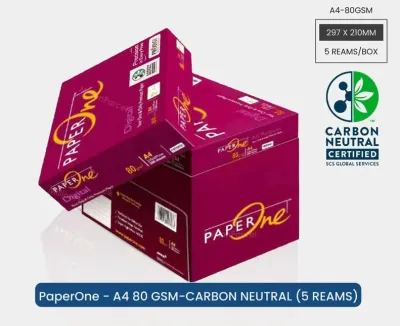
![PaperOne™ Digital Premium Quality 85gsm / 80gsm Carbon Neutral Copy Paper A4 [1 Box]](https://img.lazcdn.com/g/p/314e28db684b5a59446140a7a613d0c3.jpg_400x400q80.jpg_.webp)
![PaperOne™ All Purpose Premium Quality 80gsm Copy Paper A4 [2 Reams]](https://img.lazcdn.com/g/p/6fe22f63efd1aeac13600887dc29a7da.jpg_400x400q80.jpg_.webp)
![PaperOne™ Digital Premium Quality 85gsm / 80gsm Carbon Neutral Copy Paper A4 [2 Reams]](https://img.lazcdn.com/g/p/d24c5b7df995d3fae4379d50295afa2d.jpg_400x400q80.jpg_.webp)


Prices are valid at publication and may change. Please refer to the product page for the latest price.
GSM plays a critical role in determining a sheet’s opacity, which is its ability to block light and prevent printed text or images from showing through to the reverse side. Heavier paper naturally has higher opacity because the dense fiber network scatters and blocks light more effectively. If you plan to print double-sided documents, high opacity is essential to keep the text on the back from interfering with the readability of the front.
Stiffness is another physical property governed by GSM. As paper weight increases, the sheet becomes more rigid and resistant to bending. This structural integrity is vital for smooth feeding through the complex roller paths of modern printers and photocopiers. Lightweight papers can easily buckle or fold under the pressure of high-speed feed rollers, whereas stiffer papers maintain their flat profile, significantly reducing the occurrence of frustrating paper jams.
Finally, GSM affects how paper absorbs ink and toner. When liquid ink from an inkjet printer hits a low-GSM paper, the thin fiber structure can quickly become saturated, leading to feathering, bleeding, and paper cockling (wrinkling). Heavier paper distributes the liquid or toner more evenly across its dense fiber matrix. Choosing the right GSM is not about automatically buying the heaviest paper available, but rather about matching these physical properties to your specific document type, budget, and printer specifications.
Comparing Standard PaperOne GSM Options for Daily and Professional Use
PaperOne structures its copy paper lineup around three standard weight classes to accommodate different home, school, and corporate environments. By understanding the distinct performance profiles of 70 GSM, 75 GSM, and 80 GSM paper, you can optimize your stationery budget while ensuring consistent print results.

70 GSM: Everyday Drafts and High-Volume Printing
PaperOne 70 GSM is a lightweight, highly economical paper designed primarily for high-volume, single-sided utility printing. Because it uses fewer raw materials per sheet, it is the most cost-effective option in the brand’s lineup, making it a favorite for large offices, educational institutions, and logistics departments that go through thousands of pages weekly.
This weight class is ideal for printing internal memos, shipping labels, packing slips, rough drafts, and temporary reference sheets. It feeds reliably through standard office machines when printed on a single side, allowing you to archive text-heavy records without adding unnecessary bulk to physical folders and filing cabinets.
However, 70 GSM paper has distinct physical limitations. Its lower density results in reduced opacity, creating a high risk of show-through if you attempt double-sided printing. If you use wet inks or heavy color blocks, the ink can easily saturate the thin sheet, causing the paper to warp, curl, or bleed through to the other side. Therefore, 70 GSM should be reserved strictly for dry toner applications or light, single-sided text printing.
75 GSM: The Versatile Standard for Office Use
PaperOne 75 GSM represents the optimal middle ground for general-purpose office tasks. It is specifically engineered to bridge the gap between the ultra-lightweight 70 GSM and the premium 80 GSM options, offering a balanced combination of performance and affordability for daily business operations.
This versatile weight is highly recommended for standard office correspondence, student homework assignments, emails, and light double-sided reports. It offers a noticeable step up in stiffness and density compared to 70 GSM, allowing it to glide smoothly through high-speed office copiers and multi-function printers without buckling.
The increased density of 75 GSM paper provides sufficient opacity to handle light double-sided printing of standard text documents without distracting show-through. It maintains a clean, professional appearance for everyday correspondence while keeping procurement costs manageable for businesses that require reliable, daily-use paper.
80 GSM: Premium Quality for Professional Documents
PaperOne 80 GSM is the premium standard for high-stakes, external-facing documents where presentation and tactile feel are paramount. When you hand a document to a client, partner, or stakeholder, the physical weight of the paper immediately influences their perception of your brand’s professionalism.
This weight class is the industry standard for double-sided printing, formal client proposals, legal contracts, certificates, and presentation slides. The high fiber density of 80 GSM paper provides exceptional opacity, ensuring that dense black text, charts, and color graphics printed on one side do not bleed or show through to the reverse side.
In addition to its premium look and feel, 80 GSM paper offers superior structural stiffness. This rigidity minimizes the risk of paper curling or jamming in high-speed, high-volume office printers and heavy-duty photocopiers. It stands up exceptionally well to the heat and pressure of laser printer fuser units, delivering flat, crisp, and professional results every time.
How to Match Paper Weight to Your Printer and Ink Type
Before purchasing a carton of paper, you must verify your printer’s physical capabilities by checking its user manual. Most standard home and office printers are designed to handle a paper weight range between 60 GSM and 105 GSM. Exceeding or falling short of your specific machine’s limits can lead to mechanical failures and poor print quality.
Using paper that is too thin for your printer’s feed mechanism can cause multi-sheet feeding, where the separation pads fail to isolate a single sheet, pulling multiple pages into the paper path simultaneously. Conversely, using paper that is too thick or stiff for a compact printer can prevent the sheet from bending smoothly around the internal rollers, resulting in immediate paper jams and potential damage to the feed rollers.
Your choice of GSM should also align with your printer’s technology:
- Inkjet Printers: These devices deposit liquid ink onto the paper surface. To prevent the moisture from saturating the fibers and causing the paper to buckle or wrinkle, you should opt for 75 GSM or 80 GSM paper. The higher fiber density helps absorb and control the liquid, keeping the sheet flat and dry.
- Laser Printers: These machines use static electricity to transfer dry toner powder to the paper, which is then fused using high-heat rollers. Laser printers generally handle 70 GSM, 75 GSM, and 80 GSM paper exceptionally well. Because no liquid is introduced, paper wrinkling is rarely an issue, making 70 GSM a perfectly viable option for high-speed laser drafts.
To ensure compatibility, perform a quick test by printing a five-page document on your chosen paper weight. Observe how the paper feeds, check for any static cling between sheets, and inspect the printed page for ink bleeding or paper curling immediately after it exits the machine.
Protecting Your Paper from Humidity and Curling in Singapore
Singapore’s tropical climate presents unique challenges for paper storage and printing. With relative humidity levels frequently exceeding 80%, unsealed paper acts like a sponge, rapidly absorbing moisture from the surrounding air. When paper fibers absorb water, they expand, causing the edges of the sheets to stretch and curl.
This moisture absorption leads to edge wave, a condition where the edges of a paper stack become wavy while the center remains flat. When wavy paper is fed into a printer, the uneven surface causes misfeeds, multi-sheet pulling, and severe paper jams inside the hot fuser unit. To maintain optimal printing performance in Singapore, you must implement strict storage habits.
First, always keep your copy paper inside its original, moisture-proof moisture-barrier wrapper (the ream wrapper) until you are ready to load it into the printer. These wrappers are specially lined to prevent ambient humidity from penetrating the paper stack. Avoid opening multiple reams at once if they will not be used immediately.
Second, store your paper reams flat on a shelf or pallet in a cool, dry, air-conditioned room. Never store paper cartons directly on concrete floors, as moisture can seep up through the floor and ruin the bottom reams. Finally, only load your printer’s paper tray with the amount of paper you expect to use for the immediate print job, and close the tray tightly to shield the paper from room humidity.
Frequently Asked Questions (FAQ)
Can I use 80 GSM paper in a standard home printer?
Yes, almost all modern home inkjet and laser printers are designed to handle 80 GSM paper without any issues. This weight falls comfortably within the standard operating range of home printing equipment. However, if you are using an older, ultra-compact, or portable printer, it is always wise to consult the manufacturer’s manual to verify the maximum supported paper thickness and avoid potential paper jams.
Does a higher GSM always mean better print quality?
No, a higher GSM does not automatically guarantee better print quality, as it only measures the weight and density of the paper, not its surface properties. Factors such as paper brightness, smoothness, and specialized surface coatings (like PaperOne’s ProDigi HD Print Technology) are what actually determine color vibrancy, ink drying speed, and line sharpness. While 80 GSM paper provides better opacity and a more professional feel, a high-quality 70 GSM paper is perfectly sufficient and highly cost-effective for text-heavy, single-sided documents.
Community discussion
Share your experience or ask a question. Comments are reviewed before publication.