
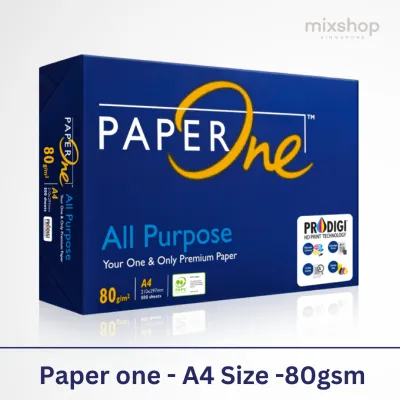
The 80gsm specification on a ream of PaperOne A4 paper stands for grams per square meter, which measures the density and thickness of the paper sheet. For daily printing, this weight represents the standard for professional office documents, providing a balanced thickness that supports double-sided printing, clear text contrast, and reliable printer feeding. Knowing how this weight behaves under different printing conditions helps you determine if it fits your specific office or home setup.
Decoding the 80gsm Specification
GSM, or grams per square meter, is the universal metric used to measure paper density. It does not measure the weight of a single A4 sheet directly, but rather the weight of a sheet of that paper if it were cut to exactly one square meter. For an 80gsm A4 sheet, this translates to a physical weight of approximately 5 grams per sheet, offering a substantial feel without being overly thick.
In standard office environments, paper weights typically range from 70gsm to over 100gsm. Lighter 70gsm paper is commonly used for high-volume, single-sided draft printing where cost-efficiency is the primary goal. On the other end of the spectrum, heavier 90gsm or 100gsm options are reserved for premium presentations, letterheads, and formal proposals that require a highly substantial tactile feel.
Products mentioned in this guide
![PaperOne A4 Printing Paper - All Purpose Paper 80gsm [Available in Single Ream / Box]](https://img.lazcdn.com/g/p/27dcdcd07b80cf8dfb582f4178a0997b.png_400x400q80.png_.webp)
![PaperOne™ All Purpose Premium Quality 80gsm Copy Paper A4 [2 Reams]](https://img.lazcdn.com/g/p/6fe22f63efd1aeac13600887dc29a7da.jpg_400x400q80.jpg_.webp)

Prices are valid at publication and may change. Please refer to the product page for the latest price.
An 80gsm paper sits comfortably in the middle of these options, serving as the versatile standard for everyday business and academic use. Before purchasing, you should verify the exact weight, sheet count, and manufacturing details printed on the physical ream wrapper. Checking these specifications ensures you are getting the correct density and quantity for your intended tasks.
How 80gsm Impacts Print Quality and Durability
The thickness of 80gsm paper directly influences its opacity, which is the measure of how much light passes through the sheet. Compared to lighter 70gsm alternatives, 80gsm paper offers higher opacity, which significantly reduces the risk of ink or toner showing through on the reverse side. This makes it a practical choice for double-sided documents, keeping your reports legible and professional.

Paper thickness also plays a critical role in how the surface interacts with different printing technologies. For inkjet printers, the denser fibers of 80gsm paper help absorb liquid ink more evenly, reducing the likelihood of feathering or warping. For laser printers, the paper provides a stable surface for toner adhesion under high heat, though you should always run a test print to observe the actual output quality on your specific machine.
Beyond visual clarity, 80gsm paper provides a distinct tactile stiffness that enhances document durability. When handling reports, academic assignments, or client-facing documents, the paper resists folding and tearing better than lighter sheets. This added stiffness gives your physical documents a more professional, structured feel during meetings and presentations.
Printer Compatibility and Jam Prevention
Most modern office and home printers are designed to handle 80gsm paper as their default media type. However, before loading a new ream, you should check your printer’s user manual to verify the officially supported paper weight range. Ensuring that 80gsm falls well within these limits prevents unnecessary wear on the internal rollers and feeding mechanisms.
Environmental factors, particularly the high humidity levels in Singapore, can significantly affect paper performance. Paper naturally absorbs moisture from the air, which can lead to curling, wavy edges, and subsequent paper jams. Because 80gsm paper is slightly thicker and more rigid than 70gsm sheets, it generally resists moisture-induced deformation better, maintaining its flat shape for smoother feeding.
To minimize the risk of paper jams, you can follow a few simple handling steps before loading the paper tray. Gently fan the stack of paper to introduce air between the sheets and break any static cling. Adjust the paper tray guides so they rest snugly against the edges of the stack without bending the paper, and run a single-page test print to confirm smooth feeding.
Evaluating if PaperOne 80gsm Fits Your Needs
Determining whether PaperOne 80gsm is the right choice depends on your daily printing volume and document types. This weight is ideal for standard office reports, double-sided drafts, school assignments, and general correspondence where clarity and durability are required. It offers a reliable balance of performance and professional appearance for everyday tasks.
However, certain specialized projects may require alternative paper weights. If you are printing high-resolution color photographs or marketing brochures with heavy ink coverage, a dedicated photo paper or a heavier premium paper of 120gsm or more is usually necessary to prevent saturation. For crafting, invitations, or archival documents, heavier cardstock or specialized acid-free media would be more appropriate.
When sourcing your paper from online marketplaces or local stationery stores, take a moment to examine the packaging labels. Look for specific indicators such as brightness ratings and surface finish details, which can vary depending on the product line. Verifying these details on the wrapper helps ensure the paper matches your specific aesthetic and functional requirements.
Frequently Asked Questions (FAQ)
Is 80gsm paper thick enough for double-sided printing?
Yes, 80gsm paper generally provides sufficient opacity to support double-sided printing for standard text and light graphics. However, because ink absorption and toner density vary by printer, you should run a test print with heavy ink coverage or dark toner areas to verify if any show-through occurs on your specific equipment.
Does 80gsm paper cause more printer jams than 70gsm?
No, 80gsm paper does not inherently cause more jams than 70gsm; in fact, its extra stiffness often helps it feed more reliably. Printer jams are typically caused by high environmental humidity, misaligned paper tray guides, worn printer rollers, or static electricity, all of which can be managed with proper storage and handling.

Community discussion
Share your experience or ask a question. Comments are reviewed before publication.