
Quick Verdict: 70gsm vs 80gsm for Everyday Printing
Selecting the right paper weight for your daily printing tasks is not a matter of finding a single, universally superior sheet. Instead, it requires matching the physical properties of the paper to your specific printing hardware, document goals, and operational budget. When comparing PaperOne A4 70gsm and 80gsm options, the ideal choice depends entirely on how the document will be used, whether you print on both sides, and the environmental conditions of your workspace.
PaperOne A4 70gsm serves as a highly cost-effective, lightweight workhorse. It is engineered primarily for high-volume, single-sided printing, such as internal office drafts, administrative forms, and temporary study materials. Because it uses fewer raw fibers, it is thinner and lighter, making it the budget-friendly choice for offices and schools that print thousands of pages of text-heavy documents every month.
On the other hand, PaperOne A4 80gsm is the universally accepted professional standard for business and formal correspondence. Its thicker profile and higher density provide the essential opacity required for double-sided (duplex) printing, preventing distracting text or image show-through. It also offers superior physical stiffness, giving client proposals, contracts, resumes, and marketing materials a premium, durable feel.
Products mentioned in this guide
![PaperOne A4 Printing Paper - All Purpose Paper 80gsm [Available in Single Ream / Box]](https://img.lazcdn.com/g/p/27dcdcd07b80cf8dfb582f4178a0997b.png_400x400q80.png_.webp)
![PaperOne™ Copier Paper 70gsm / 75gsm Copy Paper A4 [1 Box]](https://img.lazcdn.com/g/p/62f961291078a3b12171dd45eea2a9a4.jpg_400x400q80.jpg_.webp)
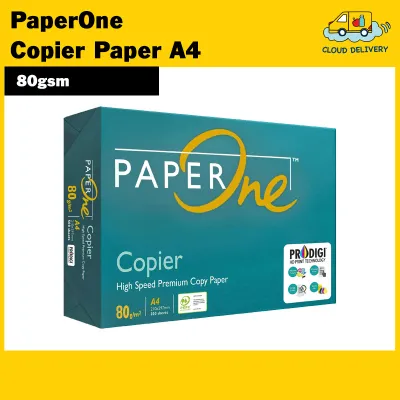
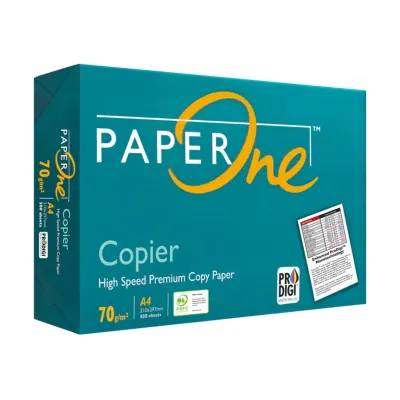
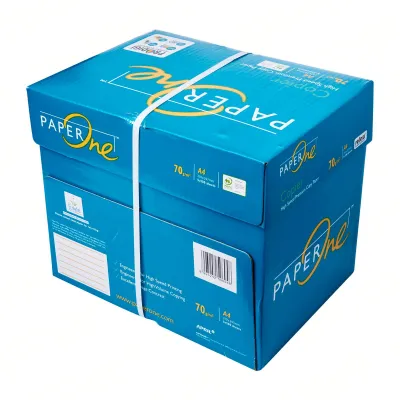

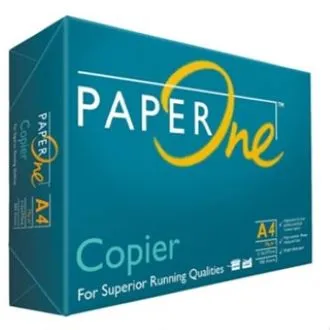
Prices are valid at publication and may change. Please refer to the product page for the latest price.
While both paper weights are fully compatible with standard home and office inkjet and laser printers, your final purchase decision should balance upfront cost against long-term readability, printer feed reliability, and handling requirements. Understanding the mechanical and physical differences between these two options will help you optimize your printing setup and avoid unnecessary paper waste.
Key Differences Between PaperOne A4 70gsm and 80gsm
To make an informed purchasing decision, you must look beyond the numbers on the packaging. Grammage—measured in grams per square meter (gsm)—defines the weight of a single sheet of paper cut to a one-square-meter size. While both options share the standard A4 dimensions of 210 mm by 297 mm, their internal fiber density, overall thickness (caliper), and structural rigidity differ. These physical variations directly influence how ink and toner interact with the paper surface, how smoothly the sheets feed through your printer, and how much the paper costs to buy and store in bulk.

Opacity and Double-Sided Printing
Opacity is a critical optical property that measures how much light is blocked from passing through a sheet of paper. In everyday printing, high opacity is essential for maintaining readability, especially when printing on both sides of a page. If a paper has low opacity, text and graphics printed on one side will show through to the other, creating a visual distraction known as ghosting.
PaperOne A4 80gsm features a denser, more tightly packed fiber matrix, which naturally yields higher opacity. When you execute double-sided (duplex) printing on 80gsm paper, the thicker sheet successfully prevents dark text, bold headings, and color charts from showing through. This ensures that both sides of the page remain clean, legible, and professional, making it the standard choice for multi-page reports, legal agreements, and client-facing presentations.
In contrast, PaperOne A4 70gsm is physically thinner, resulting in lower opacity. When subjected to double-sided printing, dark text and heavy graphics on the reverse side will easily show through, making the document look cluttered and difficult to read. Furthermore, the type of ink you use plays a significant role in bleed resistance. Liquid-based dye inks from inkjet printers tend to penetrate deeper into the thin fiber structure of a 70gsm sheet, which accelerates bleed-through and can cause the paper to warp or wrinkle. Dry toners from laser printers sit on the surface and show through slightly less, but the physical thinness of 70gsm remains a limiting factor for duplex jobs.
To verify if 70gsm paper is acceptable for your specific double-sided needs, you should perform an observable trial. Print a high-contrast test page containing bold black text on one side and standard body text on the other. Examine the reverse side under typical office lighting to assess whether the text show-through compromises legibility before committing to a large-scale duplex print run.
Printer Compatibility and Paper Jams
Paper stiffness, or bending resistance, determines how a sheet behaves as it travels through a printer’s complex internal paper path. Modern office copiers and home printers rely on a series of rubber pickup rollers, separation pads, and heated fuser rollers that bend, pull, and flex the paper at high speeds.
PaperOne A4 80gsm offers excellent structural stiffness. This rigidity allows the sheet to push through curved paper paths, high-speed rollers, and duplex units without buckling or folding. Because of this reliable feeding behavior, 80gsm is highly recommended for older printer models, heavy-duty office copiers, and multi-function machines that have tight mechanical tolerances. It feeds consistently, minimizing the risk of multi-sheet pickups and mid-print interruptions.
PaperOne A4 70gsm is more flexible and lightweight. While modern, well-maintained printers with straight paper paths handle 70gsm paper without issue, its lower stiffness can present challenges in machines with highly curved paper feeds. Under high-speed printing conditions, the leading edge of a 70gsm sheet may fail to trigger mechanical sensors correctly or may buckle against the separation pads, leading to misfeeds and paper jams.
This physical stiffness is also highly sensitive to ambient moisture. In humid tropical climates like Singapore’s, paper fibers naturally absorb water vapor from the air, which temporarily softens the sheet and causes it to curl. Because 70gsm paper has less fiber mass, it loses its structural rigidity much faster than 80gsm when exposed to humidity, increasing the likelihood of curling and jamming during the printing process. To ensure optimal performance, always check your specific printer’s user manual to verify the manufacturer’s recommended media weight range.
Cost Efficiency and Storage
From a financial perspective, paper is typically purchased by the ream (500 sheets) or by the carton (containing 5 reams). Because 70gsm paper uses fewer raw wood fibers per sheet, it is less expensive to manufacture, translating to a lower purchase price per sheet. For corporate offices, educational centers, and administrative departments printing thousands of pages monthly, this price-per-sheet difference yields substantial long-term cost savings.
However, the physical weight of the paper introduces logistics and handling considerations that are often overlooked. A standard carton of A4 80gsm paper weighs approximately 12.5 kilograms, whereas a carton of 70gsm paper weighs roughly 10.9 kilograms. While this difference seems minor for a single carton, it accumulates quickly when managing bulk shipments. Heavier 80gsm cartons can increase shipping fees, require sturdier storage shelving, and demand more physical effort to handle and transport.
When evaluating paper costs, you must calculate the true cost per page rather than simply comparing the upfront price per ream. Always check the packaging to verify the exact sheet count, as some budget brands offer non-standard counts to appear cheaper. Additionally, consider the indirect costs of printer downtime. If a specific printer model jams frequently when fed with 70gsm paper, the lost productivity, wasted toner, and maintenance costs can quickly offset any initial savings gained from buying the lighter paper weight.
Which Paper Weight Should You Choose?
To select the most efficient paper weight for your home or office, you should evaluate your daily printing tasks against a clear decision framework. Choosing the right grammage ensures you do not overspend on paper while maintaining the professional quality your documents require.
Choose PaperOne 70gsm If…
PaperOne A4 70gsm is the optimal and most economical choice when budget efficiency, high-volume output, and single-sided printing are your primary goals. It is designed for documents that are intended for temporary use, quick reference, or archival storage with minimal physical handling.
You should choose 70gsm paper for the following scenarios:
- Internal Office Drafts and Memos: Perfect for printing rough drafts, internal spreadsheets, and email printouts that will be read once and recycled.
- Student Study Notes and Worksheets: Ideal for high-volume printing of lecture slides, study guides, and practice exams where physical weight and cost need to be kept to a minimum.
- Single-Sided Administrative Documents: Well-suited for printing shipping labels, packing slips, invoices, and transaction receipts that do not require double-sided printing.
- Black-and-White Laser Printing: Highly effective for text-only documents printed with dry laser toner, which does not saturate the thin paper fibers with moisture, preventing curling.
Choose PaperOne 80gsm If…
PaperOne A4 80gsm is the recommended choice when document presentation, physical durability, and multi-purpose versatility are paramount. It is the standard for any document that will be handled by clients, business partners, or external stakeholders.
You should choose 80gsm paper for the following scenarios:
- Client Proposals and Contracts: Essential for official business letters, legal agreements, resumes, and proposals where a professional, premium feel is required.
- Double-Sided Reports and Manuals: The superior opacity ensures that text and graphics on the reverse side do not bleed through, preserving clean layouts and readability.
- Color Printing and Graphic Charts: Recommended for documents featuring charts, diagrams, or heavy ink coverage. The extra fiber density resists warping and cockling when liquid ink is applied.
- High-Handling Documents: Ideal for training manuals, reference guides, and documents that will be stapled, hole-punched, highlighted, or passed around frequently, as the heavier sheet resists tearing and physical wear.
Practical Tips for Storing and Using Copy Paper
The performance of both PaperOne 70gsm and 80gsm is heavily influenced by how the paper is stored and handled before it reaches the printer. This is especially true in Singapore’s tropical climate, where high relative humidity can rapidly degrade paper quality and cause mechanical feed issues.
Paper is a highly hygroscopic material, meaning it naturally absorbs moisture from the surrounding air. When paper fibers absorb water, they expand, causing the sheet to lose its stiffness, curl at the edges, and stick to adjacent sheets due to static charge. To prevent this, always keep unused paper sealed in its original moisture-resistant wrapper. Only open a ream when you are ready to load the sheets directly into the printer’s input tray.
Store your paper reams flat on a level shelf or inside a cabinet rather than standing them vertically. Storing reams vertically can cause the sheets to sag and warp over time under their own weight. Keep the storage area cool, dry, and away from direct sunlight, open windows, or direct drafts from air conditioning units. Rapid shifts in temperature and humidity can cause uneven moisture distribution within the ream, leading to wavy edges that cause jams.
Before loading a fresh stack of paper into your printer, take a moment to fan the edges. Hold the stack firmly at one end and gently flex it to allow air to pass between the sheets. This simple action breaks the static bond and vacuum seal between individual pages, preventing the printer’s pickup roller from grabbing multiple sheets at once—a common cause of multi-sheet feed jams.
Finally, optimize your printer’s software settings to match the paper weight you are using. When sending a print job, open the printer properties dialog and verify that the media type is set to “Plain Paper” or the appropriate grammage setting if available. This instructs the printer to calibrate its fuser temperature, roller speed, and tension. For instance, laser printers require slightly more heat to bond toner to an 80gsm sheet than a 70gsm sheet; using the correct setting ensures clean, smudge-free prints and extends the lifespan of your printer’s fuser unit.
Frequently Asked Questions (FAQ)
Can I mix 70gsm and 80gsm paper in the same printer tray?
No, it is highly recommended to avoid mixing different paper weights within a single input tray. Printers rely on precise mechanical friction to separate and feed one sheet at a time. The pickup rollers and separation pads are calibrated for a consistent paper thickness and surface friction. When you mix 70gsm and 80gsm sheets, the variation in thickness and texture can confuse the feed mechanism, leading to double-feeding, misfeeds, or severe paper jams. Always finish using one paper weight completely, or use separate dedicated paper trays if your printer is equipped with multiple input sources.
Does 80gsm paper use more ink than 70gsm?
No, paper weight does not influence the amount of ink or toner your printer consumes. Ink and toner consumption are determined entirely by the print job settings, the document’s design, and the printer’s resolution settings (such as draft, normal, or high quality). However, 80gsm paper is structurally superior at handling high volumes of liquid ink. While 70gsm paper may warp, buckle, or allow ink to bleed through when printing dense color graphics or heavy text blocks, 80gsm paper absorbs the ink more evenly, maintaining a flat surface and sharp image definition.
Community discussion
Share your experience or ask a question. Comments are reviewed before publication.