
Selecting the right copy paper for a Singapore office involves balancing operational budgets against printing performance. When evaluating the popular PaperOne brand, the choice typically comes down to two standard weights: 70gsm and 80gsm. The primary difference lies in their physical density, which directly impacts document opacity, structural stiffness, and printer compatibility.
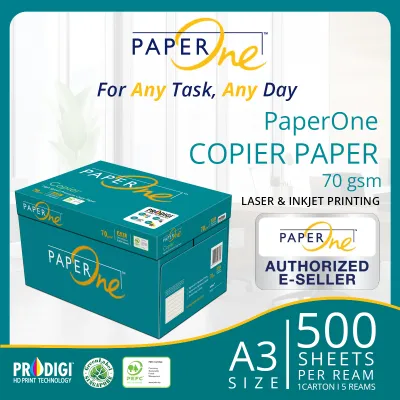
For high-volume, single-sided printing such as internal drafts, temporary logs, and everyday packing slips, PaperOne 70gsm offers a highly cost-effective solution. Its lighter weight reduces material costs and shipping weight, making it the practical choice for offices looking to minimize their cost-per-page on non-essential documents.
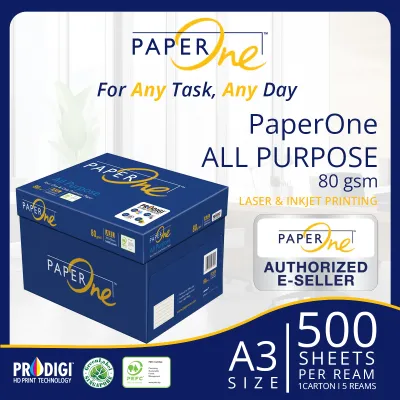
Conversely, PaperOne 80gsm is the industry standard for double-sided (duplex) printing, formal presentations, legal contracts, and client-facing correspondence. The extra thickness provides the necessary opacity to prevent ink show-through and delivers a sturdier, more professional hand-feel. Deciding between the two requires analyzing your office’s specific printing equipment, daily document workflows, and typical storage conditions.
Products mentioned in this guide
![PaperOne™ Copier Paper 70gsm / 75gsm Copy Paper A4 [1 Box]](https://img.lazcdn.com/g/p/62f961291078a3b12171dd45eea2a9a4.jpg_400x400q80.jpg_.webp)
![PaperOne™ Copier Paper 70gsm / 75gsm Copy Paper A4 [2 Reams]](https://img.lazcdn.com/g/p/f3cf1c76beaab92a1010bb2f08235177.jpg_400x400q80.jpg_.webp)

Prices are valid at publication and may change. Please refer to the product page for the latest price.
Key Differences: Thickness, Opacity, and Feel
To understand why these two paper weights perform differently, it is helpful to look at the physics of paper manufacturing. Grammage, measured in grams per square meter (gsm), defines the weight of the paper sheet over a standardized area. Because an A4 sheet is exactly one-sixteenth of an A0 sheet (which measures one square meter), a single sheet of A4 80gsm paper weighs exactly 5.0 grams, whereas a single sheet of A4 70gsm paper weighs 4.375 grams. This weight difference of 12.5% per sheet directly dictates the physical properties of thickness, stiffness, and opacity.
Thickness and Stiffness
The caliper, or physical thickness, of paper is closely tied to its grammage, though it is also influenced by the calendering process during manufacturing where the paper is pressed between heavy rollers. PaperOne 80gsm paper has a higher caliper and fiber density than its 70gsm counterpart. This extra fiber mass gives the sheet greater bending stiffness, which is the paper’s resistance to flexing under its own weight.
When handled, 80gsm paper feels noticeably sturdier and more substantial. This tactile difference is highly perceptible to clients and business partners, often associating heavier paper with higher corporate quality and attention to detail. In contrast, 70gsm paper is more pliable and flexible, which is perfectly acceptable for internal reading but can feel flimsy during formal presentations.
Opacity and Show-Through
Opacity refers to the paper’s ability to obstruct the passage of light through its fibers. Thinner paper naturally allows more light to pass through, resulting in a phenomenon known as show-through or ghosting. With PaperOne 70gsm, text printed on one side is often visible from the reverse side, especially when using high-density black ink or saturated color graphics.
For double-sided printing, low opacity is a significant drawback. It forces the reader to strain their eyes to distinguish the text on the front from the ghosted image on the back, reducing readability and overall document neatness. PaperOne 80gsm provides a much higher opacity barrier, ensuring that duplex prints remain clean, legible, and professional on both sides of the sheet.
Surface Smoothness and Print Quality
Both the 70gsm and 80gsm variants from PaperOne benefit from advanced surface-sizing treatments, such as ProDigi™ HD Print Technology, which helps bind ink pigments to the surface fibers rather than letting them bleed deep into the sheet. However, the physical volume of the paper fibers still plays a critical role in handling heavy ink or toner saturation.
When a high-speed laser printer applies intense heat to fuse toner onto the page, or when an inkjet printer deposits heavy liquid ink, the paper fibers absorb moisture and heat. Because 70gsm paper has less mass to distribute this thermal and physical stress, it is more prone to warping, curling, or wrinkling after printing. The thicker 80gsm paper absorbs high-coverage toner and wet inks much more evenly, maintaining a flat, crisp profile even after passing through high-temperature fuser units.
Printer Compatibility and Jamming Risks
Before purchasing paper in bulk, office administrators must evaluate the mechanical requirements of their office copiers and multi-function printers (MFPs). Every printing device is engineered to operate within a specific media weight range, which is detailed in the manufacturer’s user manual.

Checking Printer Specifications
While most modern office printers are rated to handle paper weights ranging from 60gsm up to 120gsm or higher, older or light-duty desktop printers may have narrower tolerances. It is essential to consult your printer’s manual to verify that both 70gsm and 80gsm are officially supported. Standard office machines handle both weights with ease, but specialized high-speed production copiers or heavy-duty duplexing units sometimes have specific settings or dedicated trays optimized for 80gsm paper to ensure smooth feeding.
Paper Path and Feed Mechanisms
Inside a printer, a series of rubber pickup rollers and retard pads use friction to pull a single sheet of paper from the tray into the paper path. As these rubber rollers wear down over time, they lose their grip and struggle to separate thin sheets. Because 70gsm paper is thinner and more flexible, worn rollers are more likely to pull multiple sheets simultaneously—a common issue known as multi-feeding.
Multi-feeding not only wastes paper but often leads to immediate paper jams deep within the printer’s internal rollers. PaperOne 80gsm, with its higher bending stiffness, resists multi-feeding because the sheet’s natural rigidity helps the printer’s separation pad peel away subsequent sheets. If your office relies on older printing equipment with high page counts, standardizing on 80gsm can significantly reduce maintenance calls and daily physical jams.
Humidity and Storage Conditions
Singapore’s tropical climate presents unique challenges for paper storage. With relative humidity levels frequently exceeding 80%, paper—which is naturally hygroscopic—will rapidly absorb moisture from the surrounding air. When paper fibers swell with moisture, they lose their structural stiffness and become limp.
Limp, damp paper is the leading cause of paper jams, regardless of whether you use 70gsm or 80gsm. However, 70gsm paper is particularly vulnerable because it has less structural integrity to begin with. When damp 70gsm paper is exposed to the extreme heat of a laser printer’s fuser (which can exceed 180°C), the moisture inside the paper rapidly turns to steam, causing the paper to curl violently as it exits the fuser. This post-fuser curl often results in jams in the exit tray or inside the duplexing unit.
To mitigate these issues, always store your PaperOne cartons flat in a cool, dry, air-conditioned room. Most importantly, keep individual reams sealed inside their original moisture-resistant wrappers until the exact moment they are loaded into the printer tray. Avoid leaving large stacks of exposed paper in the printer trays overnight, as they will absorb ambient humidity and increase the risk of misfeeds the following morning.
Cost Efficiency and Value for Office Workflows
For procurement managers, paper is a recurring operational expense where small price differences per ream accumulate into significant annual figures. To determine the true value of 70gsm versus 80gsm, offices must look beyond the initial purchase price and calculate the total cost of ownership.
Price per Ream and Per Sheet
Because 70gsm paper requires less raw wood pulp and chemical additives during manufacturing, it is consistently priced lower than 80gsm paper. In the Singapore market, copy paper is typically sold by the ream (500 sheets) or by the carton (5 reams, totaling 2,500 sheets). While exact prices fluctuate based on supplier contracts and order volumes, 70gsm paper generally sits at the lower end of the standard copy paper price band, while 80gsm occupies the mid-to-high end.
For an office printing tens of thousands of pages of single-sided internal documents every month, transitioning to PaperOne 70gsm can yield direct, measurable savings on paper procurement. If the printed pages are destined for immediate recycling or short-term internal reference, the extra cost of 80gsm provides little practical return on investment.
Hidden Costs of Reprints
While 70gsm paper offers upfront savings, those savings can be quickly eroded by indirect operational costs if the paper is used inappropriately. If your office frequently prints double-sided reports on 70gsm paper, staff may find the text illegible due to heavy show-through. This often leads to employees reprinting the documents on single-sided sheets, effectively doubling both paper and toner consumption.
Furthermore, sending a flimsy, translucent proposal to a high-value client can subtly damage your brand’s professional image. If a contract or proposal has to be reprinted on heavier paper to meet client standards, the initial savings of buying the lighter paper are entirely lost. Toner, printer wear-and-tear, and employee labor are far more expensive than the marginal price difference between a ream of 70gsm and 80gsm paper.
Storage and Handling Weight
Another practical consideration is the physical weight of the paper cartons. A standard carton of A4 80gsm paper (2,500 sheets) weighs approximately 12.5 kilograms, whereas a carton of 70gsm paper weighs roughly 10.9 kilograms.
For large offices ordering pallets of paper at a time, this weight differential can affect shipping and delivery logistics. Lighter cartons are also easier and safer for office administrators to lift, carry, and stack in storage cabinets, reducing the risk of workplace strain or injury during restocking duties.
The Decision Framework: When to Buy 70gsm vs 80gsm
To streamline your office procurement process, you can establish a clear decision framework based on your daily document types, equipment condition, and corporate policies.
Choose PaperOne 70gsm if:
- Your printing is primarily single-sided: Internal memos, daily packing lists, shipping labels, system logs, and rough drafts do not require high opacity.
- You print in extreme volumes: High-volume administrative departments where paper is treated as a highly disposable medium will benefit most from the direct cost savings.
- Your printers are modern and well-maintained: Newer machines with clean feed rollers can handle the lighter weight without experiencing frequent multi-feeds.
- You want to reduce physical handling weight: Lighter cartons make manual distribution around large office floors easier for administrative staff.
Choose PaperOne 80gsm if:
- Duplex printing is your office default: Double-sided printing is highly encouraged to save paper, but it requires the superior opacity of 80gsm to remain legible.
- Documents are client-facing: Proposals, contracts, marketing materials, presentations, and official correspondence require a professional hand-feel and crisp print quality.
- Your office copiers are older or prone to jamming: The added stiffness of 80gsm helps overcome minor roller wear and reduces paper feed errors.
- You print documents for long-term archiving: Heavier paper generally resists tearing and handling wear better over extended periods in storage files.
Verify First if:
- Your office uses high-speed production printers: Check the manufacturer's documentation to ensure that 70gsm paper will not cause feeding errors at maximum print speeds.
- Your company has strict environmental mandates: Both PaperOne 70gsm and 80gsm are produced using sustainably managed forest fibers, but you should verify the specific environmental certifications (such as PEFC or FSC labels) printed on the physical packaging to ensure compliance with your corporate sustainability policies.
Frequently Asked Questions (FAQ)
Can I mix 70gsm and 80gsm paper in the same printer tray?
It is highly recommended to avoid mixing different paper weights within a single printer tray. Printer feed mechanisms rely on consistent friction and thickness parameters to pull and separate sheets cleanly. When you mix 70gsm and 80gsm paper, the sudden change in thickness can confuse the separation pads and feed rollers, leading to double-feeds, misaligned prints, or immediate paper jams. If your office frequently uses both weights, utilize multi-tray printers and dedicate specific trays to each weight, adjusting the printer’s driver settings accordingly.
Does 80gsm paper use more ink or toner than 70gsm?
No, the weight of the paper does not affect the amount of ink or toner consumed during printing. Toner and ink consumption are entirely determined by your digital document’s layout, font choices, print density settings, and whether you print in draft or high-quality mode. However, because 80gsm paper is thicker and has a higher fiber density, it is much better suited to handle heavy ink and toner saturation without wrinkling, bleeding, or warping, making it the preferred choice for graphics-heavy documents.
How should I store copy paper in a humid climate?
To protect copy paper from Singapore’s high relative humidity, always keep the reams sealed inside their original moisture-barrier wrappers until you are ready to load them into the printer. Store your paper cartons flat on shelves or pallets rather than directly on concrete floors, which can transfer dampness. Keep your storage area in a consistently air-conditioned room to maintain stable temperature and humidity levels. Finally, avoid loading more paper into the printer tray than you expect to use in a single day to prevent the exposed sheets from absorbing ambient moisture overnight.
Community discussion
Share your experience or ask a question. Comments are reviewed before publication.