
Quick Answer: 70GSM vs 80GSM for Everyday Printing
When selecting the ideal paper for your daily office operations, there is no single, universally superior weight. The choice between PaperOne 70GSM and PaperOne 80GSM hinges entirely on your specific document types, printing methods, and monthly budget. For high-volume, single-sided internal drafts, standard emails, and general administrative paperwork, PaperOne 70GSM stands out as the most economical and efficient choice, reducing physical bulk and lowering paper expenditure without sacrificing basic readability.
Conversely, PaperOne 80GSM is the preferred standard for double-sided (duplex) printing, client-facing proposals, contracts, and formal presentations. The additional density of the 80GSM sheet provides the necessary opacity to prevent distracting ink or toner show-through, while its tactile stiffness conveys a professional, premium feel that reflects positively on your business. Evaluating your office’s output profile will help you determine whether to stock one weight or strategically use both.
Understanding Paper Weight: 70GSM vs 80GSM Differences
To make an informed choice, it is essential to understand what paper weight actually represents. GSM stands for Grams per Square Meter, which is the global standard metric used to measure the density and weight of paper. It is calculated by weighing a single sheet of paper cut to a precise one-square-meter size. Therefore, a ream of PaperOne 70GSM paper is made from sheets that weigh 70 grams per square meter, while PaperOne 80GSM paper is made from sheets weighing 80 grams per square meter. This 10-gram difference translates directly to noticeable physical variations in thickness, stiffness, and opacity.
Products mentioned in this guide
![PaperOne™ Copier Paper 70gsm / 75gsm Copy Paper A4 [2 Reams]](https://img.lazcdn.com/g/p/f3cf1c76beaab92a1010bb2f08235177.jpg_400x400q80.jpg_.webp)
![PaperOne™ All Purpose Premium Quality 80gsm Copy Paper A4 [2 Reams]](https://img.lazcdn.com/g/p/6fe22f63efd1aeac13600887dc29a7da.jpg_400x400q80.jpg_.webp)

![PaperOne™ Digital Premium Quality 85gsm / 80gsm Carbon Neutral Copy Paper A4 [2 Reams]](https://img.lazcdn.com/g/p/d24c5b7df995d3fae4379d50295afa2d.jpg_400x400q80.jpg_.webp)
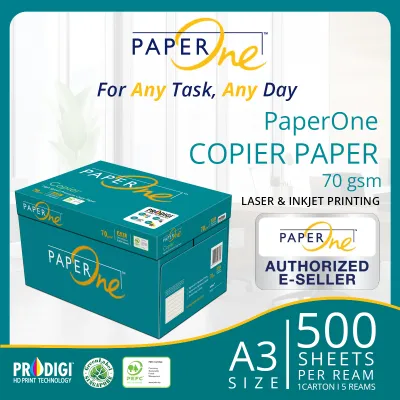
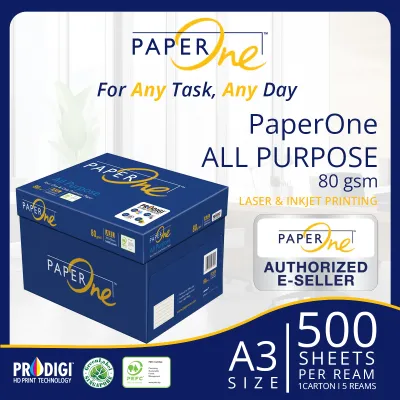
Prices are valid at publication and may change. Please refer to the product page for the latest price.

Thickness, often referred to in the paper industry as caliper, is the physical measurement of a single sheet’s depth. A higher GSM generally correlates with a higher caliper, meaning an 80GSM sheet is physically thicker than a 70GSM sheet. This thickness directly influences the stiffness, or bending resistance, of the paper. When you hold a sheet of PaperOne 80GSM, it feels more rigid and substantial, resisting bending and sagging under its own weight. In contrast, 70GSM paper is more pliable and flexible, which makes it feel lighter in the hand but also slightly more delicate.
Opacity is another critical structural attribute determined by paper density, referring to the paper’s ability to block light transmission. Thicker, denser paper fibers scatter and absorb more light, preventing images or text printed on one side from being clearly visible on the reverse. With 80GSM paper, the higher fiber density provides a natural barrier to light, making it highly opaque. 70GSM paper, being thinner, allows more light to pass through, which can cause the text on the back of a page to shadow through to the front, potentially compromising readability.
While these physical baselines remain consistent, exact brightness, whiteness, and opacity ratings can vary slightly across different product lines within the PaperOne family. For instance, PaperOne Copier, PaperOne All Purpose, and PaperOne Digital or Pro are engineered with distinct surface treatments and fiber compositions to target specific printing technologies. To verify the precise specifications of the paper you are purchasing, always inspect the specific ream wrapper. The packaging details the exact brightness percentages and compatibility ratings, allowing you to match the paper’s physical attributes to your office’s specific aesthetic and functional requirements.
Printer Compatibility and Jamming Risks
The physical properties of paper play a direct role in how smoothly it travels through your office copier or printer. Inside standard office printers, a series of rubber feed rollers, pickup pads, and tension guides work together to pull a single sheet of paper from the tray, guide it past the imaging drum or printhead, and eject it into the output tray. The stiffness and weight of the paper dictate how much friction is generated and how easily the paper bends around the internal rollers.
PaperOne 70GSM is exceptionally compatible with virtually all standard laser and inkjet printers. Because it is thinner and highly flexible, it easily navigates the tight curves and complex paper paths of modern compact desktop printers. The lower physical resistance of 70GSM paper minimizes the friction exerted on feed rollers, which can help reduce long-term mechanical wear on these consumable printer parts. It is an excellent choice for high-speed, high-volume print jobs where rapid feeding and consistent throughput are paramount.
On the other hand, PaperOne 80GSM is the standard benchmark weight for modern office copiers. Most contemporary mid-to-high-volume office printers handle 80GSM paper flawlessly, as their feed mechanisms are calibrated specifically for this weight. However, challenges can arise with older machines or printers with worn, smooth feed rollers. If the rubber rollers have lost their grip over years of service, they may struggle to pull the stiffer 80GSM sheets cleanly, occasionally leading to misfeeds or double-sheet pulls, particularly if the paper tray is overloaded beyond its recommended capacity limit.
In Singapore, local environmental conditions introduce an additional layer of complexity to paper handling. Singapore’s tropical climate features persistently high relative humidity, often exceeding 80% outside air-conditioned spaces. Paper is highly hygroscopic, meaning it readily absorbs moisture from the surrounding air. When paper fibers absorb moisture, they expand unevenly, leading to paper curl, waviness, and increased static electricity. This moisture-induced deformation dramatically increases the risk of paper jams for both 70GSM and 80GSM weights, as the swollen sheets can stick together or fail to pass smoothly through the printer’s heated fuser unit.
To mitigate these humidity-related risks, proper storage and handling are essential. Always store your unopened PaperOne reams in their original, moisture-proof wrappers, which are specifically designed with protective barriers to keep ambient humidity out. Only open a ream when you are ready to load it into the printer tray. Before loading the paper, take a moment to fan the stack gently. Fanning introduces a small cushion of air between the sheets, breaking any static cling or moisture-induced adhesion, which helps the printer’s pickup rollers grab one sheet at a time. Finally, always verify your printer’s user manual to confirm its supported GSM range. While standard paper cassettes typically support weights from 60 to 105 GSM, some specialized trays or duplex units may have tighter restrictions that you must respect to avoid persistent jamming.
Print Quality and Double-Sided Printing
Achieving clear, professional print quality requires selecting a paper weight that matches your document’s layout and ink coverage. The most prominent visual difference between 70GSM and 80GSM paper becomes apparent when evaluating show-through, also known as bleed-through or ghosting. Show-through occurs when the text or graphics printed on one side of a sheet are visible from the opposite side. Because PaperOne 80GSM features a denser fiber structure, it offers superior opacity, making it the industry standard for double-sided (duplex) printing. When you print duplex documents on 80GSM paper, the reverse side remains clean and highly legible, even when printing bold headings, dark fonts, or moderate charts.
In contrast, PaperOne 70GSM is best reserved for single-sided printing. While it handles standard black text beautifully on one side, its lower opacity means that duplex printing will result in noticeable show-through. If you attempt to print double-sided reports, newsletters, or graphic-heavy documents on 70GSM paper, the overlapping shadows of text from both sides can make reading highly distracting and unprofessional. For internal drafts where aesthetics are secondary to paper conservation, 70GSM duplexing may be acceptable, but it is generally unsuitable for external or formal business communications.
The interaction between the paper fibers and the printing medium—whether liquid inkjet ink or dry laser toner—also differs between the two weights. Laser printers use heat and pressure to fuse dry plastic toner particles onto the surface of the paper. Both 70GSM and 80GSM PaperOne sheets perform exceptionally well under laser fusion, maintaining flat, crisp profiles. However, inkjet printers spray liquid, water-based inks directly onto the paper. When liquid ink hits paper, the cellulose fibers absorb the moisture and swell.
Because 70GSM paper has less physical mass and fewer fibers to distribute this moisture, heavy ink coverage can cause the paper to warp, wrinkle, or buckle—a phenomenon known as cockling. This warping not only degrades the visual presentation but can also cause the damp paper to rub against the inkjet printhead, resulting in unsightly ink smudges. PaperOne 80GSM, with its greater thickness and structural integrity, absorbs liquid ink more evenly and resists cockling, allowing for cleaner, sharper inkjet prints even with moderate color graphics.
It is also important to note that absolute print sharpness is not solely a function of paper weight. The paper’s surface sizing—the chemical treatments applied during manufacturing to control ink absorption—and your printer’s resolution settings play vital roles. PaperOne products feature advanced surface technology designed to lock ink and toner near the surface, preventing feathering and ensuring sharp text edges. To achieve the best possible results, match your printer’s software settings to the media type loaded, and check the product packaging for any specific optimization recommendations.
Cost, Value, and Storage Considerations
Managing office overheads requires balancing upfront purchasing costs against the long-term value and utility of your supplies. From a cost perspective, PaperOne 70GSM is inherently more economical than its 80GSM counterpart. Because manufacturing 70GSM paper requires less raw wood pulp and fewer additives per sheet, it is less expensive to produce, a saving that manufacturers pass on to consumers. On a per-ream basis, 70GSM paper is consistently priced lower than 80GSM. For small offices, this price gap might seem minor, but for medium-to-large enterprises in Singapore printing tens of thousands of pages monthly, the cumulative savings can represent a substantial reduction in administrative expenses.
However, focusing solely on the purchase price can obscure the broader concept of value. PaperOne 80GSM carries a higher price tag, but it delivers a level of professional presentation that 70GSM cannot match. When sending contracts, proposals, or marketing materials to clients, the tactile feedback of the paper speaks volumes about your company’s attention to detail and professionalism. A flimsy, lightweight sheet can unintentionally convey a lack of care or budget constraints, whereas a thick, sturdy 80GSM page feels reliable and premium. In this sense, the marginal extra cost of 80GSM paper functions as an investment in your brand’s reputation.
To determine which option makes the most financial sense for your specific organization, avoid relying on static price lists, as paper costs fluctuate based on global pulp prices, shipping rates, and bulk B2B supplier discounts in Singapore. Instead, calculate your office’s specific cost-per-page. Contact your preferred local stationery or B2B office supplier to obtain current volume-based quotes for both PaperOne 70GSM and 80GSM. Divide the ream or carton price by the number of sheets to find the unit cost, and multiply this by your estimated monthly print volume. This calculation will give you a clear picture of the actual annual cost difference, allowing you to weigh the financial savings of 70GSM against the performance benefits of 80GSM.
Logistical and storage factors are also worth noting, particularly in urban office environments where storage space is at a premium. Because 80GSM paper is thicker and heavier, a carton of 80GSM paper takes up slightly more vertical space and is physically heavier to lift and move than an identical carton of 70GSM paper. While a single ream difference is negligible, storing multiple cartons of 80GSM paper requires sturdy shelving and more physical effort during delivery and loading. If your office has limited storage space or relies on staff to manually transport paper cartons across different floors, the lighter, more compact profile of 70GSM cartons can offer a minor but appreciated physical and logistical advantage.
Decision Framework: Which PaperOne Weight Should You Buy?
Selecting the right PaperOne paper weight does not have to be a complicated task. By analyzing your daily printing habits, document types, and presentation needs, you can easily identify which weight aligns with your operational goals. Use the structured decision framework below to guide your next purchase:
- Choose PaperOne 70GSM if:
- Your daily printing consists primarily of internal drafts, emails, data logs, and temporary reference sheets.
- You print almost exclusively on a single side of the page, where show-through is not an issue.
- Your office handles exceptionally high print volumes, and minimizing paper expenditure is a primary financial objective.
- You want to minimize physical storage space and reduce the physical weight of handled paper cartons.
- You are printing on older or smaller desktop printers that benefit from highly flexible, easy-to-feed paper sheets.
- Choose PaperOne 80GSM if:
- You frequently print double-sided (duplex) documents, reports, or manuals that require high opacity to maintain readability.
- The documents you produce are client-facing, such as formal proposals, contracts, presentations, or invoices, where a premium tactile feel is essential.
- You use inkjet printers and print documents with moderate color graphics, charts, or bold text blocks that require structural resistance to ink-induced warping.
- Your office standardizes on a single, versatile paper weight that meets both administrative and external presentation requirements without needing to swap paper trays.
- Verify first if:
- Your office printer's user manual specifies any strict limitations on paper weight, particularly for duplexing units or specialized multi-purpose bypass feeds.
- You plan to print highly specialized documents, such as high-resolution photographic layouts or heavy marketing brochures, which may require specialized coated papers or weights exceeding 100 GSM.
For many modern offices in Singapore, the most efficient and practical solution is not to choose one weight exclusively, but rather to stock both. You can load PaperOne 70GSM into your high-volume printer’s primary tray to handle the bulk of daily, single-sided administrative printing and internal drafts. Meanwhile, keep PaperOne 80GSM loaded in a secondary paper tray or dedicated copier for client documents, duplex printing, and formal correspondence. This hybrid approach allows you to maximize cost savings on everyday tasks while ensuring you always have high-quality, professional paper ready when presentation matters most.
Frequently Asked Questions (FAQ)
Can I mix 70GSM and 80GSM paper in the same printer tray?
You should strictly avoid mixing different paper weights, sizes, or brands within the same printer input tray. Office printers rely on highly calibrated, uniform friction to pull one sheet of paper at a time from the stack. When you mix 70GSM and 80GSM paper, the feed rollers encounter inconsistent thicknesses and surface textures. This variance disrupts the feeding mechanism, frequently causing the printer to pull multiple sheets at once, skew the paper as it enters the feed path, or trigger severe paper jams that can disrupt your workflow and potentially damage internal components. Always empty the tray completely before loading a new batch of a different paper weight.
Does 80GSM paper use more ink or toner than 70GSM?
No, the weight of the paper does not dictate or alter the amount of ink or toner your printer consumes. Ink and toner usage are entirely determined by your document’s layout, the density of the text or graphics, and your printer’s software settings (such as draft, standard, or high-quality photo modes). However, because 80GSM paper is thicker and more structurally stable, it can handle heavier ink loads without warping or buckling. This means you can confidently use higher-quality print settings or print detailed graphics on 80GSM paper, whereas doing so on 70GSM paper might cause the sheet to warp and compromise the final print quality.
Is PaperOne copy paper suitable for inkjet printers?
Standard PaperOne copy paper is primarily optimized for high-speed laser printers, where dry toner is fused to the page using heat. However, it is also highly compatible with everyday inkjet printing for standard text documents and light color graphics. If your office relies heavily on inkjet technology for high-coverage color printing, you should check the specific PaperOne product packaging for compatibility notes. Some product lines, such as PaperOne All Purpose or PaperOne Digital, feature advanced surface treatments like ProDigi HD Print Technology, which are specifically engineered to dry ink faster, reduce bleeding, and deliver sharper colors on both laser and inkjet systems.
Community discussion
Share your experience or ask a question. Comments are reviewed before publication.