
Choosing between PaperOne 70gsm and PaperOne 80gsm A4 paper is a foundational decision for any home office, corporate department, or school environment. For high-volume, single-sided internal documents where cost efficiency is the ultimate priority, PaperOne 70gsm serves as the practical, lightweight standard. Conversely, PaperOne 80gsm represents the optimal choice for double-sided printing, external client-facing presentations, and inkjet printer setups due to its superior opacity, stiffness, and structural integrity. In tropical climates like Singapore, where high ambient humidity can rapidly affect paper behavior, matching your paper weight to your specific hardware and storage conditions is essential to prevent operational headaches. Ultimately, the right choice depends on your specific printer type, the local humidity levels of your workspace, and the professional impression you wish to make on your readers.
PaperOne 70gsm vs 80gsm: Key Specifications at a Glance
Understanding the physical differences between these two common paper weights requires looking at how paper is measured and manufactured. The term “gsm” stands for grams per square meter, which is a standardized metric of paper density and weight rather than direct thickness. While a higher gsm generally correlates with a thicker sheet, the actual caliper (thickness) can vary based on the manufacturing process, fiber compaction, and surface treatments used by the brand.
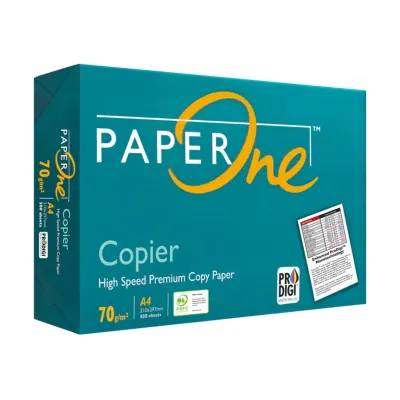
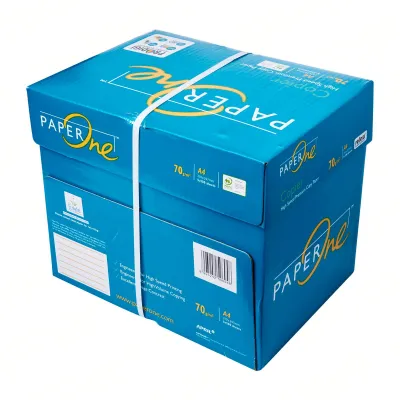
To help you quickly compare the two options, the table below outlines the core specifications and typical performance profiles of PaperOne 70gsm and 80gsm A4 paper:
Products mentioned in this guide
![PaperOne A4 Printing Paper - All Purpose Paper 80gsm [Available in Single Ream / Box]](https://img.lazcdn.com/g/p/27dcdcd07b80cf8dfb582f4178a0997b.png_400x400q80.png_.webp)
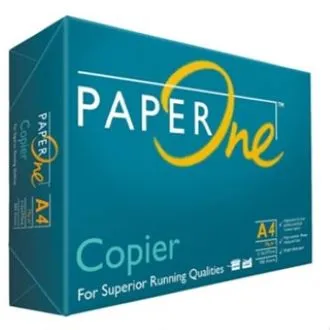
![PaperOne™ Copier Paper 70gsm / 75gsm Copy Paper A4 [1 Box]](https://img.lazcdn.com/g/p/62f961291078a3b12171dd45eea2a9a4.jpg_400x400q80.jpg_.webp)

Prices are valid at publication and may change. Please refer to the product page for the latest price.
| Feature / Dimension | PaperOne 70gsm A4 Paper | PaperOne 80gsm A4 Paper |
|---|---|---|
| Weight (gsm) | 70 gsm | 80 gsm |
| Relative Thickness | Standard thin; highly flexible | Medium thickness; moderate stiffness |
| Opacity Level | Moderate (some show-through) | High (minimal show-through) |
| Ideal Printer Types | High-speed laser printers, copiers | Inkjet printers, laser printers, multifunction devices |
| Best Use Cases | High-volume drafts, internal memos, single-sided copies | Double-sided reports, client proposals, official correspondence |
| Tactile Feel | Lightweight, highly pliable | Crisp, substantial, professional |
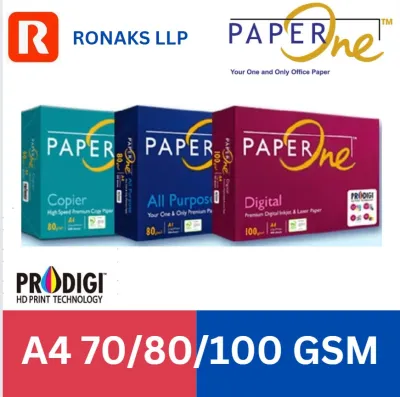
While these specifications represent the standard baselines, exact thickness and opacity values can shift slightly depending on the specific product line you purchase. For instance, the PaperOne Copier, PaperOne All Purpose, and PaperOne Digital lines are engineered with slightly different surface finishes and fiber densities. Always verify the specific specifications on the ream packaging to ensure it aligns with your exact printing requirements.
Print Quality, Opacity, and Double-Sided Printing
The physical density of your paper directly dictates how it interacts with ink and toner, which in turn determines the visual clarity of your printed documents. Opacity is the measure of how much light is blocked from passing through a sheet of paper. PaperOne 80gsm naturally features a higher opacity than its 70gsm counterpart because it contains more wood fibers per square inch. This structural density prevents the light from penetrating the page, making 80gsm the industry standard for double-sided (duplex) printing. When you print on both sides of a 70gsm sheet, the text or images from the reverse side often show through, creating a distracting visual shadow that compromises readability.

The difference in weight also plays a critical role in how the paper responds to different ink delivery systems. Inkjet printers deposit liquid, water-based ink onto the paper surface. When this moisture hits a lighter 70gsm sheet, the fibers absorb the liquid rapidly, which can cause the paper to warp, wave, or “cockle.” This moisture-induced warping not only looks unprofessional but can also cause the print head to scrape against the uneven paper surface, leading to ink smudges. PaperOne 80gsm has a higher physical mass that can absorb liquid inks more evenly without losing its flat, rigid profile, resulting in sharper lines and more vibrant color saturation.
For laser printers, which use dry toner powder fused to the paper via heat and pressure, both weights perform exceptionally well in terms of text clarity. However, the visual and tactile presentation of the finished document remains vastly different. When you hand a client, business partner, or academic evaluator a document printed on 80gsm paper, it feels crisp, substantial, and authoritative. A 70gsm document feels noticeably thinner and more fragile, which is perfectly acceptable for internal checklists and temporary drafts but may subtly undermine the perceived value of a formal business proposal or a final school submission.
Printer Compatibility and Paper Jam Risks
Every printer contains a complex mechanical pathway of pickup rollers, separation pads, and feed rollers calibrated to handle specific paper thicknesses. Most standard office laser printers are designed to accommodate a wide range of paper weights, typically from 60 gsm up to 120 gsm or more, allowing them to feed both 70 gsm and 80 gsm paper without requiring manual setting adjustments. However, the mechanical tolerance of your specific printer can behave differently depending on the age of the machine and the environmental conditions of your workspace.
Paper jams and misfeeds are often exacerbated by environmental humidity, which is a constant factor in tropical regions like Singapore. Paper is a highly hygroscopic material, meaning it naturally absorbs moisture from the surrounding air. Because 70gsm paper is thinner and less rigid, it loses its structural stiffness much faster than 80gsm paper when exposed to high humidity. When the printer’s pickup roller attempts to pull a damp, limp sheet of 70gsm paper from the tray, the sheet can easily buckle or crumple before it reaches the registration rollers, resulting in a frustrating accordion-style paper jam.
Another common feeding issue is electrostatic cling, which occurs when sheets of paper stick together due to static electricity generated by the printer’s internal friction and heat. Lighter papers like 70gsm are highly susceptible to static cling. When the printer attempts to feed a single sheet, the static charge can cause multiple sheets to slide into the paper path simultaneously, leading to multi-page feeds or immediate system jams. The greater weight and stiffness of 80gsm paper allow the printer’s separation pad to isolate individual sheets more reliably, ensuring a smoother, uninterrupted feed cycle.
To minimize hardware issues, always consult your printer’s user manual to verify its supported weight range, especially if you are using a compact home inkjet printer or an older office copier. If your printer struggles with frequent jams when using 70gsm paper, upgrading to 80gsm can often resolve these mechanical feed errors without requiring professional hardware servicing.
Cost, Bulk Buying, and Everyday Value
When managing a household budget or an office supply inventory, procurement costs are a primary consideration. On a per-ream basis, PaperOne 70gsm paper is consistently more economical than the 80gsm variant, typically carrying a price discount of roughly 10% to 15%. While this price gap might seem negligible when purchasing a single ream of 500 sheets, the financial savings compound dramatically when scaled across high-volume printing operations.
For corporate offices, schools, and legal firms that print thousands of pages every week, choosing 70gsm for everyday drafts, internal archives, and single-sided reference sheets can result in substantial annual cost savings. For example, if an office goes through fifty cartons of paper a year, opting for the lighter weight can free up significant budget space for other essential office supplies. Furthermore, 70gsm paper cartons are physically lighter and slightly more compact than 80gsm cartons, making them easier for office administrators to lift, transport, and store in tight supply closets.
However, the lower initial purchase price of 70gsm paper must be balanced against the potential hidden costs of paper waste and hardware downtime. If using lighter paper leads to frequent paper jams, ruined sheets, and lost productivity, the nominal savings per ream can quickly be erased. Additionally, if you are forced to reprint documents because the ink bled through the page on a double-sided job, you end up wasting both paper and expensive printer ink or toner. Therefore, paying the premium for PaperOne 80gsm is highly justified for any document where presentation quality, physical durability, and seamless duplex printing are required to get the job done right the first time.
The Decision Framework: How to Choose Your PaperOne A4 Paper
To make the final purchasing decision straightforward, you can evaluate your daily printing habits against a few clear operational scenarios. Selecting the right paper weight is a matter of balancing your budget against your specific document quality and hardware requirements.
Choose PaperOne 70gsm if:
- High Volume is the Priority: You routinely print massive quantities of internal documents, single-sided drafts, packing slips, or high-speed copies where individual page cost is the primary metric.
- You Use Laser Printers: Your workspace relies on modern, well-maintained laser printers that can feed lighter paper weights smoothly without jamming.
- Single-Sided Printing Dominates: Your documents are strictly single-sided, meaning reverse-side show-through and opacity levels are not a concern.
- Storage and Handling Ease Matter: You prefer lighter cartons that are easier to handle, stack, and store in your office space.
Choose PaperOne 80gsm if:
- Double-Sided Printing is Standard: You frequently use duplex printing to save paper, requiring high opacity to prevent distracting text bleed-through.
- You Print on Inkjet Systems: You use an inkjet printer that deposits liquid ink, requiring a sturdier sheet that resists moisture-induced curling and warping.
- Professional Presentation is Required: You are printing external client proposals, legal contracts, resumes, official letters, or formal school assignments that require a crisp, premium tactile feel.
- You Work in Humid Environments: Your printer is located in an area with fluctuating humidity, and you need a stiffer paper that resists limpness and feeding jams.
Before committing to a bulk purchase of either weight, always perform a quick compatibility check. Review your printer’s physical manual to ensure both weights fall within its approved specifications. If you are still uncertain, purchase a single ream of each weight to conduct a hands-on trial. Test how each paper handles your typical print jobs, observe the drying speed, check for any bleed-through, and monitor how cleanly the sheets feed through your paper tray before investing in a full carton.
Frequently Asked Questions (FAQ)
Can I mix 70gsm and 80gsm paper in the same printer tray?
No, you should avoid mixing different paper weights in the same paper tray. Because 70gsm and 80gsm papers have different thicknesses, stiffness levels, and surface friction coefficients, the printer’s pickup rollers and separation pads cannot feed them consistently when stacked together. Mixing them often leads to multi-page feeds, uneven stacking in the output tray, or immediate paper jams. Always empty the tray completely before loading a different weight of paper.
Does 80gsm PaperOne paper last longer in storage?
While 80gsm paper is physically more robust and resistant to tearing during handling, its long-term archival lifespan is determined by chemical composition rather than weight. For long-term preservation, you must verify that the paper is certified as acid-free, which prevents the yellowing and degradation of fibers over time. Regardless of whether you choose 70gsm or 80gsm, keeping the paper in its original protective wrapper and storing it in a cool, dry, and dark place is the most effective way to prevent moisture absorption and extend its storage life.
Is 70gsm paper too thin for printing photos or heavy graphics?
Yes, standard 70gsm copy paper is too thin to handle the heavy ink saturation required for high-resolution photos or dense color graphics. The high volume of liquid ink deposited by inkjet printers will saturate the thin fibers of a 70gsm sheet, causing extreme warping, ink bleeding, and structural tearing. Even 80gsm standard copy paper is not recommended for professional photo printing. For graphics-heavy projects, you should use dedicated matte or glossy photo paper, or a heavy cardstock rated above 120 gsm, to ensure sharp image quality and prevent paper damage.
Community discussion
Share your experience or ask a question. Comments are reviewed before publication.