
When you buy paper for your home or office printer, you will notice a number followed by “GSM” printed on the packaging. GSM stands for Grams per Square Meter, and it is the standard metric used globally to measure paper weight. Choosing the correct GSM is the single most important decision for ensuring your printed documents look professional, your double-sided prints do not bleed, and your printer does not suffer from constant paper jams. To select the right weight, you must balance your project’s visual and tactile needs with the mechanical limits of your specific printing hardware.
What Does Paper Weight (GSM) Actually Mean?
To understand paper weight, imagine cutting a sheet of paper into a perfect one-meter by one-meter square. If you place that single square sheet on a scale, its weight in grams is its GSM rating. A standard sheet of office copy paper typically weighs around 80 grams per square meter, whereas a thick business card might exceed 300 GSM.
While a higher GSM generally indicates a heavier, stiffer, and more substantial sheet of paper, weight does not translate directly to physical thickness. Paper thickness is measured as “caliper” in microns (one-thousandth of a millimeter) or mils. Two different paper brands can both be rated at 100 GSM but have noticeably different thicknesses. This variance occurs because of differences in wood pulp density, the addition of mineral fillers, and the calendering process—where the paper is pressed between heavy rollers during manufacturing to smooth its surface.
Products mentioned in this guide
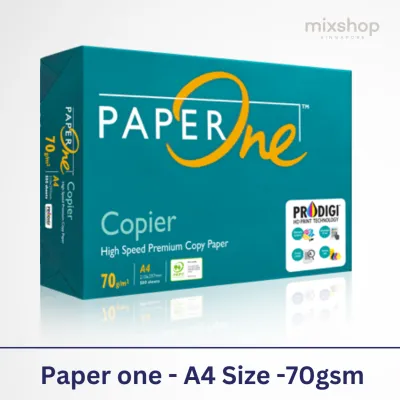
![PaperOne™ Copier Paper 70gsm / 75gsm Copy Paper A4 [1 Box]](https://img.lazcdn.com/g/p/62f961291078a3b12171dd45eea2a9a4.jpg_400x400q80.jpg_.webp)



Prices are valid at publication and may change. Please refer to the product page for the latest price.
Consequently, weight is not the sole indicator of physical bulk or stiffness. A highly compressed, ultra-smooth paper might feel thinner and more flexible than a rougher, high-bulk sheet of the exact same GSM. When selecting paper, remember that GSM measures mass per unit area, while caliper measures physical depth. Both factors influence how the paper behaves when fed through a printer.
Common Paper Weights and Their Best Printing Applications
Understanding the practical differences between various paper weight classes helps you match your specific project to the most cost-effective and functional option.

Lightweight Paper (70 to 80 GSM)
Lightweight paper is the workhorse of everyday high-volume printing. In Singapore and across Southeast Asia, 70 GSM paper is exceptionally popular in fast-paced office environments for internal memos, rough drafts, and single-sided copies because it is highly cost-efficient and takes up less physical filing space.
However, 70 GSM paper is thin and prone to “show-through” (where text is visible from the reverse side), and it can occasionally curl under high-heat laser printing or heavy ink saturation. Stepping up to 80 GSM paper provides a noticeable improvement in opacity and a slightly more premium feel. This makes 80 GSM the standard choice for external business correspondence, standard reports, and daily office printing where a professional appearance is required without a significant increase in budget.
Medium Weight Paper (90 to 120 GSM)
Medium weight paper bridges the gap between everyday utility and premium presentation. This range is characterized by excellent opacity and enhanced structural integrity, making it the ideal choice for double-sided (duplex) printing. When you print on both sides of a 90 to 120 GSM sheet, the text and images on the back remain hidden, ensuring clean readability.
This weight class is highly recommended for formal business proposals, resumes, presentations, and corporate letterheads. The extra weight gives the paper a substantial, high-quality feel in the hand, conveying attention to detail. Furthermore, because these papers are sturdier than lightweight alternatives, they resist curling when exposed to the heavy ink coverage of inkjet printers, reducing the risk of mid-print feed errors.
Heavyweight Paper (150 to 300+ GSM)
Heavyweight papers and cardstocks are reserved for specialty applications, high-impact marketing materials, and professional photography. Ranging from 150 GSM up to 300 GSM and beyond, these papers behave more like thin cardboard than traditional writing sheets. They offer exceptional stiffness, durability, and resistance to tearing.
Common applications for this weight class include marketing brochures, flyers, menu cards, postcards, business cards, and greeting cards. Within this range, you will also find premium photo papers, which require a heavy base to support specialized liquid-absorbing coatings. Because these papers are thick and rigid, they do not bend easily. Attempting to feed them through a standard home printer without verifying compatibility can lead to severe mechanical jams or surface scratching.
How to Match GSM to Your Printer's Capabilities
Before purchasing a ream of specialty or heavyweight paper, you must verify that your printing hardware can mechanically support it. Feeding incompatible paper can cause poor print quality, toner flaking, or permanent physical damage to your machine.
First, consult your printer’s user manual or the manufacturer’s online specification sheet. Look for the “maximum supported media weight” or “paper weight range.” This specification is often split by feed source. For example, a printer’s main paper cassette might only support up to 105 GSM, while its manual bypass feed slot or rear tray can accommodate up to 220 GSM.
The physical path the paper takes through the machine is critical. Standard office printers often utilize a “U-turn” paper path, where the sheet is pulled from a bottom tray, looped 180 degrees around internal rollers, and deposited in a top tray. Thick, stiff papers (typically above 150 GSM) cannot bend around these tight curves, resulting in dramatic paper jams. For heavy cardstock, look for a printer with a “straight-through” paper path, which usually involves feeding paper from a rear tray and outputting it through a rear flap, keeping the paper completely flat during the printing process.
Additionally, ink and toner chemistry must match the paper’s surface and weight. Laser printers use heat and pressure via a fuser unit to melt plastic toner powder onto the paper fibers. If the paper is too thick, it acts as a heat sink, absorbing the fuser’s heat and preventing the toner from bonding properly, which leads to smudging and flaking. Laser-safe papers must have specific heat-resistant coatings. Conversely, inkjet printers spray liquid ink that relies on the paper’s absorbency. Heavyweight inkjet papers must feature specialized porous coatings to lock the ink in place and prevent slow drying speeds or wet smudges. Always check the paper packaging to ensure it is rated for your specific printer type.
Quick Reference: Recommended GSM for Common Print Projects
The following table provides a quick reference to help you match your specific printing project with the correct paper weight and key technical considerations.
| Print Project | Recommended GSM Range | Key Considerations |
|---|---|---|
| Everyday Office Documents | 70 – 80 GSM | Best for high-volume, single-sided printing; 70 GSM is highly cost-effective, while 80 GSM offers better opacity. |
| Double-Sided Reports & Resumes | 90 – 120 GSM | Prevents show-through; provides a premium, professional texture; highly compatible with standard paper trays. |
| Marketing Flyers & Brochures | 130 – 170 GSM | Offers a sturdy, professional feel; may require pre-scoring before folding to prevent cracking along the spine. |
| Photographs | 180 – 300 GSM | Requires specialized photo-coated surfaces (glossy or matte) to prevent ink bleeding and warping. |
| Business Cards & Postcards | 250 – 350 GSM | Extremely rigid; behaves like cardstock; requires a straight-through paper feed path to prevent jams. |
Frequently Asked Questions (FAQ)
Is a higher GSM always better for print quality?
No, a higher GSM does not guarantee superior visual print quality. Visual sharpness, color vibrancy, and contrast depend primarily on the paper’s surface coating, brightness, and compatibility with your printer’s ink or toner, rather than its weight. Using an excessively heavy paper in a standard printer that does not support it will lead to poor toner adhesion, ink smearing, and severe mechanical jams, ultimately producing a much worse result than a standard 80 GSM paper designed for your machine.
Why does my 80 GSM paper feel thinner than another brand's 80 GSM paper?
This occurs because GSM measures only the weight of the paper per square meter, not its physical thickness or stiffness. Different manufacturers use varying wood pulp mixtures, chemical binders, and mineral fillers, which alter the density of the sheet. Furthermore, the calendering process presses the paper fibers tightly together to create a smoother finish, which reduces the paper’s physical thickness (caliper) while keeping its weight identical. For precision projects where stiffness or thickness is critical, check the caliper rating in microns or request physical paper samples to verify the feel.
Community discussion
Share your experience or ask a question. Comments are reviewed before publication.