
A jammed or unresponsive paper shredder can instantly halt your office workflow or home organizing tasks. When your machine suddenly stops working, the solution usually lies in a systematic check of its mechanical blocks, thermal limits, or safety sensors. Most common shredder malfunctions can be resolved safely at your desk without the need for professional repair.
By understanding how to interpret your machine’s physical signals and referring to your paper shredder manual, you can quickly diagnose the issue and restore your equipment to optimal working order. Taking a methodical approach ensures you protect both your fingers and the delicate internal gear systems.
Immediate Safety and First Steps When Your Shredder Stops
When a paper shredder grinds to a sudden halt mid-cycle, your immediate priority must be safety. The high-torque motors and sharp cutting cylinders inside these machines can cause severe injury if they engage unexpectedly during an inspection. Before you touch the paper feed slot or attempt to inspect the blades, slide the power switch to the “Off” position and pull the power plug directly out of the wall socket. In Singapore, where standard outlets deliver a 230V current, ensuring complete physical disconnection from the electrical supply is the only way to guarantee the motor cannot restart while you are working on it.
Products mentioned in this guide
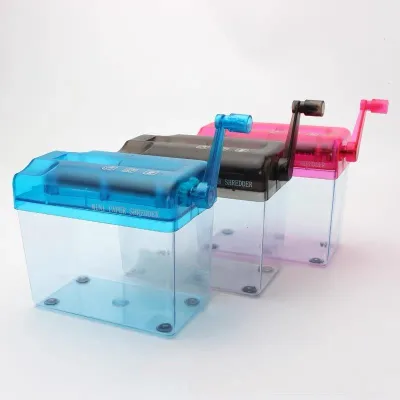
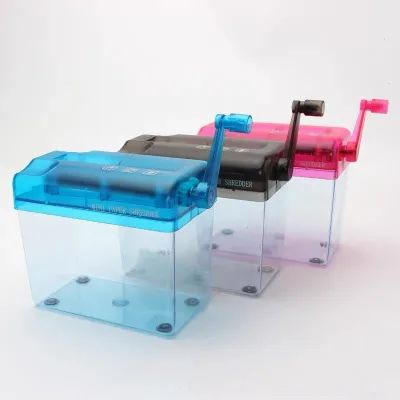
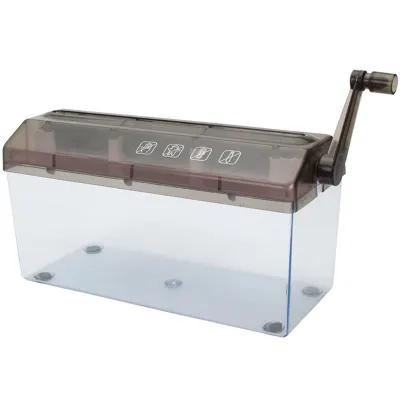
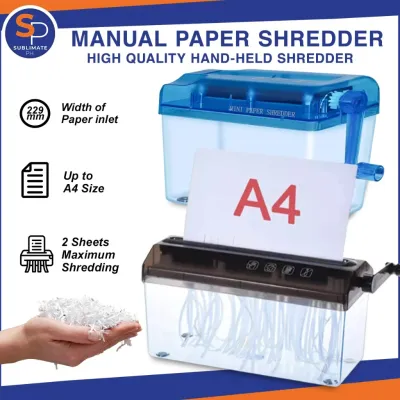
![[SG] [FREE SHIP] Manual Paper Shredder Mini Cutter Hand Crank Shred Office Destroy Private Confidential Documents](https://img.lazcdn.com/g/ff/kf/Scdcc162753a64816bee690cea4994db2h.jpg_400x400q80.jpg_.webp)
Prices are valid at publication and may change. Please refer to the product page for the latest price.
Never attempt to force stuck paper through the feed slot by pushing it down with your fingers, pens, or other makeshift objects. It is equally critical to avoid using sharp metal tools, such as scissors, screwdrivers, or kitchen knives, to dig out paper fragments while the machine is connected to power. These metal implements can easily damage the delicate alignment of the cutting blades, strip the internal gears, or conduct electricity if they contact internal wiring.
If the machine stopped suddenly without any obvious paper jam, look down at the waste bin. Many modern shredders are equipped with optical sensors or physical limit switches that automatically cut power to the motor when the bin is full. Pull the bin out, empty the accumulated paper shreds into your recycling bin, and slide it back into place. Often, this simple act clears the sensor path and allows the machine to resume operation immediately.
Diagnosing and Fixing Common Paper Shredder Problems
Most shredder issues fall into three distinct categories: physical blockages, thermal shutdowns, and electrical start failures. Resolving these problems requires a methodical approach that addresses the specific physical state of the machine. By isolating the symptoms, you can apply the correct remedy without causing secondary damage to the delicate internal gear systems.

Clearing a Paper Jam Safely
Paper jams are the most frequent disruptors of shredder performance, often caused by feeding too many sheets at once or inserting paper at an awkward angle. If your machine is jammed but still has power, use the mechanical reverse function. Switch the control toggle to “REV” or “Reverse” to back the jammed sheets out of the feed slot. As the blades rotate backward, gently but firmly grasp the exposed paper and pull it upward. Avoid pulling too quickly or with excessive force, as this can tear the paper and leave stubborn fragments deeply wedged between the cutting cylinders.
If the paper tears and leaves small, compacted wedges behind, unplug the machine from the wall outlet before proceeding. Using a pair of long-nose tweezers or needle-nose pliers, carefully extract the remaining fragments from the blades. Work slowly, pulling the paper in the direction of the blade rotation to avoid bending the metal teeth.
Once the visible blockages are cleared, the blades may still feel sticky or struggle to rotate smoothly. This is particularly common in Singapore’s humid climate, where paper fibers absorb ambient moisture and form a dense, gummy paste when compressed by the cutters. To resolve this, apply a few drops of manufacturer-approved shredder oil directly into the feed slot, or run a specialized pre-oiled lubricant sheet through the machine. Always consult your paper shredder manual to verify the recommended lubrication intervals and approved oil types for your specific model.
Resolving Motor Overheating and Thermal Shutdowns
If your shredder stops running mid-task but does not have a paper jam, it has likely entered a thermal shutdown state. To protect the motor from permanent heat damage, manufacturers install thermal overload switches that cut power when the internal temperature exceeds safe operating limits. You can identify this state by a warm outer casing, a faint warm-plastic smell, or a dedicated thermal indicator light flashing on the control panel.
When thermal protection is triggered, you must allow the machine to cool down completely. Unplug the unit and leave it undisturbed in a well-ventilated area. Depending on the ambient room temperature and the specific model, this cooling period typically takes between 30 and 45 minutes. Attempting to restart the machine prematurely will only trigger the thermal switch again, extending the total downtime and putting unnecessary strain on the motor windings.
To prevent recurring thermal shutdowns, adjust your shredding habits to match your machine’s duty cycle. Every shredder has a maximum continuous run time followed by a mandatory cool-down period, both of which are detailed in your paper shredder manual. If you have a large stack of documents to destroy, divide the task into smaller batches, feed fewer sheets per pass than the maximum limit, and pause briefly between batches to keep the motor temperature within safe limits.
Fixing Power and Start Failures
When a paper shredder fails to turn on or does not respond when paper is inserted, the issue is often a simple electrical or mechanical misalignment rather than a dead motor. Begin with basic electrical checks. Verify that the power cord is pushed firmly into the back of the machine and the wall outlet. Test the outlet by plugging in a known working device, such as a lamp or phone charger, to ensure the circuit breaker has not tripped. Additionally, confirm that the main power switch on the housing is set to the “On” or “Auto” position.
Next, inspect the safety interlock mechanism. Almost all modern paper shredders feature a safety switch that prevents the blades from spinning unless the shredder head is perfectly seated on the waste bin. If the head is slightly misaligned, or if the bin is not pushed completely into the cabinet, the interlock switch will remain open, disabling the motor. Lift the shredder head off, clear any stray paper shreds from the rim of the bin, and carefully realign the unit as instructed by your manufacturer.
Accumulated paper dust can also interfere with the optical start sensors located inside the feed slot. These infrared sensors detect when paper is inserted and automatically engage the motor. Over time, fine paper dust can settle over the sensor lenses, mimicking a permanent blockage and causing the machine to lock up. Unplug the shredder and use a dry, lint-free microfiber cloth or a can of compressed air to gently clean the sensor area, restoring its ability to detect incoming paper.
When to Stop DIY Fixes and Seek Professional Help
While many minor issues can be resolved with basic cleaning and clearing techniques, certain symptoms point to severe internal failures that require professional intervention. Attempting to repair complex mechanical or electrical faults yourself can result in permanent damage, void your warranty, or expose you to dangerous electrical shocks.
Stop using the machine immediately if you notice critical warning signs of internal failure. These include:
- Loud grinding or metal-on-metal noises during operation
- A persistent burning smell or visible smoke rising from the motor housing
- Electrical sparks or a tripped home circuit breaker when switching the machine on
If you hear the motor humming loudly when you insert paper, but the cutting blades remain completely stationary, the internal gears have likely stripped. Most consumer-grade shredders use nylon or plastic gears to connect the motor to the steel blades; if these gears strip, the motor can no longer turn the cutters. Replacing these internal components requires specialized tools and parts that are not user-serviceable.
Never attempt to open the motor housing, repair internal wiring, or bypass the safety interlocks and thermal fuses. Doing so creates a severe fire hazard and voids any remaining manufacturer warranty. Instead, locate your paper shredder manual to find the manufacturer’s customer service contact details, authorized repair center locations in Singapore, and explanations for specific error codes or flashing light sequences.
Preventive Maintenance to Keep Your Shredder Running Smoothly
Consistent preventive maintenance is the most effective way to extend the lifespan of your office machinery and prevent frustrating malfunctions. By establishing a few simple habits, you can keep the cutting cylinders sharp and minimize the strain on the electrical motor.
Always inspect your documents before feeding them into the machine. Unless your specific model’s specifications explicitly state that it can handle heavy materials, make it a rule to remove staples, paper clips, and adhesive labels. Standard staples and steel paper clips can nick or dull the cutting edges, leading to poor shredding performance and increased jamming. Adhesive labels are particularly problematic, as the sticky residue transfers directly to the blades, attracting paper dust and forming a thick, stubborn sludge that binds the mechanism.
Avoid feeding materials that exceed the design limits of your machine. Glossy paper, plastic folders, credit cards, and thick cardboard should never be processed unless the manufacturer has certified the machine for such tasks. These materials require significantly higher torque to cut, which strains the motor and can warp the blade shafts.
Regularly empty the waste bin before the shredded paper reaches the maximum fill line. When the bin is overfilled, the cut paper has nowhere to fall and is pushed back upward into the cutting block. This backup can create a dense, highly compacted jam that is incredibly difficult to clear and can easily strip the drive gears.
Finally, implement a regular lubrication schedule. Running a manufacturer-approved shredder oil or pre-oiled lubricant sheet through the cutters at least once a month—or after every empty bin cycle for heavy users—reduces friction, clears away micro-dust, and keeps the blades operating quietly and efficiently.
Frequently Asked Questions (FAQ)
Can I use WD-40 or standard household oil to lubricate my paper shredder?
No, you should never use WD-40, aerosol lubricants, cooking oil, or standard household oils on a paper shredder. These products are not formulated for the high-friction, high-temperature environment of office cutting cylinders. Aerosol lubricants like WD-40 can aerosolize inside the motor housing, creating a severe fire hazard from motor sparks. Furthermore, household oils leave a sticky, viscous residue that acts as a magnet for paper dust, quickly forming a thick paste that clogs the blades and strains the motor. Only use dedicated, non-aerosol shredder oil or pre-oiled lubricant sheets designed specifically for office machinery.
Why does my shredder keep jamming even when I feed only one sheet?
If your machine jams on a single sheet of paper, it usually indicates a severe lack of lubrication, dull cutting blades, or a physical misalignment of the cutting head. Over time, paper dust strips away the protective oil barrier on the blades, increasing friction until the motor can no longer turn them easily. Run an approved lubricant sheet through the machine to restore smooth rotation. If the issue persists, unplug the unit and use a soft-bristled brush to clear any compacted paper dust from the cutting teeth. If the blades are worn out or misaligned, consult your paper shredder manual to check for replacement parts or professional servicing options.
Community discussion
Share your experience or ask a question. Comments are reviewed before publication.