
When shopping for A4 printing paper, you will inevitably encounter the term GSM on every ream and product listing. This three-letter acronym is the universal standard for measuring paper weight, and it plays a critical role in how your printed documents turn out. Understanding what this measurement means helps you avoid common office headaches, such as ink bleeding through double-sided pages or thick sheets jamming your office printer.
Selecting the correct paper weight is not just about finding the thickest sheet available. It is about matching the paper’s physical properties to your specific printing technology, document purpose, and budget. By learning how to interpret these specifications, you can ensure that every report, invoice, or presentation you print looks exactly as intended.
What Paper Grammage (GSM) Actually Means
Paper grammage is officially measured in Grams per Square Meter, commonly abbreviated as GSM. This metric represents the weight of a single sheet of paper that measures exactly one meter by one meter. Because A4 paper is a fraction of a square meter, the GSM value tells you the density of the paper material rather than the actual weight of an individual A4 sheet.
Products mentioned in this guide

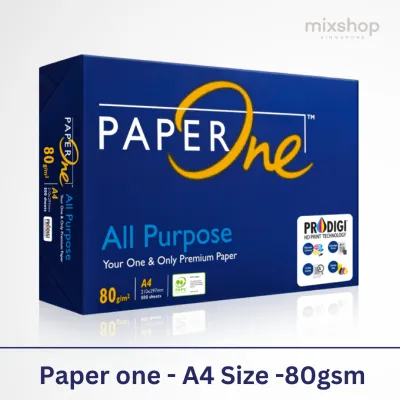
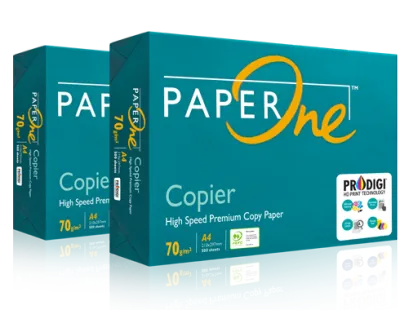
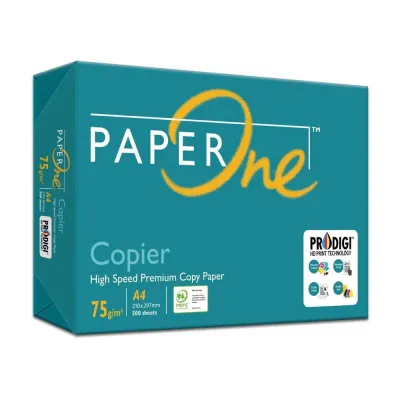
![PaperOne™ Copier Paper 70gsm / 75gsm Copy Paper A4 [1 Box]](https://img.lazcdn.com/g/p/62f961291078a3b12171dd45eea2a9a4.jpg_400x400q80.jpg_.webp)

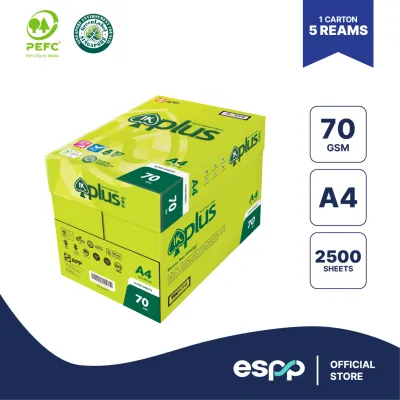
![[SG]Perfect Print A4 Size 70gsm White Copier Paper [Evergreen Stationery] (5 Reams per Carton) | MAX 2 CARTONS/ORDER](https://img.lazcdn.com/g/p/5b68d91431474af3ae7b65825324d08d.png_400x400q80.png_.webp)
Prices are valid at publication and may change. Please refer to the product page for the latest price.
It is common to confuse paper weight with caliper, which refers to the actual physical thickness of the sheet measured in microns. While a higher GSM paper is generally thicker than a lower GSM paper, this is not a universal rule. The manufacturing process, the types of wood fibers used, and the presence of surface coatings or fillers can make a 100gsm sheet feel thinner but denser than a highly textured 80gsm sheet.
Because GSM is a standardized metric used globally, it provides a reliable baseline for comparing different brands and types of A4 printing paper. Whether you are purchasing paper from a local stationery shop in Singapore or ordering online from an ecommerce platform, the GSM rating allows you to make consistent comparisons. This standardization ensures that an 80gsm sheet from one manufacturer will share a similar weight profile with an 80gsm sheet from another.
How GSM Affects Print Quality and Paper Feel
The weight of your paper directly influences its opacity, which is the measure of how much light can pass through the sheet. Lower GSM papers, such as 70gsm, are more translucent, meaning text printed on one side is often visible from the back. If you plan to print double-sided documents, choosing a higher GSM paper is essential to prevent this show-through from making your text illegible.

Ink absorption and bleed-through are also closely tied to paper density. Standard inkjet printers spray liquid ink onto the page, and lighter papers can saturate quickly, causing the fibers to warp, wrinkle, or allow the ink to bleed through to the other side. Laser printers, which use heat to fuse dry toner powder to the page, are less prone to warping but still require a stable, sufficiently dense surface to ensure clean, sharp text and graphics.
The tactile feel of the paper, often referred to as its hand or stiffness, changes dramatically as you move up the GSM scale. Lightweight paper feels flexible and soft, which is suitable for temporary internal documents or high-volume utility printing. In contrast, heavier paper offers a rigid, premium feel that immediately conveys quality when handed to a client, making it the ideal choice for formal proposals, resumes, and official correspondence.
Matching Paper Weight to Your Printer and Use Case
To get reliable results from your office equipment, it helps to understand how common GSM ranges align with typical printing tasks. While these categories are not rigid rules, they serve as an excellent guide for matching your documents to the right paper weight.
For high-volume, everyday office tasks, 70gsm to 80gsm paper is the standard choice. This range is highly cost-effective and works well for printing emails, internal drafts, and single-sided invoices. Within this range, 80gsm is widely considered the sweet spot for general office use, offering a good balance of durability and affordability for standard laser and inkjet printers.
When you need to print double-sided reports, external newsletters, or important presentations, upgrading to 100gsm paper is highly beneficial. This weight offers significantly better opacity, ensuring that charts and text on the reverse side do not interfere with readability. The extra weight also gives the document a more professional weight and feel without being too thick to fold or staple easily.
For premium documents, certificates, or marketing materials, 120gsm paper and above provides a luxurious, heavy feel. However, before loading your paper tray with heavy sheets, you must check your printer’s user manual for its maximum supported paper weight. Standard home and office printers often have physical limits, and feeding paper that exceeds these limits can cause severe paper jams, misfeeds, or even damage the internal rollers and fusing units.
Checklist for Reading A4 Paper Product Listings
When browsing online marketplaces or stationery catalogs, the GSM rating is only one part of the equation. To ensure you are buying the right A4 printing paper for your needs, keep a few other key specifications in mind.
First, look at the brightness and whiteness ratings, which are often listed as CIE numbers. A higher CIE rating indicates a brighter, whiter sheet that provides better contrast for printed text and vibrant colors. Additionally, consider the paper finish; standard copy paper has a matte finish, but you may encounter glossy or satin options designed specifically for photo printing or high-end brochures.
Next, verify the printer compatibility labels on the packaging. Some paper is optimized specifically for high-speed laser printers, featuring heat-resistant properties that prevent curling during the fusing process. Other papers are labeled as inkjet-friendly, meaning they have special surface treatments designed to absorb liquid ink quickly and prevent smudging.
Finally, evaluate the cost-per-sheet trade-off when purchasing in bulk. While premium 100gsm or 120gsm paper is excellent for client-facing documents, using it for everyday drafts can unnecessarily inflate your printing budget. Many offices keep a supply of standard 80gsm paper for daily tasks and a smaller stock of premium, higher-GSM paper reserved exclusively for important presentations and official correspondence.
Frequently Asked Questions (FAQ)
Is 80gsm paper better than 70gsm for everyday printing?
The choice between 70gsm and 80gsm paper depends on your specific printing habits and equipment. Standard 80gsm paper is slightly stiffer and more opaque, making it more reliable for double-sided printing and less prone to paper jams in older office printers. However, 70gsm paper is often more economical and environmentally friendly because it uses fewer raw materials, making it an excellent choice for high-volume, single-sided internal drafts.
Can I use heavy cardstock in my standard home printer?
Most standard home inkjet and laser printers can comfortably handle paper weights up to 120gsm through their standard paper trays. If you want to print on heavier cardstock, such as 160gsm or 200gsm, you must consult your printer’s manual to verify its maximum weight capacity. When printing on heavier media, it is often best to use the manual feed slot or bypass tray, which provides a straighter paper path to prevent the thick sheets from bending and jamming inside the machine.
Community discussion
Share your experience or ask a question. Comments are reviewed before publication.