
Selecting the right label maker for cable management depends on your specific label width requirements, media type, and overall printing volume. For users managing complex setups with wider, highly versatile media, the Niimbot B21 offers the robust capacity needed for diverse label formats. If you require a highly compact, portable design for light to moderate everyday cable labeling, the Niimbot B1 serves as an efficient middle ground. For basic, narrow cable tags in a home office or simple residential setup, the ultra-portable D110 provides a streamlined, cost-effective solution. Before finalizing any purchase, it is essential to verify the manufacturer’s current specifications for exact media compatibility, as label roll dimensions and chip recognition features can vary by model.
In modern homes and offices, cable clutter can quickly become overwhelming. From fiber termination points and smart home hubs to complex desktop setups and entertainment centers, keeping cords organized is crucial for troubleshooting and maintenance. A dedicated thermal label maker simplifies this process, but choosing between models like the Niimbot B21, B1, and D110 requires a clear understanding of your physical labeling environment and the specific demands of wire marking.
Assessing Your Cable Labeling Needs
Before comparing hardware, you must evaluate the physical characteristics of the cables you intend to organize. Thick power cords, heavy-duty coaxial cables, and Cat6a Ethernet lines have a much larger circumference than thin USB cords or fiber patch cables. This difference directly dictates the length of the label required. A wrap-around label must be long enough to encircle the cable completely and overlap its own starting point to prevent peeling over time.
Products mentioned in this guide
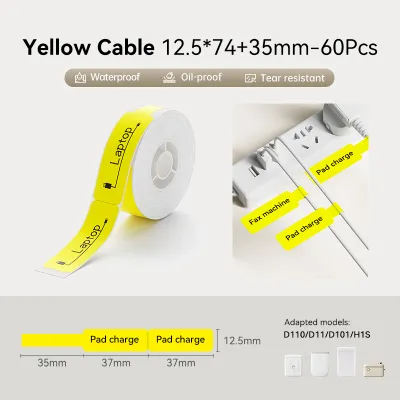
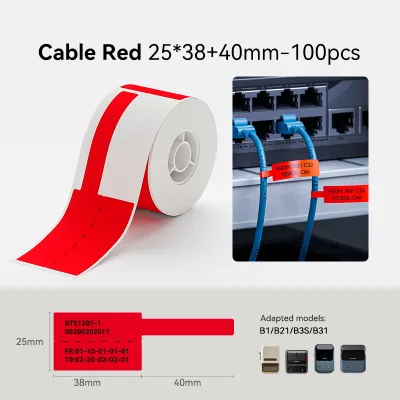
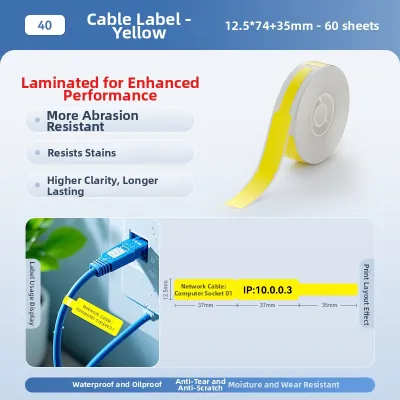
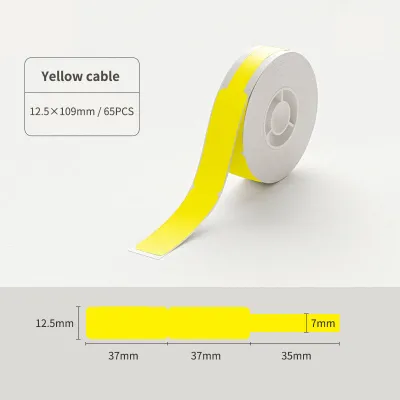
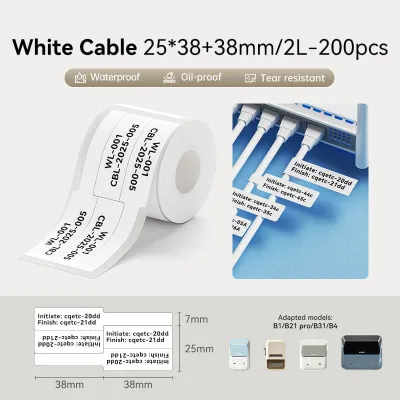
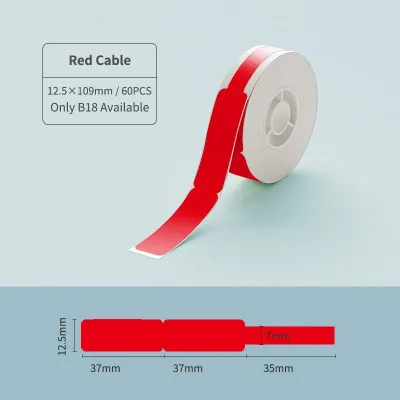
Prices are valid at publication and may change. Please refer to the product page for the latest price.
Label format is another critical consideration. Cable labels generally fall into three categories: wrap-around self-laminating labels, flag labels, and continuous tags. Flag labels, which stick to themselves to form a prominent tab, require precise alignment and a printable area that remains legible when folded. If you need to print multiple lines of text, color-coded identifiers, or asset barcodes, a wider label format is necessary. Narrow labels limit you to a single line of small text, which can be difficult to read in dark server racks or behind desks.
Your physical printing environment also plays a major role in your decision. If you are labeling a fixed home entertainment system or a desktop setup, a slightly larger, stationary label maker is perfectly suitable. However, if you are climbing ladders to label network racks in an office server room or moving between different rooms, a lightweight, pocket-sized device that operates reliably on battery power is far more practical. In Singapore’s humid climate, adhesive durability is a key factor, meaning the physical environment demands materials that can withstand moisture without peeling.
Core Hardware Specs to Verify Before Buying
When comparing the Niimbot B21, B1, and D110, you should focus on key technical specifications that directly impact print quality and usability. Print resolution, measured in dots per inch (DPI), determines how crisp small fonts and barcodes will appear. For tiny cable tags, a clear print is vital to prevent scanning errors or illegible text. You must check the maximum print width supported by each model’s print head to ensure it matches your chosen label rolls.

For batch labeling projects, battery capacity and charging convenience are critical. Look for modern USB-C charging interfaces that allow you to recharge using standard power banks or phone chargers while working in the field. Continuous printing capabilities prevent the device from overheating or pausing mid-batch, which is essential when labeling dozens of cables in a single session.
To help you verify these specifications against official manufacturer documentation, use the following framework to compare the core physical and technical attributes of each model:
| Specification to Verify | Niimbot B21 | Niimbot B1 | Niimbot D110 |
|---|---|---|---|
| Maximum Label Width | Verify up to 50 mm | Verify up to 50 mm | Verify up to 15 mm |
| Print Resolution | Check if 203 DPI | Check if 203 DPI | Check if 203 DPI |
| Charging Interface | USB-C | USB-C | USB-C |
| Form Factor | Retro desktop style | Compact handheld | Pocket-sized vertical |
| Primary Connection | Bluetooth / Mobile App | Bluetooth / Mobile App | Bluetooth / Mobile App |
Label Media and Consumable Compatibility
Cable labels often face physical wear, tension, and environmental exposure. Therefore, the compatibility of your label maker with specialized materials is just as important as the hardware itself. Standard paper-based thermal labels are highly susceptible to tearing, smudging, and moisture damage. For long-term cable organization, synthetic thermal papers made from materials like polyethylene terephthalate (PET) or polypropylene (PP) are highly recommended due to their water, oil, and tear resistance.
To ensure your labels will stand up to daily use, you can perform a simple trial and verification process. Apply a sample label to a spare cable, expose it to mild heat (such as the warmth generated near a power adapter), and check for peeling, adhesive residue, or fading over a 48-hour period. High-quality synthetic cable labels should remain firmly attached without leaving a sticky residue if they need to be repositioned or replaced.
Another critical factor is the distinction between continuous label rolls and pre-cut die-cut labels. Die-cut labels come pre-shaped (such as T-shaped or F-shaped cable flags) and are highly convenient for uniform wire wrapping. Continuous rolls allow you to cut custom lengths but require manual cutting. Many modern Niimbot printers utilize RFID chips embedded in the label rolls to automatically identify the label size and material type within the companion app. If you attempt to use third-party rolls or older non-RFID media, the printer may not calibrate correctly, leading to alignment issues or printing errors. Always check the official product manual to confirm if your model requires proprietary RFID-enabled rolls.
App Features for Designing Cable Labels
Hardware is only half of the equation; the software experience determines how easily you can design and print your cable markers. The companion Niimbot mobile app provides the interface for formatting text, generating barcodes, and aligning design elements. For large-scale projects, such as labeling an entire office network, typing each label individually is highly inefficient.
To streamline large projects, verify if the app version compatible with your chosen model supports batch printing and data import features. Importing Excel or CSV files allows you to generate sequential labels (such as “Port 01” through “Port 48”) in seconds. This feature is indispensable for professional IT installations and complex home automation setups.
Additionally, check for built-in templates specifically designed for cable management. Designing a wrap-around label requires precise spacing so that the printed text lands on the visible flag portion rather than getting buried under the wrap. Look for apps that offer dedicated cable templates, including pre-configured layouts for T-type flags, F-type flags, and continuous wrap-around markers. Bluetooth connectivity is standard across these portable models, allowing seamless pairing with smartphones and tablets. Ensure the app is fully supported on your specific mobile operating system (iOS or Android) and check if a desktop version is available if you prefer designing labels on a larger screen.
Final Decision: Matching the Model to Your Setup
To make your final decision, match your specific cable management requirements to the strengths and limitations of each Niimbot model:
Choose the Niimbot B21 if your cable management projects demand wider labels, highly versatile media types, and larger batch printing capabilities. Its robust design is well-suited for complex home theater setups, office server rooms, and situations where highly visible, multi-line text or barcodes are necessary. The B21’s ability to handle wider rolls makes it the most flexible option for diverse labeling tasks beyond just cables.
Choose the Niimbot B1 if you prefer a more compact, streamlined form factor that balances portability with decent label width options. It serves as an excellent everyday tool for IT professionals and home organizers who need to label a moderate volume of power cords, patch panels, and appliance cables without carrying a bulkier device. It offers much of the width versatility of the B21 but in a more travel-friendly shape.
Choose the Niimbot D110 if your needs are limited to basic, narrow cable tags for organizing household chargers, desktop cords, or simple home entertainment systems. Its ultra-compact, lightweight design makes it easy to store in a drawer and pull out for quick, single-line labeling tasks. It is a highly cost-effective solution for light, everyday residential use.
Verify first if your project involves specialized industrial environments, outdoor exposure, or heat-shrink tubing requirements. Standard thermal labels can fade when exposed to direct sunlight or high temperatures over long periods. For these demanding applications, confirm that the specific model and its compatible media are rated for industrial use before purchasing, as standard consumer models may not support the specialized materials required for extreme conditions.
Frequently Asked Questions (FAQ)
Can I use third-party label rolls with Niimbot cable label makers?
Niimbot printers typically utilize proprietary rolls equipped with RFID chips that allow the companion app to automatically detect the label size and material. While some models may physically fit third-party rolls, the lack of an official RFID chip can prevent automatic calibration, leading to misaligned prints or error messages. To ensure optimal print quality and avoid potential warranty issues, it is highly recommended to use official Niimbot label media.
Which Niimbot model supports heat shrink tubing for cables?
Support for specialized media like heat shrink tubing varies significantly across the Niimbot product lineup. Because heat shrink tubes are thicker and stiffer than standard adhesive labels, they require specific print head clearances and feeding mechanisms. You must consult the official manufacturer specifications or product manuals for the B21, B1, and D110 to verify if heat shrink media is officially supported on your chosen model, as standard models are primarily optimized for adhesive thermal paper rolls.

Community discussion
Share your experience or ask a question. Comments are reviewed before publication.