
Choosing between a manual and an electric punch card machine comes down to matching your daily processing volume with the physical demands of the task. If your office handles hundreds of cards or documents daily, an electric model eliminates physical strain and ensures uniform alignment. For smaller offices, occasional tracking, or flexible workspaces, a manual machine offers reliable, power-free operation at a fraction of the cost. This guide breaks down the key operational differences to help you match the right machine to your specific workspace constraints and daily workload.
By evaluating your daily routine, physical workspace, and maintenance capacity, you can select a tool that enhances productivity without cluttering your desk. Let us explore how these two categories compare across the most critical operational categories.
Assessing Your Daily Punching Volume and Fatigue
To determine which machine type fits your workflow, you must first quantify your daily punching needs. A low-volume environment typically involves processing fewer than 20 cards or documents per day, which is common in small retail shops or boutique offices. In these settings, a manual punch card machine is highly efficient because the task only takes a few minutes of sporadic effort throughout the day.
Products mentioned in this guide
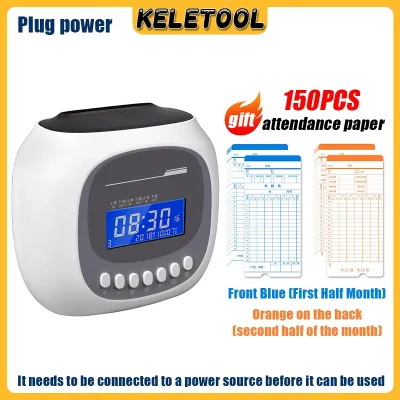
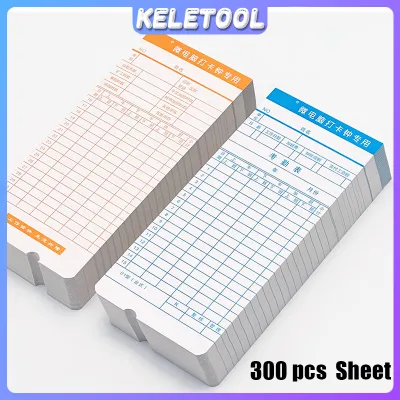
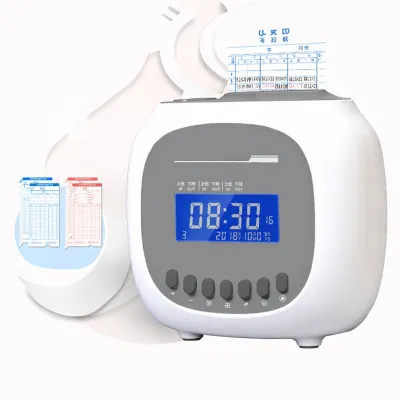
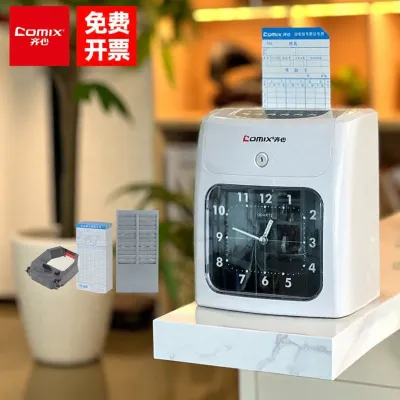
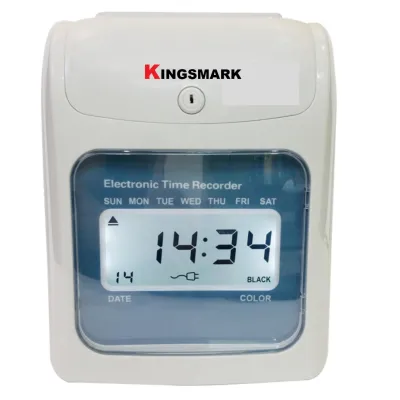

Prices are valid at publication and may change. Please refer to the product page for the latest price.
Medium-volume workflows, ranging from 20 to 100 punches daily, represent a transitional zone where both manual and electric options are viable. If your office processes batches of cards at specific times, such as the start and end of a shift, a manual machine can still handle the load but will require dedicated physical effort. For these mid-range tasks, the choice often depends on who will be operating the machine and whether they prefer speed over simplicity.
High-volume environments, exceeding 100 punches per day, almost always justify the transition to an electric punch card machine. Processing large batches of cards manually can quickly lead to physical fatigue, particularly in the hands, wrists, and shoulders. Repetitive downward pressing motions over long periods can cause discomfort and slow down overall office productivity.
Continuous batch processing also introduces the risk of human error when fatigue sets in. As users tire, they are more likely to insert cards at incorrect angles, leading to misaligned punches and wasted materials. Electric machines mitigate this risk by utilizing automatic sensors that trigger the punching mechanism instantly upon card insertion, ensuring a uniform result every time without physical exertion.
Evaluating Workspace, Portability, and Power Needs
Physical workspace constraints play a major role in deciding between manual and electric models. Manual punch card machines generally feature a compact desk footprint and a lightweight design, making them easy to store in a drawer or cabinet when not in use. This minimal footprint is ideal for crowded reception desks, small home offices, or shared workspaces where surface area is at a premium.

Electric punch card machines, by contrast, require a more permanent home on your desk or counter. Because they house internal motors, gears, and electrical components, they are significantly heavier and bulkier than their manual counterparts. Moving them frequently is impractical, so you must dedicate a specific, stable surface area to accommodate their size and weight.
Power availability is another critical factor for electric models. These machines must be positioned near a reliable power outlet, which can limit your office layout options. You will also need to manage the power cable carefully to prevent tripping hazards and maintain a clean, professional look on your desk or counter.
If your office utilizes a hot-desking system or requires staff to move tools between different departments, portability becomes a primary concern. A manual punch card machine operates entirely without cords or batteries, allowing you to use it anywhere in the building or even take it to off-site locations. This cordless freedom makes manual models the preferred choice for mobile office setups and temporary workspaces.
Comparing Core Features: Manual vs Electric Operation
When comparing the core features of manual and electric punch card machines, the trade-offs between speed, noise, and cost become clear. Electric models offer rapid, near-instantaneous punching that takes less than a second per cycle. However, the electric motor produces a noticeable mechanical hum or buzz during operation, which might disrupt a quiet, open-plan office environment.
Manual machines operate with virtually no noise, save for the physical sound of the cutting pins passing through the cardstock. This near-silent operation makes them excellent for quiet workspaces where phone calls or focused tasks are constantly underway. The trade-off is speed, as manual punching requires you to physically align the card, grip the lever, and apply downward force for every single punch.
From a financial perspective, manual machines offer excellent upfront value, with many reliable models available for under S$50 to S$100. They have no ongoing power costs and contain fewer moving parts that could break down over time. Electric models require a higher initial investment, but they deliver long-term value by saving valuable staff time and reducing physical strain in high-volume settings.
To help you visualize these differences, the table below summarizes the key decision factors for both machine types:
| Feature | Manual Punch Card Machine | Electric Punch Card Machine |
|---|---|---|
| Power Source | Manual physical effort | AC power outlet / batteries |
| Typical Capacity | 1 to 15 sheets per punch | 15 to 30+ sheets per punch |
| Operational Noise | Low (silent mechanical action) | Moderate to high (motor hum) |
| Ideal User Profile | Small offices, mobile workers, low-volume tasks | Large enterprises, HR departments, high-volume batches |
| Portability | High (lightweight, cordless) | Low (heavy, corded) |
| Upfront Cost | Budget-friendly | Moderate to high investment |
Routine Maintenance and Jam Clearing Procedures
Regardless of the model you choose, regular maintenance is essential to keep your punch card machine operating smoothly. Both manual and electric machines collect paper confetti or card clippings in an internal waste tray. You must empty this tray regularly; allowing paper chips to overfill can cause them to back up into the cutting mechanism, leading to severe jams and misaligned punches.
When a paper jam does occur, it is vital to clear it safely to avoid damaging the internal punching pins. For manual machines, you can usually clear a jam by gently reversing the lever or using a pair of plastic tweezers to pull out the stuck cardstock. Never use metal screwdrivers or scissors inside the mechanism, as these can easily chip, dull, or bend the precision-engineered cutting edges.
Clearing a jam in an electric punch card machine requires extra caution. First, always unplug the machine from the power outlet to eliminate any risk of accidental activation. Many electric models feature a manual reverse gear or a release button designed to back the pins out of a jammed card; consult your product manual to locate and operate this feature safely.
Over time, the cutting pins may require lubrication to maintain smooth operation and prevent paper dust from sticking. Some manufacturers recommend punching through specialized wax paper or applying a drop of synthetic machine oil to the pins. Because lubrication requirements vary widely by brand, always check your specific product manual before applying any oils or cleaning agents to the internal parts.
Making the Final Choice for Your Workspace
To make your final decision, evaluate your daily office routines against the specific strengths of each machine type. By matching your physical space and workload to the right technology, you can ensure a smooth, frustration-free workflow for your entire team.
Choose a Manual Punch Card Machine if:
- Your daily punching volume is low or concentrated in small, occasional batches.
- You work in a shared, quiet office environment where motor noise would be disruptive.
- You have limited desk space and need a tool that can be easily stored in a drawer.
- You require a highly portable, cordless option for hot-desking or off-site work.
- You want a budget-friendly solution with minimal long-term maintenance needs.
Choose an Electric Punch Card Machine if:
- You process large batches of cards or documents daily and need to maximize speed.
- You want to minimize physical hand and wrist fatigue for your administrative staff.
- You have a dedicated workstation with easy access to power outlets and cable management.
- Consistent, automatic alignment is critical to preventing wasted cards and errors.
- Your budget allows for a higher upfront investment to secure long-term labor savings.
Before finalizing your purchase, always verify the specific sheet capacity, punch hole diameter, and margin depth specifications on the product label. Checking these details ensures the machine is fully compatible with your office’s standard cardstock weight and binding systems.
Frequently Asked Questions (FAQ)
Can I use a manual punch card machine for thick cardstock?
Yes, you can use a manual machine for cardstock, but you must verify the manufacturer’s maximum paper weight and sheet capacity limits first. Forcing materials that are too thick or attempting to punch too many sheets at once can dull or bend the internal punching pins. If the lever requires excessive force to push down, stop immediately and reduce the thickness of your stack to prevent permanent damage to the machine.
What should I do if the electric puncher stops working mid-batch?
If your electric puncher stops working, first unplug the unit from the wall outlet to ensure safety. Check if the waste tray is full, as some modern electric models have safety sensors that disable the motor when the tray reaches capacity. If the motor feels hot, let the machine cool down for 20 to 30 minutes, as many electric punchers feature thermal overload protection that temporarily shuts down the unit to prevent overheating. If these steps do not resolve the issue, consult the troubleshooting section of your manufacturer’s manual or contact a qualified technician for assistance.
Community discussion
Share your experience or ask a question. Comments are reviewed before publication.