
Choosing between a manual and an automatic paper folding machine comes down to a clear assessment of your daily document volume, available workspace, and physical setup. If your organization processes only a few hundred sheets occasionally in a compact area, a manual crank-operated machine is usually sufficient to handle the load without consuming valuable office resources. Conversely, if your workflow demands processing thousands of sheets daily with a strict requirement for speed and consistent creases, an electric automatic folder is the necessary investment to maintain productivity. Before making a purchase, it is essential to quantify your actual folding volume and verify your desk space to ensure the equipment matches your operational reality.
Selecting the wrong equipment can lead to significant bottlenecks or wasted capital. A manual machine in a high-volume environment leads to operator fatigue and delayed mailings, while an expensive automatic machine in a low-volume office sits idle, taking up premium desk space. By analyzing your specific document types, paper weights, and physical environment, you can make an informed decision that optimizes your administrative workflow.
Assessing Your Document Volume and Workspace
To establish a solid baseline for your decision, begin by tracking your actual document folding patterns over a typical month. Many offices overestimate their daily volume because folding tasks often occur in intense, short bursts, such as monthly billing cycles or quarterly newsletters. Calculate your average weekly output and identify peak periods where a high volume of paper must be folded within a tight deadline. If your peak volume exceeds several hundred sheets in a single afternoon, manual folding will likely overwhelm your staff, making automation a practical necessity.
Products mentioned in this guide
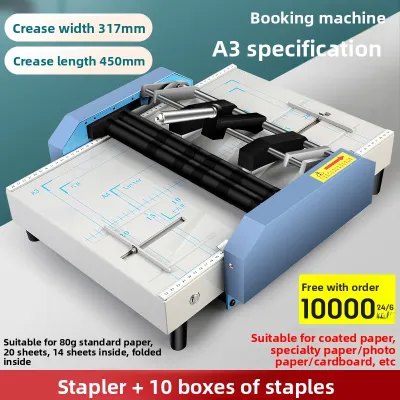
Prices are valid at publication and may change. Please refer to the product page for the latest price.
Physical space is another critical constraint that is frequently overlooked during the purchasing process. Paper folding machines require more than just a flat surface for their main chassis; they also need adequate clearance for input trays, output stackers, and the physical movement of the operator. Measure your available desk or table space carefully, keeping in mind that automatic models often have a significantly larger footprint and may require dedicated utility tables. Ensure that the chosen location allows easy access to both the feed and exit areas so that operators can load paper and retrieve folded documents without straining.
Environmental factors such as noise levels and electrical infrastructure also play a major role in equipment suitability. Electric paper folding machines utilize motorized rollers and folding plates that generate a noticeable amount of noise during continuous operation, which can be disruptive in quiet open-plan offices or school libraries. Additionally, you must verify the proximity of reliable power outlets; high-capacity automatic folders may require dedicated circuits or specific voltage configurations to operate safely. If your workspace lacks convenient power access or cannot tolerate moderate mechanical noise, a manual machine offers a silent, self-powered alternative.
Manual Paper Folding Machines: Operation and Common Use Cases
Manual paper folding machines rely on a simple, mechanical hand-crank system to feed and fold paper. The operator manually places a sheet or a small stack of sheets into the feed tray, adjusts the physical fold stops on the folding plates to the desired setting, and turns the crank handle to pull the paper through the folding rollers. Because the speed of the machine is directly tied to the operator’s physical cranking pace, these devices are best suited for deliberate, low-speed tasks where precision is more important than rapid output.

One of the primary advantages of manual folders is their exceptional portability and independence from external power sources. Without heavy motors, electrical cords, or complex circuitry, these machines are lightweight and easy to move between different classrooms, administrative desks, or off-site event locations. This makes them highly popular for community centers, mobile administrative setups, and environments where electrical outlets are scarce or already fully utilized. Furthermore, manual machines generally have a much lower initial purchase cost, making them highly accessible for small organizations with limited budgets.
However, the physical effort required to operate a manual folder represents a significant limitation for high-volume workflows. Cranking a machine for extended periods can lead to repetitive strain and operator fatigue, which naturally slows down the folding process over time. Additionally, manual feeding requires consistent hand coordination to prevent crooked folds or paper jams, meaning that the quality of the finished product depends heavily on the skill and patience of the user. For occasional mailings of a few hundred letters, these limitations are easily manageable, but they quickly become prohibitive for larger operations.
Automatic Paper Folding Machines: Operation and Common Use Cases
Automatic paper folding machines utilize electric motors to automate the entire feeding, folding, and stacking process. Once the operator loads a stack of paper into the feed tray and selects the desired fold style, the machine automatically pulls sheets one by one, passes them through motorized folding plates, and deposits the finished documents onto an output conveyor or tray. This continuous batch operation allows the machine to process hundreds of sheets in a matter of minutes with minimal operator intervention, freeing up staff to focus on other administrative tasks.
The primary benefits of electric automatic folders are their high processing speed, consistent fold quality, and the elimination of physical strain. Because the rollers spin at a constant, motorized speed, every fold is executed with identical pressure and alignment, resulting in highly professional-looking documents that fit perfectly into standard envelopes. This level of consistency is particularly crucial for official business correspondence, invoices, and marketing materials where presentation is paramount. High-volume mailrooms, large corporate offices, and educational institutions with frequent bulk mailings rely on these machines to maintain a professional standard.
Despite their high efficiency, automatic folders come with specific operational demands that must be carefully managed. These machines require a dedicated, stable power supply and a larger physical footprint to accommodate their robust motors and extended paper trays. They also demand regular maintenance, as paper dust and ink residue can accumulate on the rubber rollers over time, leading to slippage or frequent paper jams. Operators must be trained to clear jams safely and perform basic upkeep, making these machines better suited for structured environments with dedicated administrative staff.
Comparing Key Specifications and Operational Factors
When comparing specific paper folding machines, you must look beyond the basic manual versus automatic distinction and examine the technical specifications provided on manufacturer labels and user manuals. Paper size and weight compatibility are the most critical factors to verify. Most standard office folders are designed to handle standard 80 GSM (grams per square meter) copy paper, but their performance can vary significantly when processing lighter flyers or heavier brochures. Always check the manufacturer’s specified GSM range to ensure the machine can handle your specific paper stock without slipping or jamming.
The variety of supported fold types and the ease of adjusting the folding plates are also essential considerations. Common folds include the letter fold (C-fold), accordion fold (Z-fold), half fold, and double parallel fold. On manual machines and entry-level automatic models, adjusting these folds requires physically moving the fold stops along a graduated scale on the folding plates, which requires a brief trial-and-error process. Advanced automatic folders feature digital control panels that automatically adjust the plates at the touch of a button, which is highly beneficial if your workflow requires switching between different fold styles frequently throughout the day.
Real-world processing speed is another factor where manufacturer claims must be interpreted carefully. While electric folders are rated for high speeds, these ratings are typically based on standard paper weights under ideal conditions. Processing heavier paper or complex folds will naturally reduce the actual throughput. Additionally, consider the ease of maintenance and the accessibility of internal components; look for machines that offer tool-free access to the feed rollers and folding plates, as this simplifies the process of clearing paper jams and cleaning the rollers to maintain optimal grip.
Decision Framework: Choosing the Right Folding Machine
To make your final decision, use a structured framework that aligns your verified operational needs with the capabilities of each machine type. Choose a manual paper folding machine if your total folding volume is low, your available workspace is highly constrained, and you require a portable, budget-friendly solution that does not rely on electrical power. Manual folders are excellent for small schools, local clubs, or home offices where folding is an occasional task rather than a daily administrative requirement.
Opt for an automatic paper folding machine if your daily volume is high, processing speed is critical to meeting deadlines, and you require absolute consistency across thousands of folded documents. Ensure that you have a dedicated, stable desk space near a reliable power outlet and that your staff is prepared to handle routine maintenance tasks. The increased initial investment of an automatic folder is easily justified by the substantial savings in labor time and the reduction of physical strain on your administrative team.
Before finalizing any purchase, always cross-reference your specific document requirements against the manufacturer’s official specification sheet. Verify that the exact paper weight, dimensions, and desired fold types are explicitly supported by the model you are considering. If your workflow involves highly complex, non-standard folds, or if you regularly use heavy cardstock that exceeds the maximum limits of standard office folders, neither machine type may be suitable. In such cases, outsourcing to a professional printing service or investing in specialized industrial bindery equipment is the safest and most efficient path forward.
Frequently Asked Questions (FAQ)
Can a manual paper folding machine handle thick cardstock?
Manual paper folding machines are generally designed to process standard office paper weights, typically ranging from 64 GSM to 90 GSM. Thick cardstock or heavy cover stock usually exceeds the physical capacity of manual rollers and folding plates, which can result in severe paper jams, misaligned folds, or damage to the mechanical crank. Before attempting to fold heavier materials, always check the manufacturer’s specified GSM limit on the product label. If you must fold cardstock, it is highly recommended to pre-score the paper along the fold line to ensure a clean crease and prevent the fibers from cracking.
Do automatic paper folding machines require special maintenance?
Yes, electric automatic paper folding machines require regular, routine maintenance to ensure reliable operation and prevent paper jams. Over time, paper dust, static electricity, and ink or toner residue accumulate on the rubber feed rollers and folding plates, causing the rollers to lose their grip and slip. To maintain optimal performance, you should regularly clean the rollers using manufacturer-approved cleaning solutions or lint-free cloths, clear out accumulated paper dust from the chassis, and inspect the feed pads for wear. Always ensure the machine is completely unplugged from the power outlet before performing any cleaning or maintenance procedures to guarantee operator safety.
Community discussion
Share your experience or ask a question. Comments are reviewed before publication.