
Quick Answer: Which Board Best Supports Drawing Skills?
Choosing the ideal writing board for kids to learn how to draw depends on their age and developmental stage. Magnetic writing boards are the superior choice for toddlers (ages 1 to 3) who are still developing basic grip strength and motor skills. These boards offer helpful tactile resistance, physical stampers, and a highly durable, battery-free design that can withstand rough handling.
Conversely, LCD writing tablets are far better for older children (ages 4 and up) who are ready to practice detailed sketching, line control, and handwriting. With their pressure-sensitive screens, smooth drawing glide, and high-contrast lines, LCD tablets closely mimic the experience of drawing with a real pencil on paper. They allow for precise strokes, shading, and intricate designs that are simply impossible to achieve on a magnetic screen.
How Magnetic and LCD Writing Boards Actually Work
To understand why these two boards offer such different drawing experiences, it helps to look at the physical mechanisms operating beneath their screens.
Products mentioned in this guide
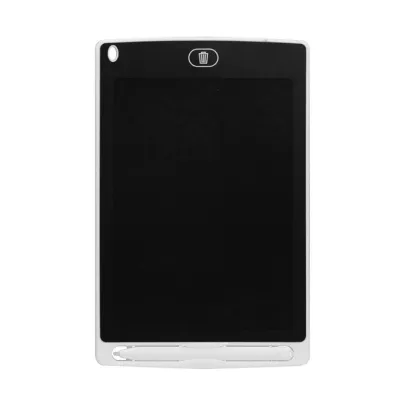
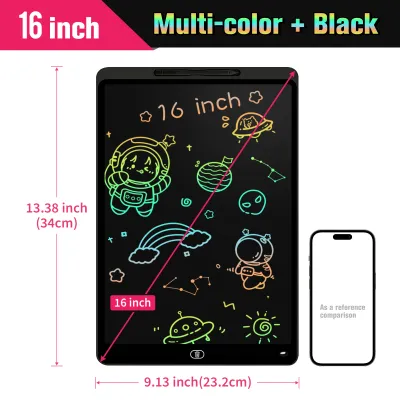
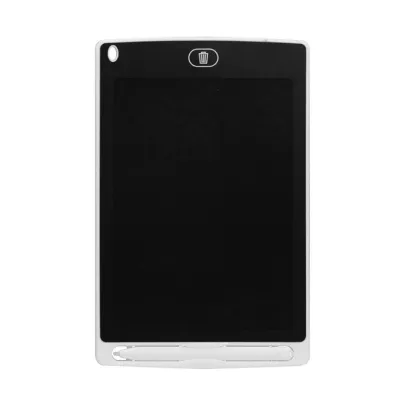
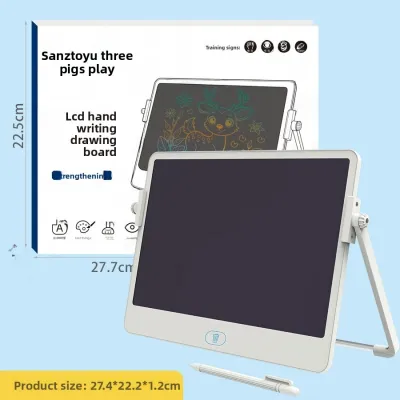
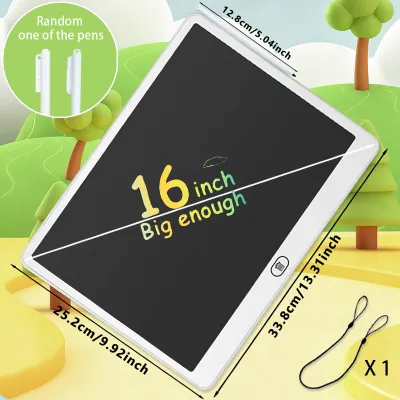
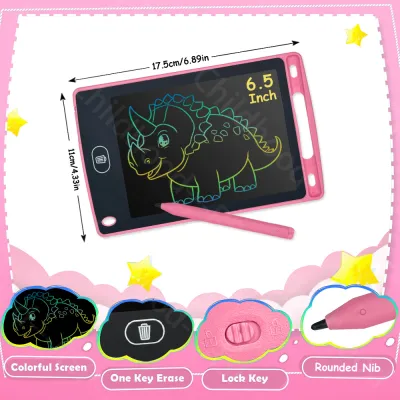
Prices are valid at publication and may change. Please refer to the product page for the latest price.

Magnetic writing boards utilize a purely physical, non-electronic system. The screen consists of a sealed plastic panel containing a honeycomb-patterned grid. Inside each tiny hexagonal cell of this grid is a viscous, white-pigmented liquid containing microscopic, dark magnetic particles, usually iron oxide. The stylus features a small magnet at its tip. When a child drags the stylus across the screen, the magnetic force pulls the dark particles up to the top of the honeycomb cells, making them visible. To erase the drawing, the child slides a lever across the bottom of the board. This lever moves a long bar magnet underneath the grid, pulling the dark particles back down to the bottom of the cells and out of sight.
LCD writing tablets, on the other hand, rely on cholesteric liquid crystal technology. The screen is made of a thin, flexible liquid crystal film sandwiched between two protective plastic sheets. In their default state, these liquid crystals are aligned in a way that absorbs light, making the screen appear dark. When a child presses a stylus or fingernail against the screen, the physical pressure alters the alignment of the liquid crystals in that exact spot. This structural change causes the crystals to reflect ambient light, creating a bright, glowing line. The drawing remains visible indefinitely without using any power. Erasing requires a small electrical pulse, delivered by a built-in coin cell battery when the erase button is pressed. This temporary charge resets all the crystals back to their default, light-absorbing orientation.
The Drawing Experience: Precision, Contrast, and Erasing
The physical differences in how these boards operate directly shape how a child interacts with them, affecting their artistic experimentation, line control, and overall engagement.
Line Precision and Pressure Sensitivity
When evaluating a writing board for kids, line precision is a critical factor for developing drawing skills. Magnetic boards have a fixed resolution determined by the size of their honeycomb cells. Because the magnetic particles disperse within these cells, lines tend to look slightly thick, fuzzy, and “bled” at the edges. There is no pressure sensitivity; whether a child presses lightly or firmly, the line remains the same width. However, the rounded, blunt metal or plastic tip of a magnetic stylus dragging across the screen provides a helpful “scratchy” physical resistance. This tactile feedback is highly beneficial for toddlers who are transitioning from a palmar grasp to a pincer grasp, as it helps them feel the boundaries of their strokes.
LCD writing tablets offer exceptional line precision and true pressure sensitivity. The fine POM (polyoxymethylene) plastic tip of the LCD stylus glides smoothly across the screen with minimal friction, closely mimicking a premium pen on paper. The line width responds dynamically to pressure: a light touch produces a thin, delicate line, while firmer pressure creates a thick, bold stroke. This pressure sensitivity allows older children to practice advanced drawing techniques like shading, hatching, and varying line weights. This fluid line variation is also highly beneficial for school-aged children practicing Chinese character stroke order or cursive writing, where line thickness changes are essential.
To verify these characteristics before buying, parents can perform a simple “grid test” in a retail store. Try drawing a series of tight, parallel lines close together. On a magnetic board, the lines will quickly merge into a single dark smudge due to particle migration across the honeycomb cells. On an LCD tablet, the lines will remain distinctly separated, sharp, and clean, demonstrating its superior precision.
Visual Feedback and Color Contrast
Visual feedback plays a massive role in keeping a child engaged with their drawing practice. Traditional magnetic boards feature a light grey background. Many modern versions divide the screen into four colored quadrants (typically red, yellow, blue, and green) underneath the grid. As the child draws across the board, the lines appear in the color of the quadrant they are currently in. While this multi-color effect is highly appealing to toddlers, the overall contrast is moderate, and the colors can look somewhat muted or dull under dim indoor lighting.
LCD writing tablets present bright, high-contrast, neon-like lines (often green, blue, or rainbow gradients) against a deep black, matte background. Because these screens do not have an internal backlight, they emit zero blue light, making them incredibly safe for prolonged use. However, this lack of backlighting means they rely entirely on reflecting ambient room light. In a well-lit room, classroom, or outdoors, the contrast is exceptionally sharp and vibrant. In low-light environments—such as a dimly lit bedroom or a car interior during a night drive—the screen becomes difficult to see. Conversely, magnetic boards remain somewhat legible in lower light because their light grey background and dark particles do not rely as heavily on a specific angle of light reflection to be visible.
Erasing Mechanics and Canvas Management
How a child clears their canvas significantly influences their creative flow and willingness to experiment. LCD writing tablets feature a single “erase” button that sends a quick electrical pulse to clear the entire screen instantly. This immediate, complete reset is highly satisfying and encourages rapid, low-stakes doodling. Children can quickly sketch an idea, wipe it away with a single click, and start over. However, this instant erase feature carries a risk: a child can accidentally bump the button mid-drawing, permanently losing their work. This makes a physical erase lock switch an essential feature to verify before purchasing.
Magnetic boards utilize a manual sliding eraser. To clear the screen, the child must physically slide a lever back and forth across the bottom of the frame. This manual process takes more effort and often requires two or three passes to clear the screen completely. It can also leave behind faint “ghost” marks or stray dark particles, which can make the canvas look slightly messy over time. However, this manual system allows for unique creative play. Kids can slide the eraser halfway to clear only a portion of their drawing, or use the slow sweep of the slider to create fading visual effects. Parents can check the erasability of a magnetic board by sliding the bar; if significant ghosting persists after several wipes, it indicates that the magnetic particles are starting to clump or the internal liquid has degraded due to age or environmental exposure.
Durability, Portability, and Everyday Use
Beyond the drawing experience, parents must consider how well these boards fit into daily life, family travel, and the rough-and-tumble nature of children’s play.
Build and Weight Magnetic boards are designed primarily as robust, impact-resistant toys. They feature thick, heavy-duty ABS plastic frames, large integrated handles, and a solid backing designed to protect the liquid-filled honeycomb grid from being crushed. They can easily withstand being dropped, stepped on, or tossed into a toy bin. However, this rugged construction makes them relatively bulky and heavy, taking up substantial space in a backpack or diaper bag. LCD tablets are incredibly sleek, ultra-thin (often measuring less than 1 cm in thickness), and lightweight. They can easily slip into a tablet sleeve, a school bag, or a car seat pocket, making them the ultimate travel companion for long commutes on public transport or flights. However, their thin profile makes them more fragile. While the flexible plastic screen will not shatter like glass, it can scratch if scraped with sharp objects, and the internal liquid crystal layer can be permanently damaged if the tablet is bent or subjected to heavy, localized pressure.
Power Requirements One of the greatest advantages of magnetic writing boards is that they are entirely passive. They require no batteries, charging cables, or power sources of any kind. They are always ready to use, environmentally friendly, and will never run out of power mid-trip. LCD writing tablets require a small coin cell battery (typically a CR2016 or CR2025) to power the erase function. The drawing process itself consumes absolutely no power, meaning the battery is only used for a fraction of a second when the erase button is pressed. A single coin cell battery can typically support up to 50,000 erasures, which often translates to over a year of daily use. However, when the battery eventually dies, the screen can no longer be erased until the battery is replaced. For families, this means keeping a spare battery on hand and ensuring the battery compartment is securely locked.
Accessories and Safety Magnetic boards frequently include physical stampers (such as circles, triangles, stars, or animal shapes) that click securely into dedicated slots on the frame. These stamps are fantastic for toddlers, allowing them to easily build structured scenes, learn geometric shapes, and practice hand-eye coordination. LCD tablets rarely include stamps, focusing instead on a slim, pen-like stylus and a lock switch. For both types of boards, the stylus is the most critical accessory. A lost stylus renders the board temporarily useless. When shopping, always check if the stylus is tethered to the frame with a lanyard, or if the board has a secure, click-in slot to prevent it from falling out. In terms of safety, because LCD tablets require coin cell batteries—which pose severe choking and chemical burn hazards if swallowed—it is absolutely vital to verify that the battery compartment is secured with a small screw that cannot be opened by children.
Decision Framework: Match the Board to Your Child's Stage
To make the right choice for your family, match the board’s features to your child’s age, motor skills, and how they plan to use it.
Choose a Magnetic Board if:
- Your child is a toddler or preschooler (ages 1 to 3): At this stage, children are still developing basic hand strength and pencil grip. The thick stylus, tactile resistance of the screen, and large frame are perfect for small hands.
- You want a completely battery-free toy: If you prefer a low-maintenance toy that requires no battery replacements and can be tossed into a toy box without worrying about screen damage, magnetic is the way to go.
- They enjoy physical, tactile play: Toddlers love the cause-and-effect of stamping shapes and manually sliding the eraser back and forth.
- You need a highly drop-resistant option: The thick ABS plastic frame of a magnetic board is built to survive frequent drops onto hard tiled floors.
Choose an LCD Tablet if:
- The child is school-aged (ages 4 and up): Children at this stage have developed fine motor skills and want to draw detailed characters, practice writing letters, or solve math problems.
- You prioritize portability and travel: If you need a lightweight, mess-free drawing tool to keep your child quiet and engaged during long car rides, restaurant visits, or flights, the ultra-thin LCD tablet is ideal.
- They want a realistic drawing experience: The pressure-sensitive screen and fine-tipped stylus provide a smooth, fluid drawing experience that closely mimics pen-on-paper.
- You want a clean, high-contrast canvas: The sharp, neon lines on a dark background are visually appealing and allow for precise, intricate doodles without any "bleeding" or fuzzy edges.
Verify first if:
- The child tends to press down with extreme force: If your child is highly energetic and prone to slamming or scraping drawing tools, they can easily scratch or permanently damage an LCD screen. A magnetic board's thick plastic screen is much more forgiving of heavy-handed play.
- You expect to save or share their artwork digitally: Neither of these basic boards features built-in memory, Bluetooth, or cloud syncing. If you want to keep a digital archive of your child's drawings, you must take a photo of the board with a smartphone before it is erased.
Pre-Purchase Checklist: Specs and Features to Verify
Before making your final purchase, check the product packaging or online listing to verify these key specifications and physical features:
- Screen Size and Medium Fit: Look at the diagonal screen measurement. An 8.5-inch screen is highly portable and fits easily in small hands, making it equivalent to a small notebook (A5 size). A larger 10-inch or 12-inch screen provides ample space for full arm movements, preventing cramped hand positions and promoting better posture during longer drawing sessions, similar to a standard A4 sheet of paper.
- Erase Lock Switch: For LCD tablets, ensure there is a physical lock switch (usually located on the back or bottom edge of the frame). This switch disables the erase button, preventing a child's detailed artwork or handwriting practice from being accidentally wiped out.
- Stylus Tethering and Replacements: Check if the board has a lanyard hole or includes a tether to attach the stylus directly to the frame. Additionally, verify if the stylus tip is made of durable, non-scratching plastic (like POM) and whether the manufacturer offers replacement styluses, as these are easily misplaced.
- Battery Compartment Security: For LCD tablets, always verify that the battery compartment is secured with a small screw. This is a critical safety feature that prevents young children from accessing and swallowing the coin cell battery.
- Frame Material and Safety Standards: Look for frames made of high-impact, non-toxic, BPA-free ABS plastic with rounded corners and no sharp seams. A sturdy frame protects the internal screen from twisting forces and drop impacts, ensuring the board lasts for years.
Frequently Asked Questions (FAQ)
Are LCD writing tablets safe for children's eyes?
Yes, standard LCD writing tablets are highly safe for children’s eyes. Unlike smartphones, tablets, or televisions, these writing boards do not emit blue light and do not have an internal backlight that shines directly into the eyes. Instead, they rely entirely on reflecting ambient room light, much like a traditional sheet of paper. This makes them exceptionally gentle on the eyes, even during prolonged drawing sessions. However, because they rely on reflected light, it is essential to ensure your child draws in a well-lit room to prevent eye strain from squinting in dim environments.
Can I save, transfer, or print drawings from these boards?
No, standard magnetic writing boards and basic LCD writing tablets do not have internal memory, Wi-Fi, Bluetooth, or printing capabilities. They are designed as temporary, reusable canvases. If your child creates a drawing that you wish to preserve, the most effective method is to take a high-quality photograph of the screen using a smartphone or tablet before the screen is cleared. Some parents use scanning apps to crop and enhance the photo, creating a digital keepsake folder of their child’s artistic progress.
Community discussion
Share your experience or ask a question. Comments are reviewed before publication.