
The Short Answer: Which Board Fits Your Child?
Finding the right drawing and writing tool for your child comes down to balancing developmental benefits, household space, and convenience. There is no single “best” option between an LCD writing tablet and a traditional whiteboard; instead, the ideal choice depends on your child’s age, their current learning goals, and where the board will be used.
For parents seeking a portable, mess-free solution for travel, dining out, or compact living spaces, the LCD writing tablet is an outstanding choice. It is lightweight, requires no ink, and is perfect for toddlers who love to scribble. On the other hand, a traditional whiteboard is far better suited for older children who are actively practicing handwriting, spelling, and mathematics. The physical resistance of a dry-erase marker on a whiteboard helps build essential muscle memory, while the larger format supports collaborative family learning and dedicated study routines at home.
LCD Writing Tablet vs Traditional Whiteboard: Key Differences
To help you understand how these two formats compare at a glance, it is helpful to look at their core design elements. While both tools serve as reusable surfaces for drawing and writing, they operate on completely different technologies and offer distinct user experiences.
Products mentioned in this guide
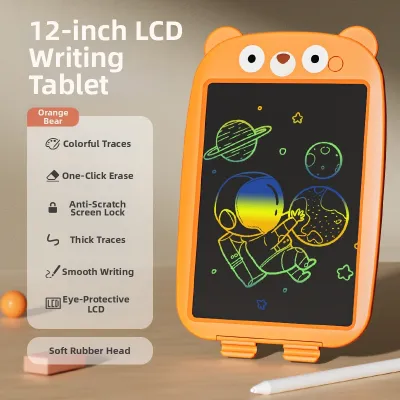
![OSSDE Kids 12 inch LCD Drawing Tablet [Rainbow Screen] Cartoon Writing Board Electronic Sketchpad](https://img.lazcdn.com/g/p/860a2712f8fbb9993eef227d44725598.jpg_400x400q80.jpg_.webp)
![[SG LOCAL SELLER] 12 inch LCD Pad Writing Tablet For kidsKids Drawing Pad Portable Electronic Tablet Board](https://img.lazcdn.com/g/p/750c5b36b2e9fed44d96d7335003e660.jpg_400x400q80.jpg_.webp)
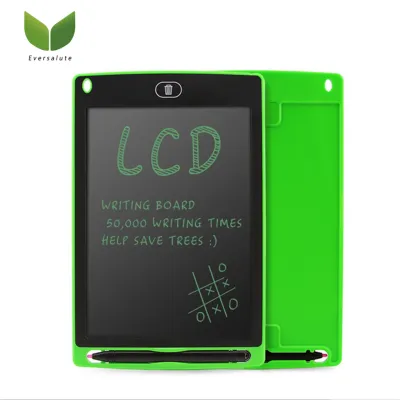
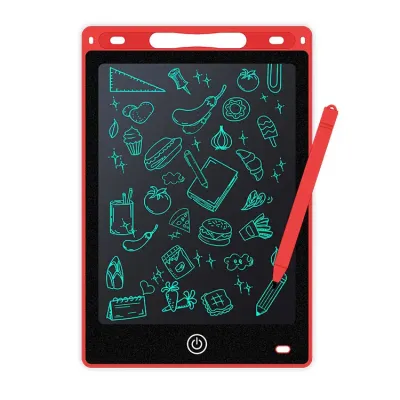
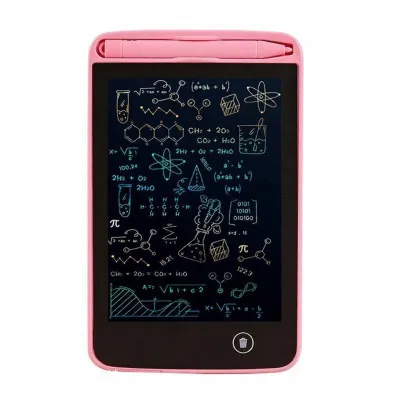
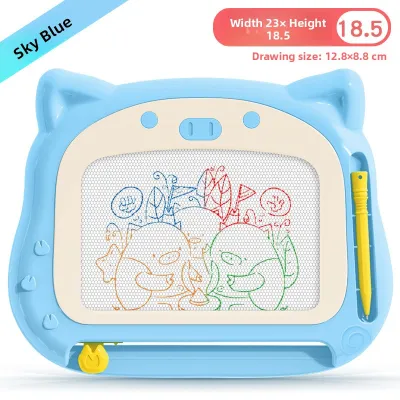
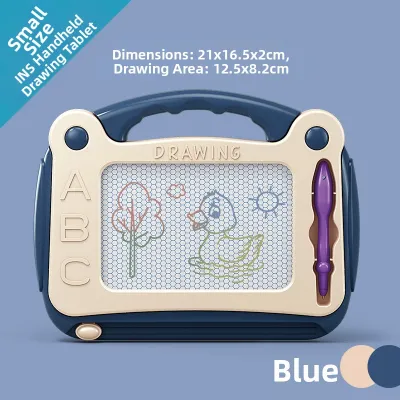
Prices are valid at publication and may change. Please refer to the product page for the latest price.

The table below outlines the primary structural and functional differences between an LCD writing tablet and a traditional dry-erase whiteboard:
| Feature | LCD Writing Tablet | Traditional Whiteboard |
|---|---|---|
| Writing Mechanism | Pressure-sensitive liquid crystal screen | Dry-erase ink marker on smooth surface |
| Erasing Method | Instant, one-click electronic erase button | Manual wiping with a physical eraser or cloth |
| Portability | Ultra-lightweight, thin, and highly portable | Bulkier, heavier, and often fixed to a wall or stand |
| Power Requirements | Single coin cell battery (only for erasing) | Completely passive; requires no batteries |
| Mess Factor | 100% mess-free; no ink, dust, or stains | Potential for ink stains on hands and furniture |
| Surface Feedback | Very smooth, low-friction plastic feel | Moderate friction, mimicking paper-like resistance |
Understanding these differences is the first step in deciding which board fits into your daily routine. While the LCD tablet relies on modern, low-power electronic screen technology, the traditional whiteboard remains a classic, tactile, and highly versatile tool that has been a staple in classrooms and homes for decades.
Writing Experience and Skill Development
When evaluating writing boards for young children, the physical experience of writing is of paramount importance. The way a child’s hand interacts with a surface plays a critical role in developing fine motor skills, hand-eye coordination, and the muscle memory required for formal schooling.
Traditional Whiteboard: Mimicking Classroom Learning
A traditional whiteboard offers a writing experience that closely aligns with classic pen-and-paper tasks. When a child writes on a whiteboard with a dry-erase marker, there is a natural, subtle friction between the felt tip of the marker and the glossy surface of the board. This slight resistance is incredibly beneficial for early learners. It provides immediate sensory feedback, allowing children to learn how much downward pressure they need to apply to create a clear line.
This tactile feedback is essential for developing a proper pencil grip and building wrist stability. Because dry-erase markers come in various thicknesses, younger children can start with thick, easy-to-grip markers to build confidence before transitioning to thinner markers as their fine motor control improves. Furthermore, practicing letter formation and stroke order on a vertical whiteboard encourages the use of larger muscle groups in the shoulder and arm, which supports overall physical development and prepares them for school tasks.
LCD Writing Tablet: Smooth, Low-Friction Play
In contrast, an LCD writing tablet features a highly smooth, low-friction plastic screen. When a child writes with the included hard plastic stylus, the tip glides effortlessly across the surface with almost zero resistance. While this makes the tablet incredibly fun and satisfying for quick doodles, free-flowing sketches, and sensory play, it does not provide the same developmental feedback as a whiteboard or paper.
The slippery nature of the screen means that children do not have to work as hard to control their hand movements. Consequently, exclusive use of an LCD tablet may not help a child develop the precise pressure control and finger strength needed for writing with pencils on paper. The thin, lightweight plastic stylus also lacks the ergonomic grip options of traditional markers, which can sometimes encourage a less-than-ideal grip style if used as the primary writing tool.
Balancing Screen Play with Traditional Practice
To ensure your child is fully prepared for school environments, it is wise to balance the use of both mediums. An LCD tablet can serve as an excellent, low-pressure tool for spontaneous creative play, quick math calculations, or spelling games where mistakes can be instantly cleared with the press of a button. However, this should be complemented by regular practice on traditional whiteboards or paper, where the physical resistance helps solidify handwriting skills and builds the hand stamina required for longer writing tasks.
Space, Portability, and Household Setup
The physical layout of your home and your family’s lifestyle are major practical factors when choosing between these two writing tools. In urban environments like Singapore, where residential spaces such as HDB flats and condominiums require smart organization, the physical footprint of children’s toys and educational gear is a constant consideration.
LCD Tablets: The Ultimate Space-Saving Companion
LCD writing tablets shine brightest when it comes to portability and space efficiency. These devices are incredibly thin, often measuring less than a centimetre in thickness, and they weigh very little. They can easily slide into a child’s school backpack, a storage drawer, or even the seatback pocket of a car.
This compact design makes the LCD tablet an invaluable tool for families on the go. Whether you are taking a ride on public transit, waiting for your food at a local restaurant, or travelling abroad, an LCD tablet provides an instant, quiet distraction that requires absolutely no setup. It takes up zero physical space in your home, making it an ideal choice for households where floor and wall space are at a premium.
Traditional Whiteboards: Creating Dedicated Learning Zones
Traditional whiteboards, by their very nature, require a more deliberate physical setup. If you opt for a wall-mounted whiteboard, you must dedicate a permanent, unobstructed section of a wall at your child’s eye level. Alternatively, a freestanding easel whiteboard requires a significant amount of floor space, and even foldable models can be cumbersome to pack away and store when not in use.
However, this larger physical presence comes with distinct developmental and social benefits. A large, stationary whiteboard creates a dedicated learning zone in the home, signaling to the child that it is time for focused study, creative projects, or family activities. The generous surface area allows multiple children to draw side-by-side, promoting cooperative play, sharing, and communication. Additionally, working on a large, vertical surface forces children to stand, stretch, and use their core muscles, which is a fantastic way to break up long periods of sedentary play.
Maintenance, Cleaning, and Durability
Keeping children’s toys clean, functional, and intact over years of enthusiastic use can be a challenge. Both LCD tablets and traditional whiteboards have unique maintenance needs and durability profiles that parents should carefully consider before making a purchase.
Whiteboards: Managing Marker Mess and Ghosting
Traditional whiteboards require consistent upkeep to maintain their bright, clean appearance. One of the most common issues parents face is “ghosting”—the faint, stubborn stains left behind when dry-erase ink is allowed to sit on the board for days or weeks. To prevent this, the board must be wiped clean regularly using specialized whiteboard cleaners or microfiber cloths.
Beyond the board itself, the markers pose their own maintenance hurdles. Dry-erase markers will dry out quickly if children forget to snap the caps back on securely, leading to frequent replacements. There is also the inevitable risk of accidental ink stains. Young children can easily get marker ink on their hands, clothing, walls, and wooden furniture, turning a quiet drawing session into a major cleanup project for parents.
LCD Tablets: A Mess-Free but Delicate Electronic Device
LCD writing tablets offer a completely mess-free alternative that many parents find incredibly liberating. Because the screen relies entirely on pressure to create lines, there is no ink, no dust, no chemical smell, and absolutely no risk of stains on your home’s walls or fabrics. If your child draws off the edge of the tablet, nothing happens.
However, because these tablets are electronic devices, they have different durability vulnerabilities. The liquid crystal screen can be permanently scratched or damaged if a child presses down too hard with a sharp object, such as a real pen, a key, or a toy. The small plastic stylus is also prone to getting lost, which can render the tablet temporarily unusable unless you have a replacement. To help protect a child’s hard work, most LCD tablets include a “lock switch” on the side or back. When toggled, this switch disables the erase button, preventing accidental deletion of a drawing or a set of study notes.
Cost, Consumables, and Long-Term Value
Understanding the initial cost versus the long-term running expenses of each option will help you determine which board offers the best overall value for your family’s budget.
Initial Investment Comparison
At the entry level, both LCD writing tablets and traditional whiteboards are highly affordable. A basic 8.5-inch or 10-inch LCD writing tablet can be purchased for a modest sum, often ranging from S$10 to S$20 on local e-commerce platforms. Similarly, a small, hand-held lap whiteboard or a basic magnetic board falls into a similar price bracket.
However, the cost of traditional whiteboards can scale up significantly depending on the size, frame material, and mounting options. A large, high-quality magnetic steel whiteboard, a double-sided rolling board, or a sturdy wooden easel with storage trays can easily cost anywhere from S$40 to over S$100. While this represents a larger initial investment, it often serves as a multi-functional piece of furniture that grows with your child through their school years.
Ongoing Costs and Consumables
The true difference in value becomes apparent when you look at ongoing expenses. Traditional whiteboards require a continuous supply of consumables. You will need to regularly buy packs of non-toxic dry-erase markers, replacement erasers, and cleaning sprays. Over a year or two, these small purchases can add up to a substantial amount, far exceeding the initial cost of the board itself.
LCD writing tablets, on the other hand, have almost zero ongoing running costs. They do not require markers, paper, or cleaning fluids. The device is powered by a small, inexpensive coin cell battery (such as a CR2025) that is incredibly efficient. Because the battery is only used to send a tiny electrical pulse to clear the screen when the erase button is pressed, a single battery can easily last for six to twelve months of daily use. Replacing the battery is simple, safe, and very inexpensive, making the LCD tablet highly cost-effective over its lifespan.
Lifespan and Wear-and-Tear
While the LCD tablet is cheaper to run, its physical lifespan may be shorter than that of a well-made whiteboard. A high-quality magnetic whiteboard has no electronic parts to break; as long as it is cleaned properly and not dented, it can literally last for a decade or more. An LCD tablet, being an electronic item, is susceptible to internal damage if dropped repeatedly on hard kitchen tile or concrete floors. Over time, the screen may also develop minor dead zones where the pressure sensitivity fades, eventually requiring a complete replacement of the device.
How to Decide: A Framework for Parents
To help you make the final decision for your household, we have put together a straightforward decision framework based on practical scenarios, your child’s developmental stage, and your home environment.
Choose an LCD Writing Tablet if:
- You need a travel-friendly distraction: You want a lightweight, compact toy that easily fits into a bag to keep your child quiet and engaged during public transit commutes, restaurant dinners, or long car rides.
- You live in a compact home: Your living space has limited wall or floor area, and you prefer a drawing tool that can be tucked away in a small drawer when play is finished.
- You want a completely mess-free experience: You want to eliminate the risk of marker stains on your walls, sofa, curtains, or your child's clothing.
- Your child is a toddler: Your child is in the early scribbling phase (around ages 2 to 4) and simply enjoys the repetitive motion of drawing and instantly erasing their creations.
Choose a Traditional Whiteboard if:
- Your child is practicing handwriting: Your child is preparing for school or actively working on letter formation, spelling, and pencil grip, and needs the natural resistance that a dry-erase marker provides.
- You have dedicated learning space: You have a study room, playroom, or a clear wall where a permanent writing station can be set up to establish a structured learning routine.
- You want a collaborative tool: You have multiple children who enjoy drawing together, or you want a large surface for parent-guided tutoring, interactive math practice, or family games.
- You prefer a screen-free environment: You want to minimize your child's exposure to electronic devices and encourage tactile, physical play that does not rely on batteries.
Verify First Before Purchasing:
Before making your purchase, take a moment to observe your child’s play habits. If your child tends to press down with extreme force when drawing, they might accidentally damage the sensitive screen of an LCD tablet, making a durable whiteboard a safer bet. If your child frequently loses small toys, look for an LCD tablet model that includes a stylus tether, or purchase a magnetic whiteboard where the markers can stick directly to the board’s surface to prevent them from rolling under furniture. Finally, always check that any dry-erase markers you buy for a traditional whiteboard are labeled as non-toxic, low-odour, and easily washable to ensure a safe and stress-free creative environment.
Frequently Asked Questions (FAQ)
Are LCD writing tablets safe for young children's eyes?
Yes, LCD writing tablets are highly safe for young children’s eyes. Unlike tablets, smartphones, or television screens, LCD writing boards do not emit blue light, nor do they have an active backlight that shines directly into the eyes. Instead, they rely on reflective liquid crystal technology, which means they reflect the ambient light in the room just like a standard sheet of paper. However, because they do not have their own light source, it is crucial to ensure that your child uses the tablet in a well-lit room to prevent them from squinting or experiencing eye strain while drawing.
Can I use regular whiteboard markers on an LCD writing tablet?
No, you should never use regular whiteboard markers, dry-erase markers, or any other type of ink-based pen on an LCD writing tablet. These electronic tablets are strictly pressure-sensitive and are designed to be used only with the provided plastic stylus or a similar blunt, non-scratching object. Applying ink to the screen will ruin the protective plastic surface, block the liquid crystal display, and permanently damage the device, which will void any manufacturer warranty. If the stylus is lost, you can use a clean, rounded plastic tool or purchase a cheap replacement stylus.
What age is appropriate to start using a writing board?
Children can start using writing boards as early as 2 years old, but the ideal type of board changes with their developmental stage. Toddlers aged 2 to 3 can benefit greatly from LCD writing tablets, as the lightweight stylus and instant-erase button are easy for small hands to manipulate, helping them build basic hand grip strength and hand-eye coordination through casual scribbling. For structured practice, such as learning to write letters, numbers, and full words, traditional whiteboards are highly recommended for children aged 4 and up, as they provide the essential physical resistance and tactile feedback necessary for developing proper handwriting skills.

Community discussion
Share your experience or ask a question. Comments are reviewed before publication.