
There is no single “best” drawing board for every child; the right choice depends entirely on your child’s age, how they plan to use it, and your durability requirements. LCD writing boards excel in portability, paper-saving doodling, and mimicking a smooth pen-on-paper feel, making them ideal for older kids and travel. Magnetic drawing boards offer battery-free operation, tactile feedback, and stamp accessories that appeal to toddlers and sensory play. This guide breaks down the mechanical differences, safety checks, and use cases to help you match the right board to your child’s specific needs.
When choosing between these two popular options, parents often weigh the benefits of modern digital-style screens against the classic, mechanical simplicity of magnetic toys. Both options eliminate the mess of markers, crayons, and wasted paper, but they operate on entirely different principles. Understanding how each board functions, how they handle daily wear and tear, and how they align with your child’s developmental milestones will ensure you select a toy that remains engaging rather than becoming a source of frustration.
Core Differences in Drawing Experience and Mechanics
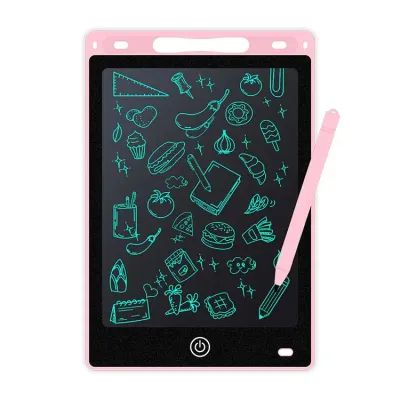
To make an informed decision, it is essential to understand the underlying technology that powers each drawing surface. LCD writing boards utilize a thin layer of cholesteric liquid crystals sandwiched between two protective sheets. When a child presses a stylus against the screen, the pressure physically realigns the liquid crystals, allowing ambient light to reflect off the underlying reflective layer. This creates a bright, high-contrast line without using any internal backlighting. The line remains visible until a small electrical current, triggered by a button press, resets the crystals to their original, dark state.
Products mentioned in this guide
![[✅SG Ready Stock] 8.5 inch / 12 inch LCD Pad Writing Tablet For kidsKids Drawing Pad Portable Electronic Tablet Board](https://img.lazcdn.com/g/p/fee43f1d7f9017a12c1bc992432adbda.jpg_400x400q80.jpg_.webp)
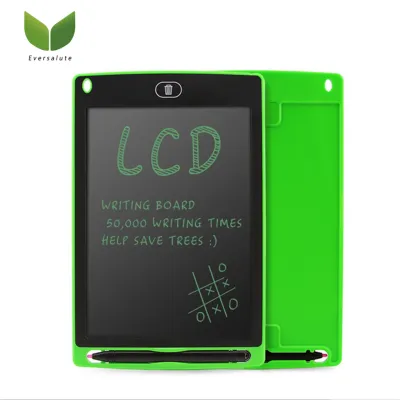
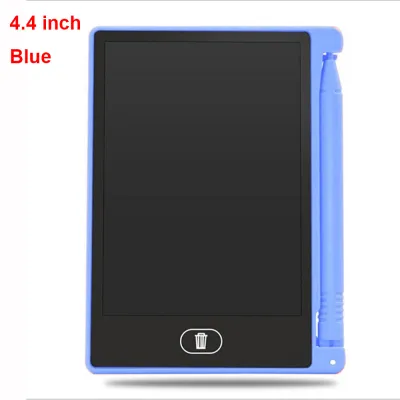
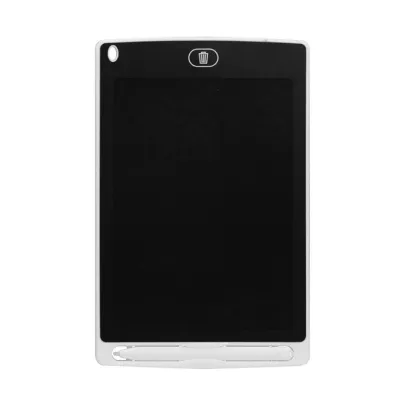
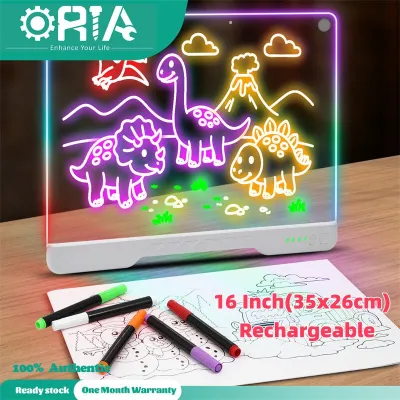
Prices are valid at publication and may change. Please refer to the product page for the latest price.
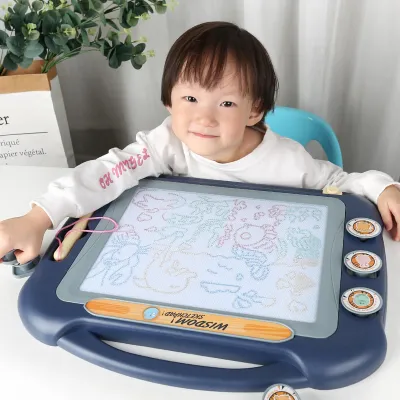
In contrast, magnetic drawing boards rely on a purely mechanical system. The screen consists of a honeycomb grid filled with a thick, opaque liquid containing tiny magnetic iron particles. When the magnetic stylus passes over the surface, it pulls these dark particles to the top of the grid, making them visible through the translucent plastic screen. To erase the drawing, a sliding bar equipped with a long magnet runs across the back of the grid, pulling the iron particles back down to the bottom and clearing the display.
These mechanical differences directly impact the tactile drawing experience. LCD boards offer a highly responsive, low-resistance surface that closely mimics the feel of a fine-tip pen or pencil on paper. The line thickness on an LCD board varies naturally based on the amount of pressure applied by the child’s hand, allowing for detailed sketching, handwriting practice, and fine lines. Magnetic boards, however, provide a much thicker, softer line with a distinct tactile drag. Because the magnetic pull acts on clusters of particles, fine details are difficult to achieve, and the lines can sometimes appear slightly fuzzy or pixelated.
The clearing mechanisms also shape how children interact with each board. An LCD board clears instantly with a single press of a button, which is highly satisfying for older children but can lead to accidental erasures if the board lacks a lock switch. Magnetic boards require the child to manually slide an eraser bar back and forth across the frame. This sliding motion requires physical coordination and can sometimes require multiple passes to clear the screen completely, which can either engage a toddler’s motor skills or frustrate a child who wants an immediate blank canvas.
Durability, Safety, and Everyday Maintenance
When evaluating toys for children, physical durability and safety are paramount. LCD writing boards are generally constructed from lightweight, impact-resistant plastics like ABS. However, the liquid crystal screen itself is vulnerable to sharp objects and extreme pressure. While a standard plastic stylus will not damage the screen, a sharp metal pen, a key, or a heavy impact can puncture the outer layer, causing permanent dark spots or rendering the screen unusable. Parents should inspect the screen surface regularly for deep scratches or signs of flexing.

Magnetic drawing boards are typically housed in thicker, bulkier plastic frames designed to withstand drops from high chairs or play tables. The primary durability risk for magnetic boards is surface cracking or warping of the plastic screen. If the outer screen cracks, the internal liquid containing the magnetic particles can leak out. While this liquid is generally non-toxic, it can create a difficult-to-clean mess and presents a choking hazard if the internal components break apart.
Safety verifications must be performed before introducing either board to a child, particularly younger toddlers. For LCD boards, the most critical safety check involves the battery compartment. Because these boards use a small electrical pulse to erase the screen, they require a power source, typically a button cell battery (such as a CR2025 or CR2032). Button batteries pose severe, life-threatening ingestion risks to young children. You must verify that the battery compartment is securely locked with a small screw and that the plastic casing around the screw is robust enough not to crack when dropped. If the compartment lacks a screw or feels flimsy, the board should not be left unattended with young children.
Everyday maintenance also differs significantly between the two types. Magnetic boards must be kept away from strong external magnets, such as refrigerator magnets or magnetic building tiles. Placing a powerful magnet directly on the screen can permanently disrupt the alignment of the internal particles, leaving dark, unerasable patches. LCD boards require protection from extreme temperatures and direct, prolonged sunlight, which can temporarily or permanently affect the liquid crystals’ responsiveness. Cleaning both types of boards should be limited to a dry or slightly damp microfiber cloth; never submerge either device in water or use harsh chemical solvents.
Age Appropriateness and Best Use Cases
Matching the drawing board to your child’s developmental stage ensures the toy is both educational and age-appropriate. For toddlers aged one to three, magnetic drawing boards are highly suitable. At this stage, children are developing basic grip and gross motor skills. The chunky, easy-to-hold magnetic stylus and large, geometric stamp accessories (such as circles, triangles, and hearts) help toddlers explore shapes and cause-and-effect relationships without requiring precise finger control. The physical action of sliding the eraser bar also supports bilateral coordination.
For older children, typically aged four and above, LCD writing boards offer greater utility. As children transition to learning letters, numbers, and spelling, the fine-line precision of an LCD stylus becomes highly beneficial. It allows them to practice proper pencil grip and letter formation on a surface that behaves similarly to paper. Older kids can use these boards for drafting math equations, playing games like tic-tac-toe, or sketching detailed drawings that would be impossible on a magnetic board’s coarse grid.
Portability is another key factor for families who travel or commute frequently. LCD boards are exceptionally thin—often measuring less than a centimeter in thickness—and lightweight, making them easy to slip into a backpack, diaper bag, or car seat pocket. They are ideal for quiet entertainment in restaurants, airplanes, or doctor’s waiting rooms. Magnetic boards, with their thicker frames, built-in handles, and loose stamp accessories, are much bulkier and better suited for home playrooms or short car rides where the stamps are less likely to be lost.
When considering specific environments, light levels also play a role. Standard LCD writing boards do not have built-in backlights to protect children’s eyes from blue light exposure. This means they rely entirely on ambient light; in a dark car or a dimly lit room, the screen can be difficult to read. If you plan to use an LCD board in low-light settings, you must verify whether the specific model features a high-contrast screen or a gentle, built-in light source. Magnetic boards also require external light to be seen clearly, but their high-contrast dark particles against a light background are often slightly easier to discern in moderate shadow than the green-on-black display of a standard LCD.
Side-by-Side Feature and Specification Checklist
To help you evaluate options on online marketplaces or in local stationery shops, the following comparison outlines the typical specifications and features of each board type.
| Feature / Specification | LCD Writing Board | Magnetic Drawing Board |
|---|---|---|
| Typical Weight Profile | Extremely lightweight (often under 150 grams) | Moderate to heavy (typically 300 to 800 grams) |
| Power Source | Button cell battery (required only for erasing) | Completely battery-free (mechanical) |
| Clearing Method | Instant electronic button erase | Manual sliding magnetic bar |
| Screen Surface Texture | Smooth, low-friction, paper-like feel | Smooth plastic with slight mechanical drag |
| Line Precision | High precision; pressure-sensitive thickness | Low precision; fixed, thick lines |
| Common Accessories | Stylus, stylus clip, lanyard | Stylus (often tethered), magnetic stamps |
Before finalizing a purchase, there are several premium features and safety details you should verify on the product packaging or online listing:
- Lock Switch (LCD): Ensure the LCD board has a physical toggle switch on the back or side. This lock disables the erase button, preventing your child from accidentally wiping away a drawing or writing project they want to keep.
- Stylus Tethering: Check if the board includes a lanyard or a secure slot to attach the stylus. Lost styluses are the most common reason these boards become unusable, so a tether is highly recommended for younger children.
- Frame Ergonomics: For magnetic boards, look for rounded edges, a built-in carrying handle, and secure slots that hold the magnetic stamps tightly in place so they do not fall out during transport.
- Age Grading and Small Parts: Always check the manufacturer's recommended age rating. Magnetic boards with small stamp accessories or detachable stylus tips are generally rated for children aged three and older due to choking hazards.
Final Decision: Which Board Fits Your Child?
To make your final decision, consider which set of priorities aligns best with your household’s daily routines and your child’s current developmental needs.
Choose an LCD writing board if:
- Your child is older (four years and up) and needs a tool for practicing handwriting, spelling, or solving math problems.
- You prioritize extreme portability for travel, dining out, or long commutes where space in your bag is limited.
- You want a highly responsive drawing surface that mimics the natural feel of pen on paper and supports detailed sketching.
- You are comfortable managing battery safety and verifying that the battery compartment remains securely screwed shut.
Choose a magnetic drawing board if:
- Your child is a toddler (one to three years old) who is still developing basic motor skills and enjoys tactile, sensory play with stamps.
- You prefer a completely battery-free toy that never requires replacement parts or electrical safety checks.
- You want a highly durable, chunky frame that can withstand rough handling, drops, and tosses onto hard floors.
- You want to avoid any risk of accidental screen erasure, as the manual slider requires a deliberate, physical action to clear the drawing.
Verify first if:
- You are buying online; check the product specifications for screen hardness ratings, battery compartment security, and the inclusion of a stylus tether.
- You plan to use the board in low-light environments; verify the screen contrast levels or look for models specifically designed with high-visibility displays.
- You are concerned about lost parts; confirm that all stamps and styluses can be securely attached or stored directly within the board's frame.
Frequently Asked Questions (FAQ)
Can LCD writing boards be used for tracing or learning to write?
Yes, LCD writing boards are excellent tools for learning to write, though they have some limitations compared to traditional paper. The pressure-sensitive screen allows children to practice letter strokes and control line thickness, which helps build hand strength. However, because the plastic screen is much smoother than paper, it offers less tactile friction, which can slightly affect early muscle memory development. To use an LCD board for tracing, you must verify if the specific model features a semi-transparent screen designed to be placed over tracing templates, as standard opaque LCD screens do not allow light or patterns to pass through from behind.
Do magnetic drawing boards lose their magnetism or get stuck over time?
The magnetic particles inside the board and the magnet in the stylus do not lose their magnetic properties over time under normal conditions. However, the mechanical components of the board can wear out. If the board is frequently dropped, the internal honeycomb grid can warp, or the sliding eraser bar can become misaligned or stuck. Additionally, if the plastic screen becomes heavily scratched or bowed outward from excessive pressure, the stylus magnet may no longer sit close enough to the screen to pull the particles upward, resulting in faint or patchy lines. Checking user feedback for mechanical durability and avoiding exposure to extreme heat will help prevent these issues.

Community discussion
Share your experience or ask a question. Comments are reviewed before publication.