
The Short Answer: Which Kids Writing Board Fits Best?
Selecting the right kids writing board requires balancing a child’s physical dexterity with the functional design of the tool. There is no single “best” board on the market; the ideal choice depends heavily on your child’s age, fine motor skill progression, and typical daily activities. Both technologies offer screen-based alternatives to paper, but they operate on entirely different mechanical principles.
Magnetic drawing boards are generally the most suitable option for toddlers. They rely on physical magnetics, offering a highly tactile, sensory play experience with shape stamps and a thick, easy-to-grip stylus, all without requiring batteries or delicate screens. Conversely, an LCD writing board is ideal for preschoolers and older children who require a smooth, paper-like surface for handwriting practice, mathematics calculations, and highly portable travel use.
LCD vs Magnetic Drawing Boards: Key Differences for Parents
Drawing Experience and Line Quality
The mechanical feedback of writing on these two surfaces differs significantly. LCD writing boards utilize a pressure-sensitive liquid crystal display. When a child presses the plastic stylus tip against the surface, the physical pressure realigns the cholesteric liquid crystals to reflect ambient light. This allows for highly precise, variable line thickness—pressing harder creates a thicker line, while a light touch produces a fine, delicate stroke. The experience closely mimics the natural drag of a graphite pencil on high-quality paper.
Products mentioned in this guide
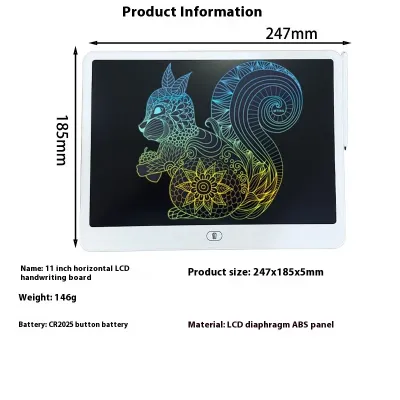
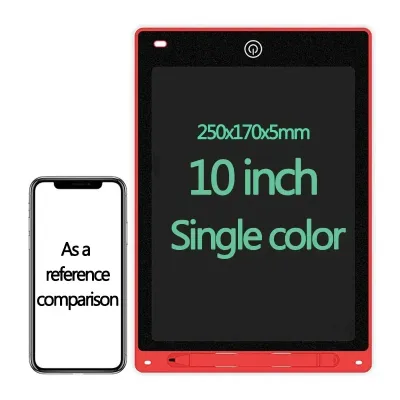
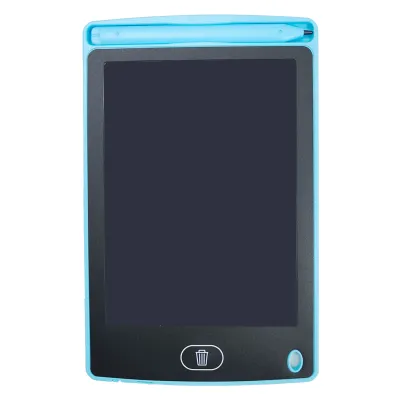
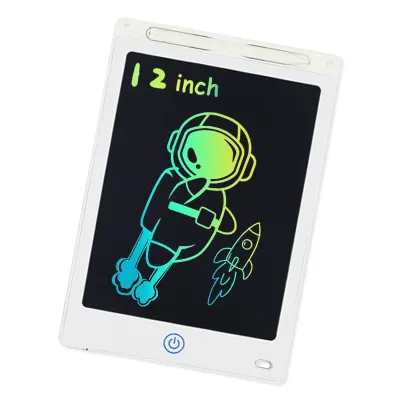
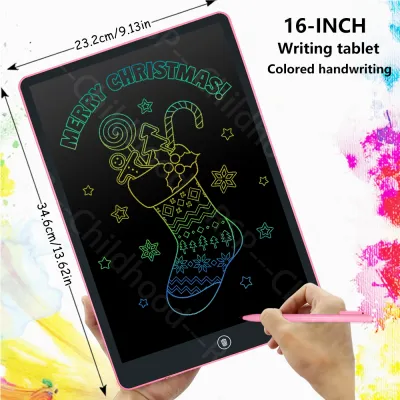
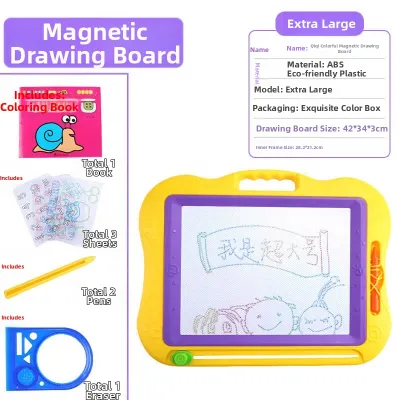
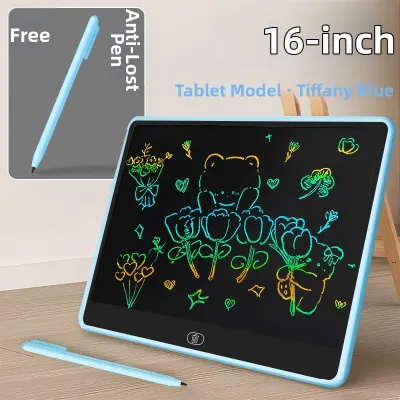
Prices are valid at publication and may change. Please refer to the product page for the latest price.

In contrast, a magnetic drawing board contains a white opaque liquid or gel mixed with tiny magnetic iron particles inside a multi-celled honeycomb grid. When the magnetic stylus tip passes over the screen, it pulls the dark iron particles to the front surface. This mechanism results in a thicker, slightly fuzzy line with a uniform width, regardless of how hard the child presses. The drawing experience is highly tactile, featuring a noticeable textured drag as the magnetic forces interact through the plastic screen.
Erasing, Saving, and Screen Lock Features
Content management is another area of divergence. LCD writing boards feature a one-click erase button. Pressing this button sends a small electric current from an internal coin-cell battery through the screen, instantly resetting the liquid crystals to their blank state. Most modern LCD models also include a physical lock switch on the back or side. This switch disables the erase button, preventing children from accidentally wiping out their detailed drawings or homework notes.
Magnetic drawing boards employ a manual slide-erase mechanism. A sliding bar on the bottom or side of the frame moves a long magnet across the back of the screen, pulling the iron particles away from the front surface to clear the canvas. While this sliding action is highly satisfying for young children and requires zero battery power, it cannot lock specific drawings. Once the slider is moved, the entire image is permanently cleared. Parents should note that standard versions of both boards do not save digital files or sync with external devices; if digital backup or smart-sync capabilities are required, you must verify these advanced specifications on the product packaging before purchase.
Portability, Weight, and Durability
For families on the go in Singapore, whether taking the MRT or dining at a local cafe, portability is a key consideration. LCD writing boards are exceptionally thin, often measuring less than 10 millimeters in thickness, and weigh very little. They slide easily into a standard backpack or diaper bag. However, this slim profile makes them vulnerable to structural damage. If an LCD board is dropped onto a hard tiled floor or stepped on by a child, the screen is at risk of cracking or developing permanent dead zones where the crystals can no longer align.
Magnetic drawing boards are significantly bulkier and heavier, featuring thick plastic frames designed to house the slide-erase mechanism and the included magnetic stamps. While they occupy more space in a travel bag, this robust construction makes them highly durable. The thick outer casing and shatter-resistant plastic screen are built to withstand rough handling, drops from high chairs, and the general wear and tear associated with active toddlers.
Matching the Board to Your Child's Developmental Stage
Toddlers (Ages 1–3): Sensory Play and Early Motor Skills
For children aged one to three, a magnetic drawing board is the recommended choice. At this stage of development, toddlers are refining their gross motor skills and transitioning from a full-palm grasp to a more controlled grip. The thick stylus provided with most magnetic boards is easier for small hands to manipulate than the slim pens included with LCD models. Additionally, the physical shape stamps (typically circles, triangles, and squares) provide excellent sensory feedback, helping toddlers understand cause-and-effect while developing basic shape recognition and hand-eye coordination.
Safety is a critical factor for this age group. Because toddlers frequently explore objects with their mouths, parents must strictly verify that the magnetic board’s internal magnets and stamp accessories are fully sealed within their plastic casings. If a toy breaks and a child swallows multiple magnets, it can lead to severe internal injuries. Choosing a high-quality, robustly constructed magnetic board minimizes this risk, as there are no electronic components or fragile screens to break.
Preschoolers (Ages 4–5): Letter Tracing and Creative Drawing
As children reach preschool age, their fine motor skills improve, and they begin learning to hold writing instruments with a proper tripod grasp. For ages four to five, an LCD writing board is highly beneficial. The smooth, low-friction surface of the screen allows for fluid strokes, which is crucial for practicing letter tracing, number formation, and early spelling words.
The pressure-sensitive line variation on an LCD board helps preschoolers learn to regulate the physical force they apply when writing, preparing them for the transition to real paper and pencils in primary school. Furthermore, the screen lock feature is highly practical for this age group. Preschoolers often take great pride in their drawings and writing practice; locking the screen ensures their creations remain safe until they can show them to a parent or teacher.
Early School Years (Ages 6–8): Math Practice and Detailed Sketching
For children in their early school years, an LCD writing board serves as an excellent educational aid. At this stage, children are engaged in more complex academic tasks, such as solving multi-step math equations, practicing spelling lists, and drawing detailed illustrations. The fine, sharp lines of an LCD screen allow them to write small numbers and letters clearly within a confined space—something that is virtually impossible on the fuzzy, thick lines of a magnetic board.
Using an LCD board as a reusable scratchpad significantly reduces paper waste in the household. Instead of using dozens of sheets of paper for daily math homework or spelling drills, children can perform their rough work on the board and erase it with a single click once completed. This makes the LCD board a highly sustainable, functional tool for primary school preparation and daily study routines.
How to Choose: Decision Rules for Parents
To finalize your purchase decision, consider how the specific features of each board align with your household’s daily routines and your child’s habits. Use the following decision rules to guide your choice:
- Choose a Magnetic Drawing Board if:
- Your child is under three years old and still developing basic grip strength and shape recognition.
- You prefer a toy that requires zero batteries and is always ready for use without any electronic maintenance.
- The board will be used in environments where it is likely to be dropped, stepped on, or handled roughly.
- Your child enjoys tactile, sensory play involving physical stamps and sliding mechanisms.
- Choose an LCD Writing Board if:
- Your child is four years or older and is actively learning to write letters, numbers, and draw detailed figures.
- You need a highly portable, lightweight drawing tool that fits easily into travel bags for commutes or outings.
- You want a reusable, eco-friendly scratchpad to help your child with school homework and math calculations.
- Your child values the ability to lock and preserve their drawings temporarily.
- Verify first if:
- You are buying for a child who tends to throw toys; in this case, check the manufacturer's drop-test ratings or look for LCD models with reinforced protective silicone cases.
- You require the ability to save or digitize your child's drawings; verify if the board supports smart-sync technology or app integration, as standard models do not have internal memory.
What to Check Before Buying a Kids Writing Board
When shopping for a kids writing board at local retail stores in Singapore or through online marketplaces, careful inspection of product specifications is essential to ensure safety and usability.
- Battery Safety: If you are purchasing an LCD writing board, inspect the battery compartment immediately. Because these boards are powered by small lithium coin cell batteries (such as CR2025 or CR2032), the compartment must be securely fastened with a small metal screw. Avoid any models that use simple snap-fit battery covers, as these can easily break or be opened by curious children, presenting a severe chemical burn and choking hazard.
- Stylus Management: Check how the stylus is stored and secured. Look for boards that feature a built-in stylus slot with a tight click-fit or a dedicated tethering lanyard. A loose stylus is easily lost during travel, rendering the board unusable. Additionally, verify if the manufacturer sells replacement styluses or if the screen is compatible with generic plastic styluses or even a fingernail.
- Material Safety: Examine the product labeling to ensure the plastic casing and stylus are constructed from non-toxic, BPA-free materials. This is particularly important for younger children who may chew on the stylus or the edges of the board.
- Screen Quality and Eye Safety: For LCD boards, look for screens with anti-glare coatings that maximize visibility under standard room lighting. Do not assume all screens offer identical eye protection; check the manufacturer's product specifications for verified eye-safe certifications or low blue-light emission claims to ensure comfortable viewing during extended use.
Frequently Asked Questions (FAQ)
Are LCD writing boards safe for young children's eyes?
Standard LCD writing boards are generally safe for children’s eyes because they do not utilize an active backlight like smartphones, tablets, or computer screens. Instead, they rely on reflective ambient light to make the written lines visible, which significantly minimizes eye strain and avoids exposure to high levels of blue light. However, because the screen contrast depends entirely on the light in the surrounding environment, it is important to instruct your child to use the board in well-lit rooms. Using the board in dim lighting can cause children to squint, leading to temporary eye fatigue.
Can I use a magnetic drawing board for teaching math?
While a magnetic drawing board can be used for very basic early math concepts—such as counting physical stamps or drawing simple geometric shapes—it is not practical for teaching written mathematics. The magnetic iron particles create thick, slightly fuzzy lines that tend to bleed slightly across the honeycomb cells. This makes it difficult to write small, legible numbers, decimal points, or complex algebraic equations clearly. For structured math practice, spelling drills, and neat handwriting, the fine, precise lines of an LCD writing board are far more effective.
How long do the batteries last in an LCD writing board?
The battery in an LCD writing board typically lasts between several months and over a year, depending on how frequently the screen is cleared. This longevity is due to the unique properties of cholesteric liquid crystal technology, which only consumes electrical power during the erasing process. No battery power is used while your child is actively drawing or while the image is displayed on the screen. When the erase function eventually stops working, you will need to replace the internal coin cell battery. Always refer to the product manual to verify the correct battery model (commonly CR2025 or CR2032) and ensure the compartment screw is securely tightened after replacement.

Community discussion
Share your experience or ask a question. Comments are reviewed before publication.