
Selecting the right lamination sheet thickness is essential to protect your printed materials. The thickness of a lamination sheet directly determines how rigid, durable, and water-resistant your finished document will be. Choosing a sheet that is too thin may cause your document to bend or wear out prematurely, while a sheet that is too thick can make it impossible to fold or even damage your laminating machine.
Lamination sheets are measured in microns, often abbreviated as “mic” or represented by “µm”. Understanding how these measurements translate to real-world use allows you to select the perfect level of protection for everything from delicate family photos to heavy-duty restaurant menus.
What Micron Ratings Actually Mean for Your Documents
A micron is a unit of measurement equal to one-thousandth of a millimeter. In lamination, the micron rating indicates the thickness of the plastic film. A higher micron rating means a thicker layer of plastic, which directly translates to increased stiffness, weight, and physical protection for the enclosed paper.
Products mentioned in this guide
![[Buy 5 Free 1] YIDU SAILS A4 Laminating Film 220x310mm - 100mic (100 sheets) High Quality Laminator Laminating Laminate Pouches Film A4 100 mic 艺都千帆过塑纸照片过胶膜透明过塑膜塑封膜](https://img.lazcdn.com/g/p/f05a0cf04f685dfb4c05653d5255fb30.jpg_400x400q80.jpg_.webp)
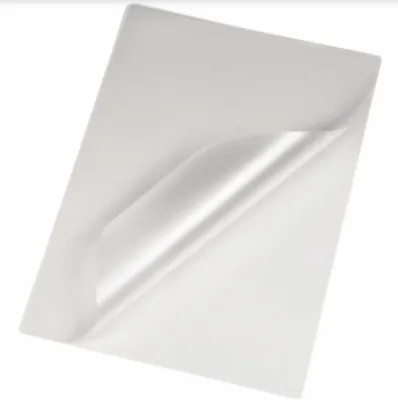
![[✅SG Ready Stock]Laminating Pouch A4 Size Laminate Sheet 100PCS 100 Micron Laminating Film For Laminator Machine 塑封膜](https://img.lazcdn.com/g/p/b43d141aaba4b96660a1a587efd2c8dc.jpg_400x400q80.jpg_.webp)
![[Ready Stock] 20sheets laminating pouch / Value pack laminating film / x20 sheets Astar Laminating Film 100mic Laminate Pouches Film A4 Size](https://img.lazcdn.com/g/p/e043ff7468097c8f07d306ee8f78cb6f.jpg_400x400q80.jpg_.webp)
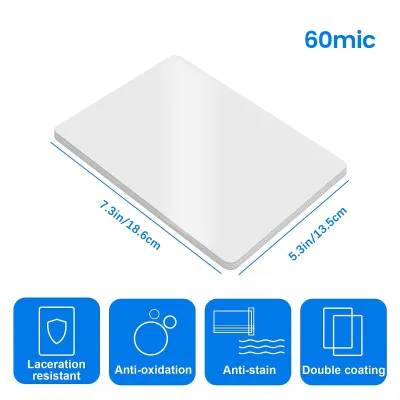
![[Cold Laminate Transparent] A-SUB Cold Laminate Sheet I Self-Adhesive Transparent Laminating Sheet I Clear Laminate A4 Size 20sheet I No Laminator machine needed](https://img.lazcdn.com/g/p/87b026075bc5dd05d33879ed9401f2cd.jpg_400x400q80.jpg_.webp)
Prices are valid at publication and may change. Please refer to the product page for the latest price.
When shopping for a lamination sheet, it is crucial to distinguish between single-side thickness and total pouch thickness. Lamination pouches consist of two sheets joined at one edge. Some manufacturers label products by the thickness of a single flap (for example, “100 microns”), while others label them by the total combined thickness of both flaps (such as “200 microns total”). Always read the packaging carefully to verify which labeling convention is used, as mistaking a total thickness for a single-side thickness can lead to purchasing film that is half as thick as expected.
The physical outcome of your laminated project depends entirely on this rating. Lower micron ratings, such as 75 to 80 microns per side, produce a flexible, pliable finish where the laminated item can still bend easily. Higher micron ratings, such as 150 to 250 microns per side, create a highly rigid, credit-card-like finish that resists bending entirely and keeps the document flat.
Matching Thickness to Your Document Type
To choose the right lamination sheet, you must evaluate how the document will be handled, stored, and exposed to the elements. Grouping your items by their physical wear expectations and storage environments will help you identify the ideal thickness category.

It is a common misconception that a higher micron rating is always better. In reality, excessive rigidity can ruin certain items. For instance, documents that need to be folded, rolled, or filed away in tight spaces will become unusable if laminated with thick, rigid film. Additionally, thicker sheets require more heat and time to seal, which can damage heat-sensitive inks or delicate papers.
Standard Documents, Certificates, and Photos
For items that require basic protection against spills, dust, and light handling while remaining flexible, a lower thickness range of 75 to 100 microns per side is ideal. This category includes school worksheets, printed certificates, home recipes, and standard photographs. These documents are typically stored in binders, folders, or filing cabinets, where space is limited.
Using a flexible lamination sheet ensures that the document can still be turned easily in a binder or placed inside a standard office folder without adding excessive bulk. This thickness also provides excellent clarity, allowing the colors of photographs and the fine text of certificates to remain sharp and vibrant.
When laminating standard copy paper, using an overly thick sheet can cause the paper to curl or warp. This happens because the heavy plastic film contracts slightly as it cools, overpowering the thin paper core. Keeping the film thickness between 75 and 100 microns ensures a balanced, flat finish that preserves the integrity of standard paper types.
ID Cards, Menus, and Frequent-Use Items
Items subjected to constant daily handling, moisture, or outdoor exposure require a much higher level of protection. For employee ID badges, restaurant menus, luggage tags, and quick-reference instruction cards, a thickness of 150 to 250 microns per side is recommended.
This heavy-duty thickness provides a rigid, standalone finish that does not bend or crease under pressure. It also ensures a robust edge seal that prevents water, grease, and dirt from seeping into the paper core, which is especially important for menus used in busy dining environments. The rigidity of a 250-micron sheet allows the document to be propped up on a stand or held comfortably in one hand without drooping.
Before choosing a high-micron sheet for cards or badges, verify that the final thickness will fit its intended housing. A card laminated with 250-micron film may become too thick to slide into standard wallet slots, magnetic card readers, or plastic lanyard pouches. Conducting a quick trial with a single card can save you from laminating an entire batch of badges that cannot be used in your existing badge holders.
Verifying Laminator Compatibility and Settings
Before purchasing high-micron lamination sheets, you must verify that your laminating machine can safely process them. Every laminator has a maximum pouch thickness limit, which is clearly stated in the manufacturer’s user manual. Many entry-level home and office laminators are designed to handle sheets only up to 100 or 125 microns.
Thicker lamination sheets require more heat and a slower feed rate to melt the internal adhesive properly. If your machine does not have adjustable temperature or speed settings, forcing a thick 150- or 250-micron pouch through it will result in an incomplete seal. The adhesive will remain semi-solid, leaving the finished document looking cloudy, hazy, or prone to peeling apart at the edges.
Forcing an incompatible, overly thick sheet into a low-capacity laminator can also cause severe mechanical damage. The excess plastic can wrap around the internal rollers, melt prematurely, and create a permanent jam. Always match the micron rating of your lamination sheet to the specific capabilities of your machine to ensure a smooth, safe, and successful lamination process.
Troubleshooting Common Lamination Issues
Even with the correct lamination sheet, variations in paper thickness and machine temperature can sometimes cause visual defects. Cloudiness, hazy patches, or peeling edges are classic signs of insufficient heat. This occurs when the laminator’s rollers do not reach a high enough temperature to fully melt the adhesive on a thicker sheet. To resolve this, increase the temperature setting on your machine if adjustable, or pass the document through the laminator a second time to complete the seal.
Conversely, bubbling, warping, or a wavy texture indicates that the heat is too high or the feed speed is too slow for the chosen micron rating. This is common when using thin 75-micron sheets on a high-heat setting. If your machine has adjustable settings, lower the temperature or increase the speed. If the settings are fixed, allow the machine to cool down for a few minutes before running another sheet.
To avoid ruining important documents, always run a test sheet using a scrap piece of the same paper type and a fresh lamination pouch. This allows you to observe how the adhesive reacts and calibrate your machine’s settings before laminating the final product. If you experience persistent jams, wrinkling, or unusual noises, stop the machine immediately, turn off the power, and consult the manufacturer’s troubleshooting guide to avoid damaging the internal rollers.
Frequently Asked Questions (FAQ)
Can I laminate a document twice to increase its thickness?
Running a previously laminated document through the machine a second time inside a new pouch is highly discouraged. The intense heat of the second pass can cause the original adhesive to overheat, bubble, and warp, permanently ruining the document inside. Furthermore, the excess thickness can easily jam the rollers of your laminator or cause melted adhesive to squeeze out into the machine’s internal components. To achieve a thicker, more rigid finish, always select the correct single-pass micron rating from the start rather than attempting to double-laminate.
Do I need a special carrier for thicker lamination sheets?
Whether you need a protective cardboard or silicone carrier depends on your specific laminating machine and the thickness of the sheets you are using. Many modern laminators feature carrier-free technology, meaning their rollers are designed to handle pouches directly without adhesive buildup. However, when using heavy-duty sheets of 150 microns or more, or when operating older laminator models, using a carrier is highly recommended. The carrier protects the machine’s rollers from any excess adhesive that might squeeze out of the pouch edges, preventing future jams and ensuring even heat distribution across the entire document. Always consult your laminator’s manual to verify if a carrier is required for high-micron projects.
Community discussion
Share your experience or ask a question. Comments are reviewed before publication.