
Making a successful sticker label switch in your Singapore home or office requires looking past flashy marketing and focusing on the practical realities of your daily workflow. The ideal label maker brand is not necessarily the most expensive one, but the one whose tape ecosystem, print technology, and software interface align with your specific organization goals. Whether you are sorting pantry jars in a humid kitchen, organizing cables in a server room, or dispatching high volumes of e-commerce packages, understanding how different brands structure their hardware and consumable costs is the key to a smart long-term investment.
Defining Your Labeling Needs Before the Switch
Before purchasing any hardware, you must evaluate your actual labeling volume and physical environment. Occasional home organization projects, such as labeling spice jars or storage boxes in an HDB flat, require a very different tool than a busy corporate office managing asset tags or daily shipping logistics. High-volume environments demand robust, fast-printing machines, whereas light home use is perfectly served by smaller, more affordable devices that can be easily tucked away in a drawer.
The physical dimensions of your labels also dictate your choice. Standard file folders and cable wraps typically require narrow tapes ranging from 6mm to 12mm in width. Conversely, shipping labels, inventory stickers, and detailed warning signs require wider formats of 50mm to 100mm or more. Buying a machine restricted to narrow tapes will prevent you from printing shipping labels later, while buying a wide-format commercial printer for simple name tags is an unnecessary expense.
Products mentioned in this guide
![[SG FREE DELIVERY🚚]Sticker Label Switch Plug / Socket Symbol & Word for Whole House | Waterproof Transparent](https://img.lazcdn.com/g/p/8f5321aa0465dc34aaf44d88f7675b71.jpg_400x400q80.jpg_.webp)
![[SG Local] Borderless UV Switch Label Stickers | Decal | Waterproof | Black Switch | White Printing](https://img.lazcdn.com/g/p/c2a84ed7eb7e3f34fed491f9223867ad.png_400x400q80.png_.webp)
![[SG Local] Borderless UV switch Plug Label Stickers | Decal | Waterproof | Black Switch | White Printing](https://img.lazcdn.com/g/p/b435b877d589c9e45ac0fd3abb6f17cc.png_400x400q80.png_.webp)
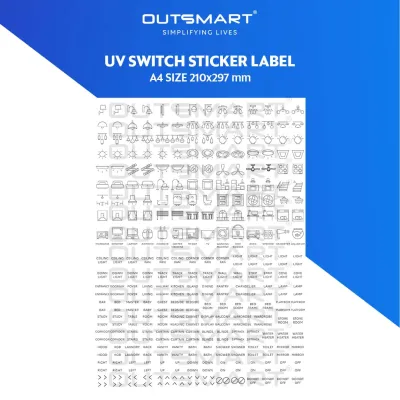
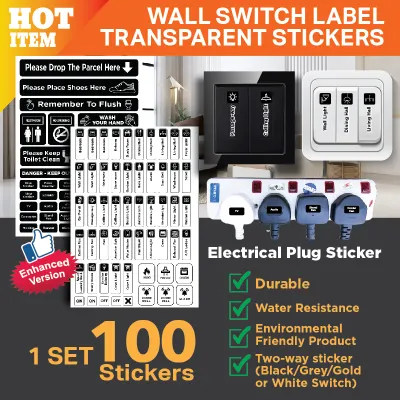
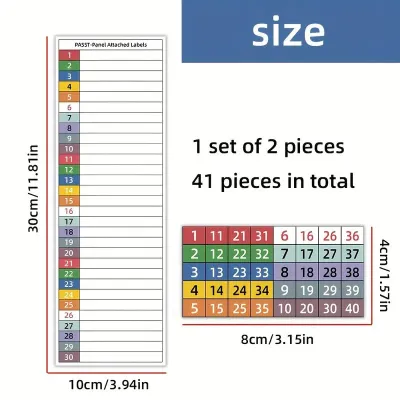
Prices are valid at publication and may change. Please refer to the product page for the latest price.
Consider your physical workspace and how you plan to use the device. If you need to walk around a warehouse, retail store, or home organizing various shelves, a portable handheld unit with a built-in keyboard is highly practical. If you work primarily at a fixed desk and want to design intricate layouts with custom fonts and logos, a stationary desktop model connected to a computer or smartphone is far more efficient.
Key Dimensions for Comparing Label Maker Brands
When evaluating different label maker brands in Singapore, you should focus on three core pillars: hardware specifications, software usability, and local consumable availability. Brands generally fall into two technological camps: traditional thermal transfer systems that use ink ribbons and laminated tapes, and direct thermal systems that print directly onto heat-sensitive paper or plastic. Understanding these underlying technologies helps you compare brands on a level playing field.

To ensure the machine meets your physical requirements, always verify the manufacturer’s listed maximum print width and print resolution. Print resolution is measured in dots per inch (DPI). While a standard 203 DPI is perfectly adequate for clear, legible text on file folders, you will want a higher resolution of 300 DPI or more if you plan to print very small fonts, detailed brand logos, or high-density barcodes.
Software compatibility is another critical factor that varies wildly between brands. For any Bluetooth or Wi-Fi-enabled model, check the official app store ratings and read recent user reviews regarding connection stability and update frequency. A label maker with excellent hardware is of little use if its companion mobile app frequently crashes, lacks basic design templates, or fails to connect to your operating system.
Print Quality and Sticker Material Compatibility
The durability of your labels depends heavily on the brand’s official consumable catalog. Before committing to a brand, check their official list of supported tape types to ensure they offer the specific materials you need, such as flexible nylon for curved cables, strong adhesive polyester for plastic bins, or iron-on fabric tapes for clothing. Some brands specialize in highly durable laminated tapes, while others focus on simple, cost-effective paper stickers.
It is vital to understand that environmental resistance—such as protection against water, oil, chemicals, or UV exposure—is a property of the tape cartridge material and adhesive, not the printer hardware itself. In Singapore’s hot and humid climate, standard non-laminated thermal paper labels can fade or peel quickly if exposed to moisture or direct sunlight. If you are labeling items for the kitchen, bathroom, or outdoor balcony, verify that the brand offers laminated or weather-resistant tape options.
Print technology also influences long-term legibility. Thermal transfer printers use a ribbon to bake ink into the label material, resulting in highly durable, scratch-resistant text that does not fade over time. Direct thermal printers, which do not use ink, are highly convenient but produce labels that are sensitive to heat and light, making them better suited for short-term applications like shipping labels or temporary visitor badges.
Connectivity and App Ecosystems
The design interface you choose directly impacts how quickly and easily you can produce labels. Standalone label makers feature physical QWERTY keyboards and small monochrome screens, allowing you to type and print a label in seconds without needing a phone or computer. However, these models are often limited in terms of font choices, graphics, and layout customization.
In contrast, app-connected and PC-compatible label makers leverage the processing power of your smartphone or computer. These ecosystems allow you to import custom fonts, insert high-resolution logos, generate various barcode formats, and even import Excel spreadsheets for batch printing. Before purchasing a smart label maker, download the brand’s companion app from the Google Play Store or Apple App Store to test the user interface, design tools, and template library for free.
Batch printing and serialization are essential features for office workflows. If you need to print sequential serial numbers, asset tags, or address lists, verify that the brand’s software supports automatic numbering and data import. Some basic mobile apps only allow you to design and print one label at a time, which can become incredibly tedious for larger organizational tasks.
Handheld vs. Desktop vs. Commercial Label Makers
Label makers are generally categorized into three distinct form factors, each designed for specific use cases and environments. Handheld or portable label makers are battery-operated devices featuring built-in keyboards and manual cutters. They are highly favored by IT professionals for cable management, field technicians, and homeowners who want to label items on the spot without managing wireless connections or carrying a secondary device. While highly convenient, their small screens and physical keys make designing complex layouts or printing long batches of labels slow and physically tiring.
Desktop or smart label makers are designed to sit on a desk or counter, drawing power from a wall outlet or a rechargeable internal battery. These machines lack physical keyboards, relying entirely on Bluetooth, Wi-Fi, or USB connections to interface with smartphones, tablets, or computers. They support wider tape sizes, offer faster print speeds, and allow for highly detailed custom designs. This form factor is ideal for home offices, boutique businesses, and administrative desks where label design flexibility and professional presentation are top priorities.
Commercial or heavy-duty label makers are robust, high-speed machines built for logistics, warehousing, and industrial environments. These devices are designed to handle continuous, high-volume batch printing of wide shipping labels, inventory tags, and safety signs. They often feature automatic heavy-duty cutters, advanced connectivity options for network integration, and compatibility with large-capacity label rolls to minimize downtime. While they offer the lowest cost per print for high-volume operations, their larger footprint and higher upfront cost make them impractical for casual home or small office use.
Evaluating Tape Costs and Long-Term Value
When planning your sticker label switch, the upfront price of the label maker is only a small fraction of the total cost of ownership. The true expense lies in the ongoing cost of the tape cartridges or label rolls. To compare long-term value accurately, calculate the estimated cost per label or cost per meter in S$ by dividing the retail price of a replacement cartridge by its total length. You may find that a cheaper hardware model actually costs significantly more over time due to expensive proprietary consumables.
Some brands employ proprietary chips, RFID tags, or unique cartridge shapes to lock users into their official consumable ecosystem. While this ensures optimal print quality and prevents compatibility issues, it forces you to pay premium prices for official tapes. Other brands use open ecosystems or standard roll sizes, allowing you to purchase more affordable third-party compatible tapes. If you anticipate high-volume printing, choosing a brand that supports third-party consumables can lead to substantial long-term savings.
Additionally, consider the local availability and shelf life of the tape cartridges in Singapore. Thermal paper and adhesive backing can degrade over time, especially when stored in warm, humid conditions. Before purchasing a niche brand, verify that replacement tapes in your desired widths and colors are readily stocked by local stationery stores or reliable online marketplaces. Running out of tape in the middle of an urgent project only to find that replacements must be shipped from overseas can severely disrupt your workflow.
Decision Framework: Which Setup Fits Your Workflow?
To finalize your decision and make a successful sticker label switch, you must match your primary workflow priorities to the right hardware and tape ecosystem. If your work involves creating highly customized labels with unique fonts, brand logos, or complex barcodes for product packaging and office organization, a smart, app-connected desktop model is your best option. These devices offer the design flexibility and high-resolution printing required to maintain a professional aesthetic.
If your priority is speed, portability, and simplicity, a standalone handheld model with a physical keyboard is the ideal choice. This setup allows you to quickly type and print simple text labels on the go, making it perfect for organizing home pantries, labeling storage boxes, or tagging cables behind desks without the hassle of pairing a smartphone or managing app updates.
Finally, always verify the local availability of specialty consumables before purchasing any hardware. If your workflow requires specialized materials like heat-shrink tubes for wiring, metallic tapes for professional plaques, or extra-strength adhesive for outdoor equipment, ensure these specific cartridges are actively stocked by local retailers in Singapore. Buying a highly rated machine only to discover that its specialized tapes are unavailable locally will leave you with an underutilized tool.
Frequently Asked Questions (FAQ)
Can I use third-party sticker tapes in branded label makers?
While third-party compatible tapes are often much cheaper than official brand-name cartridges, using them comes with certain trade-offs. Non-original equipment manufacturer (non-OEM) tapes can sometimes cause mechanical issues, such as tape jams, adhesive residue buildup on the print head, or sensor errors if the machine cannot read the cartridge. Additionally, many manufacturers explicitly state in their warranty terms that damage caused by using third-party consumables is not covered, meaning you could void your hardware protection if a non-OEM tape damages the printer.
Do I need a special label maker for waterproof or outdoor stickers?
You do not necessarily need a specialized label maker for waterproof or outdoor use, as environmental resistance is determined by the tape material rather than the printer itself. The label maker simply applies heat or ink to the medium, while the durability against water, oils, UV rays, and extreme temperatures depends entirely on the construction of the tape cartridge. If you need labels that can withstand the kitchen dishwasher, bathroom moisture, or outdoor exposure in Singapore’s tropical climate, look for laminated polyester, vinyl, or industrial-grade tape cartridges that are officially certified for your specific label maker model.

Community discussion
Share your experience or ask a question. Comments are reviewed before publication.