
Choosing the right label maker brand for creating name labels at home or in the office depends on balancing hardware reliability, tape durability, and software flexibility. While several prominent brands dominate the market, the ideal choice is not a universal solution. Instead, the best brand for your needs is the one whose ecosystem aligns with your specific printing volume, preferred device connectivity, and long-term consumable budget. By evaluating how different brands handle tape widths, software integration, and physical form factors, you can select a system that produces clear, long-lasting name labels without unnecessary ongoing costs.
Key Decision Factors for Name Label Makers
To find a label maker that produces legible and professional name labels, you must first examine the technical specifications of the hardware. The most critical factor is label width compatibility. Standard name labels for school items, office files, or employee badges typically require widths of 9mm, 12mm, or 24mm. A machine that supports multiple widths gives you the flexibility to print single-line names on narrow 9mm tape or multi-line contact details and job titles on wider 24mm tape.
Connectivity options represent another major decision point. Standalone label makers feature physical keyboards and built-in screens, allowing you to type and print directly from the device. In contrast, modern wireless models connect via Bluetooth or Wi-Fi to smartphones or tablets, while desktop units often use USB connections to link with PCs. Wireless and USB models allow you to access a wider variety of fonts, custom graphics, and layout templates, whereas standalone physical keyboards offer immediate, distraction-free operation.
Products mentioned in this guide
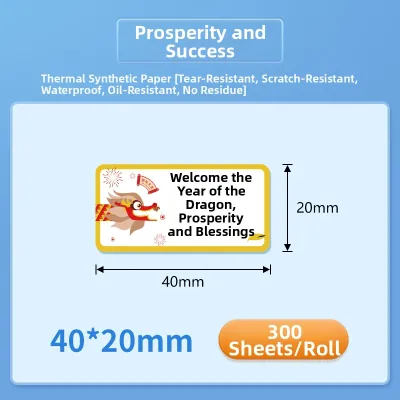
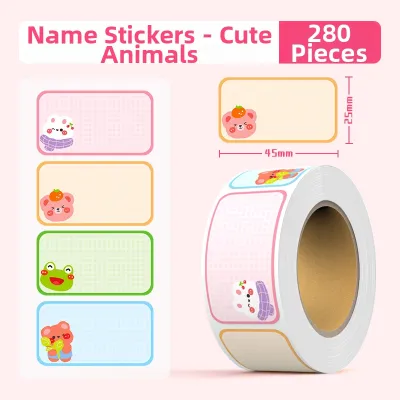
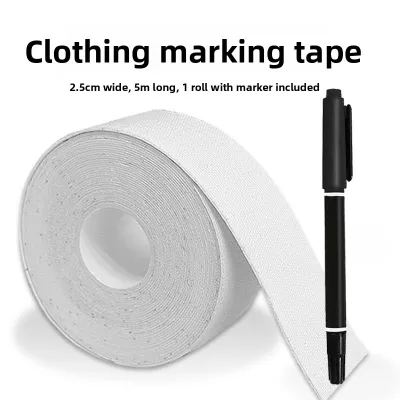
Prices are valid at publication and may change. Please refer to the product page for the latest price.
Power sources also dictate how and where you can use the device. If you plan to label items across different rooms or outdoor environments, look for portable models powered by standard AA batteries or rechargeable lithium-ion packs. For stationary desk use in an office, an AC adapter is highly recommended to ensure continuous power and avoid the recurring cost of replacing disposable batteries.
Finally, print resolution and printing technology directly affect the legibility of your name labels. Most modern label makers utilize thermal transfer technology, which uses heat to transfer ink from a ribbon onto the tape. This process eliminates the need for liquid ink cartridges and produces crisp, smudge-proof text. When comparing models, check the print resolution specified in dots per inch (dpi); a higher dpi rating ensures that small fonts and intricate logos remain sharp and readable.
Comparing Label Maker Types for Different Environments
Matching the physical design of a label maker to your workflow is essential for efficient name label creation. Handheld and portable models are highly suited for on-the-go tasks, such as labeling children’s school supplies, organizing home pantry containers, or marking cables during an IT setup. These compact devices are easy to hold, simple to store in a drawer, and ideal for quick, single-line name labels where complex design layouts are not required.

For high-volume office environments, desktop and PC-connected models offer distinct advantages. These stationary units are designed to handle continuous printing tasks, such as batch-printing employee name badges, mailing labels, or asset tags. Connecting the label maker to a computer allows you to import spreadsheets and contact lists directly into the design software, enabling you to print dozens of unique name labels in a single command without manual typing.
Hybrid smart models bridge the gap between portability and advanced design capabilities. These devices typically lack a physical keyboard, relying instead on a mobile app interface via Bluetooth, yet they remain compact enough to carry around. This hybrid approach gives you the convenience of designing highly customized name labels on your smartphone screen while maintaining the portability of a handheld device.
When choosing between these types, consider the trade-offs in physical footprint, typing speed, and screen visibility. Standalone models with small built-in screens can make it difficult to preview complex layouts before printing, potentially leading to wasted tape. Conversely, relying entirely on a mobile app means you must always have a charged smartphone and a stable wireless connection to print a single name label.
Essential Features to Verify Before Buying
Before committing to a specific brand, it is crucial to evaluate the long-term costs and software ecosystems associated with their products. Consumable availability and pricing should be your primary consideration. Check the price in S$ of proprietary label tapes from local Singapore stationery suppliers and online marketplaces. Because you will need to purchase replacement rolls over the lifespan of the device, a lower initial hardware price can quickly be offset by expensive proprietary tape cartridges.
Software and app capabilities vary significantly between brands. Before purchasing a connected model, download the manufacturer’s companion app or software to verify its user interface. Ensure the software supports the specific custom fonts, barcodes, QR codes, or symbols you plan to use for your name labels. If you need to print name badges for large groups, verify whether the software allows you to import external data files, such as CSV or Excel sheets, to automate the process.
The durability of the printed labels is another factor that depends heavily on the tape material rather than the machine itself. Review the manufacturer’s specifications for different tape types, such as standard paper, laminated plastic, or iron-on fabric. For name labels used on water bottles, lunchboxes, or outdoor equipment, verify that the tape is rated for water, UV, and abrasion resistance to prevent fading and peeling over time.
Lastly, investigate the warranty terms and local customer support options available in Singapore. A brand with an official local service center and a comprehensive warranty provides peace of mind if you encounter hardware malfunctions or connectivity issues. Checking these support channels beforehand ensures you can easily source replacement parts or technical assistance when needed.
How to Choose the Right Brand for Your Needs
Selecting the right brand requires aligning their product strengths with your primary labeling tasks. If your main goal is to print high volumes of standardized office name badges or asset tags, prioritize a brand known for robust desktop software and reliable PC connectivity. This setup allows you to leverage advanced design tools and database integration to streamline large-scale printing projects.
If you value convenience and want to print quick, on-demand name labels directly from your smartphone, choose a brand that focuses on mobile-first hybrid models. Look for highly rated mobile apps with intuitive interfaces and stable Bluetooth connectivity, which make it easy to design and print labels from anywhere in your home or office.
For those who prefer a self-contained system without the hassle of software updates, pairing issues, or internet dependencies, a brand offering standalone physical keyboards is the best fit. These classic models are always ready to use and are ideal for straightforward labeling tasks where basic text and simple borders are sufficient.
Regardless of the brand profile you choose, always verify the local availability and pricing of their proprietary tape ecosystem in Singapore before finalizing your purchase. Ensuring a steady, affordable supply of compatible tape rolls is the most effective way to guarantee your label maker remains a practical and cost-effective tool for years to come.
Frequently Asked Questions (FAQ)
Can I use third-party label tapes in branded label makers?
Whether you can use third-party or compatible label tapes depends on the specific brand and model of your label maker. To verify compatibility, consult the manufacturer’s user manual and product specifications, as some brands design their machines with sensors or microchips that detect and reject non-original cartridges. While third-party tapes are often more affordable, they carry potential risks such as mechanical jamming, poor print quality, or adhesive residue buildup inside the machine. Additionally, using non-original consumables may void your manufacturer’s warranty. If you decide to try third-party options, it is wise to purchase a single roll to test its performance and adhesion before buying in bulk for important name label projects.
What label width is best for standard name tags?
The ideal label width for standard name tags depends on the amount of information you need to display and the size of the application surface. For simple, single-line name labels on small items like pens, files, or slim folders, a 9mm tape width is usually sufficient. If you need to print a name along with a job title, department, or contact number, a 12mm or 18mm tape width is preferred, as it provides enough vertical space for multiple lines of legible text. Before purchasing tape, measure the physical dimensions of the item you plan to label to ensure the printed tag will fit neatly without overlapping edges or requiring manual trimming.

Community discussion
Share your experience or ask a question. Comments are reviewed before publication.