
Finding the right label maker for printing a white label sticker depends entirely on your specific printing technology, volume requirements, and intended environment. No single brand universally dominates the market. Instead, the ideal choice hinges on whether your application requires direct thermal, thermal transfer, or inkjet technology.
For instance, a home organizer or small home-based business in Singapore might prefer a highly portable, user-friendly consumer model. Conversely, a high-volume warehouse or logistics setup requires a robust commercial-grade machine. Before committing to any brand ecosystem, your mandatory first step is to verify media compatibility for the specific white label sticker rolls or cassettes you plan to use.
Core Specifications to Compare for White Label Output
To make an informed comparison between brands, you must understand the technical metrics and physical constraints that dictate print quality on white backgrounds.
Products mentioned in this guide
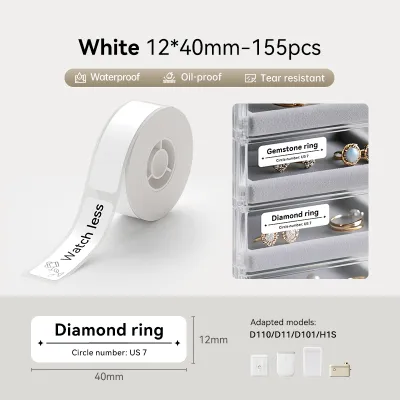
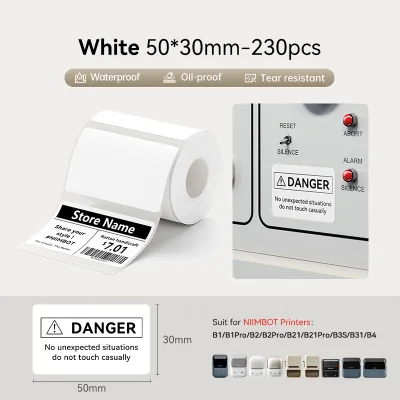
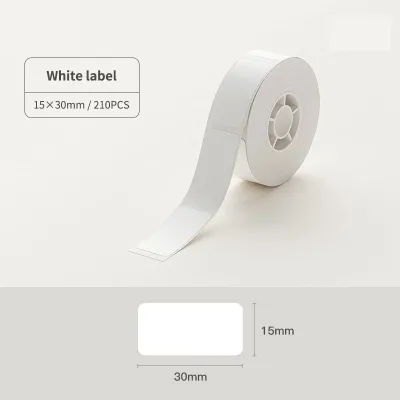
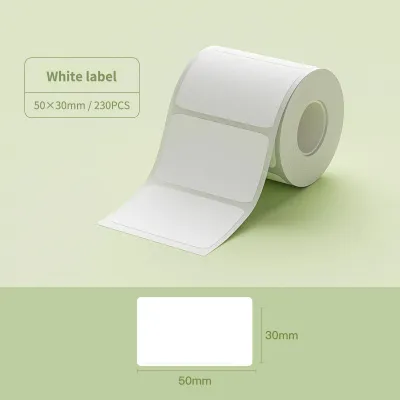
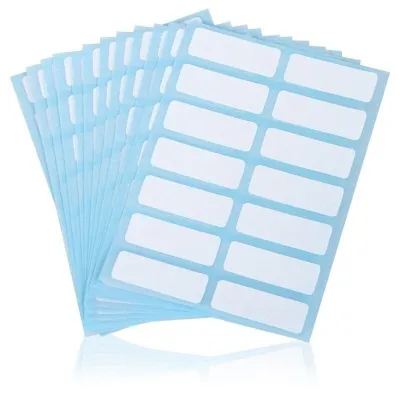
Prices are valid at publication and may change. Please refer to the product page for the latest price.
Print Technology
The underlying printing method is the most critical factor. Direct thermal printers use heat-sensitive media, eliminating the need for ink or toner. This makes them highly convenient and cost-effective for short-term labeling, though the prints can fade over time when exposed to heat or high humidity. Thermal transfer printers utilize a heated ribbon to transfer ink onto the label, offering exceptional longevity and resistance to moisture and friction. Inkjet label printers, while less common for simple text, are capable of full-color output but require specialized coated white label sticker media to prevent smudging.
Resolution (DPI)
Dots per inch (DPI) determines the crispness of your printed text, graphics, and barcodes. Standard label makers typically offer 203 dpi, which is perfectly adequate for large shipping labels and basic text. However, if you need to print tiny fonts, intricate logos, or high-density barcodes on small white label stickers, look for models offering 300 dpi or higher. Checking the manufacturer’s specification sheet for the DPI rating ensures your labels remain legible and scannable.
Media Sensors
Label makers rely on internal sensors to detect where one sticker ends and the next begins. Gap or notch sensors detect the physical space or die-cut notch between individual white label stickers on a roll. Black mark sensors, on the other hand, look for a printed line on the back of the liner. When comparing brands, ensure the machine’s sensor type matches the design of your chosen white label sticker media to avoid alignment errors and wasted labels.
Brand Profiles: What to Expect from Leading Manufacturers
Different manufacturers design their ecosystems with distinct philosophies, target audiences, and hardware strengths. Understanding these profiles helps narrow down your options.

Brother: Focus on Versatility and Connectivity
Brother has established a strong reputation for producing versatile labeling systems suitable for both home offices and corporate environments. Their machines are highly regarded for their robust software integration, allowing users to design complex layouts on PC, Mac, or mobile apps before printing.
Many Brother models offer wireless connectivity, making it easy to print white label stickers directly from a smartphone or tablet. This is particularly useful for small businesses in Singapore managing inventory on the go. The brand utilizes proprietary tape cassettes for their handheld and desktop models, which feature laminated protection. For larger die-cut white label stickers, their desktop series uses drop-in rolls. When choosing a Brother model, always check the specific model specifications to confirm the maximum supported label width and whether third-party media can be used without a custom adapter.
Dymo: Focus on Portability and Ease of Use
Dymo focuses heavily on simplicity, speed, and user-friendly interfaces. Their handheld and desktop models are designed for quick text entry and rapid printing, making them a popular choice for retail pricing, filing, and basic shipping tasks.
Most consumer-grade Dymo printers utilize direct thermal technology, meaning you never have to worry about buying ink or ribbon. However, because direct thermal prints are sensitive to heat and light, they may fade faster in Singapore’s warm, humid climate if exposed to direct sunlight. It is also crucial to verify media compatibility before purchasing. Some newer Dymo models are designed to work strictly with proprietary rolls equipped with microchips, while older or alternative models may accept standard third-party white label sticker formats. Always review the product specifications to understand these media limitations.
Commercial Brands (e.g., Zebra, Epson): Focus on Durability and Volume
When your labeling needs exceed the capabilities of standard consumer models, commercial-grade brands like Zebra and Epson become the logical choice. These manufacturers design hardware built for continuous, high-volume operation in demanding environments.
Zebra is a dominant force in industrial and logistics settings, offering heavy-duty thermal transfer and direct thermal printers. These machines easily handle large external rolls of white label stickers and are compatible with industrial-grade adhesives that withstand extreme temperatures and moisture. Epson excels in high-quality color labeling, utilizing advanced inkjet technology to produce durable, smudge-resistant color prints on white media. While these commercial brands offer unmatched durability and speed, they require a higher initial hardware investment and come with a steeper software learning curve compared to plug-and-play consumer models.
Decision Framework: Choose Based on Your Labeling Environment
To select the right brand ecosystem, you must match your daily labeling tasks and environmental conditions to the appropriate hardware category.
Low-to-Medium Volume and General Organization
If your primary goal is organizing office files, labeling pantry containers, or printing occasional price tags for a boutique retail shop, a consumer-grade brand like Brother or Dymo is highly suitable. These machines are compact, affordable, and easy to operate. For basic text and simple borders on a white label sticker, a standard direct thermal model from these brands provides excellent value without the complexity of industrial software.
High-Volume Logistics and Industrial Use
If your workflow involves printing hundreds of shipping labels, asset tags, or inventory stickers daily, a commercial-grade brand is necessary. Zebra or similar industrial printers are designed to run continuously without overheating. They also support high-density barcode printing, ensuring that every white label sticker scanned by a courier or warehouse worker is read instantly without errors.
Color-Critical and Photographic Labeling
If you require full-color logos, product branding, or photographic elements on your white stickers, standard thermal printers will not suffice. In this scenario, you must look toward specialized inkjet label printers, such as those from Epson. These machines allow you to print vibrant, high-resolution designs on glossy or matte white sticker media, though they require ongoing investment in ink cartridges and compatible coated labels.
Pre-Purchase Checklist: Verifying Media Compatibility
Before purchasing any label maker, use this checklist to ensure the hardware is fully compatible with your intended white label sticker media.
Maximum Label Width and Length
Every label printer has strict physical limits on the minimum and maximum width of the media it can feed. Cross-reference your required sticker dimensions with the machine’s official specification sheet. For example, if you need to print 100mm x 150mm shipping labels, ensure the printer supports a print width of at least 100mm.
Core Diameter and Roll Size
Roll-fed labels come wound around a central cardboard tube, known as the core. Commercial printers often accept large rolls with a 76mm core, while smaller desktop models typically require a 25.4mm core. Additionally, check the maximum outer diameter of the roll that can physically fit inside the printer’s media compartment to prevent feeding issues or mechanical jams.
Proprietary vs. Third-Party Media
Some manufacturers design their printers to only accept branded media cartridges or rolls with built-in sensors or chips. Using non-branded white label stickers in these machines may void the warranty, trigger sensor errors, or cause the printer to lock up entirely. Always check the manufacturer’s guidelines to see if the printer supports open, third-party media or if you are locked into a proprietary ecosystem.
Frequently Asked Questions (FAQ)
Can I use any generic white label sticker roll in my label maker?
No, you cannot use any generic roll without verifying compatibility first. Many consumer label makers require proprietary cartridges or rolls with specific physical dimensions, spindle designs, or electronic chips. Even if a generic roll physically fits inside the compartment, the printer’s internal sensors may fail to detect the gaps between the white label stickers, leading to alignment errors. Always check if your printer model supports open-format media before purchasing third-party rolls, and ensure the adhesive type is safe for your printer’s feed rollers.
Why are my white label stickers printing with faint or missing lines?
Faint or missing lines are usually caused by a dirty print head, incorrect software settings, or degraded media. For thermal printers, dust and adhesive residue can accumulate on the thermal print head over time. Turn off the machine and clean the print head gently using a lint-free cloth moistened with isopropyl alcohol, following the instructions in your manufacturer’s manual. Additionally, verify that your print density or temperature settings in the software match the specific white label sticker material you are using, as insufficient heat will result in light, illegible prints.
Community discussion
Share your experience or ask a question. Comments are reviewed before publication.