
Quick Answer: Choosing the Right Invoice Book Paper
For businesses seeking a seamless, clean, and highly efficient billing workflow, carbonless (NCR) paper is the industry standard for multi-part invoice books. This paper type utilizes a built-in chemical copying mechanism that eliminates the need for separate carbon sheets, making it perfect for high-volume transactions, field services, and rapid hand-written invoicing.
Standard bond paper used with separate carbon inserts remains a viable, cost-effective alternative for lower-volume operations or niche archival situations where the physical mess of carbon handling is acceptable. However, this traditional method requires manual insertion of carbon sheets and carries a higher risk of ink smudging on hands and documents.
Ultimately, your choice depends on your daily transaction volume, printing hardware compatibility, and local environmental conditions. In Singapore’s hot and highly humid climate, selecting the right paper weight and storage method is crucial to prevent paper curling, ink transfer issues, and premature chemical degradation.
Products mentioned in this guide
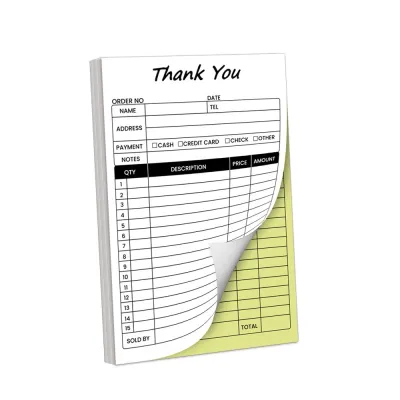
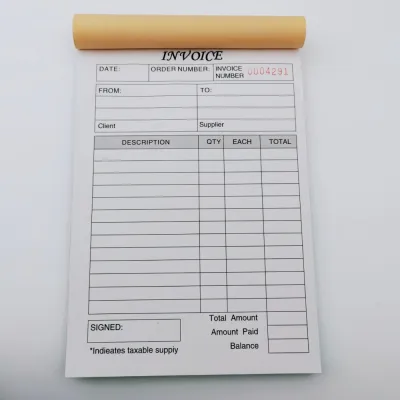
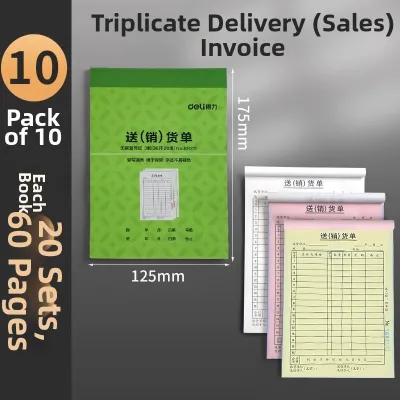
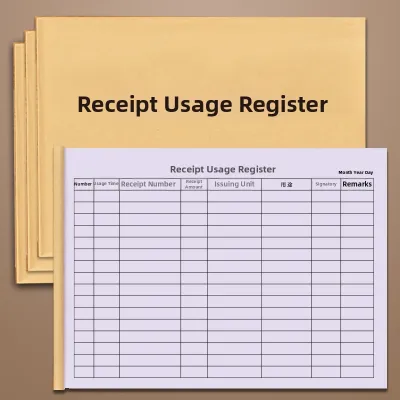
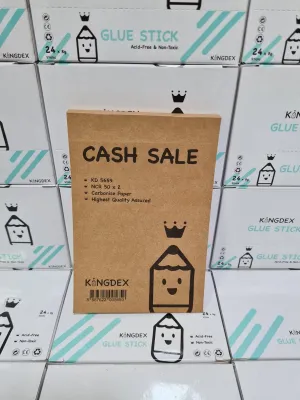
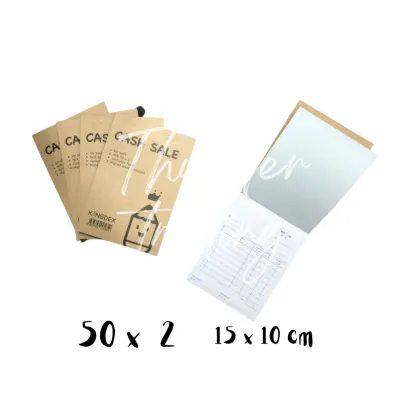
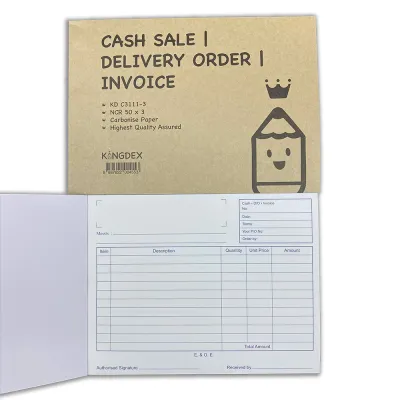
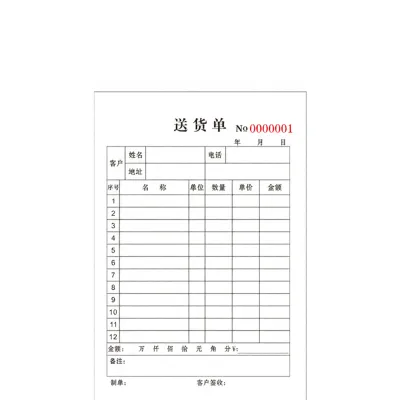
Prices are valid at publication and may change. Please refer to the product page for the latest price.
Core Paper Types for Invoice Books Explained
To select the most efficient invoice book for your business, it is essential to understand the physical structure and technology behind the paper options available. The material composition directly affects how copies are generated, how the book is handled, and how well the records survive over time.

Carbonless (NCR) Copy Paper
Carbonless paper, commonly referred to as NCR (No Carbon Required) paper, was developed to eliminate the inconvenience of carbon paper sheets. The copying process relies on a chemical reaction between microscopic capsules of colorless dye and a reactive clay coating applied directly to the paper surfaces.
An NCR invoice book is constructed using a specific sequence of treated sheets:
- Coated Back (CB): This is the top sheet of the set. The underside of this sheet is coated with micro-encapsulated dye. When written on, the physical pressure of the pen ruptures these microcapsules.
- Coated Front and Back (CFB): Used as the middle sheets in triplicate or quadruplicate books. The front side is coated with a reactive clay that absorbs the dye from the sheet above, while the back side is coated with microcapsules to pass the image to the sheet below.
- Coated Front (CF): This is the bottom sheet of the set. The front surface is coated with reactive clay to receive the final image transfer, while the back remains untreated.
Standard color sequences are typically utilized to help businesses organize their accounting departments. A common triplicate setup features a white top sheet for the customer, a yellow middle copy for accounts receivable, and a pink bottom copy that remains bound in the book for tax or audit purposes.
Standard Bond Paper with Carbon Inserts
Standard bond paper is a traditional, uncoated wood-pulp paper that does not contain any built-in chemical copying agents. To create duplicates, a separate sheet of carbon paper—coated with a dry, waxy ink layer—must be manually placed between the bond paper sheets.
When a user writes on the top sheet with a ballpoint pen, the physical force transfers the waxy ink from the carbon sheet onto the blank bond paper beneath it. This method relies entirely on mechanical force and physical ink transfer rather than a chemical reaction.
Managing these books requires manual effort, as users must slide the carbon sheet between the correct pages before writing and remove it afterward. While standard bond paper is highly durable and free from chemical coatings, the repeated handling of carbon sheets can transfer dark ink residue to the user’s fingers, the invoice book cover, and other office surfaces.
Thermal and Specialty Papers
Thermal paper is a specialized paper coated with a heat-sensitive material that changes color when exposed to heat. This type of paper is primarily used in mobile point-of-sale (POS) terminal printers, handheld billing devices, and digital receipt registers rather than traditional hand-written invoice books.
Because thermal paper does not require ink cartridges, it is highly popular for mobile field services, such as air conditioning maintenance or delivery logistics. However, the chemical coating on thermal paper is highly sensitive to environmental factors like heat, friction, plasticizers, and direct sunlight.
In tropical climates, thermal receipts are prone to rapid fading, sometimes becoming completely illegible within a few months if left in warm vehicles or high-humidity environments. This makes thermal paper a poor choice for long-term physical record-keeping unless the documents are digitally scanned immediately after printing.
How Paper Choices Impact Your Billing Workflow
The paper type you select for your invoice books has a direct, daily impact on your operational speed, the professionalism of your customer interactions, and your hardware compatibility. Understanding these practical implications helps prevent administrative bottlenecks.
Copying Mechanism and Handling Efficiency
The primary operational difference between carbonless and bond-and-carbon systems lies in handling efficiency. Carbonless books allow the writer to simply open the book, place a divider card under the current set, and begin writing immediately, creating instant, clean duplicates.
In contrast, using standard bond paper with loose carbon sheets introduces multiple manual steps. The user must locate the carbon sheet, align it perfectly between the pages, ensure the inked side faces downward, and carefully write without shifting the carbon sheet, which can cause misaligned text and illegible copies.
Furthermore, carbonless paper eliminates the risk of ink smudging on the customer’s copy. Loose carbon sheets often leave dark streaks, smudges, and fingerprints on the paper, which can look unprofessional during face-to-face transactions and make the written text difficult to read.
Printer and Hardware Compatibility
If your business pre-prints invoices using office machinery, hardware compatibility is a critical consideration. Both carbonless and bond-and-carbon multi-part forms require physical, mechanical pressure to transfer the text to lower plies, meaning they are only compatible with impact printers.
Dot-matrix printers, which use physical pins to strike an ink ribbon against the paper, are the standard hardware choice for printing multi-part invoice books. The mechanical impact of the print head is strong enough to rupture the microcapsules in NCR paper or transfer the wax from carbon sheets across multiple layers.
Laser and inkjet printers are entirely incompatible with the multi-part copying process. Laser printers use heat and static pressure rollers to fuse toner powder onto the paper surface, which will not trigger the chemical reaction required to transfer images to the lower plies, and the thickness of a bound book will cause severe paper jams.
Durability, Archival Quality, and Climate Factors
For long-term record keeping, standard bond paper offers superior archival stability compared to chemically treated papers. Because bond paper consists of stable wood-pulp fibers without reactive chemical coatings, the original written text remains legible for decades when stored under normal conditions.
Carbonless copy paper is more sensitive to environmental degradation over time. The chemical reaction that creates the copy can fade when exposed to light, high temperatures, and high humidity, which can present challenges for businesses in tropical regions like Singapore.
To ensure your invoice books can withstand frequent handling and clean tearing, pay close attention to the paper weight, measured in grams per square meter (GSM). A standard high-quality invoice book typically features a 60 GSM to 80 GSM top sheet to provide a sturdy writing surface, while the lower duplicate plies are often slightly lighter (around 50 GSM to 55 GSM) to facilitate sharp pressure transfer through the stack.
Invoice Book Paper Comparison Matrix
The table below outlines the key functional differences between carbonless (NCR) paper and standard bond paper with carbon inserts to help you choose the correct format for your office or field operations.
| Feature | Carbonless (NCR) Paper | Standard Bond + Carbon |
|---|---|---|
| Copying Mechanism | Chemical reaction via micro-encapsulated dye | Mechanical transfer of waxy ink layer |
| Mess and Smudge Risk | Very low; clean, chemical-based transfer | Moderate to high; ink transfers to fingers and pages |
| Upfront Cost | Moderate to higher upfront printing cost | Lower initial printing and paper cost |
| Ongoing Consumable Cost | None; copying mechanism is built into the paper | Low to moderate; requires purchasing carbon sheets |
| Printer Compatibility | Impact printers (dot-matrix) or manual writing | Impact printers (dot-matrix) or manual writing |
| Archival Longevity of Copies | Moderate; chemical copies can fade over several years | High; standard ink on wood-pulp paper is highly stable |
Decision Framework: Matching Paper to Your Business Needs
Selecting the right paper type is not about finding a universally superior material, but rather matching the technical specifications of the paper to your specific business environment, administrative workflow, and budget.
Choose Carbonless (NCR) Paper If…
Your business should invest in carbonless invoice books if you handle a high volume of daily transactions where speed and cleanliness are essential. This includes retail storefronts, busy warehouses, and field service technicians who need to issue clean, instant receipts to customers on-site.
NCR paper is also highly recommended if you want to streamline your inventory. By choosing carbonless books, you eliminate the need to order, store, and distribute separate carbon sheets to your staff, reducing administrative overhead and preventing delays caused by misplaced carbon inserts.
Choose Standard Bond with Carbons If…
Standard bond paper with separate carbon inserts is an appropriate choice for low-volume businesses, start-ups, or sole proprietorships with limited invoicing needs. If you only issue a few hand-written invoices a week, the cost savings of standard bond books may outweigh the minor inconvenience of handling carbon sheets.
This setup is also ideal when your business requires a premium, heavy-weight paper for the customer’s original copy. Standard bond books can be printed on thicker paper stocks (such as 100 GSM or higher) that feel more substantial and professional, provided your team is comfortable managing the manual carbon insertion process.
Verify First If…
Before placing a custom order for invoice books with a local commercial printer, you must verify several key technical specifications to ensure compatibility with your existing office systems:
- Printer Specifications: If you plan to feed the books through a dot-matrix printer, verify that the printer's platen gap can adjust to the total thickness of your multi-part form (especially for 3-part or 4-part books).
- Compliance and Ply Count: Confirm the number of copies required for your workflow. A standard 2-part (duplicate) book is sufficient for basic transactions, while a 3-part (triplicate) book is typically required if you need separate copies for your customer, your accounts department, and tax compliance records.
- Dimensions and Binding: Choose the physical size (A4 for detailed service invoices, A5 for standard receipts, or DL for short delivery notes) and binding style (such as top-glued pads for easy tearing, or side-stitched books with perforated pages to keep the duplicate copies securely bound).
Best Practices for Handling and Storing Invoice Books
To maintain the usability of your invoice books and prevent wasted pages, proper storage and handling are essential, particularly when dealing with pressure-sensitive carbonless papers in tropical environments.
High humidity and elevated temperatures can accelerate the degradation of the chemical coatings on NCR and thermal papers. Store your invoice books in a cool, dry office environment, away from direct sunlight, air conditioning condensation zones, and damp storage rooms.
Always store invoice books flat on a shelf rather than standing them vertically. Storing books vertically can cause the pages to sag and curl over time, while stacking heavy office equipment or boxes on top of carbonless books can apply enough continuous pressure to rupture the microcapsules, resulting in unwanted dark spots and smudges across the duplicate pages.
When writing on a multi-part invoice book in the field, always use a rigid divider board—such as a thick piece of cardboard or a plastic writing plate—placed directly beneath the current set of copies. This prevents the pressure of your pen from transferring the text through to the blank invoice sheets further down in the book, preserving the clean appearance of your remaining pages.
Frequently Asked Questions (FAQ)
The following questions address common technical queries regarding the use, compatibility, and maintenance of commercial invoice book papers.
Can I use a laser printer to print on multi-part carbonless invoice books?
No, you cannot feed a pre-bound, multi-part carbonless invoice book through a standard laser printer. Laser printers utilize intense heat and static pressure rollers to fuse toner powder onto the paper surface, which will not trigger the chemical reaction required to transfer images to the lower plies, and the thickness of a bound book will cause severe paper jams.
If you wish to use a laser printer to generate carbonless forms, you must purchase specialized, loose-sheet laser-compatible NCR paper. This paper is fed through the printer as individual sheets to print the template on each page, which are then manually collated and glued together into sets after the printing process is complete.
How long do carbonless invoice copies last before fading?
Under optimal storage conditions—such as a temperature-controlled office with low humidity and no direct light exposure—high-quality carbonless paper copies can remain legible for up to 10 to 20 years. However, in humid environments, the chemical reaction on the CF and CFB sheets can begin to fade much faster, sometimes within 3 to 5 years.
For businesses required to maintain financial records for extended periods under local tax laws, relying solely on physical carbonless copies can be risky. It is highly recommended to scan or photograph completed carbonless invoices to create digital backups, ensuring your business remains compliant with long-term record-keeping regulations.
Community discussion
Share your experience or ask a question. Comments are reviewed before publication.