
Preparing for national examinations requires meticulous attention to detail, not just in your revision but also in the tools you bring into the exam hall. For students sitting for the Singapore Examinations and Assessment Board (SEAB) O-Level and A-Level examinations, using an approved calculator is a strict requirement. If you plan to use a Texas Instruments calculator, you must verify that your specific model complies with official guidelines to avoid confiscation or disqualification on exam day.
To determine if your Texas Instruments calculator is permitted, you must cross-reference its exact model number with the latest SEAB approved calculator list, ensure it lacks prohibited features like Computer Algebra Systems (CAS), and obtain an official school approval sticker. This guide outlines the verification process, syllabus requirements, and steps to take if your current device does not meet the criteria.
Understanding SEAB Calculator Rules for O-Level and A-Level
The Singapore Examinations and Assessment Board establishes strict guidelines for electronic aids to maintain a level playing field for all candidates. These rules dictate not only which devices are allowed but also how they must be configured and marked before you enter the examination room.
Products mentioned in this guide
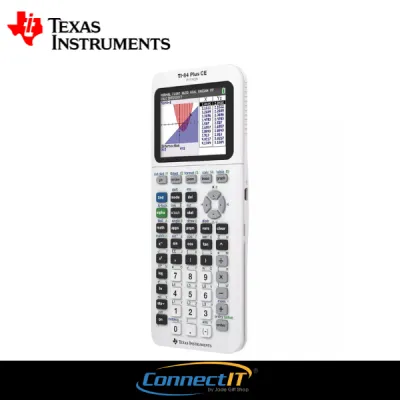


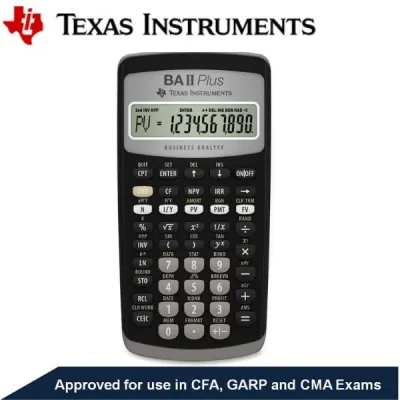
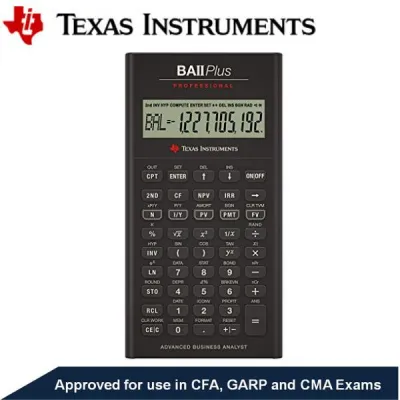

Prices are valid at publication and may change. Please refer to the product page for the latest price.
For mathematics and science papers, SEAB permits two main categories of calculators: scientific calculators and graphing calculators. Scientific calculators are standard tools used to perform basic arithmetic, trigonometric, and statistical functions. Graphing calculators, which feature larger screens capable of plotting coordinates and analyzing functions, are permitted for specific papers, particularly in A-Level Mathematics.
The board enforces strict prohibitions against advanced features that could automate algebraic problem-solving or facilitate cheating. Any calculator equipped with a Computer Algebra System (CAS) is strictly prohibited. CAS technology allows a device to perform symbolic manipulation, meaning it can simplify algebraic expressions, factor polynomials, and solve equations symbolically rather than just numerically.
Additionally, permitted calculators must not have any wireless communication capabilities. Features such as Wi-Fi, Bluetooth, infrared ports, or cellular connectivity are entirely banned to prevent communication between candidates or access to external databases. Devices with external memory card slots or unauthorized storage capabilities are also prohibited.
Finally, physical compliance is just as important as technical specifications. Every calculator brought into the exam hall must bear an official approval label. This label is typically a holographic or color-coded sticker applied by your school’s administration after they have physically inspected the device and verified its model number against the official SEAB register.
How to Verify if a Texas Instruments Calculator is Approved
Confirming that your Texas Instruments calculator is compliant involves a systematic verification process. Parents and students should complete these checks well in advance of the examination registration deadlines to allow time for any necessary replacements.

First, consult the official SEAB website to access the most current list of approved calculators. Because SEAB reviews and updates this list periodically, it is essential to check the version designated for your specific examination year. Do not rely on outdated lists from previous years, as certain models may be added or phased out over time.
Second, perform a precise model number check on your physical device. Texas Instruments produces several variations of popular calculator series, and their names can be remarkably similar. For example, a model with “CAS” in its name is prohibited, while the non-CAS version of the same series may be fully approved. Look at the printed label on the front of the calculator casing or check the battery compartment cover on the back to find the exact alphanumeric model designation.
Third, inspect the physical condition of the calculator. If you are purchasing a secondhand device from an older sibling or an online marketplace, ensure that any existing school approval stickers are intact and legible. If you are using a brand-new calculator, keep the original packaging and receipt until your school’s mathematics department conducts its official verification exercise.
Fourth, participate in your school’s scheduled calculator registration sessions. Schools typically organize these sessions several months before the national exams. During the exercise, teachers will verify the model, clear the device’s memory, and apply the official SEAB approval sticker to the casing. If your calculator does not have this sticker, you will not be allowed to use it during the actual examination.
Matching Calculator Features to Your Exam Syllabus
Choosing the right Texas Instruments calculator depends heavily on your academic level and the specific subjects you are taking. Selecting a model that aligns with your syllabus ensures you have all necessary functions without paying for features you cannot use.
For O-Level candidates, a reliable scientific calculator is generally the standard choice. The O-Level Mathematics and Science syllabuses require calculations involving trigonometry, logarithms, exponential functions, and basic statistics. A standard scientific calculator from Texas Instruments handles these tasks efficiently, offers long battery life, and is highly portable.
For A-Level candidates, particularly those taking H2 Mathematics, a graphing calculator is indispensable. The H2 Mathematics syllabus is designed with the assumption that students have access to a graphing calculator to solve complex systems of equations, plot functions, and perform advanced statistical analysis, such as normal and binomial distribution calculations. Attempting these papers with only a scientific calculator puts you at a significant disadvantage.
When selecting a graphing calculator, pay close attention to the display and power specifications. Some approved Texas Instruments graphing calculators feature high-resolution color screens, which make distinguishing between multiple plotted curves much easier. However, these color screens consume more power than traditional monochrome displays. Ensure you understand your model’s battery requirements—whether it uses standard AAA batteries or a rechargeable lithium-ion battery—so you can manage power levels effectively before your papers.
What to Do If Your Calculator is Not on the Approved List
Discovering that your Texas Instruments calculator is not on the SEAB approved list can be stressful, but there are several practical steps you can take to resolve the issue before exam day.
If you have recently purchased an unapproved model from a retail store or an online marketplace, check the seller’s return and exchange policy immediately. Many reputable stationery suppliers and electronics retailers offer a return window, provided the calculator is in its original packaging and you have the receipt. You can often exchange the non-compliant model for an approved version.
If purchasing a new approved calculator is not feasible, inquire about school loan programs. Many secondary schools and junior colleges keep a backup inventory of approved scientific and graphing calculators. These devices are often made available for temporary loan to students who experience technical issues or financial constraints. Speak to your mathematics teacher or the school’s general office as early as possible to check availability.
Finally, always secure a compliant backup calculator. Even if you own an approved graphing calculator, having a standard approved scientific calculator as a secondary device is a wise strategy. If your primary calculator experiences a sudden battery failure, screen malfunction, or system crash during the exam, a familiar backup ensures you can continue working without panic.
Frequently Asked Questions (FAQ)
Can I use a Texas Instruments calculator with CAS if I disable the feature?
No. SEAB regulations prohibit the physical hardware of any calculator equipped with Computer Algebra System (CAS) capabilities. Even if you disable, lock, or uninstall the CAS software features, the device remains unapproved for use in the examination hall. You must use a model that is entirely free of CAS hardware.
What happens if I bring an unapproved calculator to the exam hall?
Bringing an unapproved calculator into the examination room constitutes a breach of exam regulations. Invigilators will confiscate the non-compliant device before or during the paper, and you will be forced to complete the exam without a calculator unless you have an approved backup. The incident will also be reported to SEAB, which could result in disciplinary action or grade penalties.
Do I need to clear my approved Texas Instruments calculator's memory before the exam?
Yes. Candidates are required to clear the user memory (RAM) and reset their graphing calculators before entering the examination hall. Invigilators and school teachers will conduct checks at the start of the exam session to ensure that all stored programs, variables, and custom notes have been completely erased in accordance with SEAB instructions.
Community discussion
Share your experience or ask a question. Comments are reviewed before publication.