
Purchasing a genuine EZ-Link card ensures that your daily commute remains seamless and your stored funds are fully protected. With the rise of unauthorized sellers on various online marketplaces, verifying the authenticity of your transit card before loading it with money is essential. A counterfeit or unauthorized card can fail at transit gantries, reject top-up attempts, and result in the immediate loss of your stored value without any recourse for a refund. By performing a few physical inspections and digital checks, you can easily confirm whether your card is an official product issued by the authorized provider.
Why Authenticity Matters for Reloadable Cards
Using an unofficial or counterfeit transit card carries significant financial and practical risks that can disrupt your daily travel. Official transit networks rely on secure, encrypted chips to communicate with readers on buses, trains, and retail payment terminals. If a card contains an unregistered, cloned, or modified chip, the transit system’s security protocols will eventually detect the anomaly. Once flagged, the card is typically blocked permanently, rendering any stored balance completely inaccessible.
Furthermore, unauthorized cards are locked out of the official customer support ecosystem. If you encounter a transaction dispute, a faulty reader, or an unexpected balance deduction, official customer service centers cannot assist you or transfer your funds to a replacement card. You also lose the ability to register the card for official protection programs, which safeguard your balance in the event of loss or theft.
Products mentioned in this guide

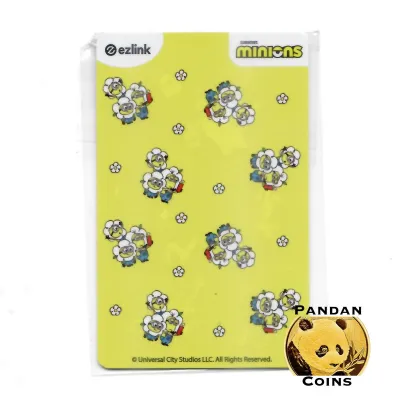
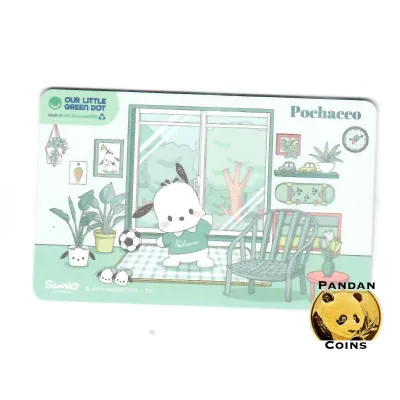


![[🇸🇬 SG SELLER]EZLINK CHARM/Personalised NETS Charm/EZ LINK Card customise/Bus MRT Card/Perfect Gift/KeyChain/phone charm](https://img.lazcdn.com/g/ff/kf/Se3bc2962ee3b4aecb94ca192e1db6999N.jpg_400x400q80.jpg_.webp)
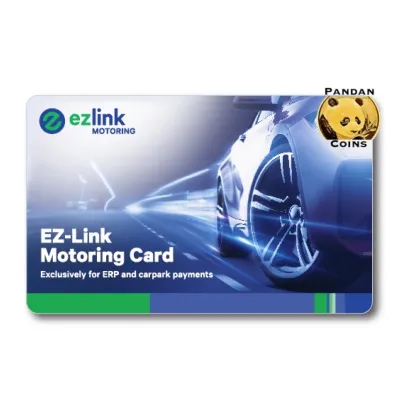
Prices are valid at publication and may change. Please refer to the product page for the latest price.
Finally, attempting to top up a counterfeit card at official self-service machines or authorized retail counters will often result in immediate rejection. The terminal may display error messages, refuse the transaction, or even retain the card to prevent further unauthorized use. This can leave you stranded at a station or bus stop without a valid means of payment, forcing you to purchase an emergency single-trip ticket or find alternative transport.
Visual and Physical Checks for Official EZ-Link Cards
Before you tap your card at any reader, a close physical inspection can reveal several telltale signs of a counterfeit or unauthorized product. Official cards are manufactured to strict quality standards, ensuring that the printing, materials, and overall finish are consistent and durable.

Begin by examining the print quality on both the front and back of the card. Official cards feature sharp, high-resolution graphics with precise color alignment and clear, legible text. Counterfeit cards often exhibit blurry text, pixelated images, or slight color bleeding, which are common indicators of low-grade third-party printing processes. Pay close attention to the official logos and branding elements; any distortion in the shape, font, or spacing of the official logo suggests the card is not genuine.
If you are purchasing a brand-new card, inspect the packaging carefully. Official cards sold through authorized retail channels are typically sealed in secure, tamper-evident packaging. Look for intact seals and any official holographic elements or security labels that indicate the package has not been opened or altered. If the packaging appears flimsy, resealed, or entirely absent, exercise extreme caution.
The physical feel of the card can also provide valuable clues. Official cards are made from high-quality plastic with a specific weight, thickness, and flexibility. Compare the card in question with a known genuine card if you have one available. Check the edges of the card; official cards have smooth, clean, and rounded edges, whereas counterfeit or manually modified cards may have rough, uneven, or sharp borders. However, because high-quality physical replicas do exist, visual and tactile checks alone are not entirely foolproof and must always be paired with digital verification.
Digital Verification and Testing Methods
While physical inspections are a helpful first step, the only way to guarantee a card’s authenticity is to verify its internal chip. The digital identity of the card must be recognized by the official transit network’s secure database. Fortunately, you can perform these digital checks yourself using a smartphone or official physical infrastructure.
Using the Official EZ-Link App
The most convenient way to verify your card is by using the official mobile application on an NFC-enabled smartphone. This method allows you to read the internal chip directly and verify its status against the official database without needing to visit a transit station.
To begin, ensure that the Near Field Communication (NFC) feature is enabled in your smartphone’s settings. Open the official mobile application and navigate to the card registration or balance check section. Place your card flat against the back of your phone, near the NFC antenna, and hold it steady for a few seconds while the app scans the chip.
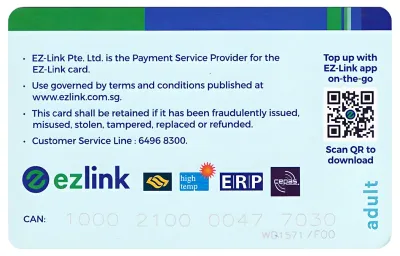
A genuine card will be recognized instantly by the app, displaying the correct card serial number, current balance, and expiry date. You should compare the serial number shown on your phone screen with the physical number printed on the back of the card; these two numbers must match exactly. If the app displays an error message, fails to detect the card entirely, or indicates that the chip is invalid or blocked, the card is highly likely to be a counterfeit or an unauthorized modification.
Testing at Transit and Top-Up Terminals
If you do not have an NFC-enabled smartphone, you can verify the card’s authenticity by using physical ticketing machines and transit readers located at MRT stations and bus interchanges. These terminals are directly connected to the secure transit network, making them highly reliable for testing.
Approach a general ticketing machine or a self-service transit terminal and place your card on the reader tray. The terminal should immediately read the card and display its details, including the remaining balance and transaction history. If the machine successfully displays this information and allows you to navigate the menu options, the card’s chip is functioning within the official network parameters.
Next, try initiating a small top-up transaction at the machine. A genuine card will accept the top-up smoothly, updating the balance on the screen. If the terminal displays an error code, rejects the transaction, or prompts you to seek assistance from a staff member, the card may be invalid, blocked, or counterfeit. You can also test the card by tapping it at an MRT gantry or a bus reader; a sudden rejection or an unusual error prompt on the screen is a clear sign that the card is not recognized by the system.
Where to Safely Buy Official EZ-Link Cards
To completely eliminate the risk of purchasing a counterfeit card, you should always buy your transit cards from authorized and reputable sources. Purchasing from unverified sellers to save a small amount of money often leads to far greater expenses when the card is blocked or fails to work.
The safest places to purchase genuine cards are official transit ticket offices, passenger service centers, and authorized convenience stores located throughout the transit network. These locations receive their stock directly from the official provider, ensuring that every card is brand new, fully functional, and pre-activated for immediate use.
If you prefer to shop online, only use the official online store hosted on major ecommerce platforms or the provider’s official website. Look for verified mall badges or official store labels that guarantee the seller’s identity. Avoid buying cards from individual sellers on peer-to-peer marketplaces, social media groups, or street vendors. These unauthorized sellers often advertise \”custom\” designs, heavily discounted prices, or pre-loaded balances that are too good to be true.
When purchasing from third-party retail partners, such as local supermarkets or specialty gift shops, take a moment to verify their authorization status. Authorized partners will typically display official promotional materials, decals, or signage indicating their partnership with the transit card provider. If a retailer cannot provide clear proof of authorization or refuses to issue a proper receipt, it is best to walk away and purchase your card elsewhere.
What to Do If You Suspect a Counterfeit Card
If your card fails any of the physical or digital checks, or if it is rejected at a transit terminal, you must take immediate action to protect your funds and report the issue. Continuing to use a suspected counterfeit card can lead to further complications, including the potential confiscation of the card by transit authorities.
First, stop using the card immediately. Do not attempt to force a top-up at any machine, and do not try to modify or repair the card yourself. If you have already loaded funds onto the card, accept that these funds may not be recoverable, and avoid using the card at retail merchants, as this could be flagged as fraudulent activity.
Next, gather all available proof of purchase, including physical receipts, online transaction records, and screenshots of the seller’s listing. Contact the official customer service channel of the transit card provider to report the incident. Provide them with the physical serial number printed on the card and describe where and when you purchased it. While they may not be able to refund the balance of a counterfeit card, your report helps them track down unauthorized distributors and protect other consumers.
Finally, if you purchased the card through an online marketplace or a third-party retailer, file a formal dispute or refund request immediately. Present your proof of purchase and any evidence of the card’s failure, such as screenshots of error messages from the official app or photos of the physical defects. Most reputable ecommerce platforms have buyer protection policies that can help you recover your money if you were sold a counterfeit product.
Frequently Asked Questions (FAQ)
Can I use a customized or third-party designed EZ-Link card?
Only officially licensed designs and those issued directly by the official provider are guaranteed to work on the transit network. While some third-party sellers offer custom stickers or skins to apply over your card, these can add thickness and cause the card to get stuck in physical readers. Avoid buying cards where the original chip has been removed and placed into a custom housing, as this unauthorized modification voids all warranties and will likely result in the card being blocked by the transit system.
What happens to my stored value if my card is deemed counterfeit?
If a card is determined to be counterfeit, unauthorized, or illegally modified, any stored value on the card is not protected and cannot be refunded or transferred by the official provider. The official customer support team can only assist with genuine cards registered in their system. To avoid losing your money, always verify the card’s authenticity before loading any significant amount of funds onto it.
Are second-hand EZ-Link cards safe to buy?
Buying second-hand transit cards from unofficial channels carries high risks and is generally not recommended. The card may have hidden physical damage, an expired validity period, or a blocked status due to previous misuse or reporting. Additionally, you cannot easily verify if the seller has registered the card under their own name, which would allow them to block the card and claim the remaining balance even after selling it to you. It is always safer to purchase a brand-new card from an authorized retail outlet.
Community discussion
Share your experience or ask a question. Comments are reviewed before publication.