
Navigating the checkout counter with an NTUC gift card is a simple and convenient way to manage your household expenses in Singapore. Whether you received the card as a corporate gift, a holiday present, or a reward, these physical vouchers offer a flexible payment method for daily essentials. Understanding how to maximize their value, where they are accepted, and how to troubleshoot common issues ensures a seamless shopping experience from the aisle to the register.
Using these cards does not require complex setup or registration. At its core, the card functions similarly to a debit card, holding a pre-loaded store value that can be deducted incrementally across multiple transactions. By familiarizing yourself with the participating outlets and the step-by-step redemption process, you can confidently plan your grocery runs and retail visits without any payment hiccups.
Where You Can Use Your NTUC Gift Card
Before heading out to shop, it is essential to identify which storefronts and outlets accept your specific NTUC gift card. The most reliable starting point is to examine the back of the physical card or its original packaging, which typically lists the primary participating merchants. Because merchant partnerships can occasionally update, checking the official issuer website before a major shopping trip provides the most accurate and current list of accepted locations.
Products mentioned in this guide

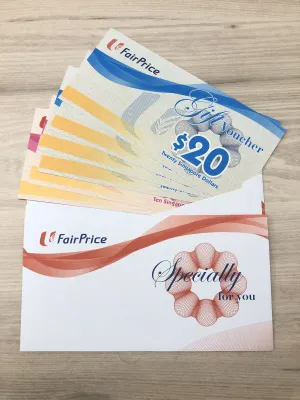
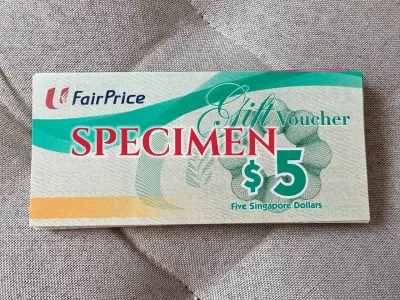



Prices are valid at publication and may change. Please refer to the product page for the latest price.
The FairPrice group operates a diverse range of store formats tailored to different consumer needs, and standard NTUC gift cards are widely accepted across these locations. For your everyday grocery needs, standard FairPrice supermarkets stock a wide array of fresh produce, pantry staples, and household goods. If you prefer premium ingredients, organic selections, or imported gourmet items, you can use your card at FairPrice Finest outlets. For bulk purchases, electronics, and home appliances, the larger FairPrice Xtra hypermarkets also accept these vouchers, making them highly versatile for both small daily runs and large family shopping sessions.
Beyond traditional supermarkets, the usability of your gift card often extends to other specialized partner merchants within the cooperative’s network. For health, wellness, and personal care products, you can typically redeem your card at Unity pharmacies and beauty stores. Additionally, selected food courts and dining spaces, such as Kopitiam outlets, may accept these cards for food and beverage purchases, though individual stall participation can vary. To avoid disappointment, look for the official acceptance decals displayed near the cash registers or ask a staff member at the customer service desk before placing your order.
Step-by-Step Guide to Redeeming In-Store
Redeeming your physical NTUC gift card at a physical register is a straightforward process that requires minimal effort. When you are ready to pay, place your items on the conveyor belt or counter as usual. Before the cashier begins scanning your items, or at least before they finalize the transaction on the point-of-sale terminal, inform them that you will be paying with an NTUC gift card. This allows the cashier to select the correct payment mode on their system.

Once the cashier is ready, hand over your physical card. The cashier will locate the barcode on the back of the card and scan it using their handheld or counter-mounted optical scanner. In some cases, if the store uses older terminal models, they may swipe the card’s magnetic strip through the card reader instead. Ensure that the barcode and magnetic strip are clean, dry, and free of any adhesive residue or deep scratches that could prevent the machine from reading the data.
If the total cost of your purchases exceeds the stored value on your gift card, you do not need to worry about the transaction failing. The point-of-sale system will automatically deduct the maximum available balance from your gift card, bringing its value down to zero. The cashier will then inform you of the remaining balance due. You can easily settle this outstanding amount using any other accepted payment method, such as cash, credit cards, debit cards, or local mobile payment applications.
After the payment is successfully processed, the cashier will hand you a printed receipt along with your physical card. It is highly recommended to check the bottom of the receipt, as it typically displays the exact transaction details, the amount deducted from the gift card, and the remaining balance left on the card. Keeping this receipt inside your wallet alongside the card serves as an excellent reference, helping you track your remaining spending power for your next shopping trip.
Using NTUC Gift Cards for Online Groceries
With the growing convenience of digital shopping, many consumers prefer to order their groceries online and have them delivered directly to their doorstep. However, using a physical NTUC gift card for online purchases requires a few extra verification steps, as not all physical vouchers are designed for e-commerce integration. Some cards are strictly designated for physical, in-store transactions to ensure security and prevent unauthorized digital duplication.
To determine if your physical card can be used online, carefully inspect the back of the card for specific indicators. Look for a security PIN, which is typically covered by a silver scratch-off panel, alongside the main card number and barcode. If your card features this scratch-off PIN and explicitly mentions online eligibility in its terms and conditions, you can use it on the official FairPrice online platform or mobile application. If there is no PIN or online mention, the card must be redeemed in person at a physical store.
For eligible cards, the online redemption process begins during the checkout phase of your digital shopping cart. Once you have selected your items and proceeded to the payment screen, look for a dedicated section labeled “Vouchers”, “Gift Cards”, or “Promo Codes” rather than entering the details directly into the standard credit card fields. Select the option to add a gift card, which will prompt you to enter the unique card number.
Next, carefully scratch off the silver protective layer on the back of your physical card to reveal the security PIN. Enter this PIN into the designated online field and click the apply button. The e-commerce system will verify the card’s validity and deduct the order total from your card’s balance. Always review the updated order summary to ensure the discount has been applied correctly before finalizing your online order.
Important Restrictions and Troubleshooting
While NTUC gift cards offer incredible convenience, they are subject to specific usage restrictions that shoppers must keep in mind. Generally, these cards cannot be used to purchase statutory or restricted items due to regulatory and store policies. This typically includes lottery products like 4D and TOTO, cigarettes, temporary promotional vouchers, or other third-party gift cards. If your shopping cart contains a mix of eligible and excluded items, the system will apply the gift card value only to the eligible items, requiring you to pay for the restricted items using an alternative payment method.
Another critical factor to monitor is the physical condition and validity period of your card. Every gift card comes with an expiration date, which is usually printed clearly on the back of the card or on its original packaging. Once a card passes its expiration date, the stored funds are forfeited, and the card cannot be reactivated or extended. Additionally, protect the card from physical damage; keeping it in a tight wallet compartment can scratch the barcode or demagnetize the strip, rendering it unreadable by point-of-sale scanners.
If you encounter a situation where the register rejects your gift card, there are several troubleshooting steps you can take. First, ask the cashier to try scanning the barcode again under better lighting, or request that they manually enter the card number into the terminal if the system permits. If the card is still declined, visit the store’s customer service counter, where staff can check the card’s status and balance on their system. For persistent technical issues or disputes regarding remaining balances, contact the official customer support helpline printed on the back of the card for direct assistance.
Frequently Asked Questions (FAQ)
Can I use multiple NTUC gift cards in a single transaction?
At most standard supermarket outlets, cashiers can easily process and stack multiple physical gift cards to settle a single high-value transaction. However, some partner merchants or specific promotional cards may have terms that restrict usage to one card per transaction. It is always best to clarify the stacking policy with the cashier before they begin scanning your items.
What happens if my purchase is less than the card's value?
If your total purchase amount is less than the stored value on your gift card, the remaining balance stays securely on the card for future use. For example, if you spend S$15 using a S$50 gift card, the remaining S$35 remains on the card. Cash change is not provided for any unused balance, so you should keep the card safe until your next shopping trip.
Can I reload or top up my NTUC gift card?
Standard physical NTUC gift cards are designed as single-use, pre-loaded payment vouchers and cannot be reloaded or topped up with additional funds once the balance is exhausted. Once you have fully utilized the stored value and the balance reaches zero, you can safely dispose of the physical card.
Community discussion
Share your experience or ask a question. Comments are reviewed before publication.