
Navigating Singapore’s highly efficient public transportation network and bustling retail landscape is incredibly straightforward when you have an EZ-Link card. As the pioneer contactless smart card in Singapore, built on the Contactless e-Purse Application System (CEPAS) standard, this card allows you to pay for train rides, bus journeys, and everyday purchases with a single tap. Understanding how to manage your card, execute proper tapping techniques, and utilize it at various retail merchants ensures a smooth, hassle-free experience whether you are a daily commuter or a visitor exploring the city-state.
To use your EZ-Link card, you simply present it flat against a compatible card reader at transit faregates, bus doors, or retail point-of-sale terminals. The reader uses near-field communication technology to instantly detect the card, validate the transaction, and deduct the correct fare or purchase amount from your stored balance. By mastering a few basic operational steps, you can confidently travel across the island and complete micro-payments without carrying bulky coins or waiting in long payment lines.
Getting Started: Checking Your Balance and Topping Up
Before embarking on any journey or approaching a retail checkout counter, verifying that your EZ-Link card has sufficient funds is essential. You can easily check your card’s remaining balance through several convenient methods. When passing through MRT faregates or exiting a public bus, the digital display on the card reader momentarily shows your remaining balance immediately after deducting your fare. For a more detailed check, you can insert or tap your card at any SimplyGo Kiosk, General Ticketing Machine (GTM), or Assisted Service Kiosk located inside train stations. Alternatively, downloading the official mobile application allows you to scan your physical card using your smartphone’s near-field communication (NFC) reader to view your balance, transaction history, and card expiry date instantly.
Products mentioned in this guide
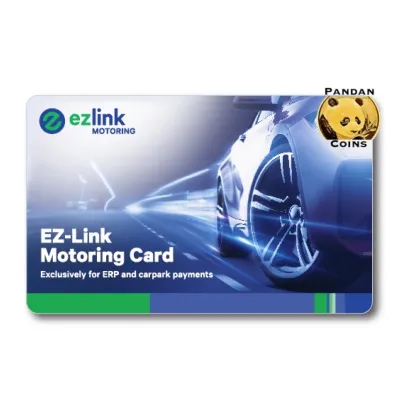
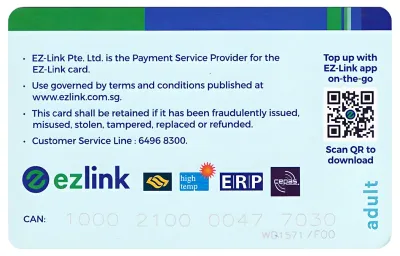
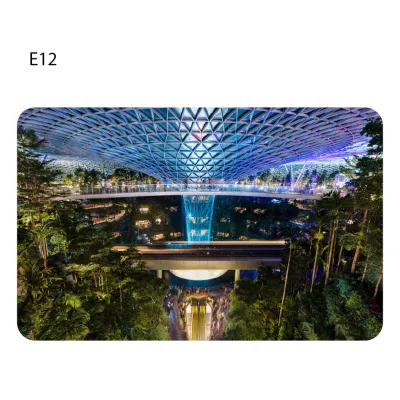
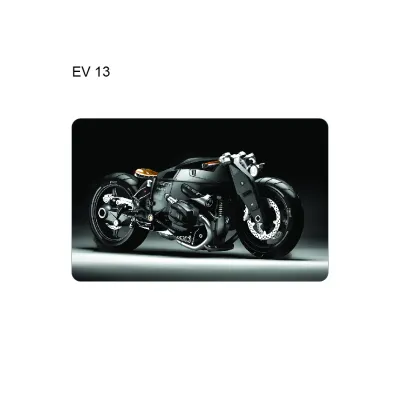

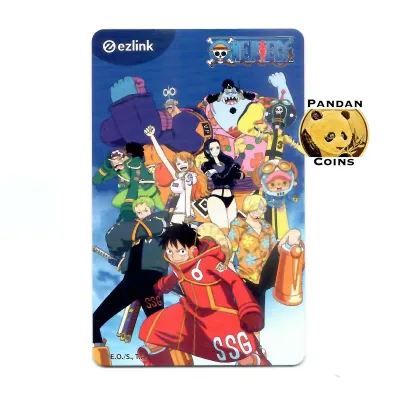
Prices are valid at publication and may change. Please refer to the product page for the latest price.
Topping up your card is equally straightforward, with both physical and digital channels available across Singapore. If you prefer physical top-up methods, you can use cash, NETS, or credit and debit cards at SimplyGo Kiosks and GTMs located in all MRT stations. Authorized retail outlets, including convenience stores like 7-Eleven and Cheers, also offer top-up services at their checkout counters, though a small service fee may apply for these retail-based transactions. For a completely seamless experience, you can register your card on the official mobile app and link it to a credit or debit card for digital top-ups. This platform also supports automatic top-up services, which automatically reload your card with a pre-selected amount whenever the balance falls below a specific threshold, ensuring you never run out of funds mid-journey.
Maintaining a minimum balance on your card is a strict requirement for entering the public transit network. To pass through MRT faregates or board a bus, your EZ-Link card must hold a minimum stored value, which is typically set around S$3.00. This minimum threshold ensures that your card has enough funds to cover at least a basic journey, preventing faregates from locking and causing commuter congestion. Because these minimum balance requirements can occasionally be adjusted by transit authorities, it is highly recommended to verify the current threshold on the official SimplyGo or Land Transport Authority websites before you travel.
Navigating the MRT and LRT: Tapping In and Out
Singapore’s Mass Rapid Transit (MRT) and Light Rail Transit (LRT) systems rely on automated faregates to manage passenger flow and fare collection. When you arrive at your origin station, locate the faregates and identify an open lane, which is indicated by a green arrow display. Position yourself in front of the gate and locate the circular card reader, which is almost always positioned on the right-hand side of the faregate structure. Hold your physical EZ-Link card flat and steady against the reader’s surface; holding it a few centimeters away or waving it too quickly can cause read errors. Wait for the gate to emit a single clear beep and display a green light, which signals that your entry has been successfully logged and the barrier doors have opened.

Upon reaching your destination station, you must repeat this process to exit the transit network. Approach the exit faregates, locate the card reader on the right, and tap your card flat against the sensor. The reader will calculate your distance-based fare, deduct the amount from your card, and display both the journey fare and your remaining balance on the screen before opening the gates. If you are traveling with large luggage, a stroller, or have mobility needs, look for the wider faregates specifically designed to accommodate extra space while providing the exact same tapping interface.
A critical rule of Singapore’s transit system is that you must always use the exact same physical card to tap in at the start of your journey and tap out at the end. Mixing payment methods—such as tapping in with your physical EZ-Link card and attempting to tap out with a mobile wallet, smart watch, or a different contactless card—will disrupt the fare calculation system. Because the system cannot pair the entry and exit records, it treats both actions as incomplete journeys. This results in maximum fare penalties being charged to both the physical card and the alternative payment device you used. To prevent accidental cross-tapping, commonly referred to as “card clash,” avoid tapping your entire wallet or cardholder against the reader; instead, take your specific EZ-Link card out of your wallet to tap individually.
If a faregate fails to open or displays an error message when you tap, do not force your way through. Step back from the yellow line to allow the sensor to reset, ensure your card is separated from other contactless cards, and try tapping flat on the reader once more. If the reader continues to display an error code, such as “Card Blocked” or “Invalid Entry,” proceed directly to the Passenger Service Centre located near the faregates. The station staff can scan your card, diagnose the specific transaction error, manually update your journey record, and assist you in passing through the gates safely.
Riding Public Buses: Boarding and Alighting Correctly
Public buses in Singapore operate on a distance-based fare system, requiring passengers to tap their cards both when boarding and when alighting. When the bus arrives, you must board through the front door near the bus driver. You will find card readers mounted on stanchions on both sides of the entrance. Hold your EZ-Link card flat against the reader as you step onto the bus. A successful tap is confirmed by a single short beep and a green light on the reader, which logs your boarding stop. If you hear multiple rapid beeps or see a red light, your card was not read correctly, or the balance is insufficient, requiring you to try again or use an alternative payment method.
When preparing to exit the bus, you must alight through the rear doors, where exit card readers are mounted on the handrails. Just before the bus comes to a stop or as you step off, tap your card flat against the exit reader. The reader will instantly calculate the distance traveled from your boarding point, deduct the correct fare, and display the transaction details alongside your remaining balance. Tapping out is a crucial step; if you forget to tap out when alighting, the system cannot verify where you exited and will automatically charge you the maximum fare for that entire bus route, which can quickly drain your card’s balance over multiple trips.
The distance-based fare system also offers significant cost savings through transfer benefits when you transition between different buses or between buses and the MRT/LRT. To qualify for these transfer rebates, you must complete your transfers within a specific time window, which is generally 45 minutes between individual trips and up to a maximum of 2 hours for the entire journey. You are allowed up to five transfers within a single journey to have the fares calculated as a single continuous trip rather than multiple expensive single trips. Ensuring that you tap in and tap out correctly on every single leg of your journey is essential for the system to automatically apply these distance-fare caps and keep your travel costs as low as possible.
Paying at Retail Outlets: Where and How to Tap
Beyond the public transportation network, your EZ-Link card serves as a highly versatile contactless payment tool for daily micro-transactions across Singapore. The card is accepted at thousands of retail points, including convenience stores like 7-Eleven and Cheers, major supermarkets such as FairPrice, Cold Storage, and Giant, and numerous food courts, hawker centers, and fast-food outlets. You can also use your card to pay at select vending machines, public libraries, and even for parking fees at car parks equipped with Electronic Parking System (EPS) readers. To identify if a merchant accepts this payment method, simply look for the official EZ-Link or CEPAS logo displayed near the cash register or on the payment terminal.
The checkout process at retail outlets is designed to be fast and straightforward. When you are ready to pay for your items, inform the cashier that you would like to make payment using your EZ-Link card. Once the cashier activates the contactless payment terminal, place your card flat on the designated reader. Hold the card steady for a brief moment until you hear a confirmation beep or see a green checkmark on the terminal screen, indicating that the transaction has been approved and the funds have been successfully deducted.
Paying with an EZ-Link card at retail outlets is highly convenient because it does not require you to enter a personal identification number (PIN) or provide a signature for standard transactions. However, it is important to remember that both your transit fares and your retail purchases draw from the exact same single pool of funds stored on your card. If you use your card to purchase snacks or groceries, always verify that your remaining balance does not fall below the minimum threshold required for your subsequent bus or MRT journeys. Keeping track of your spending via the mobile app ensures you always have sufficient funds for both transit and shopping.
Troubleshooting Common Card and Reader Issues
While using an EZ-Link card is generally a seamless experience, you may occasionally encounter minor technical issues or reader errors. The most common issue is an “Insufficient Balance” or “Under-valued” error message at a faregate or bus reader. If this occurs, you will be unable to pass through the gate or complete your journey. To resolve this quickly, locate the nearest SimplyGo Kiosk, General Ticketing Machine, or a partner convenience store to top up your card’s balance above the minimum required travel threshold.
If you encounter a “Card Not Read” or “Invalid Card” error, the issue is often caused by physical interference rather than a card defect. This frequently happens when users attempt to tap their wallet containing multiple contactless cards, such as credit cards, office access passes, or other transit cards. The reader becomes confused by the overlapping signals, resulting in a read failure. To fix this, simply remove your EZ-Link card from your wallet and tap it individually flat against the reader. Additionally, inspect your card for physical damage; while the card is durable, severe bending, deep scratches, lamination, or punching holes in the card can sever the internal antenna loop and render the microchip unreadable.
For cards that are physically damaged, blocked, or have reached their five-year expiry date, you will need to seek professional assistance. You can check your card’s expiry date at any ticketing machine or via the official mobile app. If your card is no longer functioning, visit a SimplyGo Ticket Office or a Passenger Service Centre located at major MRT stations. The customer service staff can evaluate your card, assist you with purchasing a replacement, and facilitate the transfer or refund of any remaining stored value to your new card, in accordance with the current administrative policies and processing timelines of the card issuer.
Frequently Asked Questions (FAQ)
Can I use one EZ-Link card to pay for multiple passengers on the MRT or bus?
No, you cannot use a single EZ-Link card to pay for multiple passengers on the same public transit journey in Singapore. The transit network operates on a strict one-card-per-person policy to accurately track individual entry and exit points for distance-based fare calculations. If you attempt to tap the same card twice at an MRT faregate or a bus reader for another passenger, the system will reject the second tap and display an error. Every commuter must travel with their own dedicated EZ-Link card, contactless bank card, or standard ticket, with exceptions made only for young children who qualify for free travel under official concession schemes.
Is there a daily spending limit for retail payments using EZ-Link?
The primary limit on your retail spending is the actual stored value available on your EZ-Link card, which has a maximum holding capacity of S$500. While the EZ-Link system itself does not impose a specific daily spending limit, individual retail merchants or specific point-of-sale terminals may have their own transaction limits for contactless payments to manage security and prevent fraudulent use. For larger retail purchases, it is advisable to check with the merchant’s cashier beforehand to confirm if any transaction caps apply to contactless stored-value payments.
Community discussion
Share your experience or ask a question. Comments are reviewed before publication.