
Navigating Singapore’s highly efficient public transport network and bustling retail landscape is exceptionally straightforward when you have an EZ-Link card. As a contactless smart card utilizing radio-frequency identification (RFID) technology, this card allows you to pay for train rides, bus journeys, and everyday purchases with a simple tap. Whether you are a daily commuter, a student, or a visitor exploring the city, understanding how to manage, use, and secure your card ensures a seamless daily routine.
The physical card itself conforms to the standard ISO/IEC 7810 ID-1 dimensions, measuring approximately 85.60 mm by 53.98 mm. This standard size ensures compatibility with standard wallets, cardholders, lanyard sleeves, and travel organizers. To maintain optimal device compatibility with transit readers and merchant terminals, it is important to keep the card free from heavy physical bending and to avoid placing it inside RFID-blocking sleeves or thick metal cases during use, as these can interfere with the card’s internal antenna.
Getting Started: Checking and Topping Up Your Card
Before embarking on any journey or heading to a retail checkout, verifying that your card has sufficient funds and is active is the first essential step. You can easily check your current balance and card expiry date through several convenient methods. When passing through MRT transit gantries, the digital display screen at the gate will briefly show your remaining balance and the fare deducted for that trip. For a more detailed check without passing through a gate, you can place your card on the reader of any SimplyGo Kiosk or ticketing service terminal located at all MRT stations, or use the official SimplyGo mobile application on an NFC-enabled smartphone to scan the card directly.
Products mentioned in this guide
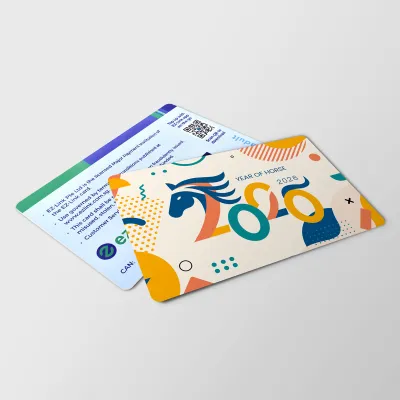
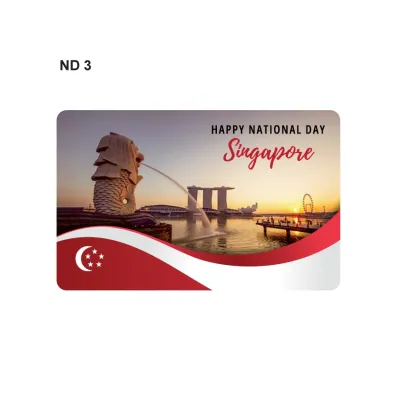
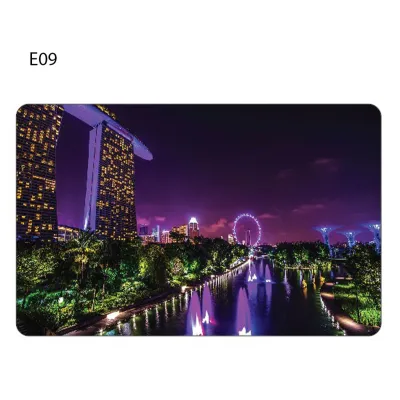
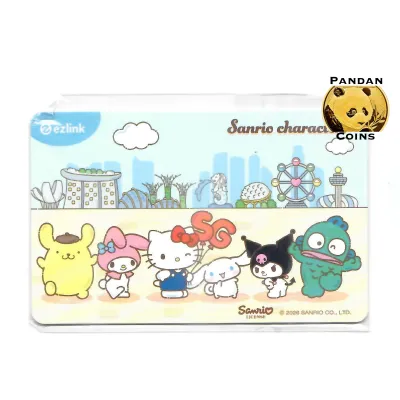

Prices are valid at publication and may change. Please refer to the product page for the latest price.
Topping up your card is designed to be highly accessible, with multiple physical and digital channels available across the island. The most common physical locations are the self-service SimplyGo Kiosks situated within MRT stations and bus interchanges, where you can complete a top-up using local debit cards, credit cards, or mobile payment platforms. Additionally, authorized convenience stores such as 7-Eleven and Cheers offer over-the-counter top-up services, though these third-party channels may apply a nominal service fee per transaction. For those who prefer a fully digital experience, the official mobile application allows you to add funds instantly using your registered payment methods, provided your smartphone supports NFC scanning.
When performing a top-up, you must navigate the specific minimum and maximum limits established by the transit authority and individual payment channels. These limits are clearly displayed on the terminal screens during the transaction process. Generally, physical ticketing machines require a minimum top-up amount, which typically ranges from S$2 to S$10 depending on whether you are using cash or electronic payment methods. The maximum stored value limit for a standard card is capped at S$500 to protect users from significant financial loss in the event of a misplaced card. Always follow the on-screen prompts carefully and wait for the confirmation message before removing your card from the reader to prevent transaction errors.
Tapping In and Out: Using EZ-Link for Public Transport
Using your card on Singapore’s public transport system requires a consistent tapping habit to ensure accurate fare calculations and prevent unnecessary charges. When entering the paid area of an MRT or LRT station, approach the transit gantry and hold your card flat against the clearly marked contactless reader. You should wait for the visual feedback—typically a green light or an arrow on the gantry screen—and a single, clear audio beep before walking through. This indicates that the system has successfully recorded your entry point.

For public buses, the procedure is equally straightforward but requires two distinct taps. You must tap your card on the reader located at the front door when boarding the bus, and tap again on the reader near the exit doors when alighting. Because public transport fares in Singapore are distance-based, tapping both times allows the system to calculate the exact distance traveled and deduct the correct fare. If you fail to tap out when alighting a bus, the system will automatically charge you the maximum possible fare for that specific bus route, which can quickly deplete your card’s balance over time.
Occasionally, you may encounter transit errors or card read failures during your commute. A common issue is “card clash,” which occurs when multiple contactless cards—such as credit cards, office access passes, or other transit cards—are kept in the same wallet and presented to the reader simultaneously. To prevent this, simply remove your EZ-Link card from your wallet and tap it individually. If the gantry screen displays an “Insufficient Balance” message or an error code, or if you realize you missed an exit tap on a previous journey, do not attempt to force your way through the gates. Instead, proceed directly to the Passenger Service Centre located near the gantries, where transit staff can diagnose the card, adjust any incorrect journey records, and help you resolve the issue.
Paying for Everyday Purchases at Retail Merchants
Beyond public transit, your card serves as a highly practical payment tool for everyday purchases at thousands of participating retail outlets across Singapore. This feature is particularly useful for quick transactions at convenience stores, supermarkets, fast-food restaurants, and community hawker centers. To identify whether a merchant accepts this payment method, look for the official EZ-Link or SimplyGo logo displayed prominently near the cash register, on the point-of-sale terminal, or on a unified SGQR decal at hawker stalls.
The retail payment process is designed to be fast and contactless. When you are ready to pay, inform the cashier that you would like to use your EZ-Link card. Once the merchant terminal is activated, place your card flat on the designated payment reader and hold it still for a moment. A successful transaction is typically confirmed by an audible beep from the terminal, a printed receipt from the cashier, or an instant notification on your mobile app if your card is registered. It is always good practice to verify the transaction amount on the customer-facing display screen before tapping your card.
It is important to understand the distinction between different card types and how they handle retail transactions. Traditional EZ-Link cards store their monetary value directly on the physical chip, meaning the balance is deducted locally at the merchant terminal. Newer SimplyGo EZ-Link cards, however, operate on an account-based system where transactions are processed on a backend server linked to your digital account. While both card types are widely accepted, account-based cards may show a slight delay in updating the balance on physical merchant screens, though the correct transaction history will reflect accurately in your official mobile app. Reviewing your specific card terms and app settings will help you manage these subtle operational differences.
Managing Your Card: Security, Replacement, and Refunds
Properly managing your card involves taking proactive steps to secure your stored value and knowing how to handle physical wear, expiration, or loss. To protect your funds against loss or theft, it is highly recommended to register your card on the official SimplyGo mobile application as soon as you acquire it. Registration links the unique identification number printed on the back of your card to your personal profile. In the event that your card is lost or stolen, registered users can immediately report the loss via the app or customer service hotline to block the card, preventing any further unauthorized transactions and allowing the remaining balance to be safely transferred to a replacement card or a local bank account. Unregistered cards do not offer this level of security, and any remaining balance on a lost unregistered card is permanently forfeit.
Physical cards are subject to daily wear and tear, which can eventually damage the internal RFID antenna or chip, rendering the card unreadable at transit gantries and retail terminals. If your card becomes physically damaged or reaches its expiration date—which is typically five years from the date of manufacture—you can seek a replacement. To do this, visit a SimplyGo Ticket Office or an authorized service point. You may need to present official identification, such as an NRIC or passport, to verify ownership of a registered card. While a replacement fee may apply depending on the card type and the reason for replacement, the customer service staff can assist in transferring any remaining stored value from the old card to your new one.
If you no longer require your card or wish to close your account, you are eligible to obtain a refund of the remaining stored value. Refunds can be processed at any SimplyGo Ticket Office located at major MRT stations. The customer service officer will verify the card’s status, cancel the card to prevent further use, and return the remaining balance to you. Depending on the refund amount and the card type, the refund may be issued in cash on the spot or credited back to your linked bank account within a few business days. Be sure to check the specific terms and conditions regarding administrative fees or processing times for refunds before visiting the ticket office.
Maximizing Convenience: Linking and Auto-Reload Options
To eliminate the inconvenience of running out of funds at a transit gantry or retail checkout, you can take advantage of advanced linking and auto-reload features. The most effective way to streamline your experience is by enabling the auto-reload service, commonly known as EZ-Reload. This service automatically tops up your card using a linked payment source whenever the card’s balance falls below a specified threshold. You can easily set up and manage this feature through the official mobile application by linking your card to a supported local credit card, debit card, or bank account.
When configuring the auto-reload settings, you can customize the parameters to suit your typical commuting and spending habits. You will be prompted to select a low-balance trigger threshold—such as when your balance drops below S$3 or S$5—and your preferred automatic reload amount, which typically ranges from S$20 to S$50. Once configured, the reload occurs seamlessly at the transit gantry or merchant terminal without requiring any manual intervention or cash handling, ensuring you never face journey interruptions due to insufficient funds.
Utilizing the official mobile application in conjunction with your card offers a suite of digital management tools that enhance overall convenience. Through the app, you can track a detailed, real-time transaction history of all your transit journeys and retail purchases, making it easier to monitor your monthly transport budget. You can also set up customized push notifications to alert you of low balances, view your card’s exact expiry date, and manage multiple cards for family members from a single digital dashboard. This integration of physical cards with digital management tools provides a modern, hassle-free payment experience across Singapore.
Frequently Asked Questions (FAQ)
Can I use one EZ-Link card for multiple passengers on the MRT or bus?
No, you cannot use a single card for multiple passengers during the same journey on public transport. Singapore’s transit system operates on a distance-based fare structure that requires individual tracking of entry and exit points for every commuter. Each passenger must tap in and tap out with their own independent card or payment method. Attempting to pass a card back to another passenger at a gantry or bus reader will result in system errors, entry/exit mismatches, and potential penalties or journey disruptions.
What happens if my card balance is insufficient when exiting an MRT station?
If your card balance is insufficient when you attempt to exit an MRT station, the exit gantry will remain closed and display an error message. To resolve this, you must locate a self-service SimplyGo Kiosk located within the paid area of the station to top up your card using an electronic payment method. Alternatively, you can approach the Passenger Service Centre near the gantries, where transit staff can assist you in settling the outstanding fare and updating your card so you can exit safely.
Do EZ-Link cards expire, and can I still use an old card?
Yes, EZ-Link cards have a standard validity period of five years from the date of encoding, after which they expire and can no longer be used for transit or retail payments. You can check your card’s expiry date at any ticketing machine, transit gantry, or via the official mobile app. If your card has expired or is nearing its expiration date, you can visit a SimplyGo Ticket Office to exchange it for a new card and arrange for the remaining balance to be transferred to the new card.
Community discussion
Share your experience or ask a question. Comments are reviewed before publication.