
Redeeming your NTUC gift vouchers at FairPrice is a straightforward process that can help you save significantly on your daily essentials and grocery bills. Whether you prefer walking down the aisles of a physical supermarket or shopping from the comfort of your home, these versatile vouchers offer a convenient payment method. To use them successfully, you simply need to present physical vouchers to the cashier at checkout, or link digital e-vouchers directly to your FairPrice Group account before finalizing your online order.
Understanding the specific steps for both in-store and online redemption ensures a seamless transaction without any unexpected delays at the cash register. This comprehensive guide walks you through the verification steps, checkout procedures, and troubleshooting methods to help you maximize the value of your vouchers.
What to Verify Before Redeeming Your NTUC Gift Vouchers
Before heading to the checkout counter or loading your online shopping cart, taking a few moments to inspect your NTUC gift vouchers can prevent potential issues during payment. Physical vouchers require careful handling to remain machine-readable. Examine the paper voucher for any significant tears, water stains, or heavy creasing that might obscure the barcode or serial numbers. If the barcode is damaged or smudged, the optical scanners at the checkout lane may fail to register the voucher, requiring manual entry by the store staff.
Products mentioned in this guide
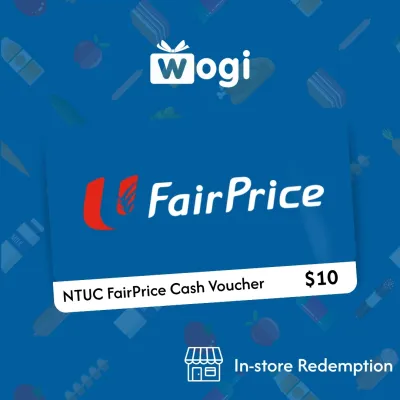


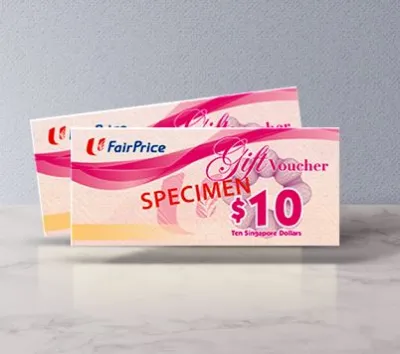
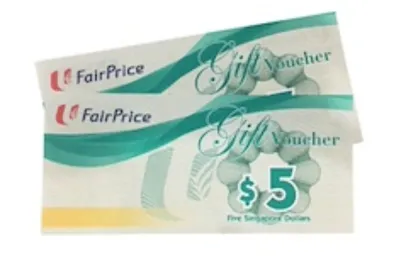

Prices are valid at publication and may change. Please refer to the product page for the latest price.
Next, locate and verify the printed expiry date on the voucher. NTUC gift vouchers have a strict validity period, and the point-of-sale system will automatically reject any voucher that has passed its expiration date. It is also important to check the security features on the voucher; some physical vouchers designed for dual-use (both in-store and online) feature a silver scratch-off panel covering a security PIN. Ensure this silver coating is completely intact when you receive the voucher, as a pre-scratched PIN could indicate that the voucher has already been registered or compromised.
Finally, determine whether you are holding a traditional physical paper voucher or a digital e-voucher. Physical vouchers must be presented in their original paper form at physical stores, whereas digital e-vouchers are typically delivered via email, SMS, or digital wallets as alphanumeric codes or digital barcodes. Knowing which format you possess determines the correct redemption path, as physical paper vouchers cannot be scanned directly from a smartphone screen at standard in-store registers unless they are specifically designated as digital-compatible e-vouchers.
How to Pay with Physical Vouchers at FairPrice Stores
Using your physical NTUC gift vouchers at a brick-and-mortar FairPrice outlet is a simple process that integrates smoothly into your regular shopping routine. As you approach the checkout lane, organize your groceries on the conveyor belt and keep your physical vouchers readily accessible in your hand. This preparation helps keep the queue moving efficiently and ensures you do not accidentally overlook any vouchers in your bag.

When the cashier begins scanning your items, inform them immediately that you intend to pay using NTUC gift vouchers. You must present the physical vouchers to the cashier before the final payment is processed and the receipt is printed. The cashier will scan the barcode on each voucher using their handheld or counter-mounted optical scanner. If a voucher is slightly worn and the scanner cannot read it, remain patient while the staff manually keys the serial number into the point-of-sale terminal to validate the voucher.
Because vouchers are issued in fixed denominations, your total grocery bill may not match the voucher value exactly. If your purchase total exceeds the face value of your vouchers, you must pay the remaining balance using any of the store’s accepted payment methods, such as cash, credit cards, debit cards, or local mobile payment options. Once the transaction is complete, review your printed receipt carefully to confirm that the correct voucher amounts have been deducted from your total bill and to check if any specific transaction details are noted.
How to Apply Vouchers on the FairPrice App and Website
For those who prefer the convenience of online grocery shopping, applying your NTUC vouchers to your digital order requires a few simple steps within your account settings. Begin by logging in to your official FairPrice Group account using either the mobile application on your smartphone or the official website on your desktop browser. Having a registered account is necessary, as guest checkouts typically do not support voucher wallet management.
Once logged in, navigate to your profile or account dashboard and locate the section dedicated to voucher management, often labeled as “Vouchers” or “Wallet”. To add a physical voucher that features a digital redemption option, carefully scratch off the silver protective coating on the card to reveal the security PIN. Manually input the unique voucher code and the corresponding PIN into the designated fields on the screen, then click the submit button to save the voucher to your digital wallet.
When you are ready to complete your purchase, proceed to the checkout page where you review your delivery details and payment summary. Before clicking the final confirmation button, look for the “Apply Voucher” or “Promo Code” option on the payment screen. Select your saved voucher from the list of available options, and the system will automatically deduct the voucher value from your order subtotal. Always review the updated payment breakdown to ensure the discount has been applied correctly before finalizing your order.
Keep in mind that online voucher usage may be subject to specific platform rules. For instance, digital vouchers are often restricted to the cost of physical goods and cannot be used to offset delivery fees, service charges, or bag fees. Additionally, certain promotional items or products sold by third-party marketplace sellers on the FairPrice platform may be excluded from voucher payments, so it is wise to check your cart composition if a voucher fails to apply.
Usage Restrictions and Troubleshooting at Checkout
While NTUC gift vouchers are highly versatile, they are subject to specific terms of use and regulatory restrictions that shoppers must navigate. One of the most important rules to remember is that physical vouchers cannot be exchanged for cash. Furthermore, if your purchase total is lower than the face value of the physical voucher you present, the remaining balance is generally forfeited, and no cash change will be returned. To get the most value out of your vouchers, try to plan your shopping list so that your total bill is equal to or slightly higher than the voucher amount.
Certain product categories and services are also excluded from voucher payments due to licensing laws or store policies. For example, you generally cannot use vouchers to purchase tobacco products, statutory items like lottery tickets, or specific infant formulas. Additionally, independent third-party counters operating within larger FairPrice premises, such as external food stalls or specialized service kiosks, may not accept these vouchers as payment.
If your voucher is rejected at checkout, do not panic. Start by checking the expiry date and inspecting the physical condition of the barcode. If you are shopping online, double-check that you have entered the voucher code and PIN correctly without any typos or accidental spaces. If the system continues to reject the voucher, seek assistance from the store’s customer service counter or contact the official FairPrice customer support team online, as they can look up the voucher status in their database to determine if it has already been redeemed or if a system error is occurring.
Frequently Asked Questions (FAQ)
Can I use multiple NTUC gift vouchers for a single transaction?
Yes, you can stack multiple physical NTUC gift vouchers to pay for a single transaction at physical FairPrice stores. Simply hand all your vouchers to the cashier at the start of the checkout process so they can scan them one by one. For online purchases via the app or website, the platform’s digital wallet typically allows you to apply multiple saved vouchers to a single order, though you should check the current checkout interface for any specific limits on the maximum number of digital codes allowed per transaction.
What happens if my purchase total is less than the voucher's value?
If you use a physical paper voucher and your purchase total is less than the voucher’s face value, the remaining balance is forfeited, and you will not receive any cash change. For example, using a S$10 physical voucher for a S$9 purchase means the remaining S$1 is lost. However, for digital e-vouchers stored in your FairPrice Group app wallet, the terms may differ; some digital vouchers allow the remaining balance to be retained in your account for future use, so always check the specific terms and conditions attached to your digital voucher.
Are NTUC gift vouchers accepted at all FairPrice formats and partner stores?
NTUC gift vouchers are widely accepted across most major FairPrice retail formats in Singapore, including FairPrice Supermarkets, FairPrice Finest, FairPrice Xtra, and Warehouse Club. They are also generally accepted at Unity pharmacies. However, acceptance can vary at smaller convenience formats such as FairPrice Express or Cheers stores, and they are typically not accepted at independent third-party tenant shops located within the mall premises. It is always best to look for official acceptance decals at the store entrance or ask the staff at the customer service counter before you begin shopping.
Community discussion
Share your experience or ask a question. Comments are reviewed before publication.