
Physical shopping vouchers remain a highly popular and practical way to manage household expenses or share gifts in Singapore. Whether you received them as a corporate gift, a holiday bonus, or a community distribution, knowing how to maximize their utility is essential. You can redeem these paper vouchers directly at checkout counters across physical supermarkets, or convert their value digitally to shop on the ntuc fairprice mall online platform and mobile app. Understanding the step-by-step redemption processes, physical care requirements, and usage limitations ensures a smooth checkout experience without any lost value.
Before You Checkout: Verifying Voucher Details and Validity
Before heading to the grocery store or loading your digital cart, taking a few moments to inspect your physical vouchers can prevent unexpected delays at the register. Physical vouchers are printed on specialized security paper that contains unique security features, such as watermarks or metallic strips, to prevent counterfeiting. Because checkout scanners rely on clear optical recognition, you must ensure the voucher paper is in good condition. Inspect the barcode and QR code areas on the voucher; ensure they are free of deep creases, tears, or water stains, as damaged paper can prevent the scanner from reading the barcode, requiring slow manual entry by store staff.
Next, locate the expiry date, which is typically printed on the top corner or the reverse side of the voucher. FairPrice vouchers have strict validity periods, and expired vouchers cannot be processed by point-of-sale systems or online databases. If your voucher is nearing its expiration date, plan a shopping trip promptly to utilize the funds, as expired vouchers are generally non-refundable and cannot be extended.
Products mentioned in this guide
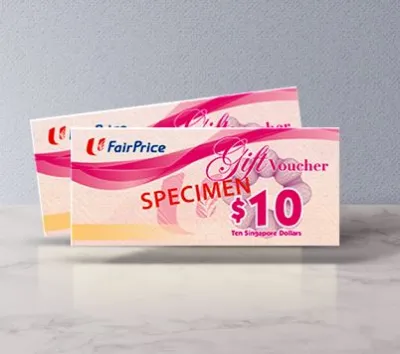


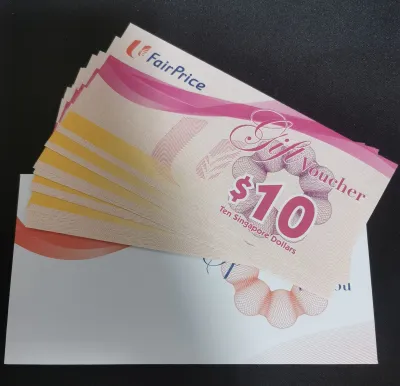
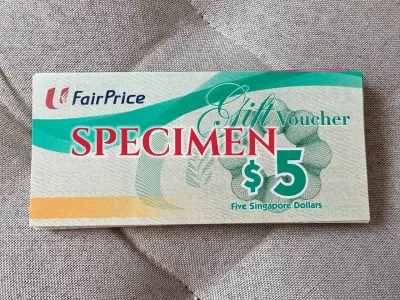

Prices are valid at publication and may change. Please refer to the product page for the latest price.
It is equally important to read the Terms and Conditions printed on the back of the voucher to confirm merchant compatibility. While most standard vouchers are widely accepted across the group’s retail brands, certain promotional or corporate vouchers might restrict usage to specific formats, such as FairPrice Finest, FairPrice Xtra, or standard supermarkets. Checking these terms beforehand prevents the embarrassment of having a voucher declined at a specific sub-brand outlet.
Finally, note the exact denomination of each voucher in your possession. Physical vouchers operate under a strict “no change” policy. If you present a S$10 voucher for a S$9.20 purchase, the remaining S$0.80 balance is permanently forfeited. To make the most of your vouchers, mentally prepare your shopping list so that your total bill matches or slightly exceeds the combined face value of the vouchers you plan to use.
Step-by-Step Guide to Redeeming Vouchers at Physical Supermarkets
Using your physical vouchers at brick-and-mortar supermarkets is a straightforward process, whether you prefer the traditional cashier-assisted lanes or the modern self-checkout terminals.

Step 1: Shop and Calculate Your Total As you walk the aisles and add groceries to your basket, keep a rough estimate of your total. Aim for a final bill that is slightly higher than your total voucher value to ensure you utilize every cent of the paper voucher.
Step 2: Alert the Cashier or Select the Option on Screen If you are using a cashier-assisted lane, inform the cashier that you will be paying with physical vouchers before they begin scanning your items. If you are using a self-checkout machine, scan all your groceries first, proceed to the payment screen, and select “Voucher” or “Gift Card” from the list of available payment methods on the touch screen.
Step 3: Present or Scan the Voucher Barcode At a cashier counter, hand the physical vouchers to the staff member, who will use their handheld scanner to read the printed barcode. At a self-checkout machine, hold the voucher flat beneath the red scanner beam, ensuring the barcode faces the scanner directly. Keep the paper steady until the machine registers the scan with a confirmation beep.
Step 4: Scratch and Enter the Security PIN (If Applicable) Some newer physical vouchers feature a silver scratch-off security panel on the front or back. If your voucher has this security feature, use a smooth-edged coin, such as a Singapore 10-cent or 20-cent coin, to scratch the silver layer gently. Apply light, even pressure to avoid tearing the underlying paper fibers or scraping off the printed alphanumeric PIN characters. Once revealed, provide this PIN to the cashier or type it directly into the self-checkout terminal screen when prompted.
Step 5: Process Split Payments for Remaining Balances If your grocery bill exceeds the total value of your scanned vouchers, you must pay the remaining balance. You can easily split the payment by using any other accepted method, including cash, credit cards, debit cards, or by redeeming accumulated LinkPoints at the terminal.
Step 6: Verify Your Printed Receipt Before leaving the checkout area, collect your printed receipt and verify the transaction details. Ensure that the total voucher deduction matches the face value of the physical vouchers you handed over or scanned. Keep the receipt as your proof of purchase, which is especially useful if there are any discrepancies or if you need to return an item later.
How to Apply Physical Vouchers on the NTUC FairPrice Mall and App
Many shoppers prefer the convenience of home delivery or click-and-collect services. You can bridge the gap between physical paper and digital shopping by redeeming your physical vouchers on the ntuc fairprice mall website or the official mobile app. This allows you to apply the paper voucher’s value directly to your digital shopping cart.
Step 1: Log In to Your Account Open the FairPrice Group app on your smartphone or visit the online portal on your computer. Log in to your registered account; this step is crucial because voucher redemptions must be tied to a verified user profile to track transactions and secure your funds.
Step 2: Build Your Cart and Proceed to Checkout Browse the digital store, add your desired groceries and household essentials to your online cart, and click on the checkout button. Ensure your cart meets any minimum spend requirements for home delivery or promotional codes you wish to stack.
Step 3: Access the Voucher Payment Field On the checkout and payment details page, scroll down to the payment section. Look for the input option labeled “Vouchers,” “Promo Codes,” or “Gift Cards” and select it to open the manual entry interface.
Step 4: Enter the Serial Number and Security PIN Locate the long serial number printed on your physical voucher and type it carefully into the digital input field. Next, gently scratch off the silver security panel on the physical paper to reveal the security PIN, and enter this PIN into the corresponding online box. Pay close attention to similar-looking characters, such as the number “0” and the letter “O,” or the number “1” and the letter “I,” to avoid input errors.
Step 5: Add Multiple Vouchers if Needed If you have more than one physical voucher, the online system typically allows you to add them sequentially. Click “Apply” after entering the first voucher’s details, then repeat the process for subsequent vouchers. The system will calculate the cumulative value and deduct it from your total cart balance.
Step 6: Complete the Transaction Once the voucher value is successfully applied, review the remaining balance, which may include delivery fees, service fees, or bag charges. Select your preferred digital payment method, such as a linked credit card or digital wallet, to pay the outstanding balance and finalize your order.
To ensure a smooth digital redemption, always perform these steps while connected to a stable Wi-Fi or mobile data network. If your connection drops mid-transaction, the system might register the voucher code as “pending” or temporarily locked. If you repeatedly enter an incorrect PIN due to a typing mistake, the online portal may lock the voucher code for security reasons, requiring you to wait or contact support to verify ownership.
Essential Rules, Restrictions, and Troubleshooting
Using physical vouchers is simple once you understand the operational boundaries. Keeping a few key rules and troubleshooting steps in mind will help you avoid issues during checkout.
- The No-Change Policy: Because physical vouchers are treated as single-use payment instruments, stores do not provide cash change or digital credit for any unused portion of a voucher. If you use a S$50 voucher on a S$48 bill, the remaining S$2 is lost. Always add a small filler item, like a pocket tissue pack or a snack, to bring your total bill slightly above the voucher value.
- Excluded Items: By law and store policy, certain items cannot be purchased using promotional or retail vouchers. These exclusions typically include tobacco products, statutory items like 4D, Toto, and Singapore Sweep tickets, newspapers, gift cards, and stage 1 infant formula. If your cart contains these items, their cost will be excluded from the voucher deduction, and you must pay for them using an alternative payment method.
- Handling Damaged Vouchers: If a paper voucher becomes torn, wet, or if you accidentally scratch off the security PIN too hard and render the numbers unreadable, do not attempt to tape it together or force a scan at the checkout counter. Cashiers cannot accept severely damaged vouchers that fail system verification. Instead, keep the damaged voucher along with any original proof of purchase or receipt, and contact the official customer service center for assistance. They can verify the serial number in their database and advise you on replacement options.
- Lost or Stolen Vouchers: Physical vouchers are bearer instruments, meaning they are treated exactly like cash. Whoever holds the physical paper has the right to spend it. If you lose your vouchers or if they are stolen, the store cannot track, block, or replace them. Keep your physical vouchers stored securely in a safe place at home or tucked securely inside your wallet until you are ready to use them.
Frequently Asked Questions (FAQ)
Can I use my NTUC FairPrice voucher at Cheers convenience stores?
Whether you can use your physical voucher at Cheers convenience stores depends entirely on the specific terms and conditions printed on the back of the voucher. While Cheers is a sister brand under the FairPrice Group, some promotional, corporate, or government-distributed vouchers are restricted solely to physical supermarkets and department stores. Always check the reverse side of your paper voucher for a list of accepted retail banners before attempting to make a purchase at Cheers.
What happens if my online order is cancelled after I pay with a voucher?
If your online order on the app or web portal is cancelled after you have applied a physical voucher, the refund will not be issued as a new physical paper voucher. Instead, the refunded value is typically credited back to your digital account. This refund usually appears as store credit in your digital wallet or as a unique digital voucher code within your app profile, which you can easily apply to your next online transaction.
Can I combine physical vouchers with LinkPoints or credit card promotions?
Yes, physical vouchers can generally be combined with other payment methods to settle your final bill. You can scan your physical vouchers to lower the transaction total, redeem your accumulated LinkPoints for a further discount, and pay the remaining balance with a promotional credit card. However, you should always check the terms of specific store-wide promotions or bank card discounts, as some high-value promotional campaigns may restrict the simultaneous use of paper vouchers and specific credit card discount codes.
Community discussion
Share your experience or ask a question. Comments are reviewed before publication.