
Using physical NTUC FairPrice vouchers at checkout is a straightforward way to offset your grocery bills in Singapore, whether you are stocking up on daily essentials or buying gifts. To redeem them, you simply present the physical paper vouchers to a cashier at a staffed counter or scan their barcodes at a self-checkout kiosk before finalizing your payment. While these paper vouchers offer excellent flexibility across the island’s largest supermarket network, successful redemption depends on verifying the voucher’s physical condition, understanding store-specific exclusions, and knowing how to handle transaction balances. Navigating the checkout process smoothly at your local ntuc supermarket requires a clear understanding of these operational steps and retail policies.
What to Verify Before You Shop
Before heading out to your nearest ntuc supermarket with a stack of physical vouchers, a quick inspection at home can save you from unnecessary delays or disappointment at the cash register. The first and most critical detail to check is the expiry date, which is clearly printed on either the front or the back of the paper voucher. NTUC FairPrice point-of-sale systems are programmed with strict validation rules, meaning any voucher presented past its printed expiry date will be automatically rejected by the checkout terminal, with cashiers having no manual override capability.
Next, identify the specific store formats where your voucher is accepted. While standard physical vouchers are widely accepted across the entire FairPrice group—including FairPrice supermarkets, FairPrice Finest, FairPrice Xtra hypermarkets, and Cheers convenience stores—some promotional or corporate-issued vouchers may have restricted usage. For instance, certain vouchers might only be valid at premium formats or may exclude Warehouse Club outlets. Reading the small print on the back of the voucher will clarify exactly which retail banners are participating.
Products mentioned in this guide
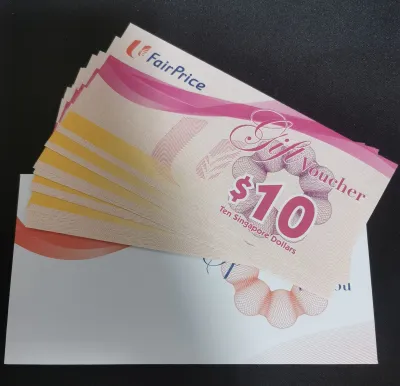

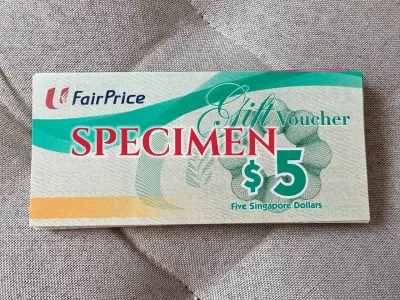
Prices are valid at publication and may change. Please refer to the product page for the latest price.
The physical condition of the paper voucher is another vital factor that directly affects the checkout process. Because checkout scanners rely on optical recognition to read the printed barcode or QR code, any physical damage to these areas can cause scanning failures. Inspect the voucher to ensure the paper medium is intact and free of deep creases, tears, or water stains that could distort the barcode lines. Furthermore, check that the printed ink has not faded or smudged, as low-contrast print can prevent the scanner’s laser from capturing the code accurately.
Finally, take a moment to review the list of excluded items printed on the back of the voucher. In compliance with local regulatory frameworks and store policies, physical vouchers generally cannot be used to purchase specific categories of goods. Common exclusions include tobacco products, statutory items like 4D and Toto lottery tickets, infant formula, gift cards, and temporary promotional items. Knowing these exclusions beforehand allows you to plan your cart purchases and separate restricted items from your main grocery bill.
It is also worth noting the distinction between brand-specific physical vouchers and government-issued CDC vouchers. While both can be used at participating supermarket outlets, they follow entirely different redemption pathways and systems. Keeping your physical brand vouchers organized separately from digital vouchers ensures a faster, hassle-free checkout experience.
How to Redeem Vouchers at In-Store Checkouts
Redeeming your physical vouchers at a brick-and-mortar ntuc supermarket can be done at either a traditional staffed cashier counter or a self-checkout kiosk. Both methods are highly efficient, but they require slightly different steps to ensure the voucher value is correctly deducted from your shopping bill.

At Staffed Counters
When opting for a staffed checkout lane, preparation is key to a seamless transaction. As you place your items on the conveyor belt, it is best practice to inform the cashier immediately that you intend to pay using physical vouchers. This allows the cashier to prepare the system for voucher input before they finish scanning your items. Once all your groceries have been scanned, hand the physical vouchers to the cashier. The cashier will inspect the paper vouchers for authenticity, check their validity dates, and scan the barcodes using their handheld or counter-mounted optical scanner. Once scanned, the system will apply the voucher value as a direct deduction, and the cashier will present you with the updated outstanding balance.
At Self-Checkout Kiosks
For those who prefer using the automated self-checkout lanes, the process is fully digitized and guided by on-screen prompts. Begin by scanning all your grocery items at the kiosk as you normally would. Once your entire cart is scanned, tap the “Pay” or “Checkout” button on the touch screen to proceed to the payment selection menu. From the available payment options, select “Voucher” or “Gift Card” as your preferred payment method.
The kiosk screen will instruct you to scan your physical voucher. Hold the voucher flat, ensuring the barcode is facing the red laser scanner of the kiosk. Keep your hands steady and align the barcode with the scanner’s light beam until you hear a confirmation beep. If you have multiple vouchers, repeat this scanning process for each paper voucher individually. The screen will display a running tally of the applied voucher values and show the remaining balance. To ensure the scanner reads the barcode on the first try, avoid tilting the paper voucher and try to keep it parallel to the scanner glass, as overhead store lighting can sometimes cause glare on glossy paper surfaces.
Handling Split Payments
It is very common for your grocery total to exceed the cumulative value of the physical vouchers you wish to redeem. In such cases, the point-of-sale system will prompt you to make a split payment to cover the remaining balance. You can easily settle this outstanding amount using any of the standard payment methods accepted at the supermarket. This includes cash (at staffed counters or cash-handling kiosks), local debit and credit cards, contactless mobile payments, or digital wallets. Additionally, if you are a Link member, you can choose to offset the remaining balance using your accumulated LinkPoints, or pay with your Trust credit card to maximize your rebate benefits.
Can You Use Paper Vouchers for Online Groceries?
With the growing popularity of online grocery shopping in Singapore, many shoppers wonder if their physical paper vouchers can be applied to digital orders placed via the FairPrice website or mobile app. The short answer is that physical paper vouchers cannot be used directly during the online checkout process.
Because the online supermarket platform requires digital payment authentication, there is no built-in mechanism to scan, upload, or manually enter the serial numbers of physical paper vouchers to offset an online cart. Furthermore, delivery drivers are not authorized to accept physical paper vouchers as payment upon delivery, as they do not carry point-of-sale scanning equipment and cannot securely process physical paper assets on the road.
However, if you prefer shopping online but only have physical vouchers, you may explore conversion options at physical customer service counters. Depending on the prevailing store policies and the specific terms of your vouchers, you may be able to exchange certain physical vouchers for digital gift cards or e-vouchers at selected customer service desks within larger hypermarkets. These digital alternatives can then be loaded directly into your online account wallet. It is highly recommended to check the official website or contact their customer service hotline to confirm the current terms and conditions regarding voucher-to-digital conversions, as these policies are subject to change and may vary based on the voucher issuer.
Essential Rules: Change, Expiry, and Cart Limits
To ensure a smooth checkout experience and avoid any awkward situations at the register, it is essential to familiarize yourself with the core financial rules governing physical voucher redemption in Singapore supermarkets.
The No-Change Policy
The most important financial rule to remember is that physical vouchers operate on a strict “no change” policy. If the total value of your physical vouchers exceeds your grocery bill, the supermarket will not refund the difference in cash, nor will they issue a smaller-denomination voucher as change. For example, if your grocery bill totals S$18.50 and you present a S$20 physical voucher, the remaining S$1.50 is forfeited. To maximize the value of your vouchers, always plan your shopping cart so that the total bill matches or slightly exceeds the combined face value of your vouchers, paying the small remaining balance with cash or card.
Expiry Date Enforcement
Supermarket point-of-sale systems are highly automated and strictly enforce voucher expiry dates. Once a voucher’s expiry date has passed, the system’s database automatically blacklists the barcode, rendering it un-scannable. Cashiers and floor managers do not have the administrative authority to bypass this system lock or manually credit the expired amount to your bill. Therefore, it is crucial to keep track of your voucher dates and prioritize using the oldest vouchers first.
Stacking with Promotions and Discounts
Physical vouchers are treated as a cash equivalent payment method rather than a promotional discount. This means you can generally stack your physical vouchers with ongoing store-wide sales, weekly specials, purchase-with-purchase promotions, and loyalty program benefits. When you check out, all eligible discounts—such as member-exclusive price cuts, Pioneer Generation, Merdeka Generation, or CHAS Blue card discounts—are calculated first to determine your final net bill. Your physical vouchers are then applied to this net bill as a form of payment. Furthermore, because vouchers are considered a medium of exchange, the Goods and Services Tax (GST) is calculated based on the retail price of the goods purchased, not on the voucher itself.
Receipt Documentation
After completing your transaction, always collect and review your printed receipt before leaving the checkout area. The receipt provides a detailed breakdown of how your payment was processed. It will clearly list the items purchased, any promotional discounts applied, the exact value of the physical vouchers redeemed, and the payment method used for the remaining balance. Checking your receipt immediately allows you to verify that all vouchers were scanned correctly and that you received the proper credit for each paper voucher presented.
Troubleshooting Scanning and Rejection Issues
Even with careful preparation, you may occasionally encounter technical difficulties or voucher rejections during the checkout process. Knowing how to handle these situations calmly can resolve the issue quickly.
Damaged or Unreadable Barcodes
If a physical voucher fails to scan at a self-checkout kiosk or staffed counter, the issue is often related to the print quality or physical wear of the barcode. In this scenario, do not panic. If you are at a self-checkout kiosk, signal a nearby floor assistant for help. Cashiers and assistants can manually key in the voucher’s serial number—which is typically printed directly below or beside the barcode—into the point-of-sale terminal. If the serial number is also unreadable due to severe damage, you will need to take the voucher to the store’s customer service desk, where staff can verify its validity through their backend database and assist with a replacement if applicable.
System Rejections and Network Outages
Occasionally, a valid, unexpired voucher might be rejected by the system due to temporary network outages, database synchronization delays, or point-of-sale software glitches. If you believe your voucher is perfectly valid but the terminal rejects it, politely ask the cashier or floor manager to check if there is an ongoing system-wide issue. During temporary network disruptions, the store may have alternative offline procedures to verify and accept physical vouchers, or they may request that you complete your payment via another method while they look into the technical issue.
Excluded Items Blocking Redemption
If your transaction is blocked or the voucher value cannot be applied, check your cart for restricted items. As mentioned earlier, items like tobacco, infant formula, and lottery tickets cannot be paid for using vouchers. If your cart contains a mix of eligible and excluded items, the point-of-sale system may prevent the voucher from offsetting the entire bill. To resolve this, ask the cashier to separate the transaction: scan and pay for the voucher-eligible groceries first using your physical vouchers, and then pay for the excluded items in a separate transaction using cash, NETS, or a credit card.
Frequently Asked Questions (FAQ)
Can I use multiple NTUC FairPrice vouchers in a single transaction?
Yes, you can generally stack and use multiple physical vouchers in a single checkout transaction at any participating store. There is typically no official limit on the number of paper vouchers you can redeem at once, provided they are all valid and unexpired. However, if you are planning to use a very large quantity of vouchers (for example, more than 20 vouchers for a high-value purchase), it is advisable to use a staffed checkout counter rather than a self-checkout kiosk. This is because scanning a large volume of individual paper barcodes can be time-consuming, and staffed cashiers can process them more efficiently.
Are physical vouchers transferable to other people?
Standard physical vouchers issued by FairPrice are bearer instruments, meaning they are fully transferable and can be used by anyone who holds them. They do not have a specific cardholder name printed on them and are not tied to a particular loyalty account. This makes them excellent gifts for family members, friends, or domestic helpers to assist with household shopping. However, if you received a specialized corporate-issued voucher or a promotional voucher linked to a specific government assistance scheme, always check the terms on the back, as some unique programs may require the presenter to show a matching identification card or loyalty membership profile.
What happens if I lose my physical voucher before using it?
Because standard physical paper vouchers are treated as cash, they cannot be replaced, refunded, or blocked if they are lost, stolen, or accidentally destroyed. The store has no way of tracking individual paper vouchers to verify who owns them once they are lost in public. Therefore, it is essential to store your physical vouchers in a secure place, such as a wallet or a dedicated organizer, and treat them with the same level of care as physical currency. If your voucher was issued as part of a registered corporate program or a specific digital-linked campaign, you may contact the issuing organization’s customer service department to see if they can track the serial number, though replacement is rarely guaranteed under standard retail terms.
Community discussion
Share your experience or ask a question. Comments are reviewed before publication.