
Using an NTUC gift card is a highly convenient way to manage your household grocery budget or redeem rewards across Singapore’s largest supermarket network. Whether you are stocking up on fresh produce at a physical FairPrice supermarket or ordering daily essentials online for home delivery, these cards offer a seamless payment experience. Understanding how to prepare your card, navigate the different checkout systems, and handle transaction limits ensures a hassle-free shopping trip.
Redeeming your card value is straightforward, but the exact steps vary depending on whether you are shopping in-store at a cashier counter, using a self-checkout kiosk, or completing a transaction on the FairPrice online platform. By following a few simple preparation checks and checkout procedures, you can maximize the value of your voucher and avoid unexpected delays at the register.
Preparing Your NTUC Gift Card Before Checkout
Before heading to your nearest supermarket or logging into your digital shopping account, taking a few moments to inspect your physical NTUC gift card can save you significant time at checkout. Physical cards rely on intact barcodes and magnetic strips to communicate with the point-of-sale systems. If the card has been stored in a tight wallet or exposed to moisture, check the back to ensure the barcode is entirely legible and free of deep scratches, smudges, or tears that could prevent the scanner from reading the code.
Products mentioned in this guide


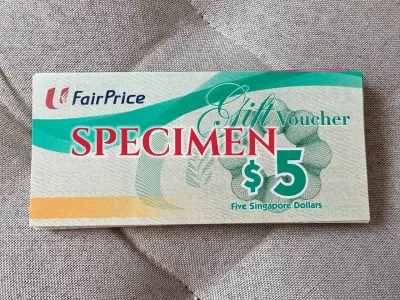


Prices are valid at publication and may change. Please refer to the product page for the latest price.
Every NTUC gift card features a unique card number and a security PIN panel on the back. For security reasons, the PIN is covered by a silver scratch-off coating. If you plan to use the card for online purchases, you will need to reveal this PIN. It is best to use the edge of a small coin to gently scratch off the coating only when you are ready to make a purchase. Avoid using sharp objects like keys or scissors, which can accidentally gouge the card and scrape away the printed numbers underneath, making the PIN unreadable.
Knowing your exact balance before you begin shopping prevents the inconvenience of an unexpected decline at the register. You can verify your current balance in a few different ways. If you have used the card recently, the remaining balance is typically printed at the bottom of your last FairPrice transaction receipt. Alternatively, you can present the card to a staff member at the customer service counter of any physical store, or check the balance through the card issuer’s official digital portals by entering the card details.
Finally, always verify the validity period of your card before planning a major grocery run. The expiration date is standardly printed on the back of the physical card or on the original carrier packaging it arrived in. Because expired gift cards generally cannot be reactivated or extended, tracking this date ensures you utilize your funds fully before they lapse.
How to Pay with Your NTUC Gift Card In-Store
Paying with your NTUC gift card at a physical store is a highly efficient process, whether you prefer traditional cashier service or the speed of automated self-checkout lanes. If you choose to queue at a manned cashier counter, let the staff member know that you intend to use an NTUC gift card as your payment method before they finish scanning your items. Once the cashier totals your purchase, hand over the physical card. The cashier will either scan the barcode on the back using their register scanner or swipe the magnetic strip to deduct the transaction amount.

If you prefer using the self-checkout kiosks, the process is equally straightforward but requires a few manual steps on the touchscreen interface. Once you have scanned all your groceries, tap the “Pay” button on the screen. Select the option labeled for vouchers, gift cards, or gift vouchers. The kiosk will prompt you to scan your card. Hold the card’s barcode steadily under the handheld scanner or place it face-down on the flatbed scanning glass. Once the system successfully reads the barcode, the screen will update to show the deducted amount and any remaining balance.
When your grocery bill exceeds the total value of your gift card, you can easily perform a split payment to cover the difference. At a manned counter, simply inform the cashier of the secondary payment method you wish to use, such as cash, NETS, a credit card, or your mobile payment app. At a self-checkout kiosk, the system will automatically calculate the remaining balance after the gift card is scanned. You can then select your preferred secondary payment option on the screen to complete the transaction. Clear communication and patience during this step prevent accidental double-charging or system errors.
After completing your payment, always collect your printed receipt. The receipt serves as your official proof of transaction and displays a clear breakdown of the payment. It will show the exact amount deducted from your gift card and print the updated remaining balance at the bottom. Keeping this receipt is an excellent habit, as it provides a quick reference for your next shopping trip without needing to check your balance online.
Redeeming Your NTUC Gift Card on FairPrice Online
Redeeming your physical NTUC gift card online allows you to enjoy the convenience of home delivery while utilizing your voucher value. To begin, log in to your account on the FairPrice website or mobile app. Add your desired groceries to your virtual cart, ensuring you meet any minimum order requirements for delivery. Once your cart is ready, select your preferred delivery date and timeslot, or choose a Click&Collect location if you prefer to pick up your order in person, then proceed to the secure checkout page.
On the checkout screen, navigate to the payment section to locate the voucher and gift card entry fields. This area is typically separate from the standard credit card input fields and is labeled as “Add Gift Card,” “Promo Code,” or “Vouchers.”
Clicking on this option will open a dedicated interface where you can securely input your card’s unique details. Carefully enter the 16-digit card number and the security PIN that you previously revealed by scratching off the silver panel. Typos are the most common cause of online checkout errors, so double-check each digit before submitting. Pay close attention to characters that look similar, such as the number “0” and the capital letter “O,” or the number “1” and the capital letter “I.” Once you have verified that the numbers are correct, click the “Apply” or “Redeem” button to update your order total.
If your online order total is higher than the available balance on your gift card, the system will require a secondary payment method to secure the order. You can link a credit card, debit card, or mobile wallet to pay the remaining amount. Note that online orders may include delivery fees or service charges, which will be added to the final total and can also be covered by your gift card balance if the funds are sufficient.
Once your payment is successfully processed, you will receive a digital order confirmation email. This email serves as your digital receipt, detailing the exact breakdown of the transaction, including the specific discount applied from your gift card and any secondary payment charges. Save this email for your records in case you need to reference the transaction or contact customer support regarding your delivery.
Understanding Usage Restrictions and Exclusions
While the NTUC gift card is highly versatile and accepted across a vast array of product categories, certain usage restrictions and exclusions apply to comply with local regulations and store policies. Generally, gift cards are intended for standard grocery items, household essentials, and fresh produce. However, they cannot be used to purchase restricted or regulated products. This typically includes tobacco products, lottery tickets, and certain promotional vouchers or third-party gift cards sold within the store.
To understand the precise boundaries of your specific card, it is highly recommended to read the terms and conditions printed on the back of the physical voucher. Different batches or corporate-issued cards may carry unique restrictions depending on the specific program under which they were distributed. For example, some cards might exclude specific high-value electronic items or concessionaire goods sold by independent tenants operating inside larger hypermarkets.
A fundamental rule of NTUC gift cards is that they cannot be exchanged for cash. If your purchase total is less than the value of the gift card, you will not receive cash change. Instead, the unused balance remains securely stored on the card for future transactions. Additionally, these cards cannot be used to purchase other store credits or top up digital wallets.
If you are planning to purchase specialty items, high-value home appliances, or goods from independent concession counters within a FairPrice Xtra or Finest outlet, it is wise to verify eligibility beforehand. You can easily do this by visiting the customer service desk near the store entrance or checking the official FairPrice online help center. Confirming these details in advance prevents unexpected payment issues at the checkout counter.
Troubleshooting Common Checkout Issues
Encountering an issue at checkout can be frustrating, but most common problems with NTUC gift cards can be resolved quickly with a few simple troubleshooting steps. If your physical card’s barcode fails to scan at a register or self-checkout kiosk, check the barcode area for dirt, smudges, or condensation from chilled items. Wipe the card clean and try scanning again. If it still fails, politely ask the cashier to manually key in the card number or attempt to swipe the magnetic strip to process the transaction.
When shopping online, an “Invalid PIN or Card Number” error is usually caused by a minor input mistake. If you receive this error, delete the entered numbers and re-type them slowly. Ensure that you have completely scratched off the silver coating on the back of the card, as a partially obscured digit can easily lead to misreading a number. Also, check that you have not added accidental spaces or hyphens unless the online field specifically requests them.
An “Insufficient Funds” error occurs when the transaction system attempts to charge the entire purchase amount to a gift card that does not have enough balance to cover it. To resolve this, ensure you have selected the option to perform a split payment, or link a valid credit or debit card as your primary payment method before applying the gift card as a secondary discount voucher.
If your physical gift card is lost or stolen, it should be treated with the same care as cash. If you realize your card is missing, contact the card issuer’s customer support line immediately. Provide them with any purchase receipts, the card number if you have it recorded, and details of where you bought or received it. While replacement is subject to the issuer’s terms and conditions and is not guaranteed, acting quickly increases the likelihood of securing any remaining balance.
Frequently Asked Questions (FAQ)
Can I use my NTUC gift card at all FairPrice formats?
Yes, NTUC gift cards are generally accepted across all major FairPrice store formats in Singapore. This includes standard FairPrice supermarkets, premium FairPrice Finest stores, large FairPrice Xtra hypermarkets, and smaller FairPrice Shop outlets. However, they are typically not accepted at independent third-party tenant booths, food courts, or certain franchise outlets located within the store premises.
Do NTUC gift cards have an expiry date?
Yes, NTUC gift cards carry a specific validity period. The exact expiry date is printed on the back of the physical card or on the packaging it came with. It is important to plan your shopping trips to use the full balance before this date, as expired cards cannot be reactivated, and the remaining funds are generally forfeited.
Can I get cash back if my purchase is less than the gift card balance?
No, NTUC gift cards cannot be redeemed or exchanged for cash. If your total grocery bill is lower than the value of your gift card, the remaining balance will stay on the card. You can use this remaining balance for any future purchases until the card’s funds are completely depleted or the card reaches its expiration date.
Community discussion
Share your experience or ask a question. Comments are reviewed before publication.