
Navigating the public transportation network in Singapore is highly efficient, largely due to the seamless integration of contactless payment systems. The EZ-Link card, a reloadable contactless smart card, serves as the primary transit companion for millions of daily commuters boarding trains and buses. Understanding how to prepare, tap, and manage this card ensures a smooth journey without unnecessary delays or unexpected fare charges.
To get the most out of your daily commute, it is essential to master the basic mechanics of tapping in and out at various transit points. Whether you are boarding a double-decker bus or passing through a bustling underground train station, a few simple habits can prevent common errors like card clash or insufficient balance gates. This guide provides a comprehensive walkthrough of the entire process, from preparing your card to troubleshooting reader issues on the go.
Getting Your EZ-Link Card Ready for Daily Commutes
Before stepping out of the house, verifying that your transit card is physically sound and adequately funded is the first step toward a hassle-free commute. The card contains an internal antenna and a microchip that communicate wirelessly with transit readers. Physical damage, such as deep creases, cracks, or severe peeling along the edges, can sever these internal connections, rendering the card useless even if it has a high cash balance. A quick visual inspection can save you from being turned away at the transit gates.
Products mentioned in this guide
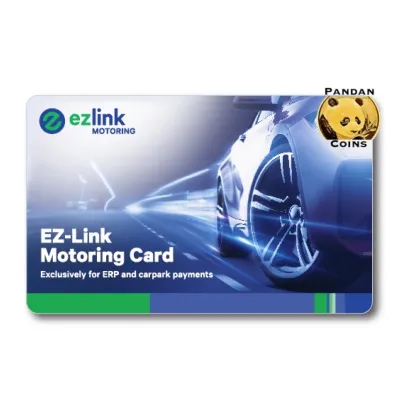

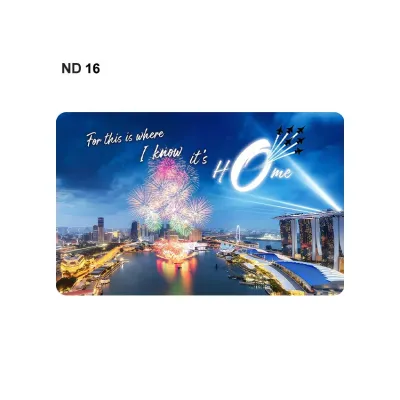


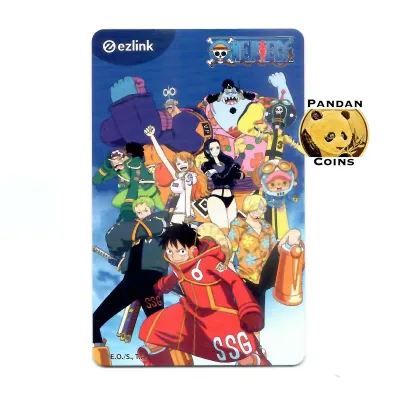

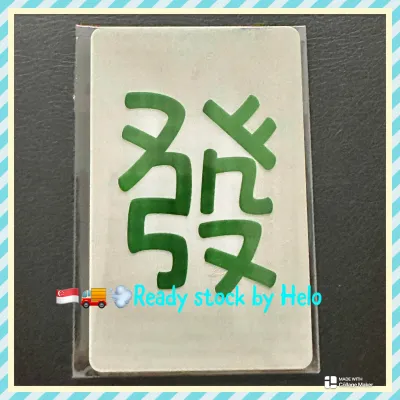
Prices are valid at publication and may change. Please refer to the product page for the latest price.
Keeping your card sufficiently funded is equally critical. You can top up your card at various convenient locations across the island, including automated ticketing kiosks located at all MRT stations, passenger service centers, and selected convenience stores. While automated kiosks allow for quick digital payments, some retail outlets may apply a small service fee for manual top-ups, so it is always wise to check the transaction terms displayed at the counter.
To pass through any transit gate, your card must hold a minimum stored value. This minimum threshold ensures that the card can cover at least the basic starting fare of a journey. If your balance falls below this required limit, the reader will flash an error message and refuse entry. Maintaining a buffer balance well above the minimum requirement is highly recommended, especially during peak hours when queuing for a top-up machine can add significant delays to your travel time.
Tapping In and Out at MRT Stations
Entering an MRT station requires passing through automated fare gantries that regulate passenger flow. As you approach the gantry, locate the circular, brightly lit contactless reader on top of the gate structure. Hold your card flat and steady against the center of this reader. Avoid waving the card rapidly or tapping it at an angle, as this can prevent the sensor from establishing a stable connection with the internal chip.

A successful tap is indicated by a distinct audible beep and a green light on the gantry indicator. Simultaneously, the small digital screen on the gate will briefly display your card status or remaining balance. Once these signals occur, the physical barriers or flap gates will open, allowing you to walk through. It is important to proceed through the gate promptly to maintain a steady flow of commuters behind you.
When you reach your destination station, you must repeat this exact tapping sequence at the exit gantry. Tapping out is crucial because Singapore’s transit system calculates fares based on the precise distance traveled between your entry and exit points. Holding your card flat against the exit reader completes the transaction, triggers the final fare deduction, and displays your updated remaining balance on the screen before the gates open to let you out.
If the gantry gate does not open or displays an error message, do not attempt to force your way through. Step back out of the lane immediately to allow other commuters to pass. Look at the screen for specific error codes, which often indicate an insufficient balance or a reading failure. You can resolve these issues by visiting the nearest passenger service office or using a nearby ticketing kiosk to check your card’s status.
Boarding and Alighting from Public Buses
Public buses offer a highly accessible way to travel, but they require a slightly different tapping discipline than the train system. When boarding a bus, always enter through the front door where the driver is positioned. You will find contactless card readers mounted on the metal stanchion poles on either side of the entrance. Tap your card flat against the reader as you step aboard, waiting for the single beep and green light to confirm your entry.
As you approach your destination, prepare to exit through the designated rear doors of the bus. Card readers are positioned on the poles next to these exit doors. You must tap your card against one of these exit readers immediately before stepping off the bus. This action registers your alighting point, allowing the system to calculate the exact distance of your ride and deduct the correct fare.
Failing to tap out when alighting from a bus carries a financial penalty. Because the system cannot verify where you ended your journey, it automatically defaults to charging the maximum possible fare for that specific bus route. Over time, forgetting to tap out can lead to a significant drain on your card’s stored value, making it essential to build a consistent habit of tapping at the rear doors.
To ensure a clean read on both buses and trains, practice proper card management. “Card clash” occurs when a reader detects multiple contactless cards simultaneously—such as your transit card, a contactless credit card, or an office security pass kept in the same wallet. To prevent this, remove your transit card from your wallet or use a dedicated card holder that isolates the card’s signal from other electronic cards.
Understanding Transfers and Fare Deductions
The public transport network is designed to be highly integrated, utilizing a distance-based fare structure that makes multi-stage journeys affordable. Under this system, commuters can transfer between different bus services or between buses and the MRT network within a single journey without paying multiple boarding charges. This transfer benefit is applied automatically as long as you meet specific criteria, such as transferring within 45 minutes of alighting from the previous service.
Monitoring your fare deductions is a great way to stay on top of your commuting budget. Every time you tap out at an exit gantry or a bus door, the reader screen displays the exact fare charged for that leg of the journey alongside your remaining balance. Taking a brief moment to glance at this screen helps you keep track of your daily expenses and alerts you when your balance is running low.
If you ever suspect that you have been charged incorrectly, the transit system provides clear avenues for recourse. You can review your detailed transaction history by tapping your card at any station ticketing kiosk or by registering your card on official transit mobile applications. If you identify a discrepancy, such as a double charge or an incorrect distance calculation, you can submit a claim through official customer service channels to request a refund.
Troubleshooting Common Card and Reader Issues
Even seasoned commuters occasionally encounter issues with their transit cards during daily travel. The most common issue is an insufficient balance error at the entry gates. If this happens, simply step out of the queue and locate the nearest ticketing machine. These kiosks accept various payment methods, allowing you to quickly restore your balance to a functional level before attempting to enter the gates again.
If your card is physically intact but consistently fails to register on any reader, the issue may stem from signal interference. Thick leather wallets, heavy-duty phone cases, or RFID-blocking card holders can severely degrade the signal between the reader and the card’s internal antenna. Try removing the card from its sleeve or holder and placing it directly against the reader surface to see if responsiveness improves.
When a card becomes permanently unresponsive due to internal wear or physical damage, it must be replaced. You can take the faulty card to any transit ticket office or passenger service center for diagnostic testing. The staff can verify if the card is defective and guide you through the process of transferring any remaining stored value to a new card, ensuring you do not lose your funds.
Frequently Asked Questions (FAQ)
Can I use one EZ-Link card for multiple passengers?
No, each commuter must use their own individual card or ticket to travel on public transit. The distance-based fare system requires tracking the exact entry and exit points for every single passenger. Attempting to tap the same card twice at a gantry or bus reader to let another person through will result in a reading error, as the system expects an exit tap before allowing a new entry tap on the same card.
What happens if I forget to tap out on a bus?
If you forget to tap out when exiting a bus, the ticketing system will charge you the maximum fare for that entire bus route. Furthermore, the journey is marked as incomplete, which invalidates any transfer rebates you would have received on subsequent legs of your trip. To avoid these unnecessary charges, always make it a habit to have your card ready in your hand as you approach the exit doors.
How can I check my remaining card balance?
You can check your remaining balance instantly by looking at the display screen on the fare gates or bus readers during your exit tap. For a more detailed breakdown, you can tap your card at any station ticketing kiosk to view your balance and recent transaction history. Additionally, linking your card to official transit mobile applications allows you to monitor your balance and track your travel history directly from your smartphone.
Community discussion
Share your experience or ask a question. Comments are reviewed before publication.