
Redeeming a physical NTUC FairPrice voucher or gift card at a supermarket in Singapore is a straightforward process that can be completed at both manned checkout counters and automated self-checkout kiosks. Whether you hold a traditional paper voucher or a plastic gift card, these physical payment methods are accepted across various FairPrice outlets, including FairPrice Finest, FairPrice Xtra, and Warehouse Club. Understanding the exact steps for scanning, entering PINs, and managing split payments ensures a smooth transaction without delays at the register.
Using these physical vouchers effectively requires a small amount of preparation before you reach the checkout line. By verifying your voucher’s validity, understanding store exclusions, and knowing how to navigate the point-of-sale systems, you can shop with confidence and avoid any unexpected issues when it comes time to pay.
Before You Shop: Checking Voucher Validity and Store Policies
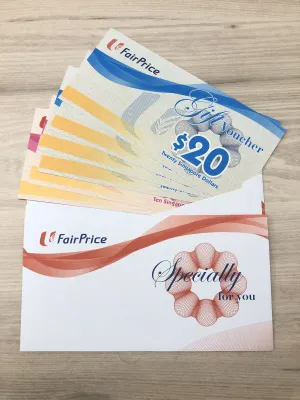
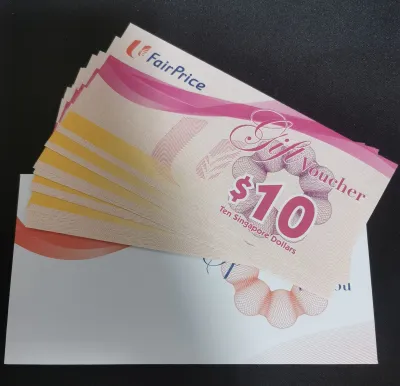
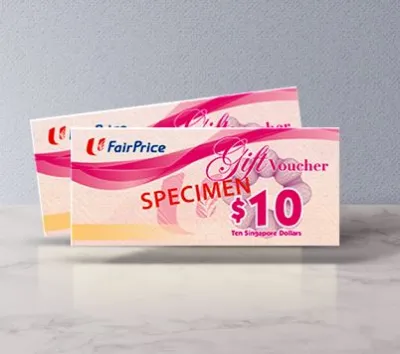
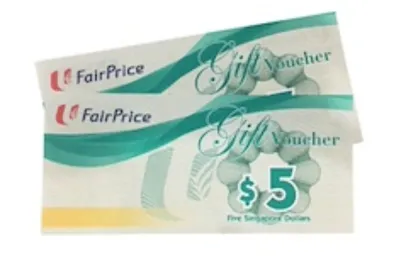
Before heading to the checkout lane, take a moment to inspect your physical voucher or gift card to confirm it is ready for use. First, locate the essential security and transactional features on the card. For plastic gift cards, this typically includes a barcode on the back, a magnetic stripe, and a scratch-off panel that conceals a security Personal Identification Number (PIN). If you are using a paper voucher, look for the unique serial number, barcode, and security hologram. Ensure these elements are clean, dry, and free of deep scratches or tears that could prevent the checkout scanners from reading them.
Products mentioned in this guide

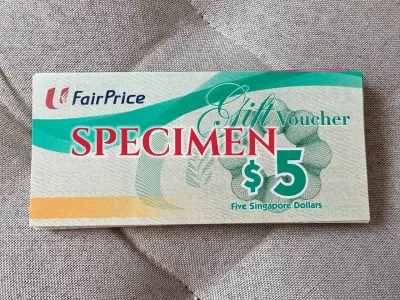
Prices are valid at publication and may change. Please refer to the product page for the latest price.
Next, verify the printed expiry date, which is usually located on the reverse side of the card or along the edge of the paper voucher. In Singapore, retailers strictly enforce these expiration dates, and expired vouchers cannot be reactivated or used for purchases. It is also highly recommended to read the fine print in the Terms and Conditions section. Certain regulated goods, third-party services, or restricted items are frequently excluded from voucher payments. For instance, you generally cannot use these vouchers to purchase tobacco products, alcohol, lottery tickets, statutory items, or specific pharmacy prescriptions.
Finally, remember that physical vouchers are treated as bearer instruments, which means they are equivalent to physical cash. If you lose the voucher or if it is stolen, the supermarket chain cannot track, freeze, or replace the remaining balance. Always store your physical cards in a secure compartment in your wallet, away from magnetic sources or keys that could scratch the barcode or magnetic stripe, rendering the card unreadable at the kiosk.
How to Redeem at a Manned Checkout Counter
Using your physical voucher at a manned checkout counter is the most traditional method and is highly recommended if you have a large stack of vouchers or if your card has visible wear.

Inform the Cashier Early As you approach the cashier, let them know immediately that you intend to pay using a physical FairPrice voucher or gift card. This early notification is crucial because some point-of-sale (POS) systems require the cashier to select the voucher payment mode on their screen before scanning your groceries, or they may need to prepare the system to accept multiple payment inputs.
Scan and Confirm the Total Allow the cashier to scan all your items and place them into your shopping bags. Once the scanning is complete, the cashier will present the final transaction total on the customer-facing display screen. Ensure that any discounts, Linkpoints, or promotional offers have been correctly applied to your total before you hand over your payment.
Present the Voucher for Processing Hand the physical voucher or gift card to the cashier. If your gift card features a scratch-off PIN panel, check if it has already been revealed. If not, you can gently scratch off the silver coating using a coin or your fingernail to expose the PIN. The cashier will then scan the barcode using their handheld scanner or swipe the card through their terminal. In some cases, they may manually enter the PIN or card number into the register to authorize the deduction.
Complete the Transaction and Verify Your Receipt Wait for the register to process the payment and print your transaction receipt. Before walking away from the counter, review the printed receipt carefully. It should clearly show the voucher deduction, any remaining balance left on your physical gift card (if applicable), and your updated Linkpoints balance. If you used a paper voucher that does not carry over a balance, ensure the full face value was deducted correctly.
How to Redeem at a Self-Checkout Kiosk
If you prefer a faster, automated shopping experience, self-checkout kiosks are fully equipped to process physical vouchers and gift cards.
Scan Your Items and Bag Them Begin by scanning each of your grocery items at the kiosk. Align the barcodes of your products with the flatbed scanner or use the attached handheld scanner. Place each scanned item directly onto the bagging platform, as the built-in weight sensors must register the items to keep the machine active.
Initiate the Payment Screen Once you have scanned all your purchases, tap the large “Pay” or “Checkout” button on the touchscreen monitor. If you are a Link member, this is also the stage where you should scan your physical Link card or your FairPrice group app to earn or redeem rewards points before finalizing the payment.
Select the Voucher Payment Option On the payment selection screen, look closely at the available options. You must select the button labeled “Gift Card”, “Voucher”, or “Store Card”. Do not select credit/debit card, NETS, or mobile payment options at this stage, as doing so will prompt the machine to look for an external card terminal signal rather than activating the internal barcode scanner for your voucher.
Scan the Voucher and Enter the PIN Locate the red laser line of the kiosk’s barcode scanner. Hold your physical voucher or gift card a few inches away, aligning the barcode on the back of the card with the laser. If the scan is successful, the machine will beep. If the card requires a security PIN, a numeric keypad will appear on the touchscreen. Carefully type in the PIN hidden under the scratch-off panel of your card and press “Enter” or “Confirm”.
Confirm and Collect Your Receipt The kiosk will process the transaction and display the deducted amount on the screen. Once the payment is approved, the machine will print your receipt. Collect your physical card, your receipt, and your bagged groceries. Always check the bottom of the receipt to verify the transaction details and confirm any remaining store credit.
Managing Partial Payments and Multiple Vouchers
When shopping at Singapore supermarkets, you may find that your grocery total does not perfectly match the value of your physical vouchers. Managing these discrepancies is simple once you understand how the point-of-sale systems handle split payments.
Handling Insufficient Balances If your grocery bill is higher than the value stored on your physical voucher, the checkout system will automatically deduct the maximum available balance from your card, leaving a remaining amount to be paid. You can easily settle this outstanding balance using any other accepted payment method, such as cash (at manned counters or cash-accepting kiosks), NETS, a credit or debit card, or via the FairPrice mobile app.
Using Multiple Vouchers in One Go You are generally allowed to use multiple physical vouchers or gift cards to pay for a single transaction. At a manned checkout, simply hand all your physical vouchers to the cashier, who will scan them sequentially until the bill is settled or all cards are exhausted. At a self-checkout kiosk, select the “Gift Card” option, scan your first voucher, enter its PIN, and wait for the system to apply the balance. The screen will then show the remaining amount due and prompt you to select a payment method again; simply tap “Gift Card” once more to scan your next voucher.
Optimizing Your Payment Order To make your checkout experience as efficient as possible, always apply your physical vouchers first. By reducing your total with vouchers at the beginning of the payment process, you can then pay the exact remaining cents using a digital method like a credit card or mobile payment. This strategy prevents you from having to handle loose coins or small change, keeping your wallet organized.
Important Restrictions and Troubleshooting Tips
While physical vouchers are highly convenient, keeping a few operational rules and troubleshooting steps in mind will prevent issues at the checkout.
Understanding the Cash Change Policy It is important to distinguish between plastic gift cards and paper vouchers. Plastic gift cards store their value electronically, meaning if you spend S$45 of a S$50 balance, the remaining S$5 stays on the card for your next visit. However, traditional paper vouchers are typically one-time-use instruments. If the terms on your paper voucher state that no change is given, spending S$45 of a S$50 paper voucher means you will forfeit the remaining S$5. Always check the specific terms printed on your voucher to avoid losing any value.
Resolving Scanner and Read Errors If the barcode scanner at the self-checkout kiosk fails to read your card, do not panic. Gently wipe the barcode area with a clean, dry cloth or tissue to remove any dust, grease, or fingerprints. If the kiosk still fails to scan the card, or if the magnetic stripe is demagnetized, move to a manned checkout counter. The supervisor or cashier can manually type the long card number and PIN directly into the terminal to process your payment.
Protecting Against Lost or Damaged Cards Because physical vouchers are bearer instruments, they cannot be locked or recovered if lost. Store them in a cool, dry place inside your wallet to prevent the paper from tearing or the plastic from warping. If you accidentally scratch off the PIN numbers along with the silver coating, making the PIN unreadable, you will need to visit the store’s customer service desk with your original purchase receipt to seek assistance from the supermarket management.
Frequently Asked Questions (FAQ)
Can I use my physical FairPrice voucher to buy alcohol or tobacco?
No, physical FairPrice vouchers and gift cards typically cannot be used to purchase tobacco, alcohol, lottery tickets, or other legally restricted items in Singapore. These exclusions are dictated by local retail regulations and store policies. Always review the specific exclusions printed on the back of your physical voucher before shopping.
How do I check the remaining balance on my physical voucher?
For plastic gift cards, your remaining balance is printed at the bottom of your transaction receipt after every purchase. If you have not made a purchase recently, you can present your card to a cashier or a customer service officer at any FairPrice outlet, and they will scan it to check the current balance for you.
Can I use a FairPrice voucher at a Unity Pharmacy inside the supermarket?
Yes, in most cases, physical FairPrice vouchers are accepted at Unity Pharmacy counters located within FairPrice supermarkets. However, acceptance can vary depending on whether the Unity outlet is a standalone store or integrated, and the specific terms of your voucher. It is best to verify with the pharmacy staff before they begin scanning your prescriptions or health products.
Community discussion
Share your experience or ask a question. Comments are reviewed before publication.