
Navigating daily life in Singapore requires a reliable, fast, and secure payment method. The net flashpay card serves as a highly versatile contactless smart card designed to streamline your daily commute, motoring expenses, and retail transactions. Operating on a contactless chip system, this multi-purpose card allows you to tap and pay seamlessly across a vast network of transit systems, carparks, and merchants nationwide. Understanding how to manage your card’s balance, navigate system transitions, and troubleshoot common issues ensures you never get stuck at a gantry or checkout counter.
Understanding Your NETS FlashPay Card and System Limits
The net flashpay card is built on standard CR80 physical dimensions, matching typical credit cards at 85.60 mm by 53.98 mm. This standardized size ensures it fits perfectly into standard wallets, cardholders, and vehicle In-Vehicle Units (IUs). The card utilizes near-field communication (NFC) technology, allowing data to transmit securely when placed near a compatible reader.
As Singapore’s public transport infrastructure evolves, understanding the system limits of your card is essential. The Land Transport Authority (LTA) has transitioned public transit payments toward the SimplyGo framework. Because of this transition, older card-based ticketing (CBT) variants of the card may face limitations when used at MRT stations and buses. Users must verify whether their specific card version is SimplyGo-compatible or if it operates solely on the legacy system.
Products mentioned in this guide
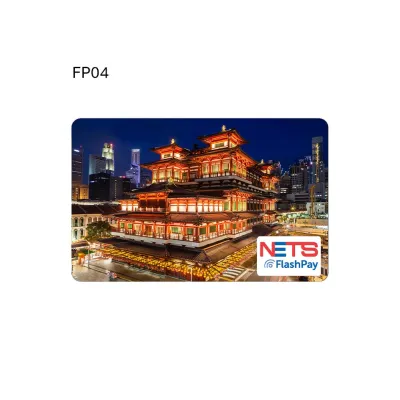
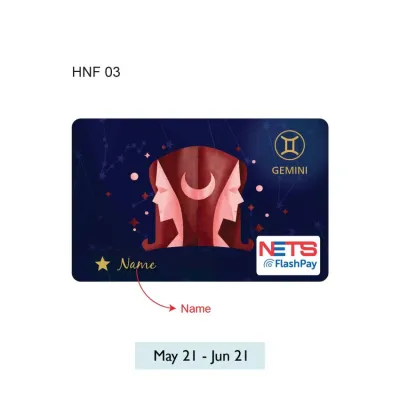
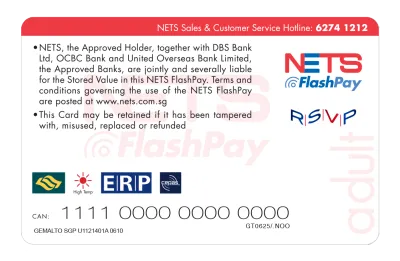
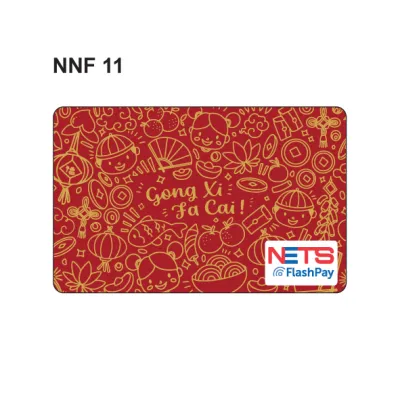
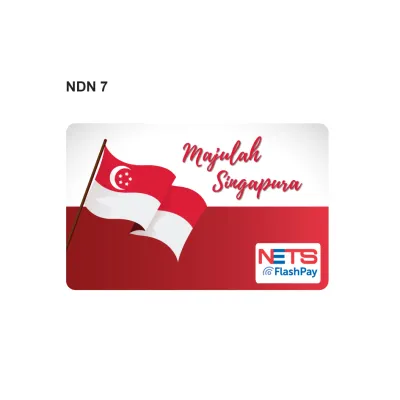
Prices are valid at publication and may change. Please refer to the product page for the latest price.
Every stored-value card has defined financial and temporal boundaries. The maximum balance limit for a standard card is S$500. This ceiling protects users from excessive losses in case of physical card misplacement. Additionally, these cards carry a standard validity period of seven years from the date of manufacture. You can easily locate the physical expiry date printed on the back of your card or verify it electronically through official NETS digital channels.
Proper physical maintenance preserves the integrity of the internal antenna and microchip. To prevent card failure, avoid bending the card, exposing it to extreme heat, or placing it near strong magnetic fields. If the exterior surface accumulates dirt or oils from daily handling, gently clean it using a soft, dry microfiber cloth. Avoid using harsh chemical solvents or abrasive materials, which can degrade the protective plastic coating and damage the internal circuitry.
How to Top Up Your NETS FlashPay Card
Keeping your card loaded is straightforward, with several manual and automated options available across Singapore.

Manual Top-Up Methods For physical top-ups, you can visit a wide array of convenient locations. Convenience stores such as 7-Eleven and Cheers offer over-the-counter top-up services, though a small service fee may apply depending on the retailer. Major supermarkets like FairPrice, Cold Storage, and Giant also provide top-up services at their customer service desks. Additionally, self-service terminals including AXS Stations, SAM Kiosks, and MRT General Ticketing Machines (GTMs) allow you to add funds. Note that accepted payment methods vary by terminal; some machines accept cash, while others require local debit cards, credit cards, or NETS QR codes.
Auto Top-Up (ATU) Setup To eliminate the hassle of manual reloads, you can configure the Auto Top-Up service. This feature links your physical card directly to a supported bank account (such as DBS/POSB, OCBC, or UOB) or a compatible credit/debit card. When your card balance falls below a pre-set threshold—typically S$10—the system automatically triggers a top-up of your chosen amount (such as S$30 or S$50) at transit gantries or ERP readers. This ensures your card always has a functional balance without requiring manual intervention.
NETS App Integration Managing your card digitally is highly efficient via the official NETS App, available on NFC-enabled iOS and Android smartphones. By launching the app and holding your card against your phone’s NFC antenna, you can instantly read your current balance, view detailed transaction history, and perform top-ups using registered payment methods. This digital integration provides a real-time window into your spending habits and card health.
Top-Up Verification Tip Whenever you perform a manual top-up, make it a habit to wait for the transaction confirmation on the terminal screen. Always collect the printed or digital receipt and verify that the updated balance matches your transaction. Taking this quick step immediately after reloading helps you catch any terminal discrepancies or network errors before you leave the counter.
Using Your Card for MRT and Bus Transit
Public transportation in Singapore relies heavily on contactless payments, making your card an invaluable travel companion.
To ride the MRT or public buses, simply tap your card flat against the reader at the entry gantry or bus boarding door. Hold it steady for a fraction of a second until you hear a single clear beep and see a green light on the display screen. When exiting the station or alighting from the bus, repeat this physical action on the exit reader to complete your journey.
Adhering to the “same card” rule is critical for avoiding unnecessary transit charges. You must tap out with the exact same physical card that you used to tap in. If you swap cards mid-journey or mistakenly tap in with a physical card and tap out with a mobile device, the ticketing system cannot pair the entry and exit points. This results in an incomplete journey flag, and both cards will be charged the maximum possible distance fare for that route.
The ongoing SimplyGo transition directly impacts how transit fares are processed and displayed. If your card is not SimplyGo-enabled, you will see your remaining balance displayed instantly at the gantry screen upon tapping out. However, if you have migrated to SimplyGo, your fare details and balance are managed in the cloud, meaning the gantry screen may only show “SimplyGo” without displaying the exact remaining balance. You can check your card’s compatibility by looking for the SimplyGo logo on the card face or by adding the card to the SimplyGo mobile app.
If an MRT gantry or bus reader rejects your card, remain calm and step aside to avoid blocking other commuters. First, verify that your card has the minimum required entry balance, which is typically S$3.00 for public transit. Next, check the card physically for severe bends, deep scratches, or cracks that might have severed the internal copper antenna. If the card appears undamaged but still fails to read, visit the Passenger Service Centre or a TransitLink Ticket Office inside the station, where staff can run diagnostics and advise on a replacement.
Paying for Carparks and Electronic Road Pricing (ERP)
For motorists in Singapore, managing parking and toll payments efficiently is key to a stress-free drive.
Carpark Payments Most public and private carparks in Singapore utilize the Electronic Parking System (EPS). When entering or exiting an EPS-equipped carpark, the overhead gantry automatically reads the card inserted in your vehicle’s In-Vehicle Unit (IU) and deducts the exact parking fee. For older carparks or those requiring manual payment, you may need to tap your card physically against the reader at the exit barrier.
ERP Gantries Electronic Road Pricing (ERP) gantries manage traffic congestion on major expressways and arterial roads. To ensure seamless toll deductions while driving, you must insert your card securely into your vehicle’s dual-mode IU or ensure compatibility with the newer On-Board Unit (OBU) system. Verify that the card is inserted in the correct direction, with the chip facing the indicator light, and confirm that the unit registers the card with a solid green light or a positive balance display.
Maintaining a Buffer Balance Drivers should always maintain a healthy balance buffer on their card, ideally keeping it above S$20. If you pass under an active ERP gantry with an insufficient balance or an improperly inserted card, the gantry will fail to deduct the toll. This triggers an automated violation notice from the Land Transport Authority (LTA), resulting in a standard administrative fee on top of the missed ERP charge. Keeping a consistent buffer balance prevents these avoidable fines and ensures the gantry barrier lifts smoothly at carpark exits.
Making Retail and Dining Payments
Beyond transit and motoring, your card functions as a swift payment method for everyday retail and dining purchases.
To use your card at retail outlets, look for the distinctive blue-and-white NETS logo or the specific FlashPay decal displayed near the cash register or payment terminal. This visual indicator confirms that the merchant’s point-of-sale system is equipped to process your card.
The payment process is incredibly simple and requires no signature or PIN for standard transactions. Simply inform the cashier that you wish to pay via FlashPay, then tap your card flat against the contactless payment terminal. Wait for the terminal to emit an approval beep and display a successful transaction message before retrieving your card and collecting your receipt.
While acceptance is widespread, some unique merchant conditions apply. Many smaller hawker stalls, wet market vendors, and boutique retail shops may enforce a minimum spend requirement (such as S$5 or S$10) to offset transaction processing costs. Additionally, some merchants might only accept standard NETS bank card deductions (which pull funds directly from a linked bank account) rather than stored-value cards. It is always wise to confirm acceptance with the merchant before placing an order or finalizing your purchase.
Checking Balances, Expiry, and Replacing Your Card
Proactively monitoring your card’s health and balance prevents unexpected disruptions during your daily routines.
Balance Check Options You can verify your remaining balance through multiple convenient channels. Tap your card against an NFC-enabled smartphone using the official NETS App for an instant balance reading. Alternatively, insert your card into any AXS Station, SAM Kiosk, or MRT General Ticketing Machine. You can also view your balance on the display screen at transit gantries or carpark exit readers immediately after a transaction is processed.
Expiry and Replacement Procedures Stored-value cards have a finite operational lifespan, typically expiring seven years from their date of manufacture. The expiry date is usually printed on the lower back portion of the physical card. If your card is nearing its expiry date or has suffered physical damage, you can visit a NETS Customer Service Centre or designated TransitLink Ticket Offices to arrange a replacement. Staff can assist in transferring any remaining balance from the old card to a new one, though nominal administrative fees or card replacement costs may apply.
Handling Lost Cards Registering your card on the official NETS App is an essential step to safeguard your funds. Once registered, your card’s unique serial number is linked to your profile, allowing you to quickly report a lost or stolen card. This registration facilitates the blocking of the card to prevent unauthorized usage and streamlines the refund process for any remaining balance. Unregistered cards are treated like physical cash; if lost, the remaining balance cannot be recovered or blocked.
Frequently Asked Questions (FAQ)
Can I use my NETS FlashPay card for SimplyGo?
Standard NETS FlashPay cards operate on a card-based ticketing system rather than the account-based SimplyGo system. While you can still use classic cards on transit, they do not support advanced SimplyGo features like remote top-ups via the SimplyGo app or instant fare history tracking. If you want to use SimplyGo, you must use a compatible card (such as the newer NETS Prepaid Card) or check if your current card is eligible for a system upgrade at a ticketing terminal.
What happens if my card balance is insufficient at an ERP gantry?
If your card balance is insufficient when passing through an active ERP gantry, the In-Vehicle Unit (IU) will emit a warning beep, and the transaction will fail. The gantry cameras will record your vehicle’s license plate, and the Land Transport Authority (LTA) will issue a notification of the payment failure. You will be required to pay the missed ERP toll plus an administrative fee (typically S$10 if paid within the stipulated grace period) to resolve the violation.
Community discussion
Share your experience or ask a question. Comments are reviewed before publication.