
The Gardenia EZ-Link card is a practical, co-branded contactless smart card that functions as both a transit pass and a retail payment tool across Singapore. Topping up and using this card is straightforward, utilizing the standard SimplyGo and EZ-Link infrastructure found throughout the island’s public transport network. By understanding the available top-up channels, balance-checking methods, and payment scenarios, you can seamlessly integrate this collectible card into your daily commute and shopping routines.
Understanding Your Gardenia EZ-Link Card
The Gardenia EZ-Link card combines a charming, recognizable brand design with the full utility of a standard contactless transit card. It operates on the CEPAS (Contactless e-Purse Application System) standard, allowing you to pay for fares on the MRT, LRT, and public buses. Beyond public transport, the card is accepted at a wide variety of retail outlets, vending machines, and food centers across Singapore. This dual functionality makes it a versatile companion for both daily commuting and quick retail transactions.
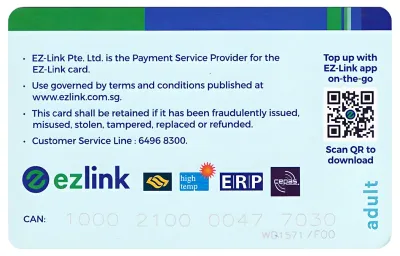
To manage your card digitally, you need to locate the 16-digit Card Account Number (CAN) printed on the back. This unique identifier is essential for registering your card on the official mobile application, enabling features like remote tracking, transaction history viewing, and balance protection. It is a good practice to take a photo of this number or write it down in a secure place, as the printed digits on the card can wear off over time with frequent use.
Products mentioned in this guide

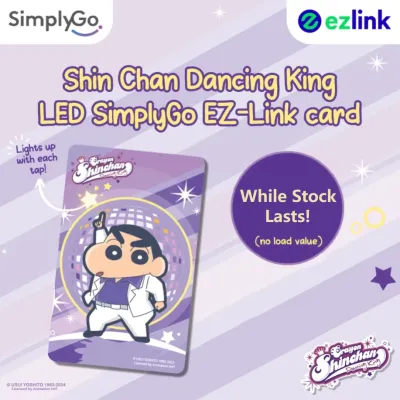
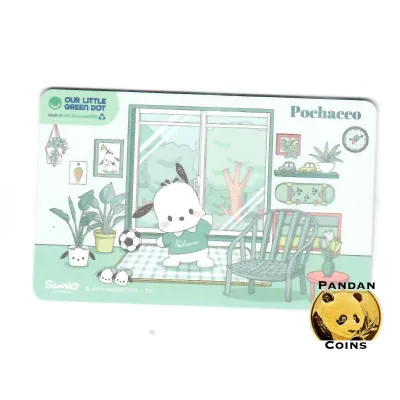
![[Exp: March 2030] Brand New EZ-Link Ezlink Blue Sanrio Hello Kitty 50th Anniversary EZ-Link Card Blue (Non SimplyGo)](https://img.lazcdn.com/g/ff/kf/Sffe01e531df94563abf64ba29a6c06d0N.jpg_400x400q80.jpg_.webp)
Prices are valid at publication and may change. Please refer to the product page for the latest price.
Additionally, every EZ-Link card has a limited lifespan, typically lasting up to five years from its date of encoding. You can find the physical expiry date printed on the back of the card, which helps you plan for a replacement before the card becomes inactive. Keeping track of this date ensures you are not caught off guard by a sudden card failure at a transit gantry. To protect the card’s physical condition and prevent the printed details from fading, consider keeping it in a protective plastic sleeve.
Step-by-Step Guide to Topping Up Your Card
Adding funds to your Gardenia EZ-Link card can be done through several physical and digital channels, depending on your preference and convenience.

For physical top-ups, the most common locations are the SimplyGo Ticket Machines situated at all MRT and LRT stations. To use these machines, place your card on the designated reader slot, select your preferred payment method—such as a local debit card, credit card, or mobile payment—and follow the on-screen prompts to complete the transaction. The machine will update the card’s chip instantly, and you can collect your receipt if needed.
You can also top up your card at Passenger Service Centres inside transit stations or at authorized convenience stores, including 7-Eleven and Cheers outlets. When topping up at convenience stores, hand your card to the cashier and state the amount you wish to add. The cashier will process the payment through their terminal, and the new balance will be written to your card immediately.
If you prefer a digital approach, you can top up your card using an NFC-enabled smartphone. Open the official EZ-Link or SimplyGo mobile application, select the top-up option, and hold your physical card against the back of your phone where the NFC antenna is located. Once the app detects the card, you can complete the payment securely using registered bank cards or local digital payment options. After the payment is processed, you must hold the card against the phone once more to write the new value onto the physical card.
After any top-up transaction, it is wise to verify that the value has been successfully credited. You can do this by checking the updated balance displayed on the ticket machine screen, the retail terminal, or within the mobile app interface. Keep in mind that while transit station machines do not charge extra fees, some third-party retail agents may apply a small administrative surcharge per transaction, so it is recommended to check the signage at the counter beforehand.
How to Check Your Card Balance and History
Keeping track of your remaining stored value helps prevent unexpected declines when passing through transit gantries or paying at retail counters.
The quickest way to view your balance during your daily commute is by looking at the display screens on transit gantries. Every time you tap out at an MRT station exit or a bus card reader, the screen briefly displays the remaining balance alongside the fare charged for that journey. You can also insert or place your card on any SimplyGo Ticket Machine to view the exact balance on the screen without initiating a top-up.
For a more detailed overview, registering your card on the official mobile application provides access to your complete transaction history. Once registered, the app allows you to view a chronological list of your transit journeys, retail purchases, and top-up records over the past few weeks. This feature is particularly useful for tracking your monthly transport expenses and identifying any discrepancies in fare charges.
Furthermore, the mobile application supports low-balance alerts. By enabling notifications, you will receive a prompt on your smartphone when your card’s stored value drops below a certain threshold, reminding you to top up before your next journey. You can also explore automated top-up services linked to your bank account, which automatically add funds to your card when the balance falls below a specific limit.
Using the Card for Transit and Retail Payments
Using your Gardenia EZ-Link card for daily transactions requires proper tapping techniques to ensure smooth processing and avoid payment errors.
When boarding buses or entering MRT and LRT stations, tap your card flat against the reader. Hold it steady for a fraction of a second until you hear a single beep or see a green light on the validator. Tapping too quickly or holding the card at an angle can result in an incomplete read, which may lead to maximum fare charges or entry/exit mismatches. To prevent “card clash,” avoid keeping multiple contactless cards, such as credit cards or other transit passes, in the same wallet compartment when tapping.
For retail payments, look for merchants displaying the EZ-Link acceptance logo near their cash registers. This payment method is widely accepted at supermarkets, convenience stores, fast-food outlets, and selected hawker stalls. Inform the cashier that you wish to pay via EZ-Link, then tap your card on the payment terminal when prompted. The terminal will beep and display a confirmation message once the transaction is successful.
If your card is declined during a transaction, first check if the balance is sufficient for the purchase or transit fare. If the balance is adequate but the reader fails to register the tap, ensure the card is clean and free of physical obstructions. If the issue persists across multiple readers, the card’s internal antenna may be compromised, requiring a visit to a transit customer service point for assistance.
Managing Card Issues, Expiry, and Replacements
Over time, physical wear and tear or reaching the card’s expiration date may require you to take action to protect your stored funds.
Regularly inspect your card for physical damage, such as deep scratches, cracks, or severe bending. The card contains a delicate internal antenna loop that communicates with readers; if this antenna is severed or damaged, the card will stop functioning entirely, even if the exterior looks relatively intact. If you suspect physical damage, try tapping the card at a ticket machine to see if it can still be read.
If your card is nearing its expiry date or has already expired, you can transfer the remaining stored value to a new card. Visit any SimplyGo Ticket Office or Passenger Service Centre located at major transit stations. The customer service staff can verify the remaining balance on your old card and transfer it directly to a new, active card. If you do not have a replacement card immediately, you can request a refund of the remaining balance, which will be processed according to standard transit authority procedures.
For lost cards that have been registered on the official mobile app, you can report the loss immediately through the app to block further transactions and protect your remaining balance. For any complex account issues or specialized support, contacting the official transit customer service hotline or visiting an authorized service center is the most reliable path to resolution.
Frequently Asked Questions (FAQ)
Can I use my Gardenia EZ-Link card for payments outside of Singapore?
The Gardenia EZ-Link card is designed specifically for domestic transit and local retail networks within Singapore. It cannot be used for public transport or retail payments in other countries. If you are traveling to neighboring regions, you will need to use alternative payment methods or check for specific cross-border cards designed for multi-currency use.
Are there any fees for topping up the card at retail agents?
While topping up your card at SimplyGo Ticket Machines and through the official mobile app is free of administrative charges, some third-party retail agents, such as convenience stores, may charge a small service fee per transaction. It is always best to check the posted signage at the counter or ask the cashier before initiating a top-up.
What happens to my card balance if the physical card expires?
The stored value on your card does not disappear when the physical card reaches its expiry date. However, you will not be able to use the expired card for transit or retail payments. To recover your funds, you can visit a SimplyGo Ticket Office to transfer the remaining balance to a new card or request a refund according to standard transit guidelines.
Community discussion
Share your experience or ask a question. Comments are reviewed before publication.