
For any K-pop fan, attending a concert is a milestone experience, and holding a glowing lightstick in a sea of synchronized colors is a major part of that magic. The BTS lightstick, known affectionately as the ARMY Bomb, is a highly sought-after piece of memorabilia. However, because of its popularity, the market is flooded with counterfeit versions. To ensure your device functions correctly, you must know how to identify a bts lightstick official version from a fake. The most reliable method involves a combination of verifying the holographic security sticker, checking the physical build quality, and testing the Bluetooth connection with the official mobile application. This guide provides a step-by-step approach to verifying your lightstick so you can support the group with confidence.
Why Authenticating Your BTS ARMY Bomb Matters
Acquiring a counterfeit K-pop lightstick does more than just dent your wallet; it directly impacts your experience during live performances. Counterfeit merchandise is highly prevalent across various online marketplaces and third-party reseller platforms. While these fake items might look convincing on a shelf, they almost always fail when brought into a live concert environment. Modern K-pop concerts utilize advanced, centralized wireless control systems to sync thousands of lightsticks to the venue’s master lighting grid. This synchronization creates stunning, coordinated light displays across the entire stadium, such as the National Stadium in Singapore. If your lightstick is counterfeit, it will fail to pair with the venue’s Bluetooth transmitters, leaving your device completely dark or stuck on a single static color, which disrupts the visual harmony of the crowd.
Beyond the disappointment of a compromised concert experience, verifying authenticity protects your financial investment. Official lightsticks are premium collectibles, typically retailing between S$60 and S$90. Spending hard-earned money on a replica that lacks core functionalities is a frustrating waste of resources. Furthermore, counterfeit electronics often pose minor but real safety risks. Replicas are rarely subjected to rigorous quality control standards, meaning they frequently feature poor battery compartment construction, thin wiring, and low-grade solder joints. These defects can lead to rapid battery depletion, overheating, or even damaging chemical leaks from the batteries. Ensuring you have an official device guarantees both operational safety and peace of mind.
Products mentioned in this guide
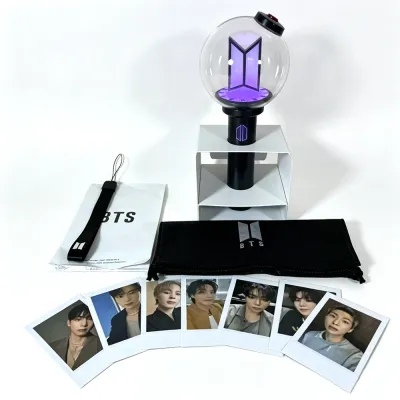
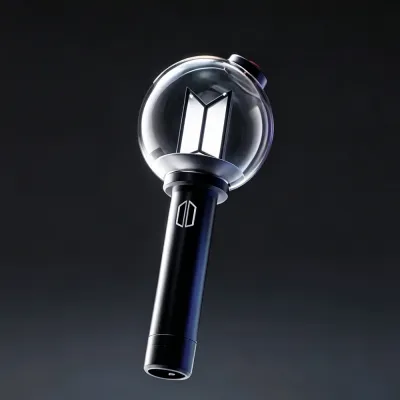
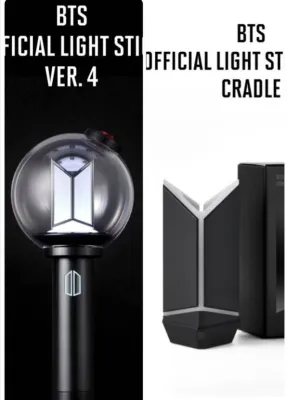
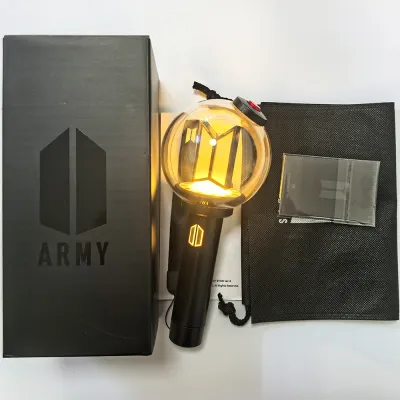
Prices are valid at publication and may change. Please refer to the product page for the latest price.
Key Physical Features of an Official BTS Lightstick
Before diving into digital verification steps, you can gather a wealth of information simply by examining the physical packaging and the build of the device itself. Official manufacturers maintain exceptionally high production standards, whereas counterfeit operations prioritize speed and low costs. While no single physical imperfection guarantees an item is fake, examining multiple visual and tactile indicators across both the box and the lightstick will help you build a clear picture of its authenticity.

Packaging and Box Details
The unboxing experience is your first line of defense against counterfeits. Official packaging is constructed from thick, rigid cardboard designed to protect the lightstick during international shipping. When you handle a genuine box, it should feel sturdy and resistant to bending. In contrast, counterfeit boxes often use cheap, flimsy cardstock that creases easily under light pressure.
Pay close attention to the print quality on the exterior of the box. Official packaging features sharp, high-contrast graphics, deep black tones, and perfectly aligned text. Counterfeit boxes frequently display blurry logos, low-resolution text with visible pixelation, or washed-out colors. Inspect the spelling and grammar carefully; replicas often contain subtle typos, misaligned letters, or incorrect spacing in the English or Korean product descriptions.
Every official BTS lightstick box features a specialized holographic security sticker. This sticker is a critical authentication marker. On a genuine box, the sticker is perfectly centered, has clean, machine-cut edges, and displays a vibrant, multi-layered holographic pattern that shifts dynamically when tilted under a light source. Counterfeit stickers are often dull, show simplified reflective patterns, or are applied crookedly with peeling corners.
Finally, check the included accessories inside the box. An official lightstick package comes complete with a high-quality, woven fabric wrist strap featuring clean, embossed branding, a soft protective storage sleeve, and a professionally printed user manual. If the wrist strap feels thin and scratchy, or if the user manual is printed on low-grade paper with faded ink, these are clear indicators of a counterfeit product.
Build Quality and Logo Engraving
Once the lightstick is out of the box, its weight and material quality provide immediate clues. A genuine BTS lightstick has a reassuring heft, feeling solid and balanced in your hand. Counterfeits often feel remarkably light and hollow because they use thinner, cheaper plastics to save on material costs.
Examine the clear plastic globe at the top of the lightstick. The globe on an official device is made from high-grade, optical-quality plastic that is perfectly transparent, smooth, and free of internal bubbles, cloudiness, or molding blemishes. Replicas frequently feature globes with cloudy patches, visible scratches, or prominent seam lines where the plastic halves were joined together. On an official lightstick, these molding seams are incredibly fine, smooth to the touch, and barely visible.
The engraving of the official BTS and ARMY logos on the handle must be flawless. On a genuine device, these logos are cleanly engraved or printed with precise, sharp edges and consistent depth. Counterfeit versions often have shallow, uneven engravings, or they use cheap paint that can be easily scratched off with a fingernail.
Next, open the battery compartment at the bottom of the handle. Remove the battery holder and inspect its construction. Official battery holders feature robust metal contacts, strong spring tension to keep the batteries secure, and clear, embossed polarity indicators (+ and -) to guide battery insertion. The plastic of the holder should be clean and sturdy, often featuring molded manufacturing codes or brand marks. In counterfeit models, the battery holder is typically made of brittle, thin plastic, with loose or poorly soldered metal springs that can cause the lightstick to lose power when shaken.
How to Verify the Authenticity Code and App Connection
While physical inspections are highly effective, digital verification provides the most definitive proof of authenticity. Official BTS lightsticks utilize a combination of secure holographic codes and advanced Bluetooth hardware to connect with official services.
To begin the digital check, locate the holographic security sticker on the product packaging. Depending on the specific version of the lightstick, this sticker may feature a scratch-off panel. Gently scratch off this protective layer to reveal a unique QR code or a hidden PIN. Using your smartphone, scan the QR code to be directed to the official brand verification portal or the designated authentication app. A genuine code will register successfully, displaying a confirmation screen that validates your product. Because these codes are linked to a secure database, they are designed to register only once or display a clear warning if the code has been scanned multiple times. If your scan reveals that the code has already been registered in the system, you are likely holding a counterfeit with a cloned QR code.
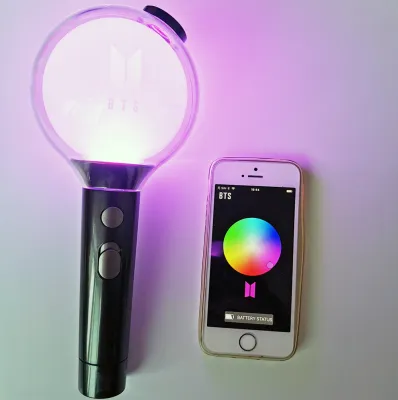
The next step is to test the Bluetooth pairing capabilities. Official lightsticks must be paired with the official Weverse application or the dedicated BTS Lightstick app to enable concert mode and custom color controls. To initiate pairing, slide the power switch to the Bluetooth setting (often indicated by an “up” position or a Bluetooth icon) or hold down the power button until the light flashes blue. Open the app on your smartphone, ensure your phone’s Bluetooth is enabled, and follow the in-app instructions to pair the device.
A genuine lightstick will connect to the app almost instantly. Once connected, you should be able to smoothly adjust the LED colors, change the flashing speed, and check for official firmware updates. It is important to note that while some advanced counterfeit manufacturers attempt to mimic basic Bluetooth pairing—allowing the lightstick to appear on your phone’s general Bluetooth device list—they almost always fail to interface with the official Weverse app. The app will fail to recognize the device, and you will be unable to apply firmware updates or sync the lightstick to concert modes. While a successful app connection is a very strong indicator of authenticity, always cross-reference this test with your physical inspections, as counterfeiters continuously attempt to reverse-engineer software protocols.
Common Red Flags in Counterfeit Lightsticks
Recognizing the most common flaws found in replica merchandise can help you quickly identify a fake before making a purchase or during an initial inspection. Keep a close eye out for the following red flags:
- Incorrect LED Performance: Genuine lightsticks use high-quality LEDs that produce a bright, clean, pure white light in their standard mode. Counterfeits often emit a dim, uneven, or distinctly bluish or off-white light. When changing colors via the app, replicas may display inaccurate colors, or struggle to transition smoothly between shades.
- Physical and Structural Defects: If you shake the lightstick gently, there should be no rattling noises coming from the handle or battery compartment. Loose internal components indicate poor assembly. Additionally, the power buttons on official devices are tactile, offering a clean, responsive click. Counterfeit buttons often feel mushy, loose, or require excessive force to press.
- Compromised Security Codes: Any lightstick sold with a missing holographic sticker, a pre-scratched PIN panel, or a QR code that fails to load the official verification domain is a counterfeit.
- Suspiciously Low Pricing: Official BTS lightsticks are premium items with controlled distribution. If you encounter a seller offering a brand-new lightstick on an online marketplace or social media platform for a price well below the standard market rate—such as S$20 or S$30—it is almost certainly a fake. Genuine merchandise is rarely subjected to deep, unauthorized discounts. If a deal seems too good to be true, it almost always is.
Where to Buy an Official BTS Lightstick Safely
The most effective way to avoid the disappointment of a counterfeit device is to purchase exclusively through authorized channels. To guarantee you receive a genuine product, buy directly from the official Weverse Shop, authorized K-pop specialty retailers, or official merchandise booths set up at concert venues.
If you choose to purchase from third-party sellers on general e-commerce platforms or local second-hand marketplaces in Singapore, you must exercise extreme caution. Before finalizing any transaction, ask the seller to provide the original proof of purchase, such as a digital receipt or order confirmation email from the Weverse Shop. If meeting in person, request to test the lightstick on the spot. Bring fresh batteries, insert them, and attempt to pair the device with the official Weverse app on your phone. If the seller refuses to let you test the device or cannot provide a clear purchase history, it is best to walk away from the transaction.
What to Do If You Suspect a Fake
If you have purchased a lightstick and realize it is a counterfeit, stop using it immediately. Utilizing low-quality replica electronics can lead to battery damage or electrical short circuits.
Begin by gathering comprehensive evidence. Take clear, high-resolution photographs of the physical defects, the packaging, the holographic sticker, and any error screens from the official app. If you bought the item through an online marketplace, immediately file a dispute under the platform’s buyer protection policy, submitting your photos as proof. If the platform is uncooperative, contact your credit card company or digital payment provider to initiate a chargeback for receiving counterfeit goods. Avoid shipping the item back to the seller without official mediation from the platform, as this can result in losing both your physical evidence and your refund.
Frequently Asked Questions (FAQ)
Can a fake BTS lightstick connect to the official app?
No, counterfeit lightsticks are typically unable to connect to the official Weverse or dedicated lightstick applications. While some high-tier replicas might appear on your smartphone’s general Bluetooth settings list as a generic device, they lack the proprietary hardware and encryption keys required to interface with the official app. Consequently, they cannot receive official firmware updates and will not sync with the centralized wireless control systems used during live concerts.
Do official BTS lightsticks come with a warranty?
Yes, official BTS lightsticks purchased from authorized retailers or the official Weverse Shop generally come with a limited manufacturer warranty that covers factory defects. To claim support or request a replacement, you must provide your original purchase receipt or order confirmation. Counterfeit lightsticks do not come with any warranty, and official customer support channels will not provide assistance, repairs, or replacements for replica products.
Community discussion
Share your experience or ask a question. Comments are reviewed before publication.