
Identifying a genuine BTS lightstick—commonly known as the Army Bomb—requires a systematic approach that combines visual inspection, tactile evaluation, and electronic testing. As one of the most sought-after pieces of K-pop fan merchandise, the lightstick has gone through several design iterations, making it a prime target for counterfeiters. To ensure you are purchasing an official device that will function correctly at live events, you must look beyond the outer packaging and examine the internal hardware, Bluetooth connectivity, and security features. This guide provides a step-by-step verification process to help you distinguish authentic merchandise from sophisticated fakes.
Why Authenticating Your BTS Lightstick Matters
Purchasing counterfeit idol merchandise carries practical and functional risks that can severely impact your experience, especially during live events. Counterfeit lightsticks frequently suffer from internal hardware limitations, such as poor Bluetooth connectivity and an inability to sync with official concert control systems. This means that while other fans enjoy a synchronized light show controlled by the venue, a counterfeit unit will often remain static, display incorrect colors, or fail to light up entirely.
Beyond performance issues, the build quality of replica lightsticks is significantly inferior to official merchandise. Counterfeiters often use fragile, low-grade plastics that crack easily under minor stress, and the globes are frequently poorly secured, leading to damage during transport or use. Furthermore, these imitation products are constructed with unregulated electronic components and cheap wiring, which can lead to rapid battery drain, overheating, or even battery leakage that ruins the device.
Products mentioned in this guide
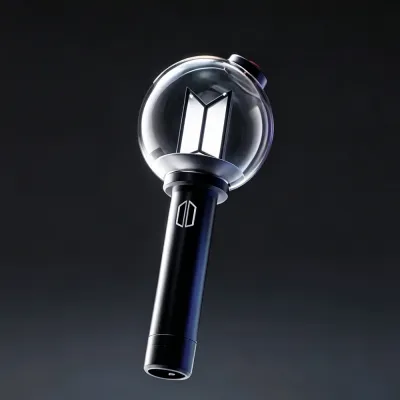
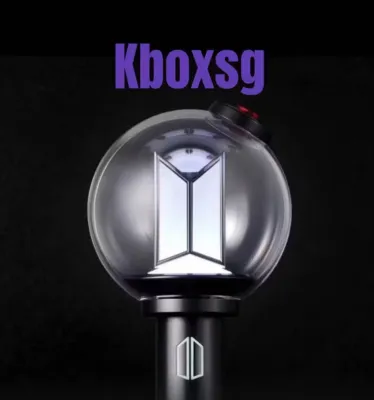
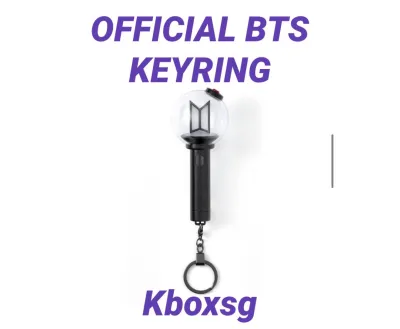
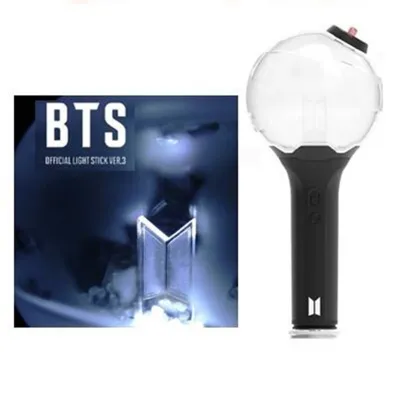
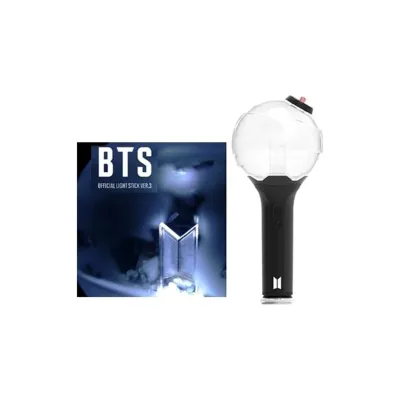
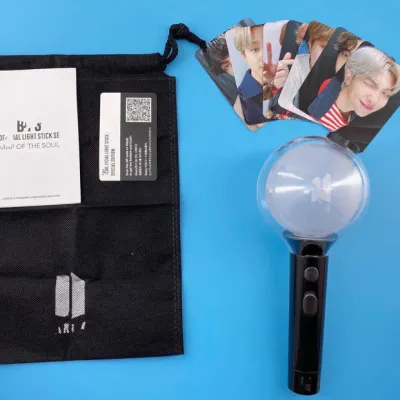
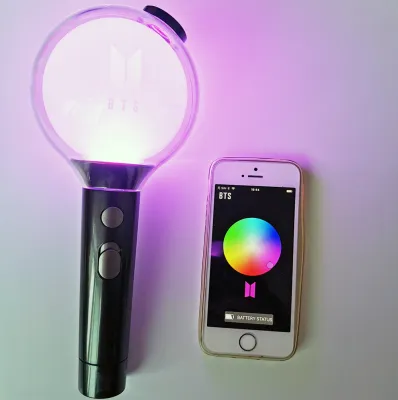
Prices are valid at publication and may change. Please refer to the product page for the latest price.
Verifying the authenticity of your lightstick before or immediately after purchase protects your financial investment. Official lightsticks represent a significant monetary commitment, often retailing between S$60 and S$100 depending on shipping and import fees. Ensuring your device is genuine guarantees that it will function as intended, allowing you to participate fully in the interactive concert experience without the disappointment of a hardware failure.
Physical Inspection: Spotting Fake Packaging and Build Quality
Visual and tactile inspection serves as your first line of defense when evaluating a lightstick. Counterfeiters frequently cut costs on packaging materials and manufacturing precision, leaving behind observable clues that reveal the product’s origin. By examining the item in a well-lit environment and comparing it against verified unboxing references, you can quickly identify the most common physical discrepancies.

Before handling the lightstick itself, pay close attention to the presentation of the box and the overall feel of the materials. Authentic products are manufactured under strict quality control standards, resulting in clean lines, precise alignments, and premium materials. Counterfeits, by contrast, often exhibit subtle signs of rushed production and cheap substitutions.
Outer Box and Print Details
The exterior packaging is often where counterfeiters make their first noticeable errors. When inspecting the outer box, examine the print quality and color saturation carefully. Genuine packaging features sharp, high-resolution text and consistent color gradients, whereas fake boxes often display blurred lettering, pixelated graphics, or incorrect color hues that appear washed out or overly saturated.
Official security features are critical indicators of authenticity, though their designs can vary depending on the specific lightstick version. Look for the official holographic authentication sticker, typically featuring the HYBE or BIGHIT MUSIC logo, which should reflect light smoothly and show clear, clean details when tilted. On counterfeit boxes, these stickers are often poorly printed, lack the proper holographic depth, or are completely missing.
Additionally, pay attention to the structural integrity of the box itself. Authentic packaging uses thick, sturdy cardboard with a smooth, matte finish that protects the contents during transit. Counterfeit boxes are often made of flimsy, thin cardboard that dents easily, and they may lack the custom-molded internal plastic blister pack designed to hold the lightstick securely in place.
Materials, Weight, and Logo Engraving
Once you remove the lightstick from its packaging, evaluate its weight and physical balance. Genuine units use dense, high-quality ABS and polycarbonate plastics, giving the device a solid, well-balanced weight in your hand. Counterfeit units often feel unusually light, hollow, or top-heavy because they omit essential internal electronic shielding and use thinner plastic shells.
Inspect the central logo and internal structures inside the translucent globe with a magnifying glass or under a bright light. On an authentic Army Bomb, the internal logos and decorative elements are cleanly engraved with sharp, deep lines and no visible manufacturing defects. Fake lightsticks frequently show rough edges on the internal plastic, shallow stamping, or visible glue residue where the internal pieces were assembled.
Finally, examine the outer globe and the seam lines running down the handle of the device. Authentic manufacturing processes minimize visible mold lines, resulting in a smooth, seamless grip and a perfectly clear, bubble-free globe. Counterfeit handles often have prominent, sharp seam lines that feel rough to the touch, and the globe may exhibit cloudiness, scratches, or minor plastic imperfections.
Electronic Testing: Bluetooth and App Connectivity
The internal electronics of a lightstick are difficult for counterfeiters to replicate perfectly, making digital testing one of the most reliable ways to verify authenticity. Official BTS lightsticks rely on specific Bluetooth protocols to communicate with smartphones and concert venue transmitters. Testing these features directly through the official mobile application will help you identify whether the internal hardware is genuine.
To begin the electronic verification process, follow these steps:
- Prepare the Device: Refer to the manufacturer's instructions for battery installation. Insert three fresh, high-quality AAA alkaline batteries into the battery compartment, ensuring the polarities align correctly.
- Enable Smartphone Bluetooth: Turn on Bluetooth on your smartphone and ensure you have an active internet connection.
- Download the App: Install the official BTS Lightstick app (or the integrated Weverse app, depending on the version of your lightstick) from the official Google Play Store or Apple App Store.
- Initiate Pairing: Open the app, select the correct lightstick model, and follow the on-screen prompts to enter pairing mode. On the lightstick, this is typically done by pushing the power switch down to the "Self Mode" or "Bluetooth" position, or holding the button until the light flashes blue.
- Monitor the Connection: Observe how quickly the app detects the device and whether the connection remains stable.
Authentic lightsticks are recognized almost instantly by the official application, which then allows you to customize the LED colors using a color wheel and apply firmware updates. If the app prompts you to update the firmware, allow it to proceed; genuine devices will complete the update smoothly. Counterfeit units, however, will often fail to connect entirely, experience frequent disconnections, or fail to process firmware updates because they lack the proprietary encrypted microchips.
It is important to note that some high-end counterfeit lightsticks can mimic basic Bluetooth pairing and change colors via the app. However, these advanced fakes still fail when subjected to “Concert Mode” synchronization. Official lightsticks utilize specific wireless control frequencies and encryption to sync with the central control booth at live venues; because counterfeiters cannot replicate these encrypted receivers, fake lightsticks will not respond to the venue’s signals during a concert.
Official Verification: Serial Numbers and QR Codes
Most modern BTS lightsticks include built-in tracking features, such as unique serial numbers and QR codes, to help consumers verify their purchases. These codes are typically located on a small sticker inside the battery compartment, on the user manual, or on the exterior packaging. Understanding how to use these codes—and recognizing their limitations—is essential for a complete authentication check.
To verify the QR code, use your smartphone camera to scan the code, which should direct you to the official Weverse Shop or the manufacturer’s verification portal. Authentic codes will register the product to your account, often rewarding you with digital emblems or shop points. If the scan directs you to an unofficial web address, a blank page, or displays an error indicating the code has already been redeemed multiple times, the product is likely counterfeit.
However, you must not rely solely on a successful QR code scan to confirm authenticity. Sophisticated counterfeiters often copy a single valid QR code and serial number from a genuine lightstick and print it on thousands of fake units. Therefore, while a failed scan confirms a fake, a successful scan must still be backed up by the physical and electronic checks outlined in this guide.
When examining the serial number and QR stickers, look closely for signs of physical tampering. Authentic stickers are applied perfectly straight, with clean edges and clear, smudge-free printing. If you notice that a sticker is crooked, has scratched-off digits, or has been pasted directly over an older code, this is a strong indication of an attempt to disguise a counterfeit item.
Safe Purchasing Channels for Official Merchandise
The most effective way to avoid counterfeit lightsticks is to purchase them exclusively through authorized retail channels. Buying directly from official sources eliminates the risk of receiving an imitation product and ensures that you are covered by the manufacturer’s return policies. Whenever possible, prioritize these secure routes over secondary market sellers.
The primary authorized channel for official BTS merchandise is the Weverse Shop, the official global e-commerce platform run by the artist’s management label. Additionally, you can safely purchase lightsticks at official physical pop-up stores organized during concert tours, or from verified local retail partners in Singapore that are officially recognized as authorized distributors. These outlets receive their inventory directly from the manufacturer, ensuring absolute authenticity.
If you choose to shop on general e-commerce platforms or peer-to-peer online marketplaces, you must remain vigilant for common red flags. Be highly suspicious of listings offering prices significantly lower than the standard retail rate, such as lightsticks priced at S$20 to S$40. Because authentic lightsticks have high manufacturing and import costs, prices that seem too good to be true are almost always counterfeits.
Avoid listings that rely solely on official stock photos, and instead request real, high-resolution photos of the actual item, including the packaging, battery compartment, and holographic sticker. Check the seller’s profile for verified badges, customer feedback, and a history of selling authentic goods. You should avoid unofficial proxy buyers, social media group orders, or individual sellers who cannot provide an original, verifiable digital receipt from Weverse Shop.
Steps to Take If You Receive a Counterfeit Lightstick
If you discover that you have purchased a counterfeit lightstick, taking immediate, documented action is crucial to recovering your funds. Do not attempt to modify or repair the device, as this can void your eligibility for a refund through buyer protection programs. Instead, focus on gathering clear evidence to present to the selling platform.
Start by documenting the unboxing and testing process in detail. Take a continuous, unedited video showing the shipping label on the package, the physical opening of the box, and your subsequent attempts to connect the lightstick to the official app. Capture clear, close-up photographs of any physical defects, such as blurry printing, missing holographic seals, rough seams, or connection error screens on your phone.
Use this compiled evidence to initiate a formal dispute or return request through the e-commerce platform’s official buyer protection system. Clearly state that the item received is a counterfeit, referencing the physical and electronic discrepancies you documented. Most reputable platforms have strict policies against the sale of counterfeit goods and will freeze the seller’s funds while investigating your claim.
Avoid engaging in public disputes or accusing the seller on social media platforms, as this can complicate the official mediation process. Instead, allow the platform’s customer support team to handle the dispute. If the platform’s resolution process fails or if you purchased the item through a channel without buyer protection, contact your credit card issuer or digital payment provider to request a chargeback based on receiving fraudulent goods.
Frequently Asked Questions (FAQ)
Can a fake BTS lightstick connect to the official app?
While many low-grade counterfeits fail to connect entirely, some advanced replica lightsticks use cloned Bluetooth chips that allow them to pair with the official app and perform basic color changes. Because of this, successful app pairing alone does not guarantee authenticity. You must combine the Bluetooth test with physical inspections, such as checking the weight, engraving quality, and whether the device can successfully complete an official firmware update.
Do authentic BTS lightsticks always come with a holographic sticker?
Most recent versions of the BTS lightstick feature a holographic authentication seal on the outer packaging, but the design, placement, and presence of these stickers can vary between different production runs, years, and regional distributions. To avoid false conclusions, do not rely solely on the presence of a sticker; instead, cross-reference multiple physical details, such as cardboard thickness, print quality, and internal globe engravings.
Is it safe to use a counterfeit lightstick at an official concert?
Using a counterfeit lightstick at an official concert is not recommended due to both functional and safety concerns. Functionally, the counterfeit device will not sync with the venue’s central wireless lighting system, meaning it will not change colors in unison with the crowd, which can disrupt your experience. From a safety perspective, counterfeit lightsticks are built with cheap, unregulated wiring and low-quality battery terminals, increasing the risk of overheating, short circuits, or battery leakage in crowded, high-temperature concert environments.
Community discussion
Share your experience or ask a question. Comments are reviewed before publication.