
Authenticity of a BTS light stick (commonly known as the ARMY Bomb) relies on a combination of packaging details, physical build quality, and official app connectivity rather than a single visual cue. With the high demand for K-pop merchandise, counterfeit light sticks have become increasingly common on general online marketplaces and unauthorized third-party stores. Knowing how to verify your device ensures you do not end up with a non-functional replica that fails to sync at concerts.
Why Verifying Your BTS Light Stick Matters
Purchasing an official BTS light stick is a significant investment for any fan looking to participate fully in the concert experience. The primary risk of buying an unauthorized replica is the lack of proper internal technology. Official light sticks contain specialized Bluetooth chips designed to sync with the central control systems at concert venues, allowing the production team to change the colors of the entire crowd in unison. Counterfeit versions almost always fail to connect to these systems, leaving your device unresponsive or out of sync during live performances.
Beyond the functional limitations, safety and durability are major concerns with uncertified electronic merchandise. Counterfeit light sticks are often manufactured with cheap, unregulated electronic components and substandard wiring. These poor materials can lead to rapid battery drainage, overheating, or even battery leakage that can permanently damage the device. Investing in an official product ensures that the item has undergone standard quality control and safety checks, protecting both your hands and your wallet.
Products mentioned in this guide
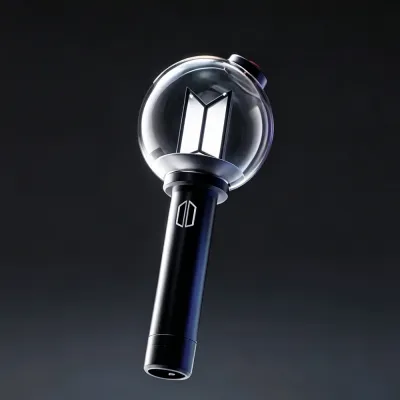
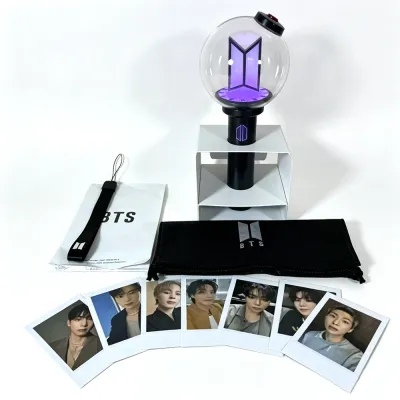
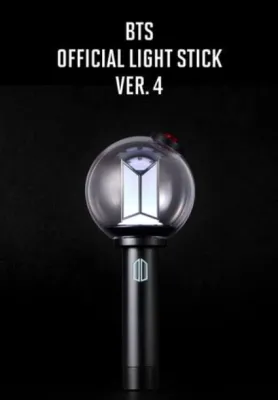
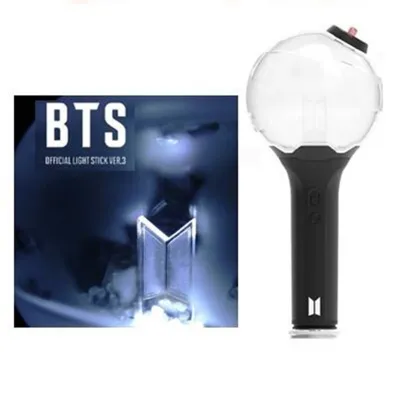
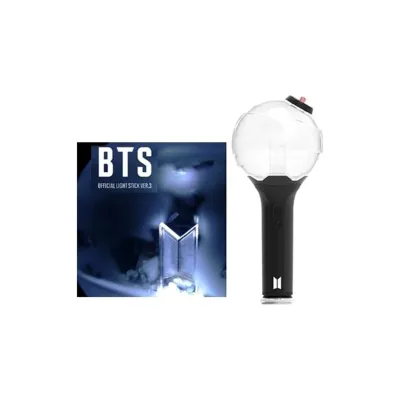
Prices are valid at publication and may change. Please refer to the product page for the latest price.
In Singapore, where major concert venues host large-scale K-pop events, having a fully functional light stick is central to the fan experience. Carrying a replica that fails to light up in sync with thousands of other fans can be a disappointing experience. By learning to spot the differences between official and counterfeit models, you can make an informed purchase and enjoy the event without technical issues.
Inspect the Packaging and Unboxing Details
The verification process begins before you even touch the light stick itself. Official packaging is designed to protect the product and showcase the brand’s high standards, whereas counterfeit boxes often show clear signs of cost-cutting. Start by examining the exterior of the box for the official holographic security sticker or authenticity seal. On official merchandise, this sticker is perfectly aligned, reflects light with a clear, sharp rainbow gradient, and often features a distinct pattern or logo that is difficult to replicate. Counterfeit stickers are frequently blurry, dull, off-center, or entirely missing.

Next, pay close attention to the print quality, color accuracy, and typography on the box. Official packaging uses high-resolution printing with crisp, solid colors and sharp, legible fonts. Replicas often exhibit pixelated text, faded colors, or slight misalignments in the printed logos. Check the spelling and grammar on the box and within the included user manual; counterfeit products frequently contain minor spelling mistakes, awkward phrasing, or incorrect translations in the English, Korean, or Japanese text blocks.
Finally, inspect the included accessories for completeness and material quality. An official BTS light stick package typically includes a high-quality fabric wrist strap, a soft protective dust bag, and a set of official photocards. The wrist strap on an official unit is made of thick, durable woven material with cleanly printed text, while fake straps are often thin, fray easily, or feature blurry lettering. The photocards should also be printed on thick, premium cardstock with rounded corners and accurate color saturation, unlike the flimsy, poorly cropped cards found in counterfeit boxes.
Check the Physical Build and Design Quality
Once the light stick is unboxed, a close physical inspection will reveal the differences in craftsmanship. Official light sticks have a solid, balanced weight in the hand, reflecting the quality of the internal components and the thick plastic casing. Counterfeit versions often feel noticeably lighter, hollow, or fragile because they use cheaper, thinner plastics. Run your fingers along the seams of the handle and the globe; official units feature smooth, tightly sealed joints, whereas replicas often have rough, uneven edges or visible gaps where the plastic pieces meet.
The globe and the internal elements of the light stick require careful observation. The transparent dome of an official ARMY Bomb is clear, smooth, and free of internal scratches, bubbles, or visible glue residue. Inside the globe, the small silicon or plastic beads should move freely without getting stuck. Inspect the engraved or printed logos on both the globe and the handle; official logos are perfectly centered, deeply engraved or sharply printed, and use the exact official font. Counterfeits often have slightly skewed logos, shallow engraving, or incorrect font weights.
Looking closely at the internal LED structure and wiring can also expose a fake. Without turning the device on, look through the clear dome at the LED bulb and the supporting platform. Official light sticks feature neat, hidden wiring and a clean, professionally assembled circuit board. Replicas often show messy, exposed wires, visible solder joints, or misaligned LED bulbs. These structural flaws not only look unappealing but also indicate a high likelihood of electrical failure during use.
Test App Connectivity and Electronic Functions
The most reliable way to confirm the authenticity of a modern BTS light stick is to test its electronic functions and software integration. Official light sticks are equipped with Bluetooth technology designed to pair with the official mobile application. Download the official BTS light stick app from your mobile device’s app store and attempt to pair the light stick. An official device will connect quickly, prompting a successful registration screen and allowing you to control the colors and brightness directly from your phone.
During the pairing process, pay attention to any firmware update prompts. Official light sticks are designed to receive software updates through the app to ensure compatibility with new concert features. If the app prompts you to update the firmware and successfully completes the process, your device is official. Counterfeit light sticks, even those that manage to emit a basic Bluetooth signal, will almost always fail to register on the app, trigger error messages, or fail to receive firmware updates because they lack the proprietary internal chips.
Additionally, test the basic hardware functions using the physical buttons on the handle. Cycle through the different light modes, such as steady glow, slow flashing, quick flashing, and dimming. Official light sticks transition between these modes smoothly, and the LED bulb produces vibrant, consistent colors across the entire spectrum. Counterfeit light sticks often have stiff or loose buttons, flicker when changing modes, or display dull, uneven colors that do not match the selections made on the app.
Choose Authorized Channels for Safe Purchases
To avoid the stress of verifying a light stick after purchase, it is best to buy from authorized retail channels from the start. The most secure option is to purchase directly from the official brand webstore or authorized physical pop-up stores during official tour stops. When attending a concert, always buy your merchandise from the official booths inside or directly outside the venue. These sources guarantee authenticity and provide official receipts that can be used for customer support if needed.
If you must purchase from a third-party seller on an online marketplace, proceed with caution and evaluate the seller’s credibility thoroughly. Look for sellers with high ratings, positive feedback specifically mentioning the authenticity of the light sticks, and detailed photos of the actual product rather than stock images. Be skeptical of listings that use generic descriptions or refuse to provide close-up photos of the packaging and security stickers. Authorized resellers will often display their business registration or official distribution certificates upon request.
Be alert to common red flags that indicate a high risk of counterfeit merchandise. The most obvious warning sign is an unusually low price; if a listing offers a brand-new light stick for a fraction of the official retail price, it is almost certainly a fake. Other red flags include sellers shipping from unverified locations, listings that do not mention the official brand name, or sellers who claim the product is an “unbranded version” or “replica for practice.” Official merchandise is never sold under these descriptions.
Steps to Take If You Receive a Counterfeit
If you suspect you have received a counterfeit light stick, taking prompt action is essential to protect your consumer rights and recover your funds. Start by documenting the product immediately. Take clear, well-lit photos and videos of the unboxing process, focusing on the packaging, the security sticker, the physical flaws, and any failed app connection attempts. This visual evidence is crucial when filing a dispute with the seller or the e-commerce platform.
Contact the seller directly through the platform’s official messaging system to report the issue and request a full refund. State clearly that the item received is not authentic, and provide the documented evidence to support your claim. Many online marketplaces have buyer protection policies that cover counterfeit goods, but you must initiate the dispute within the specified return window. Avoid communicating outside the official platform, as this can void your buyer protection rights.
If the seller refuses to cooperate or denies the claim, escalate the issue to the e-commerce platform’s customer service department. Submit your evidence and explain the steps you have already taken. Additionally, report the unauthorized listing to the platform to help prevent other buyers from falling victim to the same seller. By reporting these listings, you contribute to a safer online shopping environment for the entire community.
Frequently Asked Questions (FAQ)
Can a fake BTS light stick connect to the official app?
No, most counterfeit BTS light sticks cannot connect to the official mobile application. Official light sticks contain proprietary Bluetooth hardware and encryption keys that allow them to communicate securely with the app. While some advanced replicas might show up in your phone’s general Bluetooth settings, they will fail to complete the registration, pairing, or firmware update processes within the official app itself.
Do official BTS light sticks come with batteries included?
No, official BTS light sticks do not come with batteries included in the retail packaging due to shipping safety regulations for electronic goods. You will need to purchase batteries separately. The user manual typically recommends using three AAA alkaline batteries. It is important to use high-quality, fresh batteries and to remove them from the light stick when not in use to prevent battery leakage and internal damage.
Community discussion
Share your experience or ask a question. Comments are reviewed before publication.