
Verifying the authenticity of your BTS light stick—the ARMY Bomb—is essential before purchasing from third-party sellers or online marketplaces. The most definitive way to tell if a BTS light stick is genuine is to test its Bluetooth connectivity with the official mobile application, as counterfeit models lack the proprietary internal microchips required to sync with concert venue systems. Beyond this technical check, you can identify fakes by inspecting the holographic security seals on the packaging, examining the physical build quality, and checking for precise logo engravings.
Why Authenticity Matters for Your BTS Light Stick
Owning an official BTS light stick is not just about having memorabilia; it directly impacts your experience during live performances. The primary drawback of a counterfeit device is its functional limitation. Official light sticks are designed to synchronize with the concert venue’s central control system via Bluetooth. This integration allows the production team to change the colors of thousands of light sticks in unison, creating massive, coordinated light displays across the crowd. It also enables interactive map seating features within the official app, mapping your physical seat to your device. Counterfeit light sticks lack the specialized internal hardware to support this synchronization, leaving your device unresponsive and out of sync with the rest of the crowd.
Beyond the concert experience, counterfeit merchandise poses safety and durability risks. Unauthorized manufacturers often use cheap, substandard plastics that are prone to cracking, and their battery compartments frequently suffer from poor electrical contacts or inadequate heat management. This can lead to rapid battery drain, corrosion, or even overheating, which poses a safety hazard. Furthermore, buying a fake means you receive no manufacturer warranty, customer support, or recourse if the device fails. Supporting official merchandise also ensures that your financial contribution directly supports BTS and their creative projects.
Products mentioned in this guide
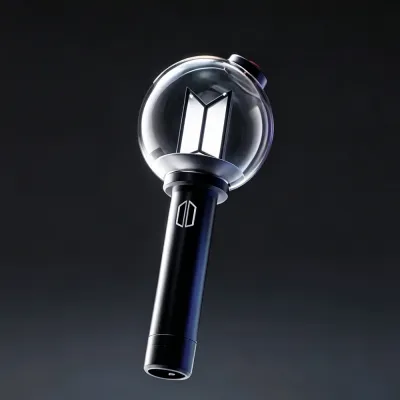
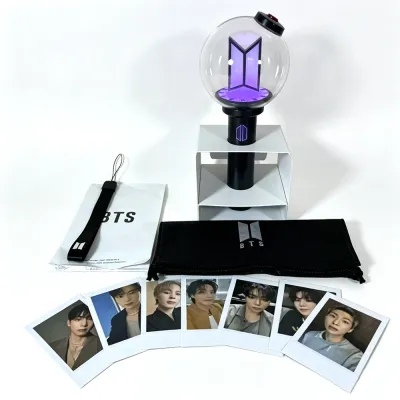
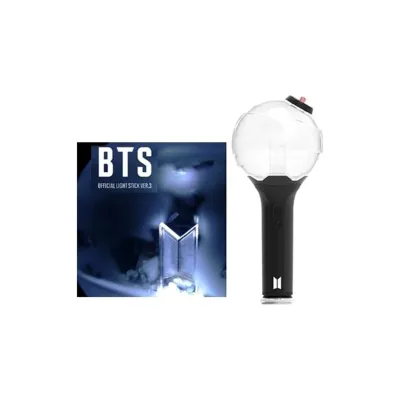
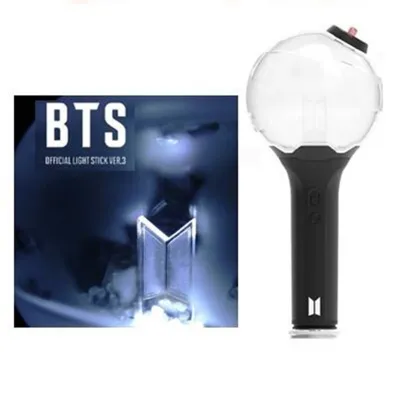
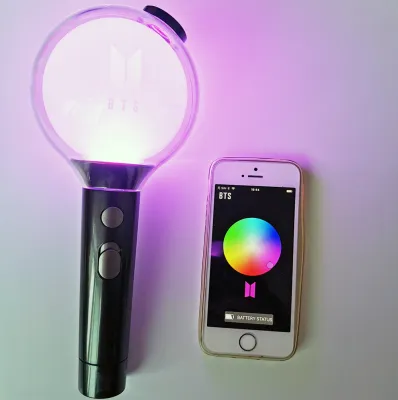
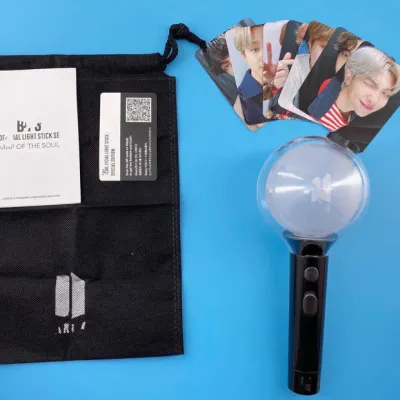
Prices are valid at publication and may change. Please refer to the product page for the latest price.
Physical Inspection: Spotting Visual and Tactile Flaws
When evaluating a BTS light stick, a thorough physical examination of the device and its packaging is your first line of defense. While manufacturers of counterfeit goods have become increasingly sophisticated, they still rely on cost-cutting measures that leave discernible clues. No single physical anomaly guarantees a light stick is counterfeit on its own, as minor manufacturing tolerances can exist even in official batches. However, a combination of several visual and tactile discrepancies is a strong indicator that the product is not genuine.

Packaging, Holograms, and Seals
The exterior box is often where counterfeiters make their first noticeable errors. Official packaging features crisp, high-resolution printing with perfectly aligned typography and accurate color matching. Inspect the box for any blurry text, faded colors, or low-quality cardboard that feels unusually flimsy. The shrink wrap on authentic boxes is typically tight, neat, and professionally sealed, whereas fakes may arrive in loose, poorly heated plastic wrapping.
A critical security feature to inspect is the official holographic sticker on the box. These security seals are designed to change appearance when tilted under a light source, showing complex patterns and official logos. Because hologram designs, shapes, and placements change with different product versions and production runs, you should not rely on a single static image for comparison. Instead, consult official unboxing guides, verified photos from reputable fan communities, or official label announcements corresponding to the specific version of the light stick you are examining. Look for sharp, distinct transitions in the holographic pattern rather than a flat, rainbow-colored sticker that lacks depth.
Build Quality, Materials, and Logo Details
Once you unbox the light stick, pay close attention to its physical construction and weight. Authentic light sticks are made from premium, durable plastics that feel solid and balanced in your hand. The transparent dome at the top of the device should exhibit high optical clarity, free from cloudy patches, internal scratches, or embedded dust particles. Run your fingers along the plastic molding seams on the handle and dome; on an authentic device, these seams are smooth and barely noticeable, whereas counterfeits often have rough, raised, or sharp edges where the plastic pieces were joined.
The internal details and branding are also highly revealing. Look closely at the small details inside the transparent dome, such as the logo or decorative elements. On a genuine device, these internal components are perfectly centered and securely mounted. The exterior buttons and logo engravings should be sharp, clean, and precisely etched into the plastic. Counterfeit versions frequently feature shallow, blurry, or slightly misaligned engravings, and the physical buttons may feel loose, click too loudly, or require excessive force to press.
Accessories and Included Documentation
Do not overlook the secondary items included in the packaging, as counterfeiters often rush the production of accessories to save money. Examine the wrist strap included in the box; an authentic strap is made of thick, high-quality woven fabric with neat, tight stitching and a cleanly printed logo. Counterfeit wrist straps are often made of thin, easily frayed nylon with sloppy stitching and blurry, peeling print.
Next, review the printed user manual and any photo cards or promotional inserts. Authentic documentation is printed on high-quality paper with sharp, legible text and accurate formatting. In contrast, counterfeit manuals often exhibit low-resolution printing, noticeable grammatical errors, incorrect layout formatting, or missing safety warnings. The paper may feel unusually thin or rough, and the colors on any included photo cards may appear oversaturated or poorly cropped.
Technical Verification: Testing Bluetooth and App Connectivity
While physical inspections are helpful, the most definitive and foolproof method to verify your BTS light stick is testing its internal microchip’s compatibility with official software. Authentic light sticks contain proprietary Bluetooth hardware specifically programmed to communicate with official mobile applications developed by HYBE or Weverse. Counterfeit manufacturers rarely invest in replicating these complex internal chips, meaning their devices cannot communicate with the official digital ecosystem.
To perform this technical verification, follow this step-by-step framework:
- Download the App: Install the official light stick companion application (Weverse or the specific version-related app) from the official app store.
- Prepare Your Phone: Ensure Bluetooth is active and your operating system is updated to avoid compatibility issues.
- Power On: Insert fresh, high-quality AAA batteries into the compartment, checking polarities carefully.
- Pairing Mode: Turn on Bluetooth pairing on the light stick, usually by holding the power button or sliding the switch to the designated position.
- Connect: Open the app and select the pairing option to search for nearby devices.
An authentic light stick will pair seamlessly with the app within a few seconds. Once connected, the app should display the current battery level, allow you to manually change the LED colors through an on-screen color wheel, and prompt you to install any available firmware updates. It will also allow you to register your concert ticket or seat number for venue synchronization.
If you have a counterfeit device, the pairing process will fail. The light stick may flash to indicate it is searching, but the official app will not recognize or discover the device. Even if a counterfeit manages to connect to your phone’s basic Bluetooth settings as a generic device, it will fail to register within the official application and will not receive firmware updates. Always ensure you are following the current in-app instructions, as app interfaces and pairing flows can change over time with software updates.
Where to Buy a Genuine BTS Light Stick Safely in Singapore
To avoid the disappointment of purchasing a counterfeit, it is crucial to source your BTS light stick from reputable channels. The safest way to buy is directly from official brand channels, such as the Weverse Shop, or official global merchandise sites associated with the group’s label. When purchasing locally in Singapore, look for authorized physical pop-up stores, official retail partners, or established local K-pop specialty shops that import directly from official distributors.
If you are browsing online marketplaces, remain vigilant for these common red flags:
- Unrealistically Low Prices: Authentic light sticks retail within a broad price band of S$60 to S$90 (SGD). If a seller offers a brand-new device for S$15 to S$30, it is almost certainly counterfeit.
- Stock Photos Only: Avoid listings relying solely on promotional stock images. Sellers should provide real photos of the physical box, the hologram, and the device.
- Vague Descriptions: Be cautious of terms like "OEM version," "high-quality replica," or "concert support prop," which are common euphemisms for fakes.
- Unverifiable Seals: Avoid sellers who refuse to provide clear photos of the holographic security sticker.
When evaluating sellers on online marketplaces, look closely at their review history. Do not rely solely on their overall star rating, as these can sometimes be inflated by unrelated transactions. Instead, search the review text specifically for keywords like “authenticity,” “hologram,” “fake,” “Bluetooth,” or “Weverse.” Reading detailed feedback from other buyers who have successfully tested their purchases at concerts or via the app is one of the most reliable ways to gauge a seller’s credibility.
Steps to Take If You Receive a Suspected Counterfeit
If you receive a suspected counterfeit, act quickly to secure your purchase. First, document the evidence thoroughly by taking well-lit photos of physical flaws, packaging errors, or sloppy accessory stitching. Record a continuous video showing the device failing to connect to the official app despite using fresh batteries and active phone Bluetooth.
Next, initiate a return or dispute through the platform’s buyer protection program, submitting your photos and video as proof that the item is a counterfeit. Most online marketplaces have strict policies against fakes and will facilitate a refund upon receiving clear proof.
Always keep safety and compliance in mind. Never attempt to disassemble the light stick or unscrew the handle to inspect internal circuit boards. Doing so can damage the delicate plastic, pose a battery safety risk, and void your eligibility for a return or refund under the platform’s buyer protection policies.
Frequently Asked Questions (FAQ)
Can a counterfeit light stick still change colors manually?
Yes, many counterfeit light sticks are capable of cycling through basic colors and adjusting their brightness when you press the physical button manually. However, this basic manual functionality does not prove the device is genuine. Counterfeit models will still fail to connect to the official mobile application, cannot receive firmware updates, and will not synchronize with the central control system at concert venues.
Do older versions of the ARMY Bomb have the same security features?
No, security features, holographic sticker designs, and app compatibility evolve with each new hardware release. Older or discontinued versions of the light stick may use different authentication markers, packaging styles, or older connection protocols. When verifying a device, you must research the specific security features and authentication standards associated with that exact version, rather than applying the criteria of newer models to older releases.
Community discussion
Share your experience or ask a question. Comments are reviewed before publication.