
As one of the most iconic pieces of fan merchandise in the global music scene, the BTS light stick—affectionately known as the ARMY Bomb—is a central part of the concert experience. It allows fans to participate in synchronized, stadium-wide light shows that are visually breathtaking. However, the immense popularity of BTS has made their official merchandise a prime target for counterfeiters, resulting in a flood of high-quality replicas in the market.
To determine if a BTS light stick is authentic or fake, you must perform a combination of physical inspections and digital verification checks. While some modern counterfeits look incredibly convincing at first glance, they almost always fail when subjected to close scrutiny, particularly during the Bluetooth connection and firmware update tests. Knowing what details to look for before and after your purchase will save you money, frustration, and disappointment at the concert venue.
The Risks of Counterfeit K-Pop Light Sticks
Buying a counterfeit light stick involves much more than simply owning an unofficial piece of plastic; it directly impacts your experience as a fan. The most significant functional drawback of a fake ARMY Bomb is its inability to connect to the venue’s central control system. During official concerts, the stadium’s wireless transmitters pair with authentic light sticks to change their colors in unison, creating massive, coordinated light displays. Because counterfeit light sticks lack the proprietary internal chips required for this synchronization, your device will remain dark or stuck on a single manual color, isolating you from the collective crowd experience.
Products mentioned in this guide
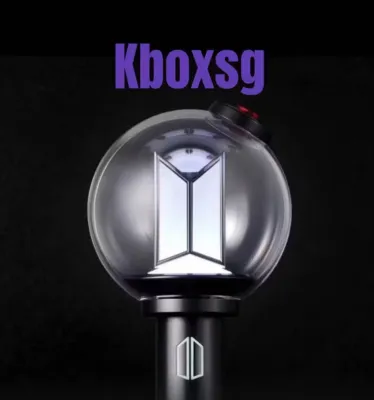
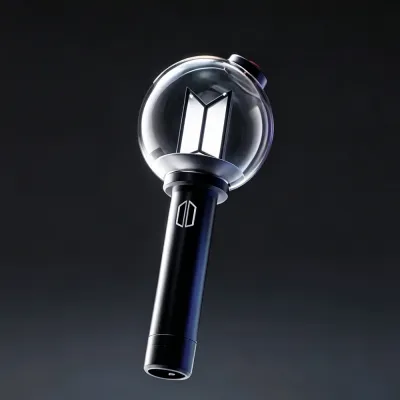
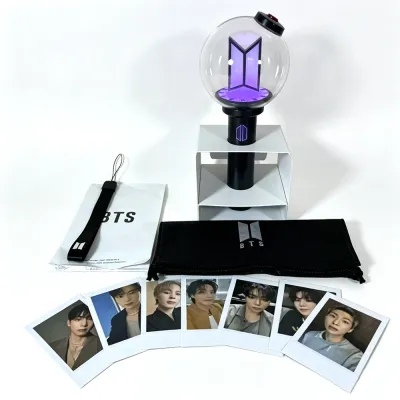
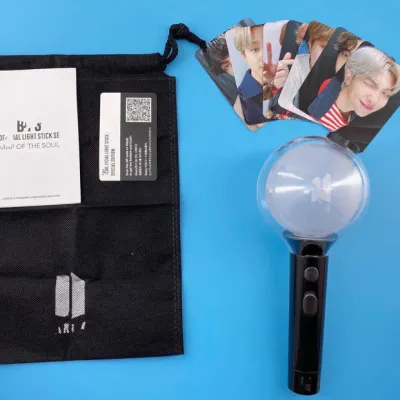
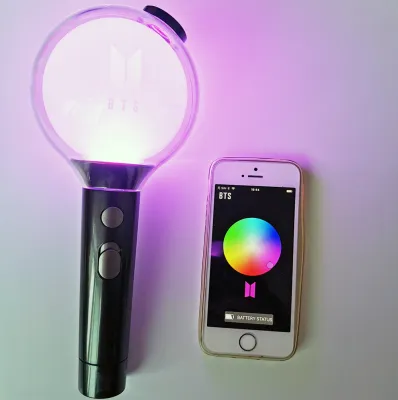
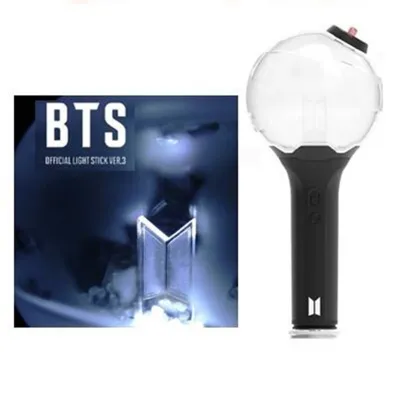
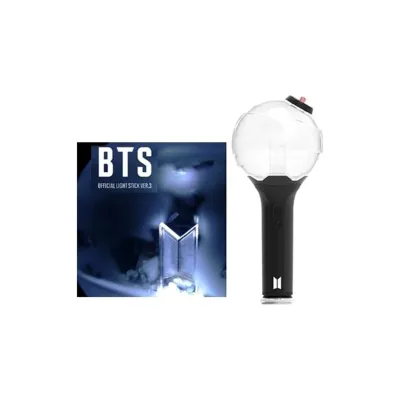
Prices are valid at publication and may change. Please refer to the product page for the latest price.
Beyond the functional disappointment, counterfeit light sticks present genuine safety and durability concerns. To keep manufacturing costs low, counterfeiters use cheap, low-grade plastics that are prone to cracking, warping, or emitting strong chemical odors. More importantly, the internal electrical components of these replicas are rarely subjected to quality control. Poorly soldered connections, thin wiring, and low-quality battery contacts can lead to rapid battery drain, overheating, or even battery leakage. This can permanently damage the device or, in worst-case scenarios, pose a minor burn hazard during prolonged use.
Physical Inspection: Spotting the Differences
Conducting a thorough physical inspection is your first line of defense when evaluating a light stick. Even though counterfeiters have improved their replication techniques, manufacturing shortcuts are inevitable when producing cheap replicas.

Before starting your inspection, try to find official promotional images, high-resolution unboxing videos, or a friend’s verified authentic light stick to use as a direct reference point. Comparing the physical weight, texture, and visual details side-by-side with a known genuine product makes identifying anomalies much easier.
Packaging and Anti-Counterfeit Labels
The evaluation begins with the outer box. Authentic packaging is made from thick, rigid cardboard designed to protect the light stick during international shipping. The print quality on a genuine box is exceptionally sharp, with rich colors, deep blacks, and crisp text alignment. In contrast, counterfeit boxes often use thinner, flimsy cardboard that creases easily. The printing on fake boxes is frequently blurry, showing signs of pixelation, color bleeding, or a slightly faded, washed-out hue, particularly around the logos and fine print.
Every official BTS light stick comes with an official holographic anti-counterfeit sticker, usually issued by the Korea Music Copyright Association (KOMCA) or the official licensing entity (such as HYBE). On an authentic sticker, the holographic pattern shifts smoothly when tilted under a light source, revealing distinct multi-layered security patterns, clean micro-text, and clear logo transitions. Fake stickers often look flat, dull, or exhibit a simple rainbow sheen without the complex, multi-layered details.
However, you should never rely solely on the presence of a holographic sticker. High-tier counterfeiters frequently source or print replica holographic labels that can fool a casual glance. Always combine the sticker check with an inspection of the product itself.
Build Quality, Weight, and Logo Details
Once you hold the light stick, pay close attention to its weight and balance. Authentic ARMY Bombs use high-quality ABS and polycarbonate plastics, giving them a solid, substantial feel in your hand. A genuine light stick (such as the Special Edition) typically weighs noticeably more than a counterfeit counterpart when compared without batteries. Counterfeits feel unusually light, hollow, and cheap, as they omit internal structural reinforcement and use thinner plastic walls.
Next, examine the branding and globe details. The official BTS and ARMY logos on the handle of a genuine light stick are precisely engraved or applied with clean, perfectly aligned edges that resist scratching. On a counterfeit, these logos may be poorly printed, slightly crooked, or use a slightly incorrect font thickness. The clear globe at the top should be pristine and securely attached. Inside the globe, the small translucent silicon beads should move freely. On fake models, you may notice visible glue residue where the globe meets the handle, or the globe itself may feel loose and squeaky when gently twisted.
Do not overlook the mechanical and tactile feedback of the device. The power button on an authentic light stick provides a firm, satisfying click when pressed and sits perfectly flush with the handle. On a fake, the button may feel mushy, loose, or require excessive force to activate. Additionally, when you unscrew the bottom cap to access the battery compartment, the threads on a genuine handle are smooth and easy to turn. Counterfeit handles often have rough, poorly cut plastic threads that catch, squeak, or cross-thread easily.
Internal Wiring and Battery Compartment
Unscrewing the battery cap and removing the battery holder reveals the internal craftsmanship of the device. The battery holder of an authentic light stick is made of sturdy plastic with robust, neatly aligned metal springs and contact plates. The polarity markings (+ and -) are cleanly molded and easy to read. In a counterfeit, the battery holder is often incredibly fragile, utilizing thin, easily bent metal contacts that can lose connection if the light stick is shaken.
If you look down into the empty handle of a genuine light stick, the internal wiring and circuit board are kept neat, insulated, and out of sight. The soldering joints on the visible connections are clean and professional. Counterfeit light sticks, however, frequently expose messy, poorly soldered, or completely uninsulated wires. You might see loose blobs of solder, stray hot-glue residue used to hold components in place, or mismatched screw types securing the internal frame—all clear signs of hasty, low-cost assembly.
Digital Verification: App Pairing and Firmware
While physical checks are highly effective, digital verification is the most definitive way to confirm authenticity. Official BTS light sticks contain proprietary Bluetooth chips and secure firmware designed to communicate directly with official mobile applications.
To perform this test, download the official companion app—typically the “BTS Official Light Stick” app or the integrated light stick utility within the Weverse app—directly from the Apple App Store or Google Play Store. Avoid downloading any third-party pairing apps or using direct links provided by a seller, as these can be malicious or designed to mimic a successful connection.
Once the app is installed, follow these steps to verify your device:
- Prepare the Light Stick: Insert fresh, high-quality AAA alkaline batteries into the light stick. Ensure they are oriented correctly.
- Activate Bluetooth Mode: Turn on your smartphone's Bluetooth. On the light stick, slide the power switch to the designated Bluetooth position (usually the lowest position, which causes the light to flash blue, indicating it is ready to pair).
- Initiate Pairing in the App: Open the official app and select the self-testing or concert mode option to pair your device.
- Observe the Connection: An authentic light stick will broadcast its specific, recognized device name and connect to the app almost instantly. Once paired, the app will allow you to change the LED colors smoothly using an on-screen color wheel.
If the light stick is counterfeit, it will typically fail this process in one of several ways. It may fail to appear in the app’s pairing list altogether, or it might show up in your phone’s generic Bluetooth settings under a generic hardware name (such as “JDY-16” or “Bluetooth Light”) rather than the official product name. Even if a high-tier fake manages to establish a basic Bluetooth connection, it will invariably fail the next crucial step: the firmware update check.
When an authentic light stick connects, the app automatically verifies its internal firmware version. If an update is available, the app will download and install it successfully. If the firmware is up to date, it will display a confirmation screen. Because counterfeit light sticks do not possess the genuine secure microchips authorized by the app developers, they cannot pass this handshake. The app will either display an error message, freeze during the verification process, or flag the device as unrecognized. A successful, glitch-free firmware update is the single strongest indicator of a genuine product.
Safe Purchasing Channels in Singapore
To completely avoid the risk of receiving a counterfeit item, you must carefully select where you buy your merchandise. While online marketplaces offer convenience, they are also the primary distribution channels for unauthorized replicas.
Official and Authorized Retailers
The safest way to purchase a genuine BTS light stick is directly from official channels. The Weverse Shop is the official global merchandise platform for BTS and ships directly to Singapore. While international shipping fees from South Korea can be relatively high, buying from Weverse Shop guarantees that you are receiving a 100% authentic product directly from the source.
During major concert tours or promotional periods, official pop-up stores may open in Singapore. These temporary physical stores are operated directly by or in partnership with the artist’s management agency, making them completely safe venues for purchasing merchandise.
If you prefer to buy locally, stick to established, physical K-pop merchandise boutiques or reputable local music chains in Singapore. Many of these stores import their stock directly from licensed South Korean distributors. Before buying, check the retailer’s official website or social media pages to see if they display official distribution certificates or clear sourcing policies. Reputable local stores will openly verify that their stock is counted on the official Korean music charts (such as Hanteo and Circle Chart), which is a strong indicator of a legitimate supply chain.
Red Flags on Online Marketplaces
If you choose to shop on general online marketplaces, peer-to-peer selling platforms, or social media classifieds, you must exercise extreme caution. Counterfeiters rely on specific tactics to lure unsuspecting buyers, and recognizing these red flags can save you from a bad purchase.
- Unrealistically Low Prices: An authentic BTS light stick typically retails between S$70 and S$100 (excluding international shipping), depending on the specific version and current demand. If you see a listing offering a brand-new light stick for S$30 to S$40, it is almost certainly a counterfeit. Genuine merchandise is rarely subjected to deep, unauthorized discounts.
- Suspicious Seller Profiles: Analyze the seller's rating and feedback history. Look specifically for negative reviews that mention "cannot connect to Bluetooth," "app pairing failed," or "received without official stickers." Be wary of sellers with high volumes of identical listings but very few reviews, or those operating under generic, randomly generated usernames.
- Stock Photos and Missing Proof of Purchase: Avoid listings that only use official promotional images. Legitimate sellers, especially those selling second-hand or overstock items, should be willing to provide actual, high-resolution photos of the physical box, the holographic sticker, and the battery compartment. Do not hesitate to ask the seller for a digital copy of their original purchase receipt from Weverse Shop or an authorized retailer.
Steps to Take If You Receive a Fake Product
If you have already purchased a light stick and suspect it is counterfeit after performing these checks, you must act quickly to protect your purchase and secure a refund.
First, document all evidence of the counterfeit nature of the product. Take clear, well-lit photos of the blurry packaging text, the flat or missing holographic sticker, the messy internal wiring, and any physical defects. Next, record a continuous, unedited video showing your phone’s screen and the light stick as you attempt—and fail—to connect it to the official app. This video is highly persuasive evidence for dispute resolution.
Once your evidence is gathered, file a formal dispute or refund request through the e-commerce platform’s buyer protection program. Upload your photos and video, clearly explaining that the item is a counterfeit product that fails to connect to the official software. Most major online marketplaces operating in Singapore have strict policies against the sale of counterfeit goods and will freeze the seller’s payout while they investigate your claim.
Avoid communicating with the seller outside of the official platform’s chat system, and do not agree to return the item directly to the seller’s private address without the platform’s official mediation. Doing so can result in losing both the product and your leverage for a refund. In many cases, once a counterfeit is proven, the platform will issue a refund and instruct you not to return the illegal replica.
If you are allowed to keep or discard the counterfeit light stick, dispose of it responsibly. Do not throw it into general household waste. Remove the AAA batteries to prevent leakage, and take the plastic handle and internal circuit board to an official e-waste recycling bin. These bins are widely available at community centers, electronics retailers, and public venues across Singapore, ensuring the materials are processed safely without harming the environment.
Frequently Asked Questions (FAQ)
Will a fake light stick sync at a BTS concert?
No, a counterfeit light stick will not sync at an official concert. The synchronized light shows at venues rely on a central control transmitter that broadcasts signals to the proprietary Bluetooth chips inside authentic light sticks. Because counterfeit light sticks use generic, cheap Bluetooth components, they cannot recognize or process these signals. Your light stick will either remain completely dark, fail to turn on, or only display its basic manual colors, leaving you unable to participate in the coordinated crowd effects.
Can I authenticate a second-hand light stick without the box?
Yes, you can still authenticate a second-hand light stick even if the original packaging and holographic stickers are missing. The most reliable method is to perform the digital verification check by connecting the light stick to the official mobile app and attempting a firmware update. Additionally, unscrew the battery cap to inspect the internal battery holder and check for neat wiring inside the handle. If you are buying from a local seller on a peer-to-peer platform, ask them to send a real-time video of the light stick successfully pairing with the official app and changing colors before you agree to the transaction.
Community discussion
Share your experience or ask a question. Comments are reviewed before publication.