
To reload your SG60 EZ-Link card and get the most value from it, you can use a variety of physical kiosks, retail counters, and digital smartphone applications. Maximising its utility involves linking the card to official transit reward accounts, tracking merchant promotions, and verifying transaction terms. This commemorative card serves as both a practical transit tool and a unique collectible, making proper maintenance and strategic top-ups essential for daily convenience in Singapore.
Managing your card effectively ensures seamless travel across public buses, trains, and retail outlets. By understanding the available top-up channels and reward structures, you can avoid unnecessary convenience fees and unlock exclusive merchant discounts. This guide provides a comprehensive walkthrough of the reloading process and practical strategies to stretch every dollar loaded onto your card.
Understanding Your SG60 EZ-Link Card Features and Limits
Before attempting to reload your SG60 EZ-Link card, it is important to understand its physical and technical specifications. This commemorative card operates on the standard Contactless e-Purse Application (CEPAS) platform, which is the standard protocol for public transit and electronic payments across Singapore. Because it contains an embedded Near Field Communication (NFC) chip and antenna, keeping the card in good physical condition is vital for reliable scanning.
Products mentioned in this guide
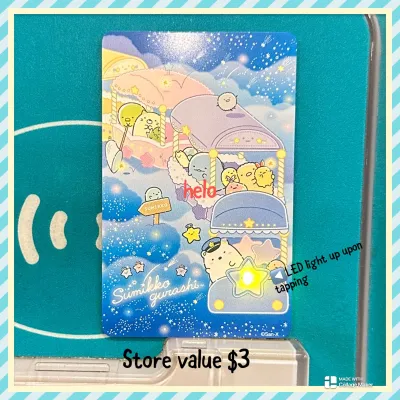
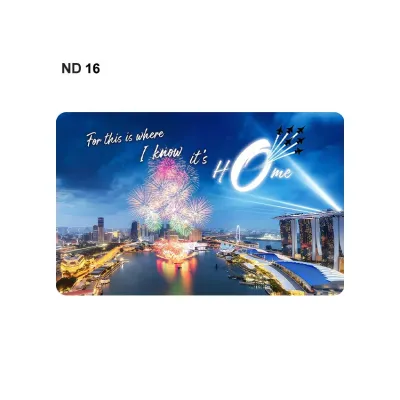
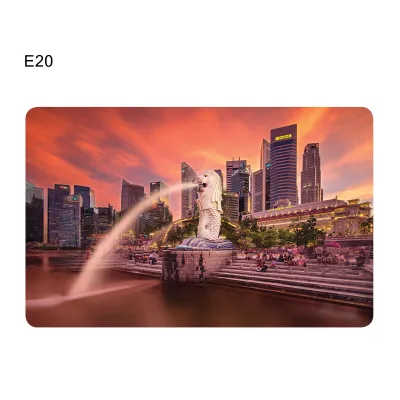

Prices are valid at publication and may change. Please refer to the product page for the latest price.
To ensure your card is fully functional, inspect it regularly for physical damage. Heavy bending, deep scratches, or cracks can sever the internal antenna, rendering the card unreadable at transit gantries and payment terminals. You can verify if the NFC chip is responsive by tapping the card against a public ticketing machine or a compatible smartphone running the official transit application.
Every commemorative card comes with specific terms, conditions, and operational boundaries. These details are typically printed on the original packaging sleeve or listed on the official issuer portal. It is highly recommended to locate the 16-digit Card Access Number (CAN) printed on the back of the card, as this number is required for registration, balance checks, and customer support inquiries.
Additionally, you should verify the card’s expiry date to ensure it remains active for future top-ups. Stored-value cards generally have a lifespan of up to 10 years from the date of encoding. You can easily check the exact expiry date by tapping your card at any transit ticketing machine or scanning it via the official mobile app. Keeping track of this date prevents your funds from becoming temporarily inaccessible when the card reaches its end-of-life phase.
Step-by-Step Guide to Reloading Your Card
Adding funds to your SG60 EZ-Link card can be done through several authorised physical and digital channels. Choosing the right method depends on your preferred payment mode and whether you want to avoid administrative fees.

Physical Reloading via Transit Stations
Physical top-ups remain a highly reliable method for commuters. You can reload your card at any Mass Rapid Transit (MRT) station or bus interchange using self-service transit ticketing machines. To do this, place your card on the designated reader tray, select the top-up option on the screen, choose your payment method, and follow the prompts to complete the transaction.
In addition to standard ticketing machines, dedicated top-up kiosks are available at high-traffic transit hubs. For those who prefer manual assistance, passenger service centres located inside transit stations can facilitate top-ups, though payment options at these counters may vary. Always wait for the terminal screen to display a successful transaction message before removing your card from the reader.
Retail Top-Up Points
If you are not near a transit station, you can reload your card at authorised retail locations. These include major convenience stores, select supermarkets, and petrol stations across the country. Simply present your card to the cashier at the counter and state the amount you wish to add.
When reloading at retail outlets, be aware of minimum top-up requirements. Most convenience stores enforce a minimum top-up amount, typically starting at S$10. Cash payments are widely accepted at these physical counters, making them a convenient option for users who prefer not to link their bank accounts or credit cards to digital platforms.
Digital Reloading via NFC-Enabled Smartphones
For ultimate convenience, you can reload your card digitally using an NFC-enabled smartphone. First, download the official transit companion app from your device’s app store and ensure that NFC is enabled in your phone’s settings menu. Open the app and select the option to add funds to a physical card.
Place your SG60 EZ-Link card flat against the back of your smartphone, near the location of the internal NFC antenna. The app will scan the card and display the current balance. Select your desired top-up amount, enter your payment details, and hold the card steady against the phone until the app confirms that the new balance has been successfully written to the card’s chip.
Verifying Administrative Fees
Before choosing your preferred reloading method, it is wise to check for any standard administrative fees. While top-ups at transit ticketing machines and via certain digital payment methods on the official app are generally free, some over-the-counter retail points may charge a small convenience fee per transaction. Always review the payment summary screen or ask the cashier about extra charges before finalising your top-up.
Strategies to Maximise Value and Linked Perks
To get the most out of your SG60 EZ-Link card, you should look beyond basic transit usage and explore the rewards and promotional ecosystems built around the platform.
Regularly checking the official transit and card issuer portals is an excellent way to discover ongoing promotions. The issuer frequently collaborates with local merchants to offer seasonal campaigns, cashback incentives, or exclusive discounts specifically tied to commemorative card editions. Staying updated on these announcements ensures you do not miss out on limited-time offers.
Linking your card to official reward programmes is one of the most effective ways to accumulate value. By registering your card’s unique CAN on the official transit rewards platform, you earn points for every journey taken on public buses and trains. These accumulated points can eventually be redeemed for transit vouchers, retail shopping discounts, or dining deals at participating merchants.
To take advantage of merchant-specific discounts, look for accepted payment logos at store entrances and checkout counters. Many food courts, convenience stores, and supermarkets offer promotional pricing or direct discounts when you pay using a compatible stored-value card. You can consult the official issuer website for a comprehensive directory of participating retail partners.
Finally, protect your funds by avoiding unauthorised third-party top-up services. Some listings on unofficial e-commerce platforms or online marketplaces may promise discounted top-ups, but these are often fraudulent or carry hidden convenience fees. Stick strictly to authorised physical kiosks, official retail partners, and the official mobile app to ensure your transactions are secure and legitimate.
Managing and Troubleshooting Your Reloadable Card
Even with regular use, you may occasionally encounter technical issues or balance discrepancies. Knowing how to manage these situations quickly will minimise disruption to your daily commute.
If a digital or physical reload fails to reflect on your card, do not panic. Sometimes, a temporary network interruption can cause a delay in updating the card’s internal chip. Keep your physical receipt or take a screenshot of the digital transaction confirmation. You can tap the card again at a transit ticketing machine or scan it with your smartphone to trigger a balance refresh.
Registering your card through official channels is the single most important step for balance protection. Unregistered cards are treated like cash; if you lose the physical card, any remaining funds are lost permanently. By registering the card on the official app, you can report a loss immediately, block further transactions on the card, and initiate a transfer of the remaining balance to a bank account or a replacement card.
There are times when self-troubleshooting is insufficient. If your card is physically damaged, consistently fails to scan at transit gantries, or shows persistent balance errors, seek direct assistance. You can visit any passenger service centre or designated ticket office at MRT stations, where customer service officers can run diagnostics, verify the card’s status, and assist you with official refund or replacement procedures.
Frequently Asked Questions (FAQ)
Can I use my SG60 EZ-Link card for retail purchases as well as transit?
Yes, your card is built on the standard CEPAS platform, which is widely accepted across Singapore. You can use it to pay for purchases at participating convenience stores, supermarkets, food courts, vending machines, and public libraries. To verify if a merchant accepts this payment method, look for the official payment logo displayed near the cash register or check the merchant directory on the official issuer website.
Is there a maximum balance I can hold on the card at one time?
Yes, there is a standard maximum stored-value limit enforced on all compatible cards for security and regulatory compliance. You can check the exact maximum limit on the card issuer’s official website or within the mobile app. If an attempted top-up exceeds this allowed maximum balance, the transaction will be declined, and no funds will be deducted from your payment source.
Community discussion
Share your experience or ask a question. Comments are reviewed before publication.