
Redeeming NTUC FairPrice vouchers is a straightforward process that helps you save on your daily essentials, whether you are shopping at physical outlets across Singapore or ordering groceries through the ntuc fairprice mall (the official online platform). To successfully redeem your vouchers, you must match the correct voucher format—physical paper or digital e-voucher—to your chosen shopping channel. While physical paper vouchers are highly versatile at brick-and-mortar cashiers and self-checkout kiosks, digital vouchers and promo codes are designed specifically for seamless integration with the mobile app and online checkout. Understanding the specific steps, terms, and potential exclusions for each platform ensures a smooth transaction without any unexpected surprises at checkout.
How to Identify Your Voucher Type for the NTUC FairPrice Mall and Physical Outlets
Before heading to the checkout counter or finalizing your online cart, you must identify the specific format of the NTUC FairPrice voucher in your possession. FairPrice issues rewards and gift vouchers in several distinct formats, each with its own set of rules, redemption pathways, and merchant limitations. Misidentifying your voucher type can lead to unnecessary delays at the counter or frustration when trying to apply code discounts online.
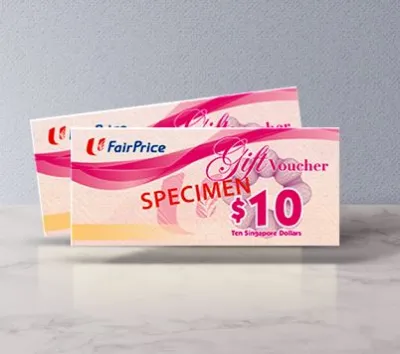
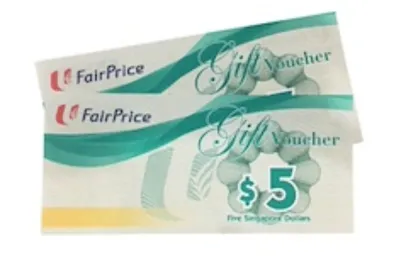
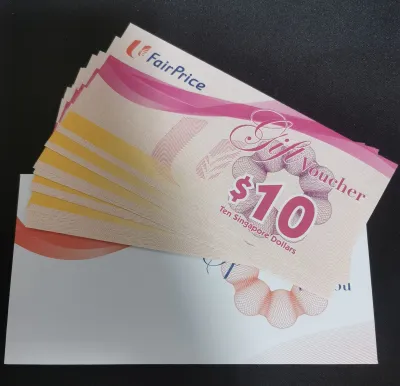
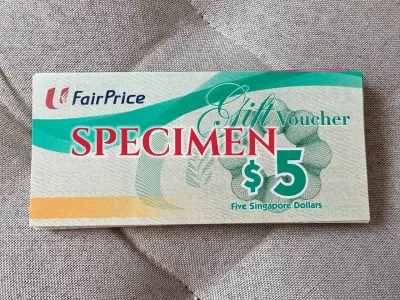
- Physical Paper Vouchers: These are traditional printed vouchers with a designated face value (such as S$5, S$10, or S$50) and distinct security features like holograms, serial numbers, and barcodes. They are ideal for in-store purchases but cannot be directly typed into the online platform as promo codes.
- Digital E-Vouchers: These vouchers are received digitally, often via email, SMS, or directly within the FairPrice Group app as part of a corporate reward, promotional campaign, or loyalty payout. They feature a digital barcode or a unique alphanumeric promo code.
- Loyalty Rebates and LinkPoints: Distinct from prepaid vouchers, these are accumulated points earned through the Link rewards program. While they function similarly to cash discounts, their redemption process is tied directly to your registered Link membership account rather than a standalone voucher.
Always locate and read the expiry date printed on the physical voucher or detailed in the digital issuance email. FairPrice strictly enforces these dates, and expired vouchers cannot be extended or reactivated. Additionally, read the specific terms and conditions on the back of the paper voucher or in the digital terms link. While most vouchers are accepted across standard FairPrice supermarkets, FairPrice Finest, and FairPrice Xtra hypermarkets, smaller formats like FairPrice Express, Warehouse Club, or affiliated food courts and concession stores may have different acceptance rules or reject certain voucher types entirely.
Products mentioned in this guide


Prices are valid at publication and may change. Please refer to the product page for the latest price.
Redeeming Physical and Digital Vouchers at Supermarket Counters
Redeeming your vouchers at physical supermarket outlets is highly convenient, provided you follow the correct sequence during checkout. Whether you prefer interacting with a cashier or using the automated self-checkout machines, the process is designed to accommodate both paper and digital formats.

Presenting the Voucher to a Cashier
When using a manned checkout lane, alert the cashier that you intend to pay with vouchers before they finalize the transaction. If you have physical paper vouchers, hand them over directly so the cashier can verify the security features and scan the barcodes. If you are using digital e-vouchers on your smartphone, open the email, SMS, or FairPrice Group app to display the barcode clearly. Ensure your phone’s screen brightness is turned up to allow the handheld scanner to read the digital barcode on the first try.
Using Self-Checkout Kiosks
If you prefer the speed of self-checkout machines, scan all your grocery items first. When you reach the payment selection screen, look for the “Voucher” or “Gift Card/E-Voucher” payment option. For physical paper vouchers, the machine will prompt you to scan the voucher’s barcode using the stationary scanner. Once scanned, you must deposit the paper voucher into the designated physical drop-slot on the machine as instructed by the on-screen prompts. For digital e-vouchers, select the digital voucher option on the screen and scan the barcode from your phone screen.
Handling Change and Shortfalls
It is crucial to plan your purchase amount when using vouchers. Standard retail policy dictates that physical paper vouchers do not provide cash change if your grocery bill is lower than the voucher’s face value. For example, if you use a S$10 voucher for a S$9.50 purchase, the remaining S$0.50 is forfeited. To maximize your voucher’s value, ensure your total bill meets or exceeds the face value. If your purchase exceeds the voucher amount, you can easily pay the remaining balance using standard payment methods, including cash, NETS, credit cards, or contactless mobile payments.
Applying Voucher Codes on the FairPrice Online Mall
Shopping on the ntuc fairprice mall online platform offers the convenience of home delivery, but redeeming your vouchers online requires a slightly different process than in-store shopping. Online redemptions rely entirely on digital voucher codes or promotional codes applied during the virtual checkout flow.
Account and Cart Preparation
To begin, log into your active FairPrice account on the website or the FairPrice Group mobile app. Shopping as a guest may restrict your ability to apply certain promotional codes or track your order history. Browse the online store, add your desired grocery items to your virtual cart, and ensure you have met any minimum spend requirements associated with your voucher. Once your shopping is complete, click on your cart and proceed to the checkout page.
Entering the Voucher Code
On the checkout page, locate the designated input field labeled “Promo Code,” “Voucher,” or “Discount Code.” This box is typically positioned in the order summary sidebar or right before the final payment selection screen. Carefully type or paste your unique alphanumeric code into this box. Ensure you enter the code exactly as provided, paying close attention to case sensitivity, and make sure there are no accidental spaces before or after the characters, which can cause the system to flag the code as invalid. Click “Apply” to submit the code.
Verifying the Discount
Before authorizing the final payment, always review your updated order summary. The system should display a clear line item showing the voucher discount deducted from your total balance. If the discount does not appear or the total does not update, do not proceed with the payment. Double-check the code or troubleshoot the cart before finalizing the transaction, as discounts cannot be retroactively applied to completed orders.
Delivery and Fee Limitations
Keep in mind that voucher discounts generally apply only to the product subtotal. They typically do not cover secondary service fees, such as home delivery charges, service fees, or plastic bag charges. You must be prepared to pay these additional fees using your linked credit card, debit card, or digital payment wallet during checkout.
Fixing Common Voucher Redemption Errors
Even with careful preparation, you may occasionally encounter errors where a voucher is rejected, fails to scan, or does not apply to your cart. Understanding how to troubleshoot these common issues can save you time and prevent frustration at the checkout counter or online.
Invalid or Expired Codes
If the online system or a physical cashier rejects your voucher code, the most common culprit is an expired date or a typographical error. For online transactions, re-read the code carefully to check for easily confused characters, such as the number “0” and the letter “O,” or the number “1” and the letter “I.” If the voucher is physical, inspect the printed expiry date to ensure it is still valid. If you believe a digital voucher is valid but still failing, verify that it has not been previously redeemed, as most digital codes are strictly single-use.
Excluded Items in the Cart
Many shoppers are unaware that certain product categories are excluded from voucher promotions due to regulatory restrictions or partner policies. Common exclusions include infant formula (specifically Stage 1 and Stage 2), tobacco products, alcoholic beverages, statutory items (such as 4D, Toto, and gift cards), and specific heavily discounted promotional items. If your cart contains any of these excluded items, the voucher code may fail to apply entirely, or the discount will only calculate based on the eligible items. To resolve this, remove the excluded items or add additional eligible groceries to meet the voucher’s minimum spend threshold.
Technical Glitches
If the online checkout page freezes, displays an error message, or fails to apply a valid code despite meeting all criteria, you may be experiencing a temporary technical glitch. Try clearing your internet browser’s cache and cookies, or attempt the transaction using a different web browser or the official FairPrice Group mobile app. If the issue persists, take a screenshot of the error message and the voucher details, and contact FairPrice Customer Support for assistance before completing your purchase.
Frequently Asked Questions (FAQ)
Can I use multiple NTUC FairPrice vouchers in a single transaction?
Yes, you can generally stack multiple physical paper vouchers in a single transaction at physical retail stores, making them highly convenient for large weekly grocery runs. However, digital e-vouchers and online promo codes often have stricter limitations. Most promotional codes used on the online platform are limited to one per transaction and cannot be combined with other digital discount codes. Always check the specific terms and conditions printed on your vouchers or detailed in the digital terms sheet to confirm if stacking is permitted for your specific voucher batch.
Are NTUC FairPrice vouchers accepted at Cheers convenience stores?
Acceptance of NTUC FairPrice vouchers at Cheers convenience stores depends entirely on the specific type of voucher you hold. Because Cheers is part of the FairPrice Group, many standard physical FairPrice paper vouchers are accepted at participating Cheers outlets across Singapore. However, digital e-vouchers, corporate promotional codes, or vouchers issued under specific restricted campaigns may exclude Cheers from their participating merchant list. Before attempting to pay at a Cheers outlet, inspect the back of your physical voucher or the digital terms of service to verify if Cheers is explicitly listed as an authorized merchant.
What happens if my online order is cancelled after I use a voucher?
If your online order is cancelled by the merchant or if certain items are out of stock, the refund process for your voucher depends on the platform’s standard operating procedures. For fully cancelled orders, FairPrice typically reinstates the digital voucher code or issues a replacement e-voucher of equivalent value to your account, though this process may take a few business days to reflect. If only a portion of your order is cancelled and the remaining subtotal still meets the voucher’s original terms, the discount remains applied, and you will only be refunded for the missing items. For specific cases, it is best to check your transaction history in the app or contact customer support directly to ensure your voucher value is correctly restored.
Community discussion
Share your experience or ask a question. Comments are reviewed before publication.