
Physical grocery vouchers are highly popular in Singapore for corporate gifting, festive seasons, and community distribution. Redeeming a physical fairprice voucher at the store is a straightforward process, but it requires a basic understanding of store policies, checkout options, and item exclusions to ensure a seamless transaction. To use your voucher, you simply need to verify its validity, shop for eligible items, and present the physical paper to the cashier at a manned checkout counter before finalizing your payment.
Before You Shop: Checking Your FairPrice Voucher Validity and Terms
Before heading to the supermarket, take a moment to closely inspect the physical condition of your paper voucher. The barcode, QR code, or magnetic strip on the voucher must be completely intact and free from damage. If the paper is severely creased, folded, torn, or stained with liquids, the optical scanners at the checkout registers may fail to read the digital markers. If the scanner cannot read the code and the serial number is also obscured, the cashier will not be able to process the voucher.
Locating and reading the printed expiry date is another essential step before you begin your shopping trip. This date is typically printed clearly on the back of the voucher or along the bottom edge of the front face. Point-of-sale systems in Singapore supermarkets are programmed to automatically reject any voucher code once its expiration date has passed. Checking this date beforehand prevents the disappointment and inconvenience of having a voucher rejected at the register.
Products mentioned in this guide

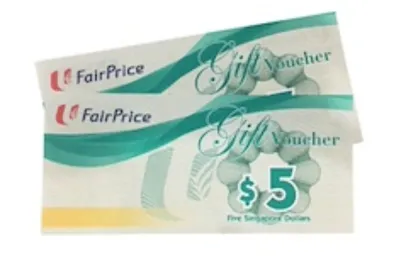

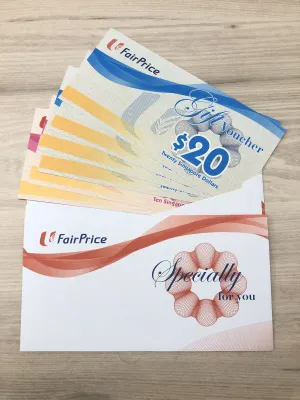
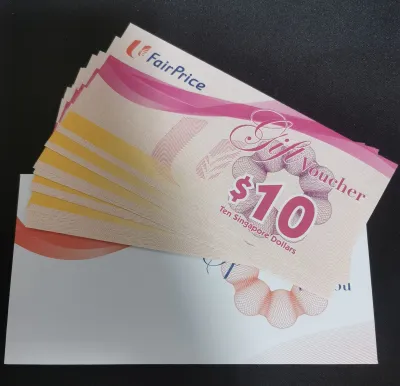
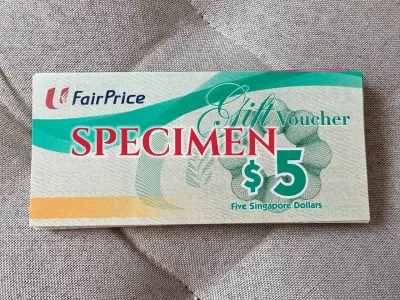

Prices are valid at publication and may change. Please refer to the product page for the latest price.
Review the terms and conditions printed on the reverse side of the voucher to confirm store applicability. While standard physical vouchers are widely accepted across all standard FairPrice supermarkets, FairPrice Finest, and FairPrice Xtra hypermarkets, some promotional or corporate vouchers may have restricted locations. Certain vouchers might exclude specific sub-brands like Cheers convenience stores, Warehouse Club, or Unity pharmacies. Confirming these details ensures you choose the correct store format for your shopping needs.
Identify any excluded item categories typically mentioned in the fine print on the back of the voucher. Due to local regulatory frameworks and store policies, certain products cannot be purchased using promotional or corporate vouchers. These exclusions commonly include tobacco products, alcoholic beverages, infant formula (specifically Stage 1 and Stage 2), lottery tickets, and third-party gift cards. If your shopping cart contains any of these restricted items, you will need to pay for them using an alternative payment method.
Step-by-Step Guide to Redeeming Your Voucher at the Checkout
Completing Your Shopping and Approaching the Register
Once you have gathered all your groceries and household essentials, head toward the checkout area. If you are planning to use a physical voucher, it is highly recommended to select a manned cashier counter rather than a self-checkout kiosk.

While some modern self-checkout kiosks in larger outlets feature scanning capabilities for digital vouchers, many standard self-checkout machines are not equipped to handle physical paper vouchers. This is because physical vouchers must be collected, voided, and secured by store staff to prevent duplicate redemptions. Choosing a manned lane from the start saves time and prevents you from having to wait for a supervisor to clear your transaction at a self-checkout terminal.
Presenting the Voucher to the Cashier
When your turn arrives, place your items on the conveyor belt as usual. Before the cashier begins scanning your items, or at least before they press the final payment button on their terminal, clearly inform them that you will be paying with a physical voucher. This early notification allows the cashier to prepare the system for a voucher transaction, which is processed differently from standard credit cards or cash.
Hand the physical voucher directly to the cashier. They will use their handheld barcode scanner or the main flatbed scanner to read the voucher’s barcode. If the barcode is slightly faded or fails to scan on the first attempt, the cashier will manually type the printed serial number into the point-of-sale system.
Once the system registers the voucher, wait for the cashier to confirm that the deduction has been successfully applied to your transaction. You will see the total amount due decrease on the customer-facing display screen. The cashier will then place the physical voucher into a designated slot in their cash drawer, as it must be retained for accounting and auditing purposes.
Paying the Remaining Balance
After the voucher value has been deducted, check the updated total on the customer display screen. If your total purchase amount exceeds the face value of the voucher, you must pay the remaining balance.
You can settle this remaining amount using any standard payment method accepted at the store. This includes cash, credit or debit cards, NETS, LinkPoints, or mobile payment applications. For example, if your total grocery bill is S$55 and you present a S$50 voucher, you will simply pay the remaining S$5 using your preferred payment method.
On the other hand, if your total purchase is less than the face value of the voucher, you must be prepared to forfeit the difference. Physical vouchers operate under a strict “no change” policy. If you use a S$10 voucher on a S$8.50 purchase, the remaining S$1.50 will not be returned to you in cash or credit. To avoid losing value, it is highly recommended to plan your shopping cart total so that it is equal to or slightly higher than the total value of your vouchers.
Important Restrictions and Common Pitfalls to Avoid
Understanding the strict “no change” policy is essential for maximizing your voucher’s value. Because these physical paper vouchers are treated as single-use payment instruments, the point-of-sale system cannot issue partial refunds or print change vouchers. Shoppers should always add a small, inexpensive item to their cart—such as a pack of tissues or a snack—if they find their total is slightly below the voucher’s face value.
Physical vouchers are strictly non-transferable for cash and cannot be redeemed for cash under any circumstances. They are intended solely for the purchase of goods within participating retail stores. Attempting to sell or exchange these vouchers for cash at customer service counters is prohibited by store policy.
Another critical factor to keep in mind is that physical vouchers are treated exactly like cash. If you lose your physical voucher, or if it is stolen, it cannot be replaced. Because these vouchers do not have a registered owner’s name tied to them, anyone who finds a lost voucher can legally use it at any store. FairPrice cannot track individual physical vouchers to block them or issue refunds to the original recipient, so keep them secure in your wallet until you reach the checkout counter.
Stacking multiple vouchers is generally permitted for standard in-store transactions, allowing you to combine several physical vouchers to pay for a single large grocery bill. However, some promotional, corporate, or co-branded vouchers may have specific “no stacking” clauses printed in their terms and conditions. It is always wise to read the fine print on each voucher or ask the cashier before they begin scanning to ensure all your vouchers can be applied to the same transaction.
Occasionally, stores may experience temporary network or system downtime. Because modern physical vouchers rely on real-time database verification to prevent fraud, the point-of-sale system must be online to process them. If the store’s network is down, the cashier will be unable to verify and accept your voucher. In these rare situations, you will need to pay for your groceries using cash or card, or ask the cashier to hold your transaction until the network is restored.
Verifying Your Transaction and Keeping Records
Once your payment is complete, the cashier will hand you a printed receipt. It is highly recommended to review this receipt immediately while you are still standing at the checkout counter. Look for the specific line item indicating the voucher deduction—usually labeled as “Voucher,” “Gift Voucher,” or a similar term—and verify that the correct face value was deducted from your total.
If you are using a standard physical paper voucher, the cashier will permanently retain the voucher after scanning it. It will not be returned to you. In contrast, if you are using a plastic stored-value gift card (which some shoppers confuse with paper vouchers), the card may be returned to you if it still holds a remaining balance, and this balance will be printed at the bottom of your receipt.
Keep your printed receipt safe until you have fully exited the supermarket premises. If you notice any discrepancy after leaving the checkout lane, you will need to present this receipt at the customer service counter. The customer service staff or store manager will use the transaction details on the receipt to verify the voucher usage in their system and resolve any issues.
Frequently Asked Questions (FAQ)
Can I use my physical FairPrice voucher for online grocery orders?
No, physical paper vouchers cannot be used for online grocery purchases on the FairPrice website or mobile app. Online transactions require digital payment methods, such as credit cards, debit cards, or digital e-vouchers that can be loaded directly into your online account. Physical vouchers must be physically surrendered and validated at an in-store cash register, making them strictly for in-store use.
What happens if my physical voucher is damaged or torn?
If your physical voucher is lightly damaged but the barcode and serial number are still fully legible, the cashier may still be able to process it by manually typing the numbers. However, if the voucher is severely torn, water-damaged, or missing critical security features, the register will reject it. You can visit the customer service desk at a major FairPrice outlet for assistance, but keep in mind that heavily mutilated or altered vouchers may be deemed invalid and confiscated to prevent fraud.
Can I use a FairPrice voucher to buy other gift cards or vouchers?
No, you cannot use a FairPrice voucher to purchase other gift cards, prepaid cards, or third-party vouchers (such as App Store, Google Play, or ride-hailing gift cards). Retailers enforce this restriction to prevent the conversion of promotional or corporate vouchers into other financial instruments. Always check the specific exclusions printed on the back of your voucher, as these terms are strictly programmed into the store’s checkout system.
Community discussion
Share your experience or ask a question. Comments are reviewed before publication.