
Navigating Singapore’s public transport network is highly efficient when you use the SimplyGo system. Getting started with a SimplyGo card involves purchasing a compatible physical card, registering it on the official mobile application, and understanding how to manage your balance for seamless daily travel. By transitioning to this account-based ticketing system, you can easily track your transit expenses, top up on the go, and protect your funds if your card is misplaced.
To begin commuting on buses and Mass Transit (MRT) trains, you must understand how the card integrates with local readers. Whether you choose a dedicated physical transit card or opt to use your existing contactless payment methods, mastering the tapping etiquette is essential to avoid unnecessary charges. This guide provides a comprehensive walkthrough of acquiring, registering, topping up, and troubleshooting your card to ensure a smooth daily commute.
Understanding the SimplyGo System and Card Options
The SimplyGo system is Singapore’s account-based transit licensing framework designed to streamline how commuters pay for public transport. SimplyGo shifts transit ticketing to an account-based system where transactions are processed on a back-end server rather than stored on the physical card chip. This transition aligns with the broader push toward open-loop contactless payments, allowing commuters to use a variety of digital and physical payment tokens.
Products mentioned in this guide
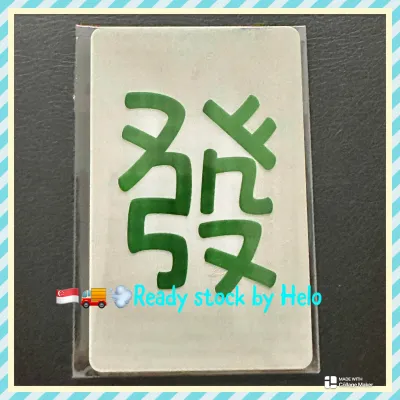
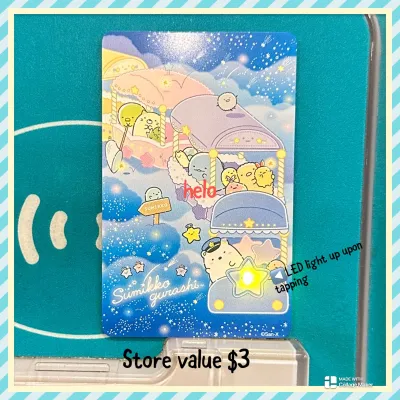




Prices are valid at publication and may change. Please refer to the product page for the latest price.
When deciding how to access this system, you have two primary paths: using a dedicated stored-value transit card (such as a SimplyGo EZ-Link or NETS FlashPay card) or using a contactless bank card or mobile wallet. A dedicated transit card is ideal for those who prefer to keep their commuting expenses separate from personal banking, or for family members who do not carry personal credit cards. Conversely, tapping a contactless bank card or mobile device eliminates the need to maintain a separate physical card balance entirely.
Before committing to a specific method, it is highly recommended to verify the latest supported card networks and device compatibilities. The transit authority periodically updates its system to accommodate new payment providers and wearable technologies. Checking the official SimplyGo or Land Transport Authority website ensures your specific bank card or smart device is fully compatible with the gantry readers before you attempt your first journey.
Where and How to Purchase Your SimplyGo Card
Acquiring a physical SimplyGo card is straightforward, with multiple authorized distribution points located across Singapore. You can purchase a card directly at MRT station Passenger Service Centres or SimplyGo Ticket Offices. These staffed counters are highly convenient for immediate assistance, allowing you to ask questions about card activation. Additionally, authorized convenience stores stock these cards, making them accessible even outside of train station operating hours.

You can also request a card through the official SimplyGo mobile application or portal to have it mailed to your residential address. While this requires planning ahead for delivery times, it allows you to start your transit journey from your doorstep.
When purchasing your card, always verify the current initial card cost and any non-refundable deposit fees at the point of sale. Typically, the purchase price is split between the cost of the physical card itself and an initial stored value that is immediately available for travel. To protect your finances, avoid purchasing transit cards from unauthorized third-party online retailers or peer-to-peer marketplaces. These unauthorized sources often charge inflated fees, and you run the risk of buying cloned, expired, or blocked cards that will not function at the transit gantries.
Registering Your Card for Security and Auto Top-Up
Registering your physical SimplyGo card to an official account is critical for securing your funds. Download the official SimplyGo mobile application, create a user profile, and add your card by entering the unique identification number printed on the back. This links the physical token to your digital profile, granting you full visibility over your transit history.
The primary benefit of card registration is robust balance protection. If you lose an unregistered card, any remaining funds are permanently lost, as there is no way to verify ownership. With a registered card, however, you can log into the app or portal to report the card as lost or stolen. The system will then block the card from further use within a short processing window, and you can initiate a transfer of the remaining balance to a replacement card or a designated bank account.
Registration also unlocks the Auto Top-Up feature, which eliminates the risk of running out of funds mid-journey. To set this up, you must link a supported credit card, debit card, or digital payment account within the app. You can then configure the system to automatically charge your linked payment method with a pre-selected top-up amount whenever your card balance falls below a specific minimum threshold. Be sure to check the current threshold triggers and processing terms in the app to ensure your linked account always has sufficient funds to authorize these automatic transactions.
Topping Up and Checking Your Card Balance
Keeping your card funded is essential for uninterrupted travel. The most seamless method is topping up directly through the official SimplyGo mobile app, which allows you to add funds using your linked credit card, debit card, or local digital payment wallets from anywhere.
If you prefer physical top-up methods, you can use the General Ticketing Machines located at all MRT stations. These touch-screen terminals guide you through the process of placing your card on the reader, selecting your payment method, and completing the transaction. Additionally, you can top up your card at authorized retail counters, including convenience stores and select post offices, though these physical locations may occasionally apply a small service fee per transaction.
Monitoring your balance is equally simple. The mobile app provides real-time balance updates and a detailed transaction history, allowing you to track every bus and train ride you take. You can also view your balance on the screen of any General Ticketing Machine or at the transit gantry readers as you tap out. Keep in mind that digital top-ups may occasionally experience minor processing delays depending on network connectivity, so it is wise to maintain a buffer balance on your card to avoid gantry rejection during peak commuting hours.
Tapping In and Out on Buses and MRT Trains
Mastering the physical action of tapping in and out is vital for a hassle-free commute. The golden rule of Singapore’s transit system is to use the exact same physical card, smartphone, or wearable device for both tapping in and tapping out. The fare gates and bus readers rely on matching your entry tap with your exit tap to calculate the correct distance-based fare.
Mixing your payment methods during a single journey leads to significant financial penalties. For example, if you tap into an MRT station using your physical SimplyGo card but tap out at your destination using your smartphone linked to the same account, the system cannot pair the two transactions. Instead, it treats them as two separate, incomplete journeys. This results in you being charged the maximum possible fare for both transactions, and these duplicate charges can quickly accumulate if you are not careful.
If you encounter a reader error at a gantry or bus validator, do not panic or attempt to force your way through the gates. Common errors are often caused by card clash, which occurs when you hold an entire wallet up to the reader and the machine detects multiple contactless cards simultaneously. To resolve this, remove your specific SimplyGo card from your wallet and tap it individually. If the reader still displays an error, step aside to avoid blocking other commuters and seek immediate assistance from the station staff at the Passenger Service Centre, who can manually check your card status and resolve the issue.
Troubleshooting Common Card and Reader Issues
Even with regular use, you may occasionally encounter unexpected issues at the transit readers. Understanding common error messages on validator screens helps you take swift corrective action. An “Insufficient Balance” prompt indicates your card has fallen below the minimum travel value required to start a journey. A “Card Expired” message means your card has reached the end of its operational lifespan, while “Seek Staff” points to a technical read error or an unresolved transaction from a previous trip.
If you suspect you have been overcharged or that a tap-out was missed, you can easily review your journey history within the SimplyGo app. The app displays detailed logs of your boarding and alighting times, along with the exact fares deducted. If you identify an anomaly, such as an incomplete journey charge caused by a faulty bus reader, you can submit a claims dispute directly through the app’s customer service portal. The transit authority reviews these claims and refunds any verified excess charges back to your card account.
In cases where your physical card becomes physically damaged, demagnetized, or stops responding to readers entirely, you will need to obtain a replacement. Visit a staffed SimplyGo Ticket Office or Passenger Service Centre with your faulty card and proof of identity. The customer service officers can diagnose the card, issue a replacement, and initiate the process to transfer your remaining balance from the damaged card to your new one, ensuring you do not lose your hard-earned transit funds.
Frequently Asked Questions (FAQ)
Can I use my overseas contactless bank card instead of a SimplyGo card?
Singapore’s transit system accepts major international contactless credit and debit cards, making it highly convenient for short-term visitors. However, before relying on a foreign-issued card, contact your issuing bank to clarify potential financial implications. Many banks charge foreign transaction fees or administrative levies for overseas payments, which can be applied per tap or aggregated daily. For long-term residents, a dedicated local SimplyGo card is generally more cost-effective as it avoids these recurring international transaction fees.
What happens if I lose my registered SimplyGo card?
If you lose a registered SimplyGo card, log into the official mobile app or web portal immediately to block the card and prevent unauthorized use. You can then follow the prompts in the app to request a replacement card or apply to transfer the remaining balance to another registered card or your bank account. If your card was never registered, the transit authority cannot link the physical card to your identity, meaning unregistered lost cards cannot be blocked or refunded.
Community discussion
Share your experience or ask a question. Comments are reviewed before publication.