
Understanding the SimplyGo Card System
SimplyGo is Singapore’s account-based ticketing system designed to streamline public transit payments across the island’s comprehensive MRT, LRT, and bus networks. Unlike legacy card-based ticketing systems where transit data, fare calculations, and monetary balances are processed and stored directly on the physical card’s microchip, SimplyGo handles all transactions on a centralized back-end server. This server-side processing model allows commuters to use a wider range of payment methods, including contactless bank cards, mobile wallets, and dedicated SimplyGo stored-value cards, without needing to pre-load funds onto a traditional card chip.
By transitioning to this account-based network, you gain real-time visibility into your travel history, fare breakdowns, and balance updates through a centralized digital portal. Registering an account is a key step to unlocking these features, enabling you to manage multiple cards, view detailed trip logs, and receive instant push notifications on your smartphone after each journey. This system eliminates the guesswork of transit fares and provides a highly transparent commuting experience.
Where and How to Get a SimplyGo Card
To begin commuting with SimplyGo, you can choose between obtaining a dedicated physical card or utilizing your existing contactless payment methods. Both options grant seamless access to Singapore’s public transit network, but they cater to different preferences regarding physical card handling, budgeting, and digital integration.
Products mentioned in this guide


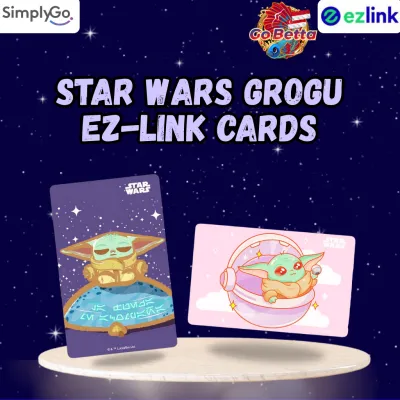
Prices are valid at publication and may change. Please refer to the product page for the latest price.

Purchasing a Physical SimplyGo Stored-Value Card
If you prefer a dedicated transit card, you can purchase a physical SimplyGo stored-value card at several convenient locations across Singapore. These include SimplyGo Ticket Offices (located at major MRT stations and bus interchanges), Passenger Service Centres within MRT stations, and authorized convenience stores such as 7-Eleven or Cheers. The standard physical card complies with the ISO/IEC 7810 ID-1 standard, featuring dimensions of 85.60 mm × 53.98 mm (standard CR80 size) and a thickness of 0.76 mm. This standard size ensures compatibility with standard wallets, cardholders, and lanyard sleeves.
When purchasing a physical card, you should verify the current card issuance fee and the initial stored value included at the point of purchase, as these policies are subject to change by the Land Transport Authority. Typically, a physical card purchased at an MRT station costs S$10, which includes a non-refundable S$5 card fee and S$5 of usable stored value. Cards purchased at convenience stores may follow different pricing structures or require a separate initial top-up, so it is advisable to confirm the breakdown with the cashier before completing your purchase.
Using Contactless Bank Cards or Mobile Wallets
For those who prefer a cardless approach, Singapore’s transit system supports direct payment via contactless credit cards, debit cards, and mobile wallets. You do not need to purchase a dedicated transit card if you possess a contactless-enabled Visa, Mastercard, or NETS card. Simply tap your physical bank card or your NFC-enabled mobile device—such as a smartphone or smartwatch linked to Apple Pay, Google Pay, or Samsung Pay—at the transit gantry. This eliminates the need to monitor a separate stored-value balance, as fares are billed directly to your bank account.
Before using an overseas-issued bank card, check with your financial institution regarding potential foreign transaction fees or administrative charges applied to transit taps. Additionally, ensure your card is active and that contactless payment settings are enabled for international use. Some banks require users to opt-in for overseas transit usage or clear security flags that might otherwise block rapid, consecutive gantry taps.
Step-by-Step Guide to Setting Up and Registering Your Account
While you can tap and ride immediately with a contactless bank card, registering your payment method under a SimplyGo account is highly recommended. Registration provides essential security features, such as the ability to block lost cards, view exact fare breakdowns, and file claims for incorrect charges.
Follow these steps to set up and register your SimplyGo account:
- Download the Official App: Search for the official SimplyGo app on your mobile device's application store (available for iOS and Android), or visit the official SimplyGo web portal.
- Create Your Account: Open the app or portal and select the registration option. Input a valid email address and a local or international mobile number. Create a secure password to protect your account details.
- Verify Your Identity: Enter the One-Time Password (OTP) sent to your registered mobile number or click the verification link sent to your email address to activate your account.
- Add Your Card: Once logged in, navigate to the "Cards" section. To add a physical SimplyGo card, you can scan the card's barcode using your phone's camera or manually input the 16-digit CAN (Card Access Number) found on the back. To link a contactless bank card, enter the card number, expiration date, and security code.
- Confirm Card Linking: The system may perform a small temporary authorization charge (which is quickly reversed) to verify the validity of your bank card. Once confirmed, the card will appear in your registered card list.
Registering your cards ensures that your travel data is securely linked to your profile. If you lose a registered physical card, you can instantly block it via the app to prevent unauthorized use and safeguard your remaining funds.
Topping Up and Managing Your Stored Value
Keeping your physical SimplyGo card funded is straightforward, with multiple digital and physical channels available. If you are using a physical SimplyGo stored-value card, you must maintain a minimum travel balance (typically S$3) to enter the MRT stations or board buses.
- App-Based Top-Ups: The most convenient way to add funds is directly through the SimplyGo app. You can link your credit or debit card to perform instant top-ups anytime, anywhere.
- Station Ticketing Machines: You can top up your card physically at any SimplyGo Kiosk or Assisted Service Kiosk located inside MRT stations. These machines accept various payment modes, including NETS, credit cards, and mobile payments.
- Retail Outlets: Authorized convenience stores like 7-Eleven and Cheers offer over-the-counter top-up services, though a small service fee may apply per transaction.
To completely eliminate the risk of running out of balance during your commute, you can set up the Auto-Reload feature within the SimplyGo app. By linking a valid Visa or Mastercard, you can configure the system to automatically top up your card with a pre-selected amount (such as S$20) whenever the balance falls below a specific threshold. You can also view your real-time balance and a detailed, itemized transaction history directly on the app’s dashboard, ensuring complete transparency over your transit expenses.
Using Your SimplyGo Card for MRT and Bus Rides
To ensure smooth travel and accurate fare calculations, you must understand the operational mechanics of the account-based system. The most critical rule of commuting with SimplyGo is to always tap in and tap out using the exact same physical card or mobile device.
Because SimplyGo calculates fares on a back-end server by matching your entry and exit points, using different devices or cards will disrupt the calculation. For example, if you tap in at an MRT gantry using your physical credit card and tap out using the digital version of that same card on your smartphone, the system treats these as two separate, incomplete journeys. This results in two maximum fare penalties instead of a single, distance-based fare.
When passing through MRT gantries or boarding buses, hold your card or mobile device flat against the center of the contactless reader. Wait for the reader to emit a single green light or a clear beep, and check the screen display to confirm the transaction is approved. Avoid holding your wallet or cardholder directly against the reader if it contains multiple contactless cards, as this can cause “card clash,” leading to failed reads or unintended charges on the wrong card.
Troubleshooting Common SimplyGo Issues
Even with a seamless system, you may occasionally encounter minor disruptions during your daily commute. Understanding how to handle these situations quickly prevents delays and protects your funds.
If a transit gantry rejects your card, check the reader’s screen for error messages. A common cause is insufficient balance; if your physical card has less than the minimum required travel value, you must top it up before proceeding. If the card is physically damaged or bent, the internal antenna may fail to communicate with the reader’s electromagnetic field. In such cases, you can test the card at a station kiosk or seek assistance at a SimplyGo Ticket Office to verify its physical integrity.
In the event that you lose your physical SimplyGo card, act quickly to protect your stored value. Log into your SimplyGo app or web portal immediately, select the lost card from your profile, and activate the “Block Card” feature. Once blocked, any remaining balance on the card is secured and can be transferred to a newly registered card within the app. For unresolved fare discrepancies, technical app glitches, or login issues, you can submit a feedback form directly through the app or contact the SimplyGo customer service hotline for professional assistance.
Frequently Asked Questions (FAQ)
Can I use my overseas-issued credit card for SimplyGo?
Yes, overseas-issued Visa and Mastercard contactless cards are widely accepted across Singapore’s public transit network. However, before relying on your foreign card, check with your home bank to ensure contactless payments are active for international transit. Be aware that foreign currency conversion fees and additional administrative charges (often consolidated daily by transit processors) may apply to your transactions.
What happens if I forget to tap out at my destination?
If you fail to tap out when exiting an MRT station or a bus, the system cannot calculate your actual travel distance. Consequently, you will be charged the maximum possible fare for that specific route. To resolve this, monitor your trip history on the SimplyGo app; if you notice an incomplete journey charge, you can submit a fare refund claim through the app’s transaction history page within 14 days of the incident.
Do I need to register my contactless bank card to use it?
No, registration is not mandatory to use a contactless bank card for commuting. You can tap and ride immediately. However, registering the card to a SimplyGo account is highly recommended because unregistered users cannot view detailed trip histories, track fare capping, receive journey notifications, or easily submit claims for overcharged fares.
Community discussion
Share your experience or ask a question. Comments are reviewed before publication.