
To find the best paper shredder for your home or small office in Singapore, you must balance document security, processing speed, and physical space constraints. A reliable shredded paper machine protects sensitive financial records and personal data from identity theft while fitting seamlessly into compact spaces like HDB flats or boutique offices. Choosing the right model depends on your typical document volume, the level of confidentiality you require, and how often you are willing to empty the waste bin.
By evaluating key performance specifications and matching them to your specific daily workflow, you can avoid the frustration of frequent paper jams and overheated motors. The ideal machine should handle your document load efficiently without requiring constant maintenance or disrupting your surrounding environment with excessive noise.
Core Specifications to Evaluate in a Shredded Paper Machine
Sheet capacity per pass is the primary driver of shredding efficiency. This specification indicates how many sheets of paper the machine can feed and cut simultaneously. For occasional home use, a capacity of 5 to 8 sheets per pass is generally sufficient, whereas a busy small office will benefit from a machine that handles 10 to 15 sheets at once. Exceeding this limit strains the motor and leads to immediate paper jams, so choosing a capacity slightly higher than your average daily stack prevents bottlenecks.
Products mentioned in this guide
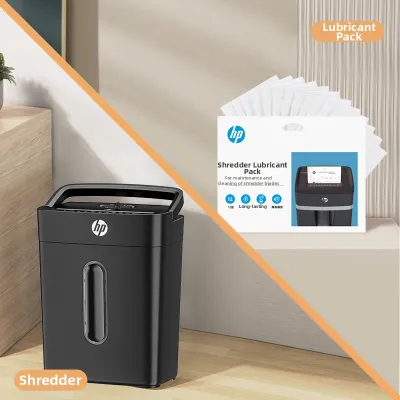
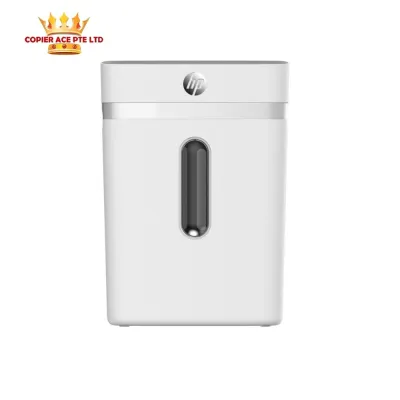
![[SG] Original Aurora AS800CD Plastic Paper Shredder Machine 8 sheet Cross cut (Able to Shred CDs) [Evergreen Stationery]](https://img.lazcdn.com/g/p/0cd07fe2a1ba74eeb42f61baa8c305df.jpg_400x400q80.jpg_.webp)
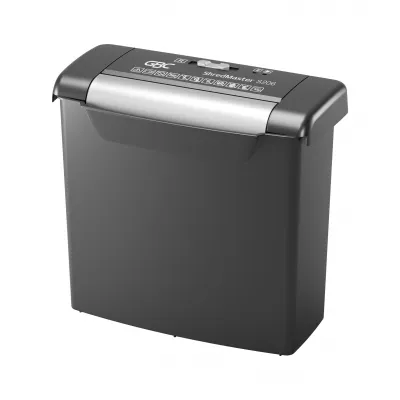
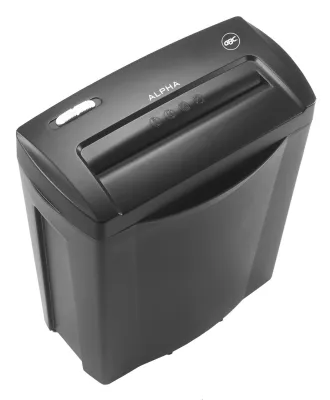
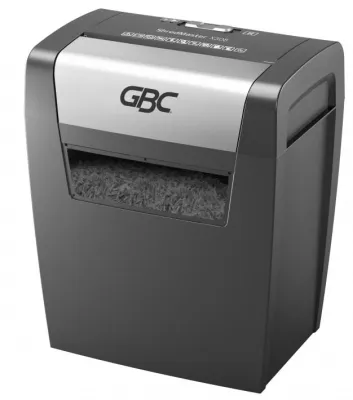
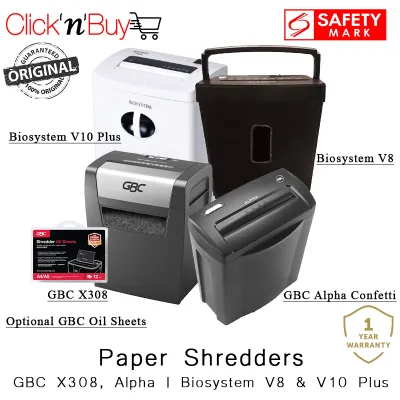
Prices are valid at publication and may change. Please refer to the product page for the latest price.
Bin capacity determines how often you must empty the waste. Measured in liters, bin sizes typically range from 10 liters for compact home models to over 30 liters for shared office machines. While a larger bin reduces maintenance frequency, it also increases the physical footprint of the machine. If you select a cross-cut or micro-cut model, the paper is reduced to smaller pieces, allowing you to fit significantly more shredded material into the same bin volume compared to a strip-cut model.
Continuous run time and cool-down periods are critical safety metrics governed by the shredder’s motor. Every machine has a maximum duty cycle, which is the amount of time it can run continuously before the thermal overload protection automatically shuts it down to prevent overheating. Entry-level home shredders often have a run time of 2 to 5 minutes, requiring a 20-to-40-minute cool-down period. Small offices processing large end-of-month administrative backlogs require heavy-duty machines with continuous run times of 15 to 30 minutes to maintain steady productivity.
Noise levels, measured in decibels (dB), greatly impact comfort in shared environments. Standard paper shredders often operate between 65 dB and 75 dB, which can easily disrupt phone calls, online meetings, or quiet study times in a home office. If you work in a shared residential space or an open-plan commercial office, look for models engineered with noise-reduction technology that operate below 60 dB to maintain a peaceful working environment.
Shredder Security Levels: Matching Cut Types to Document Sensitivity
The cutting mechanism determines both the security level of the shredded paper and the volume of the resulting waste. Strip-cut models are the fastest and most affordable, slicing paper into long, vertical strips. However, because these strips can be easily reassembled, they offer the lowest level of security and are only suitable for non-sensitive documents. Strip-cut waste also fills up bins rapidly because the long pieces do not compress well.

Cross-cut shredders offer standard security suitable for most homes and small businesses. These machines cut diagonally from both directions, turning a single A4 sheet into roughly 300 to 400 confetti-like particles. This cut type makes it incredibly difficult for unauthorized individuals to piece the documents back together, making it the ideal standard for disposing of bank statements, utility bills, and basic corporate records.
Micro-cut shredders provide the highest level of security by reducing a single sheet of paper into more than 2,000 microscopic, unreadable particles. This level of destruction is essential for highly confidential data, proprietary business contracts, medical records, and legal documents. Because the resulting particles are so small, micro-cut waste compresses exceptionally well, allowing you to shred up to four times more paper before needing to empty the bin.
To standardize these security levels, manufacturers use the international DIN 66399 standard, represented by a “P” rating followed by a number from 1 to 7.
- P-1 to P-2: Strip-cut, suitable for general low-security documents.
- P-3 to P-4: Cross-cut, the industry standard for everyday business and personal financial records.
- P-5 to P-7: Micro-cut, reserved for highly sensitive corporate, government, or military data.
When shopping for a machine, always check the manufacturer’s official specifications for the exact particle dimensions (such as 4mm x 40mm for P-4) rather than relying on generic marketing phrases like “high security” or “confidential cut.”
Space, Storage, and Power Considerations in Singapore
Singapore’s urban landscape features compact residential layouts, such as HDB flats, and high-density commercial office units where floor space is at a premium. A bulky, wide-profile shredder can easily obstruct walkways and clutter your workspace. To maximize efficiency, look for slim-profile or under-desk models that can be tucked away neatly when not in use. Models equipped with 360-degree caster wheels are highly advantageous, allowing you to easily roll the machine out for a quick shredding session and slide it back into storage afterward.
Power compatibility is another crucial factor, especially when purchasing appliances online. Singapore operates on a 230V, 50Hz electrical grid and utilizes the Type G three-pin plug. Many cross-border online marketplaces list shredders configured for North American voltages (110V to 120V) or equipped with different plug configurations. Always verify that the product specifications explicitly state compatibility with 230V power supply. Running a 110V motor directly on a Singapore outlet will permanently damage the machine and poses a severe electrical fire hazard. Avoid relying on cheap, unapproved travel adapters or heavy-duty step-down voltage converters, as motor-driven appliances draw significant current during startup.
If you are considering a standalone shredder head designed to sit on top of an existing waste bin, you must verify the physical dimensions before purchasing. Check the adjustable arm width of the shredder head against the diameter of your local waste bin. An unstable or poorly fitted shredder head can easily tip over during operation, spilling waste and potentially exposing the moving blades, creating a safety hazard.
Recommended Shredder Profiles for Home and Small Office Needs
To simplify your purchasing decision, identify which user profile matches your typical document destruction habits. This ensures you buy a machine with the right balance of durability and cost without paying for unnecessary enterprise-grade features.
The Occasional Home User
For households that only need to destroy weekly mail, utility bills, and expired credit card offers, a compact and budget-friendly cross-cut shredder is the most practical choice. These models typically cost between S$50 and S$120, featuring a lightweight design and a modest bin capacity of 10 to 15 liters. Because these machines are used infrequently, a shorter continuous run time of 3 to 5 minutes is perfectly acceptable. Look for basic safety features, such as a physical safety lock or an automatic thermal cutoff, to ensure the machine remains safe around children and pets when stored in a residential setting.
The Busy Small Office
Small businesses, HR departments, and remote professionals handling continuous paperwork require a more robust machine. A mid-range micro-cut shredder with a sheet capacity of 10 to 15 sheets per pass and a 20-to-30-liter pull-out bin is highly recommended. To streamline daily administrative tasks, consider upgrading to an auto-feed model. Auto-feed shredders allow you to stack up to 100 sheets of paper in an input tray, close the lid, and walk away while the machine automatically feeds and destroys the documents. This hands-free operation saves valuable labor time and prevents employees from standing over the machine during large clean-out sessions.
The Multi-Media Destroyer
If your security needs extend beyond paper documents, you require a heavy-duty shredder designed to handle non-paper media. These specialized machines feature high-torque motors and reinforced, solid-steel cutters capable of slicing through credit cards, CDs, DVDs, and thick cardboard folders. Many of these models feature a dedicated secondary slot to keep plastic shards separated from paper waste, which makes recycling much easier. Before attempting to shred any non-paper items, always consult the manufacturer’s instruction manual to verify compatibility; forcing hard plastics or heavy metal paperclips through a standard paper-only shredder will chip the cutting teeth and void your warranty.
Maintenance and Safety Tips for Reliable Operation
Regular maintenance is essential to prevent paper jams, reduce motor strain, and extend the overall lifespan of your machine. As paper passes through the cutting blades, it leaves behind microscopic paper dust and adhesive residue that can accumulate and dull the cutters over time. Empty the waste bin regularly before it becomes completely full; allowing shredded paper to back up into the cutter head can cause severe jams and strip the internal gears.
Lubricating the cutting blades is the most critical maintenance step. You should oil your shredder blades at least once a month, or every time you empty the bin if you use the machine frequently. To do this safely, use only manufacturer-approved shredder lubricant oil or pre-saturated lubricant sheets.
- Using Shredder Oil: Apply a zigzag pattern of oil across a standard sheet of paper, then feed the paper through the machine. Once shredded, run the machine in reverse for a few seconds to distribute the oil evenly across the cutters.
- Using Lubricant Sheets: Simply feed the pre-packaged lubricant sheet directly into the paper entry slot according to the package instructions.
Never use aerosol spray lubricants, WD-40, or flammable vegetable oils inside the shredder, as the friction and electrical sparks from the motor can ignite the fumes, causing an explosion or fire.
Always respect the safety boundaries of your machine. Keep your fingers, long hair, ties, lanyards, and loose clothing far away from the feed slot. If a severe paper jam occurs, first attempt to clear it using the manual reverse function. If the paper remains stuck, turn off the power switch immediately and unplug the power cord from the wall outlet before attempting to gently pull the paper out. Refer to your user manual for specific cleaning instructions, and stop using the machine immediately if you notice unusual grinding noises, electrical smells, or rapid overheating. For complex issues, seek professional servicing or contact the manufacturer’s customer support.
Frequently Asked Questions (FAQ)
Can I shred glossy paper or envelopes with plastic windows?
Glossy paper, such as brochures, magazines, and marketing flyers, can be shredded in moderation, but it generates more friction and heat than standard copy paper, which can dull the blades faster. Envelopes with plastic address windows should be handled with caution. Unless your shredder’s manual explicitly states compatibility with plastic film, you should peel off the plastic window before shredding. The plastic can melt under the heat generated by the blades, creating a sticky residue that traps paper dust and causes chronic jams.
How often should I oil the shredder blades?
For light home use, oiling the blades once a month is generally sufficient to keep the motor running smoothly. For busy small offices with daily shredding tasks, you should oil the blades weekly or after every major shredding session. Clear indicators that your machine requires lubrication include a noticeable reduction in shredding speed, a louder or higher-pitched motor hum, or frequent paper jams during normal operation. Only use specialized shredder oil or lubricant sheets; household oils will damage the internal components.
Is it safe to leave the shredder plugged in when not in use?
While modern paper shredders are equipped with energy-saving standby modes and automatic safety locks, it is best practice to unplug the machine when it is not in use for extended periods. Unplugging the device completely eliminates standby power consumption and protects the sensitive electronic control boards from electrical power surges, which are common during tropical thunderstorms in Singapore. Additionally, unplugging the machine ensures that children or household pets cannot accidentally activate the touch-sensitive power sensors.
Community discussion
Share your experience or ask a question. Comments are reviewed before publication.