
Choosing the right paper shredder machine is the difference between a smooth, secure document disposal routine and a frustrating cycle of paper jams, overheated motors, and constant bin emptying. To make the correct choice, you must balance three critical capacity metrics: sheet capacity, bin volume, and continuous run time. Aligning these specifications with your actual daily and weekly shredding habits ensures you do not overpay for an industrial-grade machine or burn out an underpowered light-duty model.
Evaluating your needs systematically prevents common purchasing mistakes. By analyzing your volume, understanding how manufacturers rate their machines, and considering physical space constraints, you can confidently select a machine that fits your workflow perfectly.
Assess Your Daily and Weekly Shredding Volume
Before looking at specific machine features, you must diagnose your actual document disposal habits. Document destruction needs vary wildly between a household that occasionally shreds junk mail and a small business handling confidential client files. Pinpointing where you fall on this spectrum is the first step toward finding the right machine.
Products mentioned in this guide
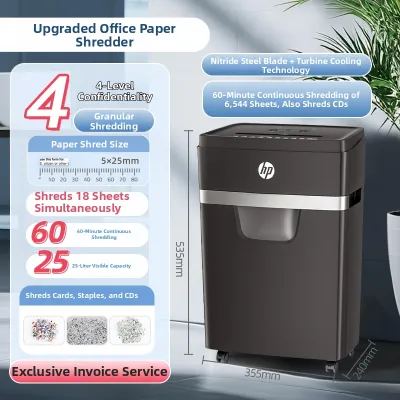
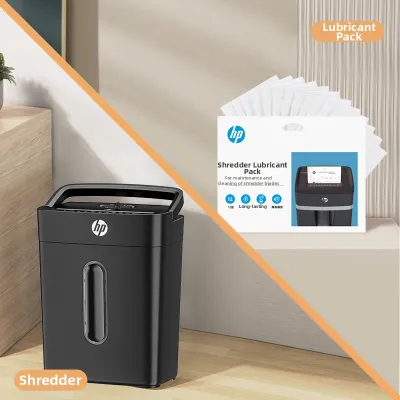
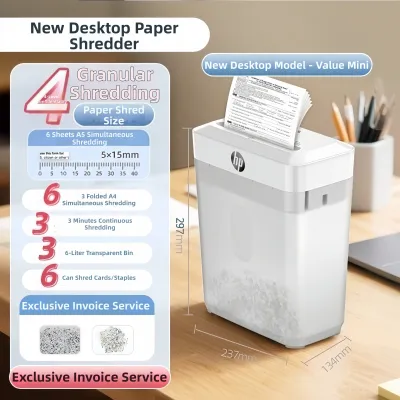
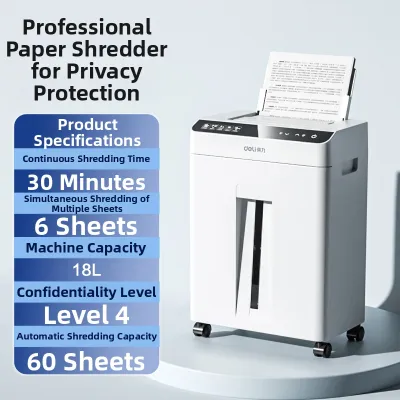
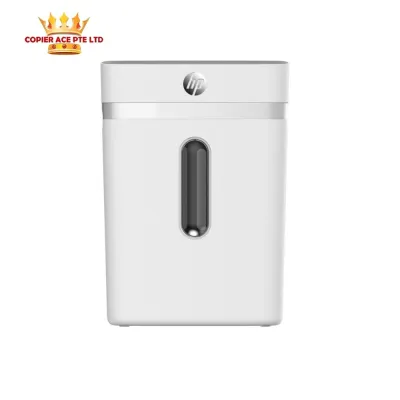
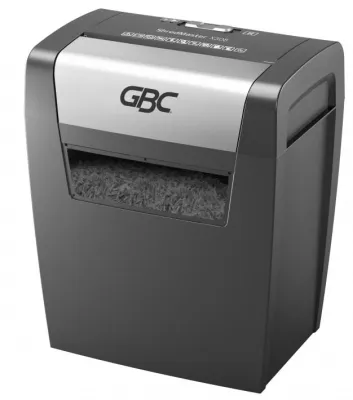
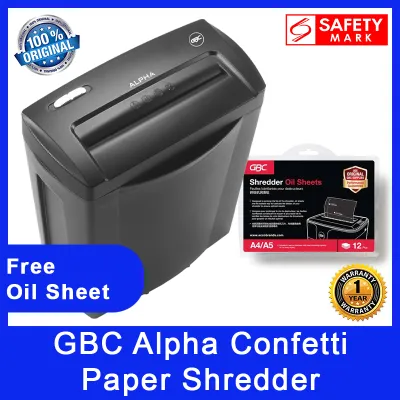
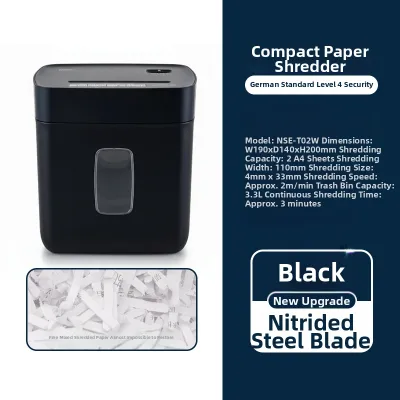
Prices are valid at publication and may change. Please refer to the product page for the latest price.
For occasional home use, your shredding volume is likely driven by mail, expired bank statements, utility bills, and medical documents. These items usually accumulate slowly and are shredded once or twice a week, or perhaps in a single monthly batch. The total volume rarely exceeds 10 to 20 sheets per week, making a compact, entry-level machine highly suitable.
In contrast, a small office or a dedicated home office (SOHO) typically handles a steady stream of sensitive paperwork. Daily operations generate invoices, payroll records, customer lists, and HR documents that must be destroyed to maintain compliance with data privacy regulations. For these environments, daily volume can easily range from 50 to over 150 sheets, requiring a more robust motor and larger storage capacity.
To establish your baseline, track your paper waste for a typical week. Count the average number of sheets you need to destroy daily, and note whether you prefer to shred documents immediately or let them pile up for a single weekly session. If you let paper accumulate, your machine must be capable of handling large batch processing rather than quick, intermittent tasks.
Underestimating your volume is a costly mistake. Forcing a light-duty machine to process high volumes leads to rapid motor wear, frequent thermal shutdowns, and premature product failure. Conversely, overestimating your needs can lead to spending hundreds of dollars extra on heavy-duty features, such as continuous-duty motors or massive waste bins, that your space and workflow do not actually require.
Do not forget to account for seasonal spikes in your calculations. Tax season, quarterly financial reviews, or end-of-year archiving cleanouts can temporarily triple your shredding volume. If you anticipate regular high-volume events, look for a machine that offers a slightly higher capacity than your standard weekly average to handle these peaks without stalling your productivity.
Match Sheet Capacity to Your Typical Batch Size
Sheet capacity refers to the maximum number of paper sheets the machine can accept in a single pass. While this specification is prominent on every product box, understanding how manufacturers test and rate this capacity is essential for real-world performance.

Standard sheet capacity ratings are established under ideal laboratory conditions. Manufacturers typically test their machines using crisp, unwrinkled sheets of standard 20 lb paper, which is roughly equivalent to 75 gsm (grams per square meter) paper, fed perfectly straight into the entry slot.
In Singapore, the standard office paper size is A4, and the most common weight is 80 gsm. Because 80 gsm paper is slightly thicker and heavier than the 75 gsm paper used in factory testing, a machine’s practical sheet capacity is often 10% to 20% lower than its advertised rating. A machine rated for 10 sheets may only handle 8 sheets of standard local office paper comfortably without straining the motor.
Shredder models generally fall into three distinct duty tiers based on sheet capacity:
- Light-Duty (6 to 8 sheets): Best for individuals who shred a few pages at a time, such as receipts or single-page letters.
- Medium-Duty (10 to 14 sheets): Ideal for home offices and light small-office use, handling multi-page reports and stapled documents easily.
- Heavy-Duty (16+ sheets): Built for shared office environments where users regularly feed thick packets of paper simultaneously.
Real-world variables quickly degrade a machine’s effective capacity. Envelopes, folded letters, thick cardstock, and glossy brochures require significantly more motor power to cut. Staples and paper clips also add resistance; while many modern mid-range shredders can chew through standard staples, doing so repeatedly on a low-capacity machine will dull the cutting blades and strain the gears.
To choose the right capacity, observe your natural feeding habits. Most users do not count out exactly eight or ten sheets before feeding them into the slot; they simply grab a small stack and drop it in. If you tend to feed documents in thick, uncounted batches, select a machine with a rated sheet capacity that is 20% to 30% higher than your average batch size to provide a safe operational buffer.
Your choice of cut type also directly influences feeding resistance. Strip-cut shredders, which slice paper into long vertical ribbons, encounter the least resistance and can handle higher sheet counts. Cross-cut and micro-cut machines slice the paper vertically and horizontally to provide higher security, but this dual-action cutting requires significantly more motor torque. Consequently, a micro-cut machine will often have a lower rated sheet capacity than a cross-cut machine of the same physical size and price point.
Determine the Ideal Bin Size for Your Workflow
The size of the waste bin determines how often you must interrupt your work to empty the machine. While a small bin keeps the machine compact, emptying it constantly can quickly become a chore, especially if you handle moderate volumes of paper.
Shredder bin capacity is measured in liters. It is important to realize that shredded paper takes up far more physical volume than flat, stacked sheets because of the air pockets created between the cut pieces. How quickly the bin fills depends heavily on the security cut type of your machine:
- Strip-Cut: Creates long, bulky ribbons that do not compress well. The bin fills rapidly, requiring frequent emptying even with low sheet counts.
- Cross-Cut: Slices paper into small rectangular confetti. This material packs down much more tightly than strip-cut ribbons, allowing the bin to hold more sheets before reaching capacity.
- Micro-Cut: Reduces a single sheet of paper into thousands of tiny, high-security particles. Because these particles compress exceptionally well, a micro-cut shredder can hold up to four times as many shredded sheets as a cross-cut model in the exact same bin volume.
For personal desks, light home use, and tight spaces, compact bins ranging from 10 to 15 liters are highly practical. These models are easy to tuck under a standard desk, making them perfect for study rooms or small home office setups where floor space is at a premium. However, they are only suitable for low-volume shredding.
For shared small offices or home offices with regular paper waste, a cabinet-style bin of 20 to 30 liters or more is highly recommended. These larger machines can sit in a communal corner or next to a shared printer, allowing multiple users to discard documents throughout the week without the bin overflowing.
Choosing between these sizes involves a clear trade-off between physical footprint and workflow efficiency. A larger bin requires more floor space, which can be a constraint in cozy Singapore apartments or compact commercial offices. However, it saves you from the hassle of frequent trips to the recycling bin and reduces the spread of paper dust that often occurs when emptying a overfilled container.
As a practical rule of thumb, a 15-liter cross-cut shredder bin holds approximately 150 sheets of shredded paper. If your daily volume is around 50 sheets, you will need to empty a 15-liter bin every three days. If you switch to a micro-cut model of the same bin size, that frequency drops to once a week or even less, thanks to the superior compression of the smaller particles.
Evaluate Run Time and Cool-Down Requirements
Every paper shredder machine is powered by an electric motor that generates heat during operation. To prevent the motor from overheating and sustaining permanent damage, manufacturers design these machines with specific duty cycles, defined by continuous run time and cool-down time.
Continuous run time is the maximum duration the shredder can operate continuously before the internal thermal protection sensor automatically shuts the motor off. Once this sensor is triggered, the machine enters a mandatory cool-down period, during which it will not operate at all.
Entry-level home shredders typically have a continuous run time of 2 to 5 minutes, followed by a relatively long cool-down period of 20 to 40 minutes. If you only need to shred a few letters or utility bills at a time, this short run time is rarely an issue, as your actual operational window is measured in seconds.
For small offices or users who prefer to shred in large weekly batches, a short run time can be highly disruptive. If you have a stack of 200 documents to destroy, a machine that shuts down after 3 minutes of use will turn a quick 10-minute task into an all-day chore. For these scenarios, look for medium-duty or heavy-duty models that offer continuous run times of 10 to 30 minutes, or even continuous-run motors that do not require cool-down periods under normal operating conditions.
To align run time with your workflow, analyze how you interact with your paperwork:
- Real-Time Shredding: If you shred documents immediately as they cross your desk, a short run time (2 to 5 minutes) with quick thermal recovery is perfectly adequate.
- Batch Shredding: If you accumulate documents in a tray and shred them all at once at the end of the week or month, a longer run time (at least 10 to 15 minutes) is essential to maintain your workflow.
Always verify that any model you consider features an active thermal overload protection sensor. This safety feature prevents the motor from reaching dangerous temperatures, protecting the internal gears from melting and eliminating potential fire hazards. High-quality models often feature LED indicators that warn you when the machine is approaching its thermal limit, allowing you to pause your work voluntarily before the automatic safety shut-off occurs.
Quick Reference: Capacity Tiers for Home and Small Offices
To help you synthesize these different metrics, the table below maps typical user profiles to their ideal technical specifications. Use this matrix to identify your profile and narrow down your product search.
| User Profile | Daily Volume | Recommended Sheet Capacity | Recommended Bin Size | Recommended Run Time |
|---|---|---|---|---|
| Light Home Use | Under 50 sheets/day | 6–8 sheets (75 gsm) | 10–15 Liters | 2–5 minutes |
| Heavy Home / SOHO | 50–150 sheets/day | 10–14 sheets (75 gsm) | 15–20 Liters | 5–10 minutes |
| Small Office (Shared) | 150+ sheets/day | 16+ sheets (75 gsm) | 20–30+ Liters | 10–30 minutes |
When finalizing your decision, always verify the physical dimensions of the machine. In Singapore, where space in both residential HDB flats and commercial high-rises is highly optimized, a shredder’s footprint is just as important as its internal capacity. Ensure the machine fits comfortably under your desk or in your designated office corner, leaving enough clearance for ventilation and easy access to the waste bin.
Additionally, consider how the bin is accessed. Lift-off heads require you to physically lift the heavy motor unit off the top of the bin to empty the paper, which can be cumbersome and messy. Pull-out drawers or cabinet doors are much easier to operate in tight spaces, allowing you to slide the bin out smoothly without disturbing the rest of your office setup.
Frequently Asked Questions (FAQ)
Can I shred credit cards and CDs with a standard capacity shredder?
Many standard-capacity paper shredders can handle rigid media like credit cards and CDs, but doing so requires significantly more motor torque than slicing through paper. If your machine is equipped to handle these items, it will typically feature a dedicated slot in the feed entry or explicit instructions in the user manual.
Never attempt to shred rigid plastic items in an underpowered or entry-level machine that lacks these specifications, as doing so can chip or dull the steel cutting shafts and strip the internal plastic gears. Always feed plastic cards or discs one at a time, and clear any remaining paper debris from the blades beforehand to prevent jams.
Does shredding folded paper or envelopes reduce the effective sheet capacity?
Yes, shredding folded paper, thick envelopes, or multi-part forms drastically reduces the effective sheet capacity of your machine. When you fold a standard sheet of paper in half, you are doubling its thickness; folding it into thirds for a standard envelope triples the thickness at the fold lines.
If you feed a stack of folded documents that matches the machine’s maximum rated capacity, you will likely overload the motor and cause an immediate paper jam. To preserve your motor’s lifespan and prevent blockages, either unfold your documents completely before feeding them or halve the number of sheets you insert at one time.
Community discussion
Share your experience or ask a question. Comments are reviewed before publication.