
Choosing the right label maker brand in Singapore requires balancing your immediate organizing tasks with the long-term cost of consumables and local environmental conditions. Singapore’s high humidity and warm climate can severely impact how adhesive backing holds up and how printed text ages over time. By evaluating print technology, tape versatility, and connectivity options, you can select a brand that keeps your storage boxes, cables, and retail products clearly marked for years.
Key Decision Criteria for Label Maker Brands
Print technology is the foundation of label longevity. Direct thermal printing uses heat-sensitive paper that darkens when exposed to the print head. While this eliminates the need for ink or toner, direct thermal labels are highly sensitive to heat, sunlight, and friction. In a tropical climate, a direct thermal label placed near a sunny window or in a warm kitchen pantry may fade or turn entirely black over time. In contrast, thermal transfer printing uses a heated ribbon to melt ink onto the label material, creating highly durable, crisp text that resists fading, moisture, and chemical exposure.
Tape width and material options dictate what you can actually label. Standard label makers typically support widths ranging from 3.5mm for slim files to 24mm or wider for shipping and industrial warnings. Beyond standard plastic or paper, specialized materials expand your labeling capabilities. For example, iron-on fabric tapes are ideal for school uniforms, flexible nylon wraps work best for curved cables, and heavy-duty laminated tapes resist harsh cleaning chemicals. Before choosing a brand, verify that their device lineup supports the specific tape widths and materials required for your projects.
Products mentioned in this guide
Prices are valid at publication and may change. Please refer to the product page for the latest price.
Connectivity options determine how you design and print your labels. Standalone label makers feature built-in QWERTY keyboards and small LCD screens, allowing you to type and print quickly without needing an external device. These are highly portable and convenient for straightforward organizing tasks. On the other hand, Bluetooth and Wi-Fi enabled models connect directly to smartphones, tablets, or computers. This connectivity allows you to use dedicated mobile apps or desktop software to access custom fonts, import company logos, insert barcodes, and design complex layouts.
Power source trade-offs affect both portability and operating costs. Many entry-level label makers rely on standard AA or AAA alkaline batteries. While this makes the device highly portable, the cost of replacing batteries can accumulate quickly if you print frequently. Stationary desktop models often include or support an AC adapter, which is ideal for heavy-duty printing sessions at a desk. For the best of both worlds, look for modern label makers that feature built-in rechargeable lithium-ion batteries or support USB-C charging, allowing you to power up using standard phone chargers or power banks.
Comparing Popular Label Maker Brands
The local market offers several established brands alongside newer, app-driven portable options. Selecting the right brand involves matching their proprietary tape ecosystems and hardware designs to your specific environment. Always verify the exact specifications, tape compatibility, and power requirements on the manufacturer’s official product sheet before purchasing.

Brother (P-touch Series)
Brother is a dominant force in the labeling industry, largely due to its P-touch series and proprietary TZe laminated tapes. The lamination process prints the text on the underside of a protective polyester film, sandwiching the ink between layers. This unique design makes Brother laminated labels exceptionally resistant to water, oil, extreme temperatures, and physical abrasion. If you need to label items that undergo frequent washing, such as food containers, or items exposed to the elements on an outdoor balcony, Brother is a highly reliable choice. However, users should verify the cost of genuine TZe cartridges, as the proprietary laminated technology generally carries a higher price point per meter than non-laminated alternatives.
Dymo (LabelManager and LetraTag)
Dymo focuses heavily on user-friendly interfaces and straightforward operation, making it a popular choice for home organization and light office environments. The LetraTag series is designed for quick, casual labeling around the house, utilizing paper, plastic, and metallic tapes that are easy to peel and apply. For office filing, the LabelManager series offers robust keyboard layouts and clear displays. Dymo also remains famous for its classic embossing label makers, which press raised letters onto plastic tape for a retro, textured look. When considering Dymo, verify how well the adhesive performs on textured plastics or curved glass jars, and check the UV resistance of their standard paper labels if you plan to use them near windows.
Epson (LabelWorks)
Epson LabelWorks is highly regarded for its material versatility and specialized media options. Beyond standard utility labels, Epson offers an extensive range of creative and industrial tapes, including satin ribbons for gift wrapping, iron-on fabric labels, metallic finishes, and heat-shrink tubes for electrical wiring. This makes the brand a favorite among crafters, event planners, and IT professionals managing complex cable networks. Epson’s design software also provides excellent flexibility for customizing layouts on a computer. Before committing to Epson, confirm the local availability of their specialized tape cartridges and check if the specific model you are eyeing supports the advanced design features you need.
App-Driven Portable Thermal Brands
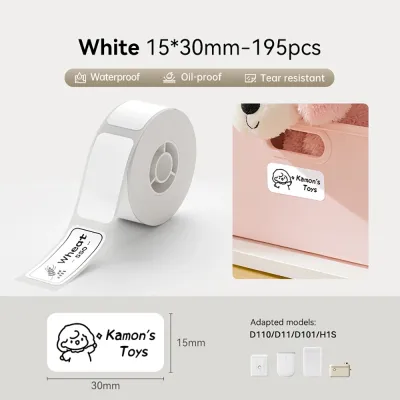
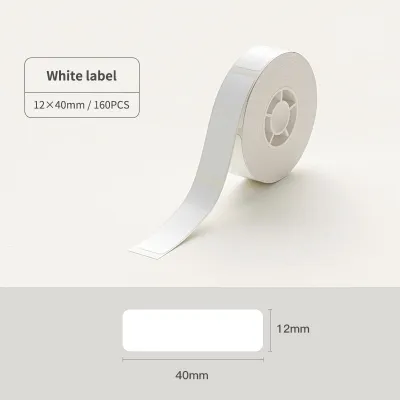
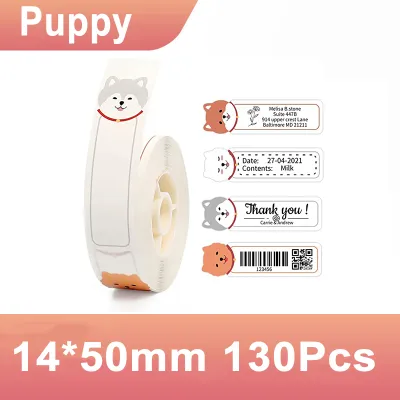
A newer category of pocket-sized, app-driven thermal printers has gained massive popularity for casual and mobile-first users. These compact devices connect exclusively via Bluetooth to smartphone apps, eliminating physical keyboards to achieve a sleek, highly portable footprint. They are incredibly budget-friendly upfront and offer highly creative design suites filled with custom fonts, icons, borders, and templates. However, because these devices rely almost exclusively on direct thermal printing, the labels are prone to fading over time when exposed to heat, sunlight, or friction. Before purchasing, check if the companion app requires a paid subscription for premium features and verify whether the hardware accepts third-party label rolls or restricts you to proprietary consumables.
Evaluating Label Sticker Compatibility and Consumable Costs
The ongoing cost of label cartridges is often the most significant expense of owning a label maker. While original manufacturer tapes guarantee optimal print quality and reliable feeding, third-party compatible tapes are widely available on online marketplaces at a fraction of the cost. However, using non-original consumables carries inherent risks. Poorly manufactured third-party cartridges can cause physical jams, leave sticky adhesive residue on the print head, or fail to adhere properly to surfaces. Additionally, some modern label makers utilize RFID chips or physical sensors to detect and block non-original cartridges. Always check your device’s manual and warranty terms regarding the use of third-party supplies.
To determine the true value of a label maker, look beyond the initial price of the machine and calculate the cost per meter of tape. A cheap label maker might seem like a bargain, but if its proprietary cartridges are expensive and only contain 4 meters of tape, your long-term costs will skyrocket. To calculate this, divide the retail price of the cartridge in S$ by the total length of the tape in meters. This gives you a standardized cost per meter that allows for an accurate comparison across different brands and tape types.
Singapore’s warm, humid climate can challenge even the strongest adhesives. To ensure your label stickers stay firmly in place, proper surface preparation is essential. Before applying a label, clean the target surface thoroughly with isopropyl alcohol to remove any oils, dust, or fingerprints. For curved surfaces like cables or round jars, avoid stiff polyester labels, which tend to lift at the edges over time; instead, opt for flexible nylon or specialized cable wrap tapes designed to conform to curved shapes.
Decision Framework: Which Brand Should You Choose?
Selecting the right label maker brand comes down to matching your specific environment and durability requirements with the brand’s core strengths:
- Choose Brother if you require maximum durability, weather resistance, and long-lasting labels for harsh environments, outdoor assets, or items that undergo frequent washing.
- Choose Dymo if you want a straightforward, easy-to-use device with a physical keyboard for basic home organization, pantry labeling, and light office filing.
- Choose Epson if your projects demand specialized materials like satin ribbons, heat-shrink tubes, or highly customized designs for crafting and IT cable management.
- Choose app-driven portable brands if you prefer a compact, budget-friendly device with a creative mobile app interface for temporary labels, journaling, or small business packaging.
Before making your final purchase, verify if you have existing label stock that can be reused, check the specific surface adhesion requirements of your project, and review the manufacturer’s warranty conditions regarding third-party consumables.
Frequently Asked Questions (FAQ)
Can I use third-party label sticker tapes in branded label makers?
Yes, many label makers can physically accommodate third-party compatible cartridges, which often provide significant cost savings. However, using non-original tapes can lead to mechanical issues like tape jams, poor print quality, or adhesive buildup on the print head. Furthermore, some manufacturers explicitly state that using third-party consumables may void your device’s warranty. Always consult your user manual and weigh the potential cost savings against the risk of hardware issues before installing third-party tapes.
How long do direct thermal label stickers last compared to thermal transfer?
Direct thermal label stickers typically have a shorter lifespan, often lasting between six months to a year under standard indoor conditions. Because they are heat-sensitive, they will fade or turn black quickly when exposed to direct sunlight, high temperatures, or constant friction. Thermal transfer labels, especially when paired with laminated tapes, are designed for long-term durability. They can easily last for several years or even decades without fading, making them the superior choice for archival storage, outdoor equipment, and items exposed to moisture.
Community discussion
Share your experience or ask a question. Comments are reviewed before publication.