
Selecting the right hp shredder machine for your workspace requires matching your daily paper volume, the number of active users, and your document security requirements to the machine’s continuous run time, sheet capacity, and cut type. A mismatch in these specifications leads to overheated motors, frequent paper jams, or security vulnerabilities that expose sensitive company data. By understanding how your office handles physical records and identifying the operational bottlenecks of different shredder classes, you can choose a model that integrates into your daily workflow.
In modern office environments, document destruction is not just a matter of keeping desks tidy; it is a critical component of data privacy compliance. Whether you are managing a home office in a compact space or coordinating document destruction for an entire department in a busy commercial district, the efficiency of your shredding workflow depends on selecting a machine designed for your specific workload. Evaluating key technical specifications before making a purchase ensures that your device handles your daily volume without constant interruptions for cool-down cycles or bin emptying.
Quick Guide: Matching HP Shredder Machine Categories to Your Office Profile
To make an efficient decision, you must first align your office’s physical footprint and staffing levels with the appropriate class of shredding equipment. The table below outlines how typical office profiles map to different HP shredder categories, highlighting the key performance indicators you should verify on the manufacturer’s specification sheet.
Products mentioned in this guide
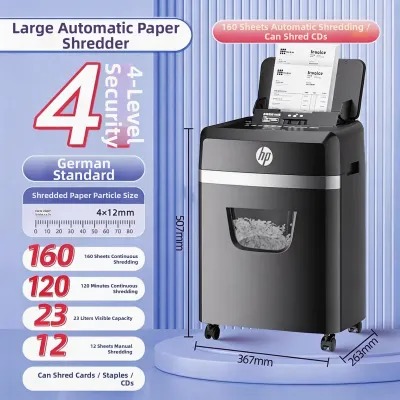
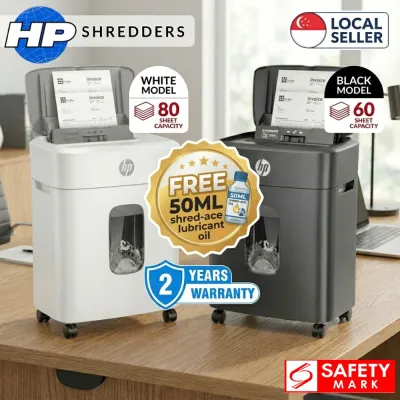
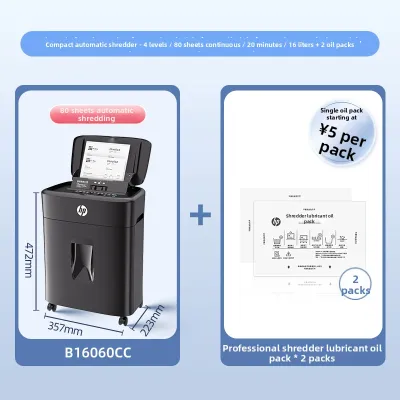
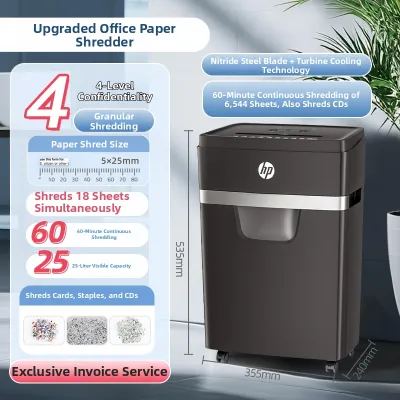
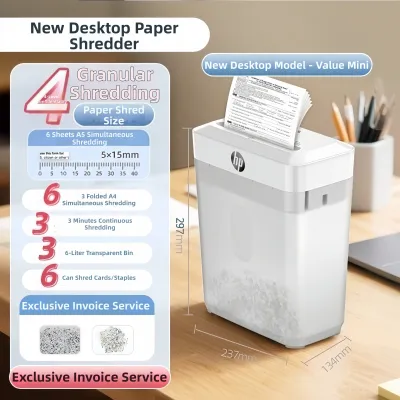
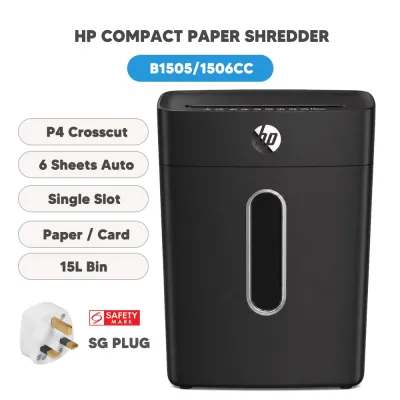
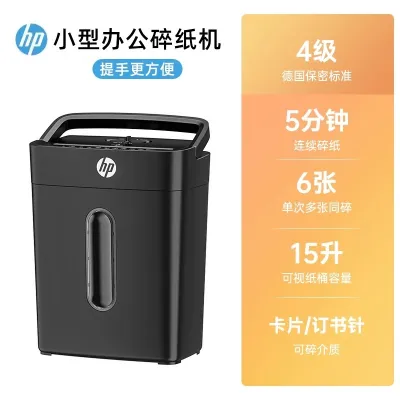
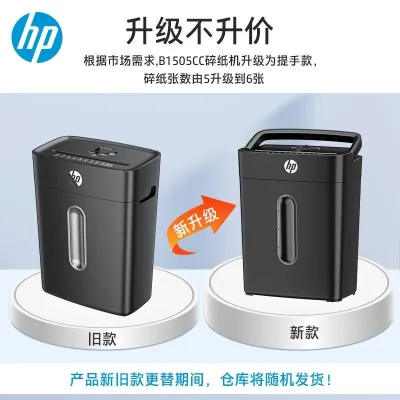
Prices are valid at publication and may change. Please refer to the product page for the latest price.
| Office Profile | Number of Users | Daily Sheet Volume | Recommended HP Shredder Class | Key Specifications to Verify |
|---|---|---|---|---|
| Home Office / Remote Worker | 1 User | Under 50 sheets | Personal Manual Feed (Strip-Cut or Cross-Cut) | Run Time: 2–5 mins<br>Bin Capacity: 10–15 Liters<br>Footprint: Compact / Under-desk |
| Small Office / Shared Team | 2–5 Users | 50–300 sheets | Small Office Auto-Feed (Cross-Cut P-4) | Run Time: 10–30 mins<br>Bin Capacity: 20–30 Liters<br>Features: Castor wheels, Anti-jam |
| Large Department / Corporate | 5+ Users | 300+ sheets | Commercial Auto-Feed (Micro-Cut P-4 or P-5) | Run Time: Continuous (60+ mins)<br>Bin Capacity: 30+ Liters<br>Features: Multi-sheet bypass, Large tray |
The core decision rule when evaluating these categories is that continuous run time and bin capacity must scale proportionally with the number of users. In a shared workspace, a machine with an insufficient run time will quickly become a bottleneck, forcing employees to wait for the motor to cool down before completing basic tasks. Similarly, a bin that is too small requires frequent emptying, which disrupts productivity and increases the likelihood of paper overflow jams.
How to Calculate Your Daily Shredding Volume and Security Needs
Estimating your daily sheet volume requires distinguishing between two distinct usage patterns: occasional single-sheet shredding and continuous batch shredding. Occasional shredding occurs throughout the day as employees discard individual receipts, shipping labels, or single-page memos. Batch shredding typically happens during scheduled file purges, such as end-of-month financial reconciliations, quarterly tax preparations, or the archiving of old client folders. To calculate your needs, track your office’s paper consumption over a typical week, note the days with the highest volume, and add a 20% buffer to account for future growth or seasonal purges.

When calculating capacity, you must also account for local paper standards, which directly impact a shredder’s performance. In Singapore and many international markets, the standard office paper weight is A4 size at 80 gsm (grams per square meter). However, many shredder manufacturers rate their maximum sheet capacity using lighter 20 lb bond paper, which is approximately 75 gsm. Because 80 gsm paper is thicker and heavier, a machine rated for a maximum of 10 sheets of 75 gsm paper may only comfortably shred 7 or 8 sheets of standard local A4 paper without straining the motor. Overloading a shredder by ignoring this weight difference accelerates wear on the cutting blades and internal gears.
Every shredder motor operates on a duty cycle defined by its continuous run time and required cool-down period. Shredder motors generate substantial heat during operation due to the friction of cutting through multiple layers of paper. To prevent permanent damage to the motor coil, manufacturers install thermal overload switches that automatically shut down the machine once it reaches a specific temperature threshold. A personal shredder might offer a continuous run time of 3 minutes followed by a 40-minute cool-down period, whereas a heavy-duty commercial model can run continuously for 60 minutes or more using active cooling fans. If a multi-person office shares a machine with a short duty cycle, the device will spend more time cooling down than shredding, causing frustration and delayed workflows.
Document security levels are standardized internationally under the DIN 66399 framework, which classifies shredders from P-1 to P-7 based on the size of the shredded particles. Understanding these levels ensures you select a machine that meets your legal and organizational data protection obligations:
- Strip-Cut (P-1 to P-2): Cuts paper into long, continuous vertical strips (typically 5.8 mm wide). Because these strips can be easily reconstructed with basic software or patience, strip-cut machines are only suitable for non-sensitive, general office waste.
- Cross-Cut (P-3 to P-4): Cuts paper diagonally from two directions, turning a single A4 sheet into roughly 400 tiny rectangular pieces. Level P-4 is the standard baseline for confidential business documents, including payroll records, supplier invoices, and customer personal data. It offers an excellent balance between processing speed and security.
- Micro-Cut (P-5 to P-7): Shreds paper into microscopic particles, turning an A4 sheet into upwards of 2,000 tiny pieces (Level P-5 measures particles to less than 30 mm²). This level of security is essential for highly sensitive legal documents, proprietary research, government records, and medical files where reconstruction must be physically impossible.
Essential HP Shredder Features to Evaluate
Beyond basic sheet capacity and security levels, the usability of an office shredder is determined by its mechanical features and automation technologies. These features directly influence how much manual labor is required to destroy documents and how well the machine handles the daily wear and tear of a busy office.
Auto-Feed vs. Manual Feed Convenience
Traditional manual-feed shredders require you to stand over the machine, separate your documents into small bundles that match the sheet capacity, and feed them into the slot piece by piece. While this is acceptable for home offices or low-volume tasks, it is highly inefficient for busy commercial environments. Standing at a shredder for 15 minutes to destroy a single archive folder wastes valuable staff time and reduces productivity.
Auto-feed technology solves this problem by allowing you to load a stack of papers directly into an input tray, close the lid, and walk away. The machine uses a motorized roller system to pull individual sheets into the cutting mechanism automatically. When evaluating auto-feed models, you should verify the exact auto-feed stack capacity on the product label, which typically ranges from 100 to over 300 sheets. This hands-free operation allows employees to return to their desks immediately while the machine processes the stack in the background.
Anti-Jam Technology and Bin Capacity
Paper jams are the most common cause of shredder downtime and motor failure. High-quality shredders feature active anti-jam technology that utilizes electronic sensors in the feed slot to measure the thickness of the paper stack before it reaches the blades. If the sensors detect that the paper thickness exceeds the machine’s physical capacity, the motor will not engage, preventing a jam before it starts. Other systems use auto-reverse functions that automatically reverse the direction of the cutting shafts if a jam is detected mid-cycle, backing the paper out safely.
Bin capacity, measured in liters, determines how often your office must empty the shredded waste. However, the physical volume of the bin is only half of the equation; the cut type of the shredder also plays a major role in how quickly the bin fills. Strip-cut paper is bulky and does not compress well, meaning a strip-cut bin fills up rapidly and requires frequent packing down. Micro-cut paper, because of its tiny particle size, compresses naturally under its own weight, allowing a 20-liter micro-cut bin to hold up to three times as many shredded sheets as a 20-liter cross-cut bin. Selecting a bin capacity that matches your weekly emptying schedule minimizes maintenance overhead and keeps the workspace clean.
Noise Levels and Media Destruction Capabilities
In modern open-plan office layouts, acoustic comfort is a major consideration. A loud, grinding shredder operating in the middle of a workspace can disrupt phone calls, meetings, and focused work. Shredder noise is measured in decibels (dB), with standard models operating anywhere between 60 dB and 70 dB. For quiet office environments, look for models designed with insulated motor housings and precision-engineered gears that keep operating noise below 60 dB, which is roughly equivalent to the volume of a normal conversation.
Additionally, modern offices need to destroy more than just paper. Sensitive data is frequently stored on credit cards, identification badges, CDs, and DVDs. Furthermore, office documents are often held together by staples or paper clips. Standard paper-only shredder blades can chip, dull, or break if they encounter hard metal or thick plastic. If your office needs to destroy mixed media, verify that the machine’s specification sheet explicitly states it can handle staples, paper clips, and credit cards, or look for models equipped with a dedicated plastic destruction slot.
Recommended HP Shredder Categories by Office Size
To simplify your purchasing decision, HP’s shredder lineup can be divided into three distinct categories based on the size of your organization and your daily shredding volume. Each category is engineered to balance physical size, duty cycle, and processing speed for its intended user base.
Personal and Home Office (1 User, Light Volume)
Designed for remote workers, freelancers, and household administration, personal shredders prioritize a compact physical footprint and quiet operation. These machines are engineered to fit neatly under a standard desk or inside a small storage cabinet, making them ideal for space-constrained residential environments in Singapore. Because they are intended for light, occasional use, they typically feature manual feed slots with a capacity of 5 to 10 sheets per pass and a continuous run time of 2 to 5 minutes.
When choosing a personal model, verify the physical dimensions to ensure it fits comfortably within your designated workspace without blocking legroom. While these models are budget-friendly (typically ranging from S$100 to S$250), they require users to manually remove staples and paper clips before shredding to protect the blades. They are perfect for destroying daily mail, expired credit cards, and basic personal files, but they should not be subjected to heavy, continuous batch shredding.
Small to Medium Offices (2-5 Users, Moderate Volume)
For small business teams, medical clinics, or departmental sub-units, a shared shredder must offer higher capacity and greater automation to prevent workflow delays. HP’s small-to-medium office series bridges the gap between personal convenience and commercial durability. These models often feature auto-feed trays holding between 100 and 150 sheets, allowing team members to load their documents and walk away. They also offer extended continuous run times of 10 to 20 minutes, which is sufficient to handle sequential use by multiple employees.
These mid-range models (typically priced between S$300 and S$700) are usually equipped with heavy-duty steel cutters that can easily slice through staples and paper clips, saving preparation time. They also feature larger pull-out bins (20 to 30 liters) and are mounted on sturdy castor wheels, making it easy to roll the machine between different desks, copy rooms, or meeting spaces as needed. Ensure the model you select features a P-4 cross-cut or P-5 micro-cut rating to maintain compliance with corporate data protection policies.
Large Offices and Departments (5+ Users, High Volume)
Large corporate departments, legal firms, and accounting offices require heavy-duty, commercial-grade shredding stations capable of handling continuous, high-volume workloads. These departmental machines are built with powerful induction motors that offer continuous run times of 60 minutes to non-stop operation, supported by internal cooling fans. They feature large auto-feed trays (300+ sheets) or high-capacity manual feed slots that can process 20 or more sheets of heavy paper in a single pass.
These commercial units (typically starting at S$800 and extending upwards) feature large pull-out bins of 30 to 80 liters, minimizing the frequency of emptying. They also include advanced safety features, such as electronic sensors that instantly stop the motor if hands or fingers come too close to the feed opening. Because these machines represent a significant capital investment, buyers should verify the commercial warranty terms and ensure that local service and replacement parts are readily available from authorized office equipment suppliers.
Safe Operation and Routine Maintenance for Office Shredders
To ensure your office shredder operates reliably over its lifespan and to protect employees from injury, you must establish clear safety protocols and routine maintenance schedules. Because shredders contain high-speed, high-torque cutting blades, proper operation is critical.
Operational Safety Guidelines
- Clearance and Placement: Place the shredder on a flat, stable, level surface where it cannot easily tip over. Avoid placing it in high-traffic corridors where people might trip over the power cord. Keep the area around the feed slot completely clear of loose items.
- Personal Safety: Always tuck in loose clothing, ties, and lanyards before operating the machine. Employees with long hair should tie it back securely. Never place fingers, pens, or hand tools inside the feed slot.
- Power Isolation: Always position the shredder within easy reach of a dedicated wall outlet. Do not overload extension cords or power strips, as shredder motors draw significant current when cutting thick paper stacks.
Routine Maintenance Protocols
- Bin Management: Empty the waste bin before it reaches the maximum fill line. If the bin is allowed to overfill, shredded paper can get caught in the rotating blades from underneath, dragging old debris back into the cutting mechanism and causing severe, hard-to-clear jams.
- Blade Lubrication: Like any precision mechanical device with moving metal parts, shredder blades require regular lubrication to reduce friction, minimize heat buildup, and maintain cutting efficiency. A dry shredder will experience increased operating noise, slower shredding speeds, and frequent paper jams. Check your user manual for the manufacturer's specific instructions on lubrication frequency.
- Lubrication Methods: You can lubricate the blades using specialized shredder oil or pre-treated shredder lubricant sheets. If using oil, apply a fine zig-zag pattern of oil across a sheet of paper, then feed that paper through the manual slot. Run the machine in reverse for 10 seconds to distribute the oil evenly across the cutting shafts. Warning: Never use aerosol spray lubricants (such as WD-40), WD-40 silicone, or flammable vegetable oils, as the high friction heat inside the cutting head can ignite the aerosol propellants or oil mist, creating a severe fire hazard.
Safe Jam-Clearing Steps
- Engage Reverse: If the machine jams, press and hold the manual reverse button. This reverses the direction of the cutting shafts, pushing the jammed paper stack upward and out of the feed slot.
- Power Down and Unplug: If the reverse function does not clear the blockage, turn off the power switch and physically unplug the power cord from the wall outlet. Never attempt to clear a jam with your fingers or hand tools while the machine is connected to power.
- Clear the Blockage: Once the power is disconnected, carefully pull the loose paper from the top or bottom of the cutting head. If necessary, use a pair of long-nose pliers to gently pull stuck paper fibers away from the blades, taking care not to scratch or chip the steel cutting shafts.
- Test the Machine: Plug the machine back in, turn it on, and run it in forward and reverse for a few seconds to clear any remaining paper dust before resuming normal shredding operations.
Frequently Asked Questions (FAQ)
Can I leave an HP Auto Feed shredder running unattended?
Yes, HP auto-feed shredders are specifically engineered for hands-free, unattended operation. You can load a stack of paper into the feed tray, close the lid, and return to your work while the machine processes the documents. However, you must always consult your specific model’s user manual for safety guidelines. For security and safety, it is highly recommended to place the shredder in a secure office area where unauthorized personnel, visitors, or children cannot access the machine while the blades are actively running.
How do I know if my HP shredder needs oiling?
Your shredder will exhibit several clear signs when its cutting blades require lubrication. These include a noticeable increase in operating noise (such as squeaking or grinding sounds), a significant reduction in shredding speed, or frequent paper jams even when feeding stacks well below the rated sheet capacity. As a general rule of thumb, manual-feed office shredders should be oiled once every two weeks or every time you empty the waste bin, while high-volume auto-feed models should be oiled more frequently. Always check your specific model’s user manual to verify the recommended lubrication method and schedule.
Will shredding credit cards damage the HP shredder blades?
Shredding thick plastic credit cards or identification badges through a standard paper-only feed slot can dull, chip, or break the cutting blades and place excessive strain on the motor. You should only shred credit cards if your specific HP model features a dedicated media slot or explicitly states in the user manual that the blades are rated for plastic destruction. If your machine is rated for credit cards, always feed them one at a time, centering them in the designated slot, and empty the plastic shavings from the bin regularly to keep them separated from recyclable paper waste.
Community discussion
Share your experience or ask a question. Comments are reviewed before publication.