
Selecting the right digital counter for your child depends on their current primary school grade, which dictates their fine motor skills, mathematical understanding, and the specific activities they will perform. For lower primary students (Grades 1 to 2), a simple, highly durable counter with large buttons is ideal to prevent frustration and build basic counting confidence. As children progress to middle primary (Grades 3 to 4), they require larger digit capacities and more portable designs for physical education and active tracking. By upper primary (Grades 5 to 6), students benefit from advanced electronic features like memory storage, dual-row displays, and subtraction capabilities to support complex science experiments and data logging.
Matching the device to your child’s developmental stage ensures they can use the tool independently without getting bogged down by overly complex menus or fragile components. In Singapore’s primary school curriculum, where hands-on learning in mathematics, science, and physical education is highly encouraged, a reliable counter serves as a practical bridge between abstract numbers and physical reality. By evaluating key physical and functional attributes, you can select a tool that supports their learning journey throughout the school year.
What to Look for in a Primary School Digital Counter
Selecting a counter for school use involves balancing simplicity, durability, and functional utility. Unlike adult tools used for industrial tallying or professional sports coaching, a child’s counter must withstand the rigorous environment of a school bag, classroom desks, and outdoor play areas. The primary decision point often begins with choosing between a classic mechanical clicker and an electronic digital display, each offering distinct advantages depending on the classroom context.
Products mentioned in this guide

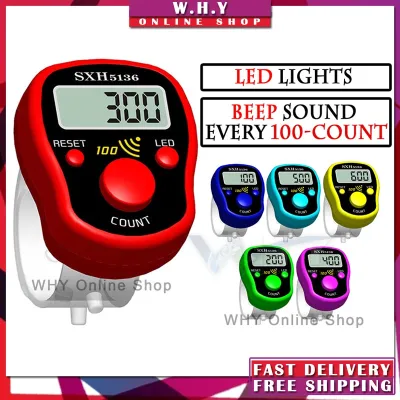
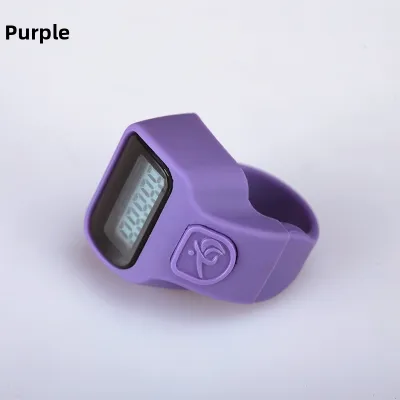

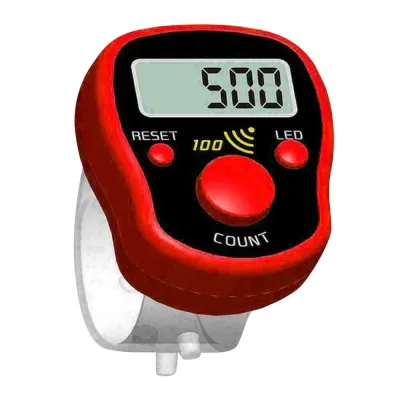
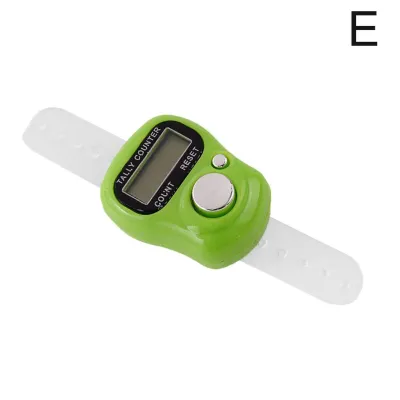
Prices are valid at publication and may change. Please refer to the product page for the latest price.
Physical ergonomics play a critical role in how easily a young student can operate the device. Buttons must provide clear tactile feedback, allowing the child to feel a distinct click when a count is registered. This physical confirmation helps prevent double-counting or missed tallies, which can easily ruin math exercises or science data collection. The grip should fit comfortably within smaller hands, preventing drops and hand fatigue during extended use.
Durability is another non-negotiable factor. School supplies are routinely dropped on concrete school yards, stepped on in classrooms, and jostled inside packed school bags. A sturdy outer casing, secure battery compartments, and robust internal mechanisms are essential to ensure the counter survives the school term.
Finally, display clarity and the reset mechanism require close inspection. The numbers must be large and legible under various lighting conditions, from bright outdoor sunlight during physical education to standard classroom lighting. The reset mechanism—whether a physical knob or a digital button—should be easy enough for a child to operate independently, yet designed to prevent accidental resets that erase hard-earned data mid-activity.
Lower Primary (Grades 1–2): Prioritizing Simplicity and Durability
In the early years of primary school, children are developing their fine motor skills alongside foundational numerical concepts. For students in Grades 1 and 2, the primary goal of using a counter is to reinforce basic counting, understand one-to-one correspondence, and track simple classroom activities. At this stage, any complexity in the tool itself can distract from the learning objective, making simplicity the most important feature.

Oversized, easy-to-press buttons are highly recommended for this age group. Young children often lack the finger strength and precision required for small, recessed buttons found on advanced electronic devices. A large, prominent button ensures that every press is deliberate and successful, reducing finger fatigue and preventing the frustration of unregistered clicks. The physical action of pressing a large button also provides a satisfying sensory experience that keeps young learners engaged in math activities.
For these younger grades, lightweight, drop-resistant mechanical models are often superior to electronic alternatives. These classic clickers do not rely on batteries, eliminating the risk of a dead device during a lesson. Their robust plastic or metal casings are built to withstand frequent drops onto hard classroom floors. Without delicate LCD screens or internal circuit boards, these mechanical counters can endure significant wear and tear while remaining fully functional.
Avoid counters with complex reset knobs, multi-function buttons, or electronic menus. A young child can easily become confused by a device that requires holding down a button for three seconds to reset, or one that accidentally switches modes. A simple, single-turn physical dial or a dedicated, single-press reset button is much more intuitive. This allows the child to clear the display and start over without needing constant assistance from a teacher or parent.
Ideal use cases for lower primary students include tracking simple counts during math games, tallying items in classroom scavenger hunts, and practicing counting by twos, fives, or tens. By keeping the tool straightforward, children can focus entirely on the mathematical concepts of addition, sequencing, and grouping, building a strong foundation for more complex topics in the years to come.
Middle Primary (Grades 3–4): Tracking Skills and Physical Education
As students enter Grades 3 and 4, their fine motor skills become more refined, and their academic and physical activities expand. In these middle primary years, school work introduces larger numbers, basic multiplication, and structured physical education routines. The ideal counter for this stage must bridge the gap between absolute simplicity and advanced functionality, offering greater capacity while remaining highly portable.
With improved hand-eye coordination, students can comfortably transition to standard-sized buttons. These buttons are smaller than the oversized models used in lower primary but still offer distinct tactile feedback. This transition allows the counter itself to be more compact, fitting easily into pencil cases or uniform pockets without sacrificing usability.
At this level, a 4-digit or 5-digit display becomes necessary. Mathematics lessons now involve numbers in the thousands and ten-thousands, requiring a display that can accommodate these larger values. Students use these counters to track larger math problems, visualize place value, and understand multiplication through repeated addition. A larger digit capacity ensures the tool remains useful across a wider range of academic tasks.
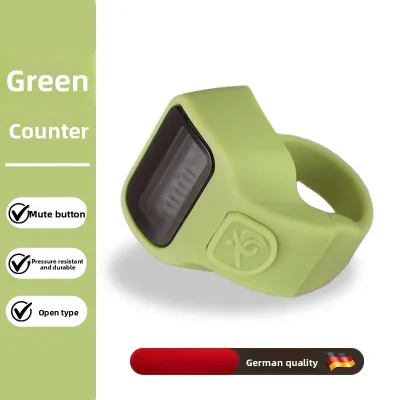
Physical education and active movement tracking become more prominent in the middle primary curriculum. For these activities, finger-ring or lanyard-style digital counters are highly practical. A finger-ring counter, worn securely on the index finger and operated with the thumb, allows students to track laps, jumps, or steps while keeping their hands relatively free. Lanyard designs can be worn around the neck, preventing the counter from being dropped or lost during outdoor games and fitness testing.
When selecting a counter for active use, pay close attention to the reset mechanism. It must be accessible enough for the child to reset the count when starting a new trial, but recessed or stiff enough to prevent accidental resets during movement. A counter that resets mid-run due to a stray bump can be highly discouraging for a student trying to track their personal performance. Look for designs where the reset button requires a deliberate, firm press or is physically separated from the main counting button.
Upper Primary (Grades 5–6): Advanced Features for Science Projects
By the time students reach Grades 5 and 6, they are engaged in more sophisticated academic pursuits, including structured science experiments, data logging, and complex probability lessons. Upper primary students possess the cognitive ability and manual dexterity to operate advanced tools. Consequently, their digital counters should offer features that support detailed data collection and analysis.
This is the appropriate stage to introduce electronic digital counters equipped with advanced functions. Features such as built-in memory, subtraction capabilities, and multi-row displays become highly valuable. A counter with memory allows students to store previous tallies, making it easy to compare results across multiple trials without writing down every single number immediately. Subtraction or count-down functions are useful for tracking remaining time, countdown challenges, or adjusting tallies when errors occur during data collection.
Outdoor field trips, science experiments in shaded areas, and low-light classroom demonstrations require clear visibility. High-contrast LCD screens or models with a subtle backlight ensure that students can read their data accurately under any conditions. This prevents reading errors that could compromise the integrity of their science project data or lab reports.
With electronic counters, battery life and safety remain important considerations. While older students are more responsible, school equipment still needs to be reliable. Look for electronic models with automatic power-saving modes that turn off the display after a period of inactivity, preserving battery life for months of regular use. Ensure the battery compartment is securely fastened with a screw, preventing the battery from popping out if the device is dropped and keeping small button batteries safely contained.
In upper primary, the use cases for digital counters extend far beyond simple tallying. Students use them to log data during physics experiments, track sports statistics during school games, and record outcomes in probability and statistics lessons. An advanced electronic counter serves as a genuine scientific tool, helping students develop systematic data-collection habits that will serve them well in secondary school.
Mechanical vs. Electronic Counters: Which Type Fits Your Child?
To help you decide which counter type is best suited for your child’s current grade and school activities, it is helpful to compare their core characteristics side by side. Both mechanical and electronic counters have distinct advantages, and the right choice depends on how and where the device will be used.
| Feature | Mechanical Counters | Electronic Counters |
|---|---|---|
| Power Source | None (fully manual) | Battery (button cell or coin battery) |
| Durability | High (robust metal or thick plastic casing) | Moderate (sensitive LCD screen and internal circuits) |
| Feature Set | Basic upward counting only | Up/down counting, memory, multi-row display |
| Maintenance | Extremely low (no battery changes needed) | Low (periodic battery replacement required) |
| Ideal Grade Level | Lower to Middle Primary (Grades 1–4) | Middle to Upper Primary (Grades 3–6) |
Mechanical counters are strictly better in environments where durability and simplicity are paramount. If your child is prone to dropping items, or if the counter will be tossed loosely into a school bag alongside heavy textbooks, a mechanical model is the most reliable choice. They require no battery maintenance, meaning they are always ready for use, and their physical click provides excellent tactile feedback for younger learners.
Conversely, electronic counters are necessary when the school curriculum demands advanced tracking. If your child needs to perform subtraction, store multiple data sets, or use a timer alongside a tally, an electronic model is indispensable. They are also much lighter and can be designed into compact form factors like finger rings, making them highly suitable for physical education and active outdoor tracking where a bulky mechanical counter would be cumbersome.
Maintenance and Safety Tips for School Counters
Proper care and maintenance ensure that your child’s digital counter remains functional and hygienic throughout the school year. Because these devices are handled frequently during math lessons, science labs, and outdoor activities, they can easily accumulate dirt, sweat, and germs.
To clean a digital counter, avoid using harsh liquid solvents or submerging the device in water, as moisture can damage internal components. Instead, use a slightly damp microfiber cloth to wipe down the exterior surfaces. For sanitizing, a gentle wipe with an isopropyl alcohol prep pad is sufficient, ensuring no liquid pools around the buttons. Allow the device to air dry completely before storing it.
For electronic models, safety is a critical consideration. Always verify that the battery compartment cover is secured with a small screw rather than a simple slide-and-click latch. This prevents the compartment from opening accidentally during a drop, keeping small button cell batteries safely contained and away from young children.
To prevent accidental resets or screen scratches, advise your child to store their counter in a dedicated pocket of their pencil case. Tossing a counter loose into a school bag exposes it to heavy textbooks and sharp stationery items like compasses and scissors, which can scratch the display or jam the buttons.
Frequently Asked Questions (FAQ)
Can a standard mechanical counter be used for subtraction?
No, standard mechanical tally counters are designed to count upward only, typically from 0 to 9999. They do not have a mechanism to reverse the internal gears and subtract a single digit. If your child’s school activities or math curriculum require subtraction or counting backward, you should look for specific electronic digital counters that feature dedicated add and subtract buttons, allowing the user to adjust the tally in both directions.
Are finger-ring counters better than handheld ones for PE classes?
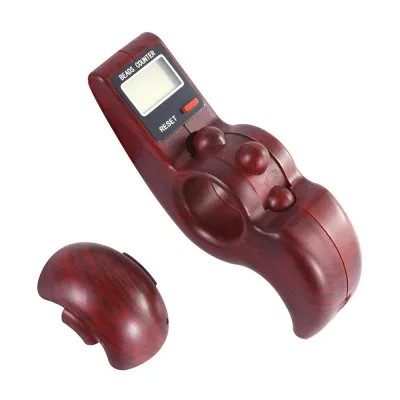
Finger-ring counters offer a distinct advantage for physical education because they are worn securely on the finger, providing a hands-free experience that allows students to run, jump, and catch without dropping the device. However, traditional handheld models offer superior durability, a more comfortable grip for small hands, and much larger, easier-to-read displays. For highly active sports tracking, a finger-ring counter is ideal, while a standard handheld counter is often better for general classroom use and basic fitness tracking where the child can stand still to record data.
Community discussion
Share your experience or ask a question. Comments are reviewed before publication.