
Selecting the right digital counter for school is more than just finding a device that counts from one to one hundred. The ideal tool must match a student’s cognitive development, fine motor skills, and the specific demands of their curriculum. While a simple, brightly coloured clicker helps a lower primary student grasp basic addition, secondary school science experiments require high-precision devices with multi-channel tracking and robust laboratory protection. By matching the physical design, display capacity, and functional features of a digital counter to the student’s grade level, parents and educators can provide a tool that enhances learning without causing frustration.
Core Specifications to Check for School Use
Before purchasing any digital counter, it is essential to establish a baseline of criteria to ensure the device is practical for a classroom environment. The first feature to evaluate is the display capacity and screen contrast. In a typical classroom setting with bright overhead fluorescent or LED lighting, low-quality screens can wash out or suffer from glare. Look for high-contrast liquid crystal displays (LCDs) with clear, thick digits that can be read easily from various angles. The number of digits on the screen determines the maximum value the device can display; a 4-digit screen caps at 9,999, which is suitable for basic tasks, while a 6-digit screen reaches 999,999, which is necessary for advanced data tracking.
Button design and tactile feedback are equally critical for accurate counting. A quality digital counter should offer a distinct physical click or mechanical resistance when pressed. This tactile feedback allows students to confirm a count has registered without constantly looking down at the device, keeping their focus on the task at hand. Furthermore, the spacing between buttons must be sufficient to prevent accidental double-counting, especially during fast-paced science experiments or timed mathematics drills. Buttons that are too flush or placed too close together often lead to input errors.
Products mentioned in this guide

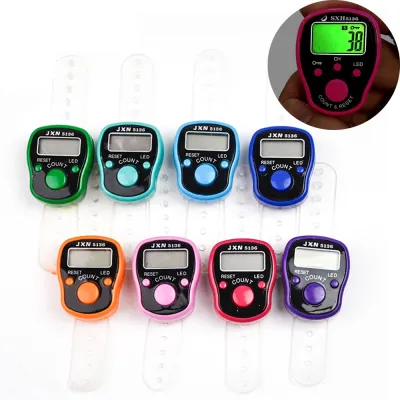
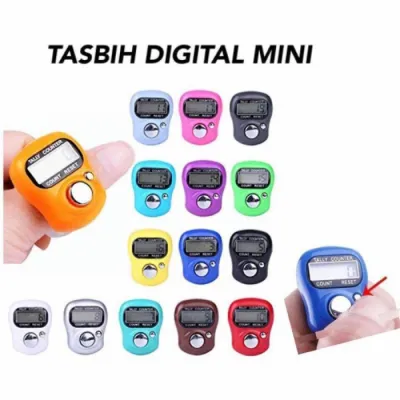
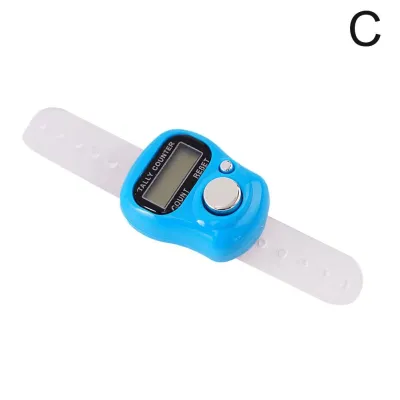
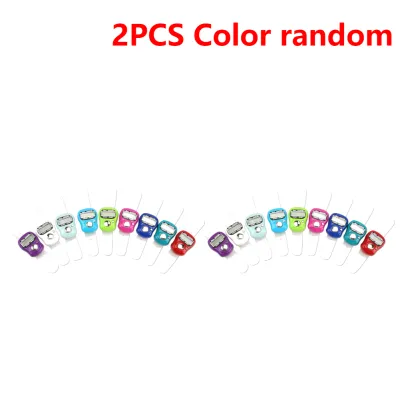
![[SG 🚚] Finger Counter Tasbih Counter Counting Digits Display Quick Response LED Display Digit Counter Hand Electronic Tally](https://img.lazcdn.com/g/p/f1c126ea56e91404fbca3a0c9b2e81f9.jpg_400x400q80.jpg_.webp)

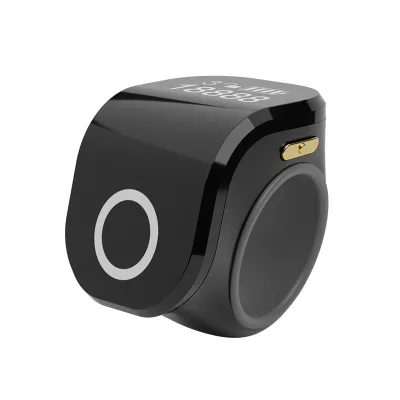
Prices are valid at publication and may change. Please refer to the product page for the latest price.
Power management is another practical consideration for school stationery. Battery-powered units are highly reliable, but they require monitoring to ensure they do not fail mid-lesson. Look for models equipped with an automatic sleep or auto-off feature, which powers down the display after a few minutes of inactivity to preserve battery life. While solar-assisted models are environmentally friendly, they often require a dual-power system with a backup button cell battery to function consistently in shaded classroom corners or during evening study sessions.
Finally, assess the reset mechanism and overall build quality. A dedicated reset button should be easy to operate but designed in a way that prevents accidental clearing of data. Recessed or slightly stiffer reset buttons are ideal because they require a deliberate press. Because school equipment is frequently tossed into crowded backpacks and dropped on hard classroom floors, a durable casing made from high-impact ABS plastic is highly recommended over brittle, thin plastics.
Lower Primary (Grades 1–3): Building Basic Counting Skills
For students in lower primary school, the primary goal of using a digital counter is to build foundational numeracy and understand one-to-one correspondence. At this developmental stage, children are still refining their fine motor coordination. Therefore, counters designed for young learners should feature oversized, highly responsive buttons. These large buttons provide a clear physical target, making it easy for small fingers to press and register counts successfully without slipping.

To avoid overwhelming young minds, the display should be limited to 4 or 5 digits. Early primary mathematics curriculums rarely require counting beyond thousands, so a simpler screen helps students focus on the immediate numbers without being distracted by unnecessary trailing zeros. A clean, uncluttered interface allows teachers to easily connect the physical action of pressing the button with the visual change on the screen, reinforcing basic addition and subtraction concepts.
Physical safety and comfort are paramount for this age group. The digital counter should feature a lightweight, compact construction that fits comfortably in small hands. Rounded edges and smooth surfaces are essential to prevent scratches or minor injuries during active, play-based learning sessions. Heavy metal tally counters or devices with sharp plastic seams should be avoided entirely.
Additionally, battery safety is a critical factor that parents must verify before purchase. Because digital counters typically run on small button cell batteries, the battery compartment must be securely fastened with a metal screw. This design prevents young children from opening the compartment and accessing the batteries, which pose severe choking and chemical burn hazards. Always inspect the device to ensure the battery door cannot be pried open without a screwdriver.
Upper Primary (Grades 4–6): Handling Larger Numbers and Science Tasks
As students transition into upper primary school, their academic tasks become more complex. Mathematics lessons expand to include larger place values, decimals, and multi-step word problems, while science classes introduce structured data collection. To accommodate these advanced topics, students require a digital counter with a 6 or 7-digit display, allowing them to track values into the hundreds of thousands and millions.
Field trips and outdoor science observations are common in upper primary grades. Whether students are counting plant species in a school garden, tracking local traffic patterns, or recording weather observations, they need a device that is easy to carry on the move. Look for digital counters equipped with built-in lanyard holes, wrist straps, or ergonomic finger rings. These features allow students to secure the device to their hands or necks, preventing accidental drops onto concrete, soil, or water.
Durability remains a key concern as classroom environments become more active. Upper primary students frequently move around for group work and hands-on experiments, increasing the risk of equipment falling off desks. A digital counter with a shock-resistant casing, rubberised bumpers, or a textured grip surface is highly beneficial. These design elements absorb the impact of falls and provide a secure hold even if a student’s hands are damp during a science lab.
At this level, it is also useful to check the product specifications for basic functional upgrades. Some upper primary tasks require students to compare two sets of data or track decreases in a count. A digital counter that features a simple add/subtract toggle button or a basic memory recall function allows students to pause their work, switch counting directions, or save a total without losing their progress. Always check the product label to confirm these features are present if required by the syllabus.
Secondary School (Grades 7–12): Precision and Advanced Data Collection
Secondary school students engage in highly precise laboratory experiments across physics, chemistry, and biology. These advanced science modules often require tracking multiple variables simultaneously, such as counting different types of cells under a microscope or recording the frequency of multiple physical events. For these tasks, multi-channel digital counters are highly valuable, as they feature multiple screens or a toggle system that allows students to maintain separate counts on a single device.
During long laboratory sessions, repetitive finger movements can lead to hand fatigue. To support prolonged data collection, secondary students benefit from ergonomically shaped counters that fit naturally into the palm of the hand. Alternatively, compact ring-style digital counters that wear comfortably on the index finger allow students to click with their thumb while keeping their hands relatively free to write notes, adjust laboratory equipment, or hold test tubes.
Laboratory environments also introduce exposure to liquids, chemicals, and heat. Standard stationery items can easily fail if exposed to these elements. Secondary students should use digital counters with splash-resistant or sealed casings that protect the internal microchips from accidental spills. A robust, sealed design ensures the device remains functional even when used near water baths, chemical solutions, or outdoor field research sites.
Finally, some advanced secondary school curricula involve digital data logging and computer-aided analysis. While standard digital counters operate as standalone devices, certain specialised models are designed to interface with school data loggers or computer software via standard connection ports. If your student’s science department mandates the use of integrated data systems, verify the device’s compatibility with the school’s specific hardware and software protocols before making a purchase.
Safety, Durability, and Maintenance Checklist
To ensure your selected digital counter remains safe, functional, and compliant with school regulations throughout the academic year, keep the following practical tips in mind:
- Material Safety: Check the product packaging or manufacturer specifications to ensure the device is made from non-toxic, lead-free, and BPA-free ABS plastic, especially for younger children who will handle the device daily.
- Cleaning Routine: Keep the device clean by wiping it with a slightly damp, lint-free microfiber cloth. Avoid spraying water or liquid cleaners directly onto the buttons or screen, as moisture can seep into the casing and damage the electronics. Never use harsh chemical solvents like acetone or high-concentration alcohol, which can degrade the plastic or strip away protective screen coatings.
- Battery Maintenance: Regularly inspect the battery compartment for signs of corrosion, particularly after school holidays when the device may have sat unused for several weeks. Keep spare battery covers and straps on hand, as these small parts are easily lost during busy school terms.
- School Policy Compliance: Always consult the school's official stationery list or student handbook before purchasing. Some schools have strict rules regarding electronic devices in the classroom and may ban digital counters that emit loud beep sounds or those with wireless connectivity features to prevent distractions during lessons and examinations.
Frequently Asked Questions (FAQ)
Can a smartphone app replace a physical digital counter in class?
While smartphone counting apps are widely available, they are rarely suitable substitutes for physical digital counters in a classroom setting. Most schools maintain strict policies prohibiting smartphone use during lessons to prevent distractions from social media, games, and messaging. Furthermore, physical counters provide tactile feedback that allows students to count accurately without looking at the device, whereas touchscreens offer no physical response and are prone to accidental double-taps. Additionally, incoming notifications on a phone can easily interrupt data collection, forcing the student to restart their count.
How do I reset a digital counter if the reset button gets stuck?
If the reset button on a digital counter becomes stuck, avoid using excessive force, sharp pins, or metal paperclips to pry it loose, as this can permanently damage the internal microswitch. First, check if there is any visible dirt or debris lodged around the edges of the button and gently clear it away using a dry, soft-bristled toothbrush. If the button remains unresponsive, refer to the manufacturer’s manual to see if the device has a specific button combination for a hard reset, or try removing the battery for a few minutes to reset the internal microchip. If the device is still under warranty, contact the retailer or manufacturer for assistance.
Are solar-powered digital counters reliable for indoor classroom use?
Purely solar-powered digital counters can sometimes struggle under typical indoor classroom lighting, as fluorescent and LED bulbs do not always provide the same intensity as natural sunlight. To ensure uninterrupted performance during critical lessons, it is best to choose a hybrid model that features dual-power capabilities, combining a solar panel with a backup button cell battery. This setup allows the device to run smoothly even in dimly lit corners of the classroom. When purchasing, check the product specifications to confirm the battery type required and ensure that replacement batteries are easy to install when the solar assist is insufficient.
Community discussion
Share your experience or ask a question. Comments are reviewed before publication.